

Data analysis vv2.0 2026 Rank: #903
Anomaly AI ✓
AI data analysis workspace for business datasets and reports.
Verdict
A quick read before you dig into the full page.
- Best if
- AI data analysis workspace for business datasets and reports
- Skip if
- Not a real-time streaming tool
- Pick this when
- Works with large business datasets
Considering Grapha AI instead? Compare side by side
Overview
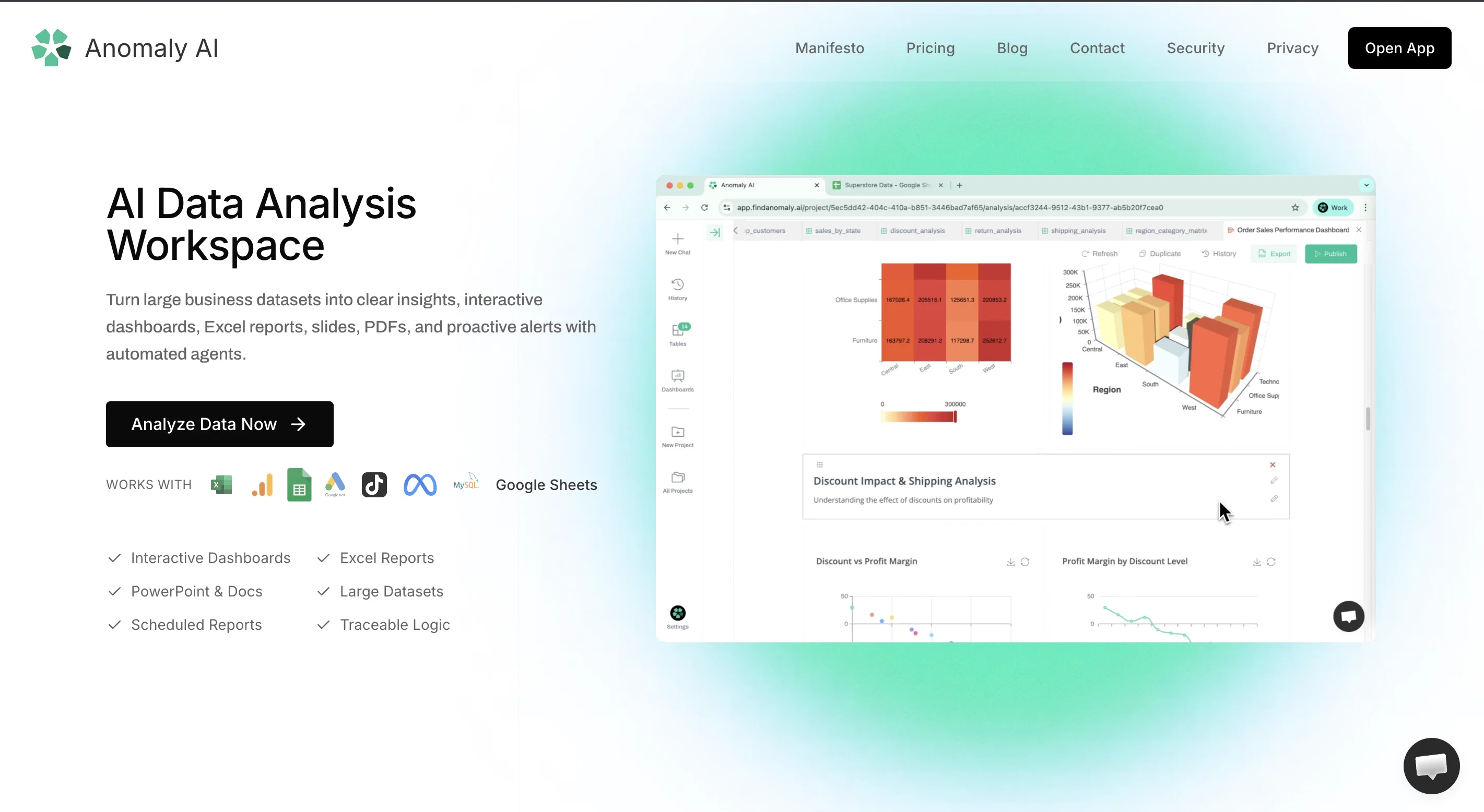
The product is built for analysis that can be checked before it is shared. Users can review the logic, source data, assumptions, calculations, metric definitions, and business rules behind dashboards and reports instead of treating AI output as a black box.
For recurring reporting, Anomaly AI supports a practical dashboard-to-report loop: create a dashboard, export it to PDF, and schedule email delivery so teams, stakeholders, or clients get consistent updates.
- Interactive Dashboards: Explore Your Data Dynamically.
- Data Alerts
- Excel Analysis
- Ai Data Agents
- Ai Data Analysis
- Advanced Analytics And Reporting
Best for
Short scenarios where Anomaly AI tends to shine.
-
AI data analysis workspace for business datasets and reports.
Example outputs 1
Sample generations and before/after results for Anomaly AI.
Access & connections
Where you can use Anomaly AI, and what it plugs into.
Platforms
Integrations
Capabilities
What this tool accepts, produces, and is strongest at.
Input
- Tabular
- Text
Output
- Tabular
- Text
Highlights
- Use code TAAFT
- 50% OFF
Supported features
- Spreadsheets
- Slides
- Docs
- SQL
- Automation
- Integrations
Pros & cons
Pros
- Works with large business datasets
- Creates interactive dashboards
- Generates Excel reports
- Exports PowerPoint slides
- Creates Word docs and PDFs
- Schedules email reports
- Supports Excel and CSV
- Connects GA4 and BigQuery
Show 7 more
- Connects Google Sheets and MySQL
- Shows reviewable analysis logic
- Keeps source-backed calculations
- Supports metric definitions and rules
- Good for recurring business reporting
- Built for marketing analytics workflows
- Turns questions into shareable outputs
Cons
- Not a real-time streaming tool
- Not an anomaly detection product
- No predictive analytics or ML training
- No Slack delivery for scheduled reports
- No mobile app
- Not a custom-code notebook environment
Compare alternatives
Similar tools in the catalog — with a clear reason to open each one.

Grapha AI ✓
PaidUncover hidden trends and patterns in your data effortlessly.
from $150
Full comparison
DataSquirrel ✓
FreemiumData cleaning & visualization for insights gained.
Why look Typically cheaper
Full comparison
Breadcrumb ✓
FreemiumAutomate data work and reporting with AI Agents. No data|coding skills required.
Why look Better fit for coding
Full comparison
ChartPixel ✓
FreemiumAI-assisted graphs and insights in 30 seconds!
Why look Typically cheaper
Full comparison
Vizly ✓
Free TrialAnalyze your Excel spreadsheet or CSV in seconds!
Why look Typically cheaper
Full comparisonPeople also view
Tools that often show up alongside Anomaly AI in collections and comparisons.
Vizly ✓
Free TrialAnalyze your Excel spreadsheet or CSV in seconds!

Storytell.ai ✓
FreemiumTurn your data chaos into meaningful insights
Grapha AI ✓
PaidUncover hidden trends and patterns in your data effortlessly.
DataSquirrel ✓
FreemiumData cleaning & visualization for insights gained.
ChartPixel ✓
FreemiumAI-assisted graphs and insights in 30 seconds!
Breadcrumb ✓
FreemiumAutomate data work and reporting with AI Agents. No data|coding skills required.

LDOO ✓
FreemiumAsk marketing questions, get instant branded reports.

GA4.so ✓
FreeAI agent for Google Analytics 4 & Google Search Console
Releases 2
Relaunch: Anomaly AI is now positioned as an AI data analysis workspace for large business datasets.
Added stronger output workflows for interactive dashboards, Excel reports, Excel-native dashboard exports, PowerPoint slides, Word docs, PDFs, and scheduled email reports.
Improved trust surfaces around reviewable logic, source-backed calculations, assumptions, metric definitions, and business rules.
Strengthened workflows for Excel, GA4, spreadsheets, CSV analysis, and database-backed reporting.
Relaunch offer: use code TAAFT for 50% off your first month.
Imported reviews 3
Great tool for getting a handle on anomalies in your datasets, especially when you're in that initial exploration phase and need to quickly understand what's off.
Created a dashboard using my Excel file and it gave insights I didn’t even expect. It can read any kind of Excel file no matter the template. I can even check the accuracy by tracing back which column the data came from
Great tool. highly recommended!!
Gave me cool looking dashboards and I like how I can select one of the dashboard elements and specifically query over it
FAQ 12
What is Anomaly AI?
What are the key features of Anomaly AI?
How does Anomaly AI handle large data sets?
Can Anomaly AI connect with BigQuery and GA4 databases?
How does Anomaly AI ensure enterprise-grade security?
Does Anomaly AI support Excel and CSV data upload formats?
How does Anomaly AI optimize data handling?
What are the functionalities of Anomaly AI's interactive dashboards?
Can Anomaly AI detect anomalies in the data?
How is raw data transformed into understandable insights using Anomaly AI?
Is Anomaly AI suitable for use across various departments in an organization?
What kind of support and assistance does Anomaly AI offer for setup and use?
Related tools
Recommended

remio: Your Personal ChatGPT ✓
FreemiumGet Tailored Answer with Your Personal ChatGPT

Thea ✓
FreemiumAI study tools to master material, not just memorize it.

CodeRabbit ✓
Free TrialEnhanced code review for improved workflow and quality.

Claude ✓
FreemiumBuilding reliable, interpretable AI systems

Younet ✓
Free TrialAI Agent Orchestration and Automation. Build your agentic business.

leania.ai ✓
Free TrialMRI scan for Businesses: Find What to Cut, Replace, Automate with AI