Boolpic ✓
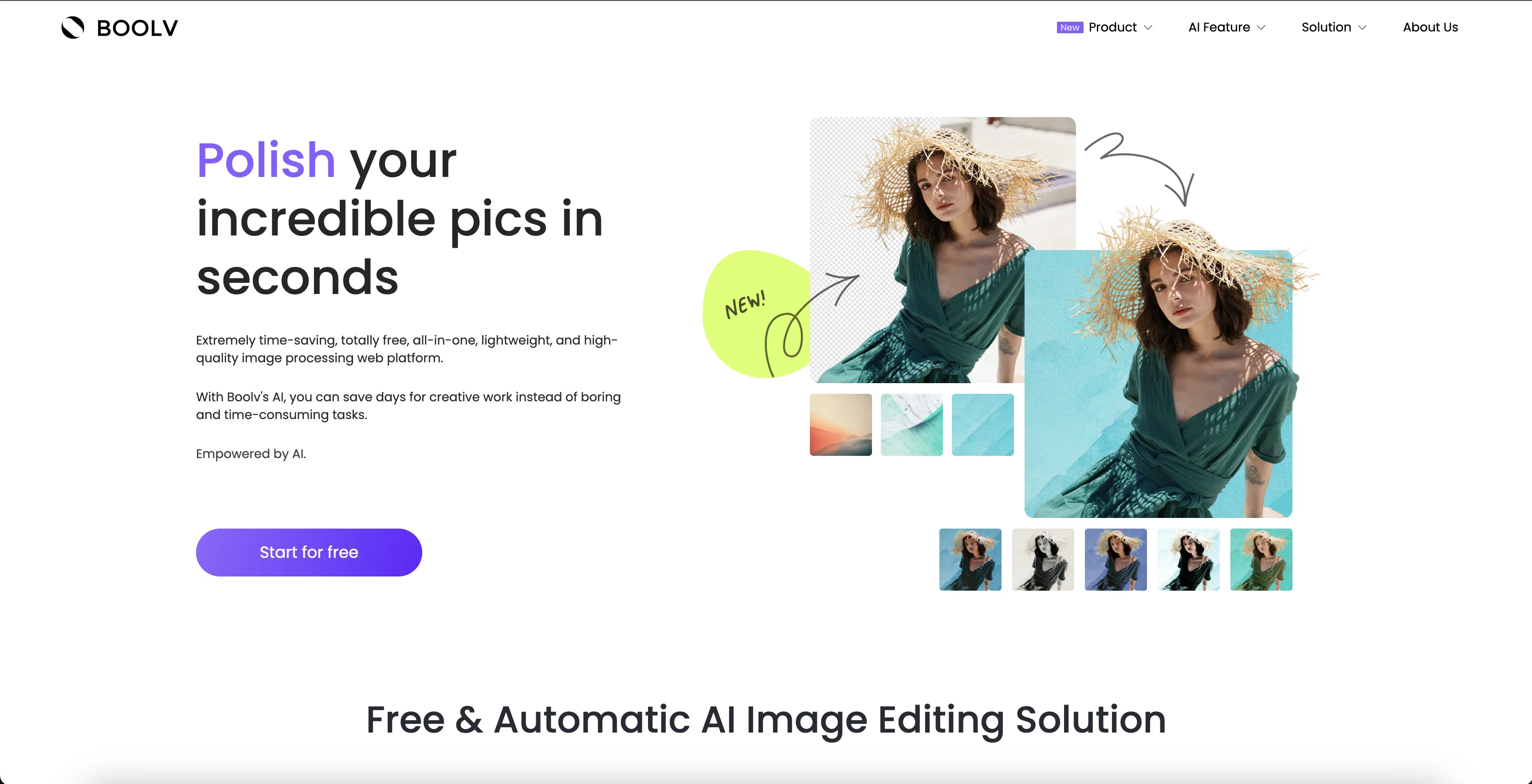
Polish incredible pics in seconds with AI.
Verdict
A quick read before you dig into the full page.
- Best if
- Polish incredible pics in seconds with AI
- Skip if
- No offline mode
- Pick this when
- Free platform
Considering Viyou AI Image Generator instead? Compare side by side
Overview
Boolv.Toolkit is a free and lightweight AI image editing platform designed to save users time and effort. It features a suite of powerful tools such as background removal, photo effects and filters, photo animation, image resizing and compressing, and image upscaling (coming soon).
The platform is designed to be easy to use; users simply select a feature, upload or drop an image, choose the variations they like, and download the finished product.
With Boolv's AI, users can produce professional-looking visuals in only a few clicks. Boolv also offers a Smart Video Maker product, which enables users to turn images and photos into stunning promotional videos in just one click.
Best for
Short scenarios where Boolpic tends to shine.
-
Polish incredible pics in seconds with AI.
Example outputs 1
Sample generations and before/after results for Boolpic.
Access & connections
Where you can use Boolpic.
Platforms
Capabilities
What this tool accepts, produces, and is strongest at.
Input
- Image
Output
- Image
Pros & cons
Pros
- Free platform
- Lightweight
- Background removal feature
- Variety of photo effects
- Image resizing feature
- Image compressor tool
- Image upscaling (coming soon)
- Simple interface
Show 21 more
- Few clicks to edit
- Photo animation feature
- Smart Video Maker
- One click promotional videos
- Easy upload process
- Option to choose variations
- Downloadable edits
- Suitable for social media
- Ideal for printing
- Quick results
- Excellent for visuals
- Saves time
- Ability to polish images
- Makes photos vivid
- Turns pics into masterpieces
- Automatic image editing
- Creates consistent pictures
- Good for team photos
- Good for family albums
- Helpful for personalized invitations
- Tool Thumbnails
Cons
- No offline mode
- Lacks advanced editing features
- No image upscaling yet
- No collaborative features
- No API for integration
- No mobile app
- No noise reduction feature
- Clearly watermarked images
Compare alternatives
Similar tools in the catalog — with a clear reason to open each one.

Viyou AI Image Generator ✓
FreemiumTransform text and images into stunning videos and visuals.
Free + from $39.99/yr
Full comparison
Img2Img AI ✓
FreemiumTransform any image with AI in seconds.
Why look Offers a public API
Full comparisonPeople also view
Tools that often show up alongside Boolpic in collections and comparisons.
Viyou AI Image Generator ✓
FreemiumTransform text and images into stunning videos and visuals.

Photoeditor ✓
PaidEnhanced image editing with object and text removal.
Img2Img AI ✓
FreemiumTransform any image with AI in seconds.

Creen AI ✓
Paid40+ AI models for video, image and art. Free, no sign-up.

Cleanup pictures ✓
FreemiumRemove unwanted elements from photos instantly.

MF0.ai ✓
PaidEvery top AI in one chat. Real memory. No subscription.

LineArt ✓
Free TrialTurn one photo into a whole coloring book.

Kyukoma ✓
Free TrialTurn your stories into manga pages with AI.
Releases 1
Imported reviews 2
Really fast image resizing and compressing
Perfect for image enhancement!
FAQ 12
What is the Boolv.Toolkit used for?
How does the background removal tool in Boolv.Toolkit work?
What kinds of effects and filters can I apply with Boolv.Toolkit?
How does Boolv.Toolkit turn photos into animations?
Can images be resized or compressed with Boolv.Toolkit?
What is the upcoming feature of image upscaling on Boolv.Toolkit?
How do I use the Smart Video Maker provided by Boolv?
How user-friendly is Boolv.Toolkit for beginners not well-versed in image editing?
Is Boolv.Toolkit completely free to use?
Can I use Boolv.Toolkit on different web browsers?
What type of images can be edited on Boolv.Toolkit?
How can Boolv.Toolkit save users' time?
Related tools
Recommended

Fixpix ✓
FreeAI-powered image processing for everyone

Color-anything ✓
FreeCreate AI coloring pages from your imagination.

Photoroom: AI Photo Editor ✓
FreemiumTransform your photos with Studio Editor

ExtendImage ✓
Free TrialExtend images seamlessly with AI magic.

Findsight ✓
FreeCompare non-fiction ideas from multiple sources.

PicWonderful ✓
UnknownAI-powered photo toolkit to enhance and transform images.