

Music videos vv3.0 2026 Rank: #115
BeatViz AI Music Video Generator ✓
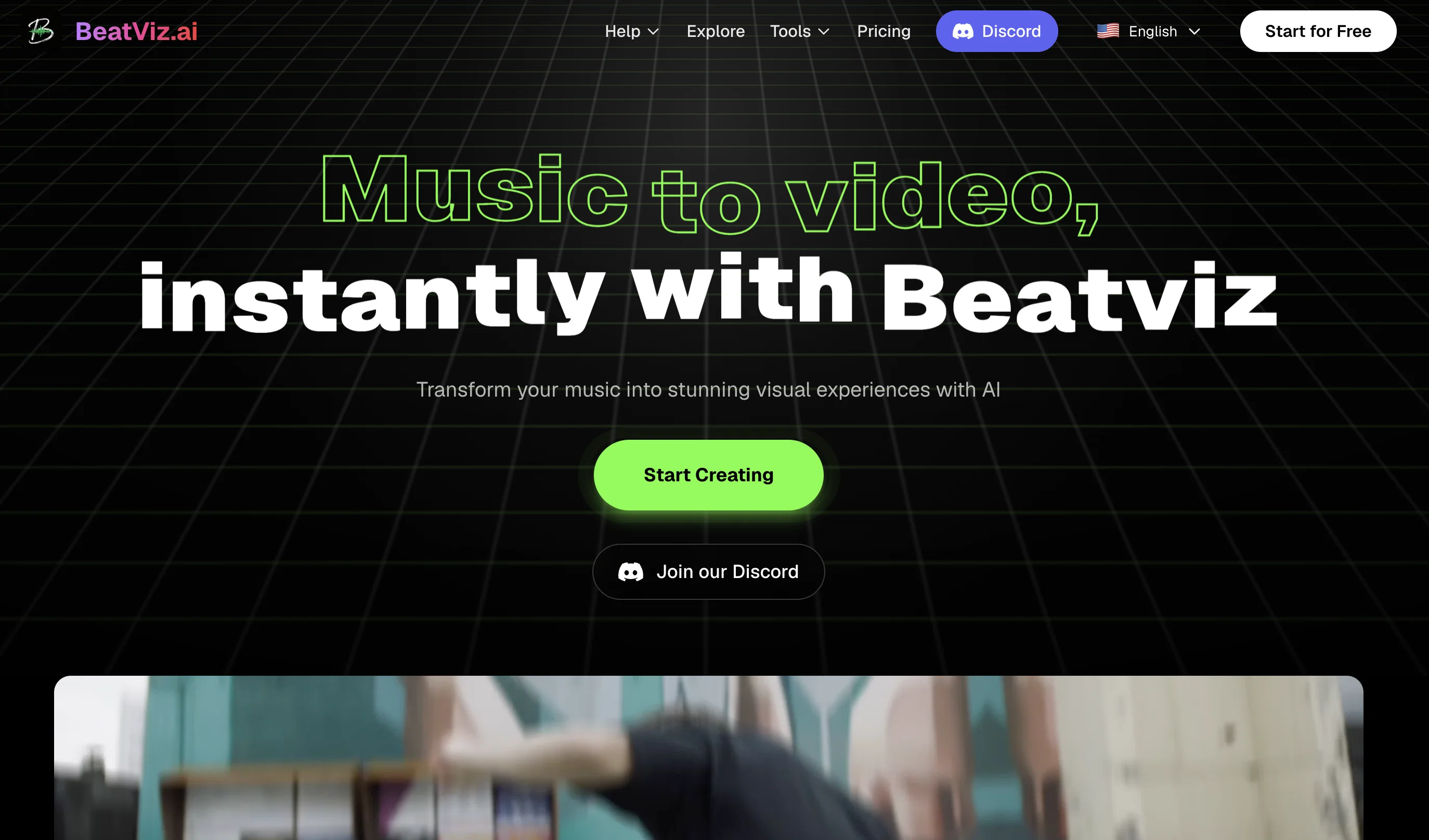
Transform your music into stunning visual experiences with AI
Verdict
A quick read before you dig into the full page.
- Best if
- You are music Creators and need: Music creators and publishers generating professional music videos for singles
- Skip if
- Complex user interface
- Pick this when
- Generates music videos from text
Considering Music Video Generator instead? Compare side by side
Overview



BeatViz AI is a music video generator that uses advanced artificial intelligence models to transform audio tracks into visually appealing videos. The tool detects the rhythm and beat of the uploaded music to create a synchronized visual framework.
Users can specify their requirements by inputting a desired style, such as 'Neon city' or 'Retro waves', which the AI uses to generate the music video.
It is capable of rapid rendering and delivery, skipping the need for manual footage upload and traditional editing. In addition to this, BeatViz AI has the unique capacity to generate original music if the user doesn't have an audio track.
This is accomplished through textual suggestions about mood, genre, and tempo provided by the user. These musical creations can also be accompanied by synthesized human voice dialogues or voiceovers based on the user's script, making it suitable for concept videos and story-driven content.
The AI Agent not only generates music but performs automated audio-visual editing. After creating the music, it cuts and arranges visual footage to match the rhythmic changes and climax points of the new soundtrack.
Taking it a step further, it delivers a full concept clip, incorporating original music and custom visuals. BeatViz also offers an 'audio swap' feature allowing users to replace the AI-generated music with their own audio.
The Agent then re-syncs the visuals according to the new audio, providing creative flexibility. Lastly, BeatViz aggregates leading AI video models, offering a range of features and styles for users to choose from.
Best for
Short scenarios where BeatViz AI Music Video Generator tends to shine.
-
Music creators and publishers generating professional music videos for singles.
Best for Music Creators
-
Content creators and social media managers producing fast, high-quality visual content.
Best for Music Publishers
-
Brands and marketers creating customized, brand-consistent video ads.
Best for Content Creators
-
Filmmakers and students sketching out storyboard ideas and prototypes.
Best for Social Media Managers
-
Designers bringing static designs to life with motion and rhythm.
Best for Brands
-
Independent artists and producers creating visualizers for new tracks on a budget.
Best for Marketers
Example outputs 1
Sample generations and before/after results for BeatViz AI Music Video Generator.
Access & connections
Where you can use BeatViz AI Music Video Generator.
Platforms
Capabilities
What this tool accepts, produces, and is strongest at.
Input
- Image
- Text
- Video
- Audio
Output
- Audio
- Video
Highlights
- Agents
Supported features
- Agents
- Music Generation
- Video Generation
- Video Edit
- Sound Creation
- Styling
- Social Media
- TTS
Pros & cons
Pros
- Generates music videos from text
- Cloud-based rendering
- Detects rhythm and beat
- Synchronizes visual and audio
- Generates original music
- Constructs visual and auditory framework
- Automatic footage arranging
- Emotion and music genre identification
Show 37 more
- Story driven content creation
- Great user interface
- Rapid rendering and delivery
- Generates videos without tracks
- Audio swap feature
- Generates storyboards
- Textual style input
- Concept clip creation
- User-specified visual styles
- Generates voice synthesis
- Automatically cuts to match rhythm
- Automatically fits soundtrack to visuals
- Adjusts to new audio on swap
- One-click viral effects
- Automatic music and BPM analysis
- High-quality human voice dialogue
- Mood and genre analysis
- Narration synthesis feature
- Customizable video resolution and duration
- Automated audio and visual editing
- Creation without manual footage uploads
- Generates visuals for audio-free mode
- Storyboard production tools
- Generates background music for scenes
- Applies massive library of trending effects
- Auto-syncs uploaded audio with visuals
- Requires zero manual editing
- All-in-one music video generator
- Allows precise visual storytelling
- Multiple duration and resolution customization options
- Simultaneously syncs music and visual output
- Simple instructions for complex visuals
- Auto-generates audio effects
- Perfect for rapid content rollout
- Offers control over final product
- Generates atmospheric sound effects
- Applies Magic Effects feature
Cons
- Lacks offline version
- Limited style customization
- Complex user interface
- Long rendering times
- No guarantee of musical quality
- Limited genre detection
- Lack of multi-language support
- Content originality concerns
Compare alternatives
Similar tools in the catalog — with a clear reason to open each one.

Music Video Generator ✓
PaidTurn your song into a cinematic, lyrics-driven music video
Why look Typically cheaper
Full comparison
BeatMV ✓
Free TrialTurn any song into scroll-stopping videos in minutes with AI-directed scripts and
Why look Typically cheaper
Full comparison
1MoreShot ✓
FreemiumTransform tracks into professional music videos instantly.
Why look Typically cheaper
Full comparison
Plazmapunk ✓
FreemiumTurn Your Music into Stunning AI-Generated Videos in Minutes
Why look Typically cheaper
Full comparison
AirMusic - AI Music Video Generator ✓
PaidTurn any song into viral music videos.
Why look Typically cheaper
Full comparison
Musid.ai ✓
Free TrialGenerate AI music videos with perfect lip-sync in seconds.
Why look Typically cheaper
Full comparisonPeople also view
Tools that often show up alongside BeatViz AI Music Video Generator in collections and comparisons.
Music Video Generator ✓
PaidTurn your song into a cinematic, lyrics-driven music video
Plazmapunk ✓
FreemiumTurn Your Music into Stunning AI-Generated Videos in Minutes
Musid.ai ✓
Free TrialGenerate AI music videos with perfect lip-sync in seconds.
BeatMV ✓
Free TrialTurn any song into scroll-stopping videos in minutes with AI-directed scripts and
AirMusic - AI Music Video Generator ✓
PaidTurn any song into viral music videos.
1MoreShot ✓
FreemiumTransform tracks into professional music videos instantly.

TubeTube ✓
Free TrialTurn lyrics or a story into a finished, fully edited video

Seedeo Video Generator ✓
FreemiumTurn text and images into cinematic AI videos.
Releases 6
🚀 BeatViz v3.0 — Agent Mode Launch
We’re excited to introduce BeatViz v3.0, a major release centered around our new AI Agent — designed to turn your music into fully directed videos with minimal effort.
This update transforms BeatViz from a tool into a true AI music video director.
✨ New Features
🎬 AI Music Video Agent
Introducing our new Agent Mode — an AI-powered workflow that plans and generates your entire video.
From music analysis to scene design, shot planning, and final video generation, the Agent handles everything for you.
🎧 Smart Music Analysis
Automatically analyzes your track’s BPM, mood, energy curve, and structure to drive visual storytelling and pacing.
🎨 Style Exploration & Selection
Generate multiple visual styles tailored to your music, with AI-generated reference images to help you choose the perfect direction.
🧠 Creative Plan Generation
The Agent creates a complete creative concept — including story structure, visual world, and key moments — before production begins.
🎭 Character & Scene Design
Define a consistent protagonist and generate scene concepts with visual references, ensuring cohesion across your entire video.
🎞 Shot Planning & Keyframe Generation
Each segment of your music is translated into detailed shot design, including cinematic prompts and keyframe images for visual consistency.
🎥 Multi-Segment Video Generation
Generate video clips per segment using AI models (Kie / Veo / Kling), then assemble them into a full music video.
🌐 Multi-Language Support
The Agent now supports multiple languages — all outputs automatically match the user’s language for a seamless experience.
🛠 Improvements & Fixes
⚡ Improved Workflow Speed & Stability
Optimized tool execution and task handling for a faster and more reliable generation pipeline.
🧩 Better Regeneration Control
You can now refine specific elements (character, scene, shot, or frame) without restarting the entire workflow.
🎯 Enhanced Visual Consistency
Improved handling of character presence, scene continuity, and shot transitions across segments.
🖥 UI & UX Enhancements
Refined the Agent interface for clarity and ease of use, including improved onboarding and guidance.
🎬 Editor Integration
Seamlessly move from Agent generation into Editor Mode for manual adjustments, clip replacement, and final composition.
BeatViz v3.0 marks a major step toward fully automated video creation — combining AI direction with creative flexibility.
We can’t wait to see what you create with the new Agent.
🚀 BeatViz v2.4 — Product Update
We’re excited to announce BeatViz v2.4, a major update focused on creative control, visual consistency, and workflow flexibility.
✨ New Features
🎭 Character Definition & Upload
You can now define and upload custom characters to act as the main subject of your entire video.
This makes it easier to keep a consistent protagonist across scenes and shots.
🎨 Style Presets
New style presets allow you to instantly change the overall theme and visual direction of your generated videos — from mood and color to cinematic style.
🛠 Improvements & Fixes
💳 +10% Credits on All Paid Plans
All paid subscription plans now receive 10% more credits, giving you more value for every plan.
🖥 UI & UX Enhancements
We’ve refined the interface to make it cleaner, more intuitive, and easier to use throughout the creation process.
🎞 Better Start & End Frame Control (Simple Mode)
Simple Mode now offers improved control over start and end frame images, helping your videos feel smoother and more coherent.
📂 History Import & Reuse (Simple Mode)
Previously generated frame images and videos can now be exported from history and reused in new projects — allowing you to remix, replace, or refine visuals effortlessly.
BeatViz v2.4 is all about helping creators move faster while keeping full creative control.
We can’t wait to see what you create with it.
🎶 BeatViz 2.3 is here
We’re excited to introduce BeatViz 2.3, an update focused on giving creators more control over motion and character performance.
With smarter motion understanding and a new edit workflow, BeatViz can now transfer real movements from video directly onto your characters—making music videos feel more alive and expressive.
✨ What’s New
- Video-to-Image Motion Transfer (New)
Turn real movement into character animation.
Upload a dance or motion-based video along with a character image. BeatViz’s AI analyzes the movements in the video and applies them to the character, transforming a static image into a dynamic performance.
Perfect for dance visuals, animated characters, and expressive music videos.
🔧 How It Works
Motion Extraction & Transfer
Our AI detects body movement and motion patterns from your uploaded video and maps them onto the character in your image for smooth, natural animation.
Edit Mode Workflow
This feature is available in Video Generator → Custom Mode. Simply switch Generate Mode to Edit Mode to start applying motion to your image.
💡 Why It Matters
Bring characters to life – Real motion creates more engaging visuals
Less manual tweaking – Let AI handle motion mapping
More creative freedom – Use any video as a movement reference
BeatViz 2.3 helps you turn movement into storytelling—so your music videos don’t just look good, they move with purpose.
We’re excited to introduce BeatViz 2.2, a major update focused on making music video creation faster, smarter, and more controllable.
This release brings AI-powered automation and deeper music understanding—so you can spend less time tweaking prompts and more time creating.
✨ What’s New
- AI-Generated Video Prompts (New)
Creating the perfect video prompt is now effortless.
BeatViz can automatically generate high-quality video prompts based on your music and selected style—no manual writing required.
- Music Analyzer in Custom Mode (New)
Custom mode just got a major intelligence upgrade.
The new Music Analyzer understands your track’s rhythm, mood, and structure, and helps guide video generation with better timing and visual alignment.
- First-Frame Image Generation & Upload (Simple Mode)
Simple mode now gives you more visual control from the very first frame.
You can:
Generate a first-frame image with AI
Or upload your own image as the video’s starting point
This ensures visual consistency and a stronger opening impression.
🔧 How It Works
AI Video Prompt Generator
Automatically analyzes your input and creates optimized prompts for smoother video results.
Music Analyzer (Custom Mode)
Breaks down your music to enhance beat synchronization and scene transitions.
First Frame Control (Simple Mode)
Set the visual tone instantly by generating or uploading a starting image.
💡 Why It Matters
Less setup, more creation – AI handles the complex parts.
Better music–visual sync – Smarter analysis means more expressive videos.
More control, even in Simple mode – Strong visuals from frame one.
BeatViz 2.2 is all about helping creators turn music into compelling visuals—faster and with better results.
1.Revolutionary Dual-Panel Workflow
Instantly generate AI visuals on the left while editing them seamlessly on the right. No more switching between tools!
2.Perfect Audio-Visual Synchronization
Our new editor allows you to map generated visuals directly onto music nodes for beat-perfect, frame-accurate music video timing.Advanced Lip-Sync Control
3.Advanced Lip-Sync Control
Bring your singers to life with realistic, dedicated lip-sync generation, ensuring natural movement and vocal alignment for your digital performers.
Imported reviews 5
AI companies like beetviz have huge potential, but real success comes from visibility on Google. SEO guest posting backlinks helps build authority, traffic, and rankings. I specialize in this for AI businesses. If you want your business to grow the same way your competitors are, get in touch.
I like the "character" feature of this software. It enables me to upload my own photos to be used as the main character in the music video.
I made a song using Suno and directly uploaded it to this platform, which resulted in a video that I was very satisfied with. However, the rendering speed is a bit slow. I hope it can be faster.
The generation effect is good, the pictures are exquisite, and the transition animations of the pictures are smooth
The only drawback is that it would be better if the generation time were a little faster
The music videos generated are solid and visually appealing.
FAQ 12
How does BeatViz AI work?
What is the process to create a music video with BeatViz AI?
Is there a need for any editing skills to use BeatViz AI?
Can BeatViz AI create a music video without any track uploaded by the users?
What AI models are integrated with BeatViz AI?
Does BeatViz AI support style customization in music videos?
What is the Quality of videos generated by BeatViz AI?
Can BeatViz AI generate original music and sound effects?
What is the 'audio swap' feature in BeatViz AI?
Is there any rapid rendering in BeatViz AI?
How does the AI Agent construct visual and auditory framework for videos in BeatViz AI?
How does BeatViz AI's AI Music Creation feature work?
Related tools
Recommended

freebeat AI ✓
FreemiumTurn Music & Ideas into Viral Videos In One Click

Notis ✓
Free TrialThe first WhatsApp assistant that runs on your ChatGPT and Claude subscriptions

Pixwit AI ✓
FreemiumCreate cinematic AI videos from text or images.

Suno ✓
FreemiumMake music at the speed of your ideas.

Veo ✓
PaidGenerate high-quality, cinematic videos with AI.

Vertech Academy ✓
Free TrialPre-built AI study workflows that outperform raw ChatGPT prompts.