

Ayari ✓
Conversational AI for email and calendar management.
Trial; then from $12.99/mo
Verdict
A quick read before you dig into the full page.
- Best if
- Conversational AI for email and calendar management
- Skip if
- Limited to Gmail and Outlook
- Pick this when
- Natural conversation execution
Considering HeyHelp instead? Compare side by side
Overview
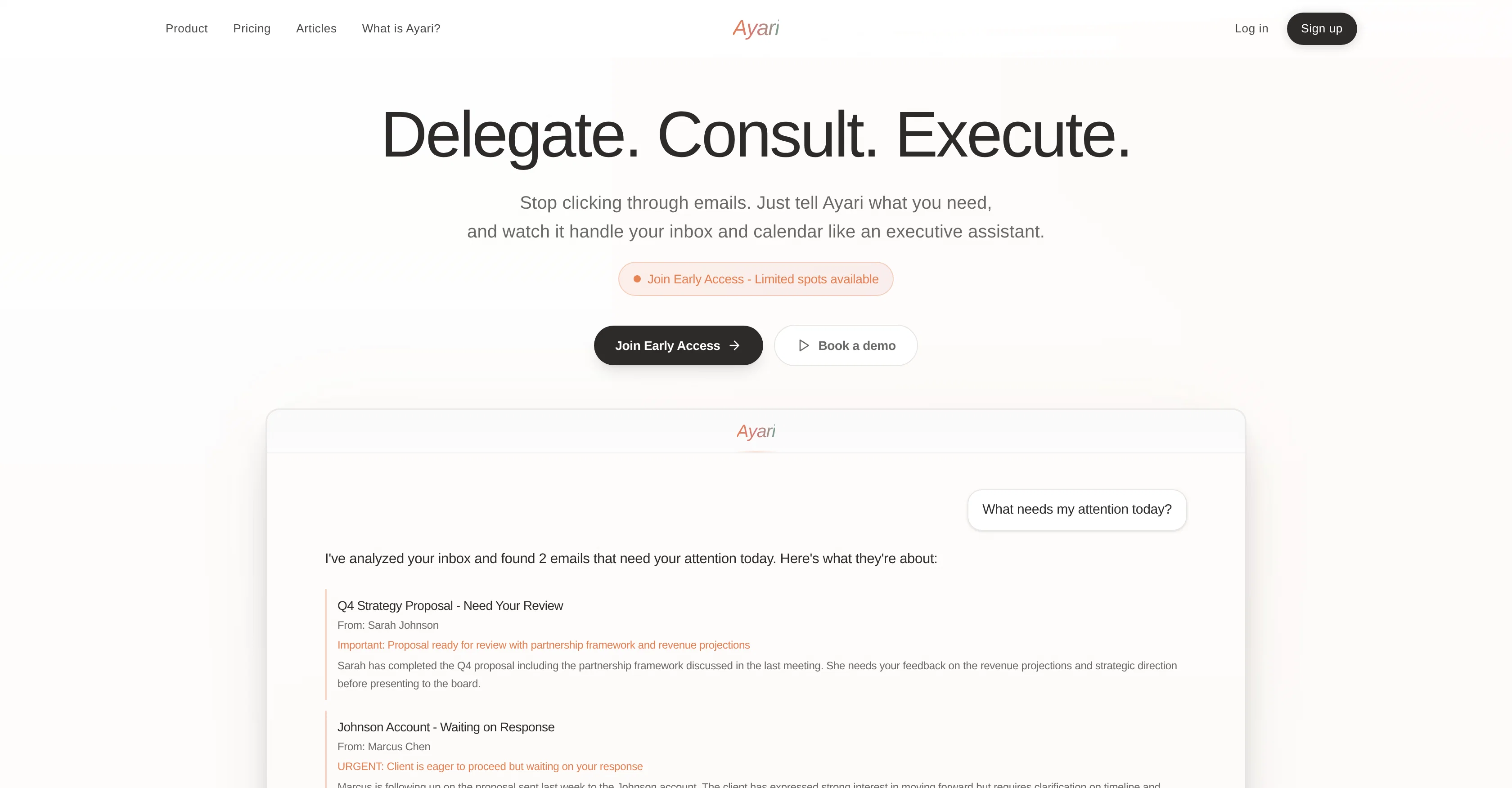
Daily briefings, not inbox chaos.
Ask Ayari what needs your attention and get a TL;DR of what actually matters. Urgent emails surfaced, replies drafted, noise filtered out. You review and approve, instead of starting from zero.
Delegate the busywork.
"What needs my attention today?" "Draft a reply to Marcus." "Block 2 hours for deep work tomorrow." You give the instruction, Ayari handles it.
Consult when you need context.
Not sure how to respond to a tricky client email? Need a summary of last week's project thread before a call? Ayari pulls from your emails and calendar to give you the full picture. Like briefing a chief of staff, except instant.
Smart calendar, zero conflicts.
It finds availability, schedules around your priorities, prevents double bookings, and handles the coordination so you don't have to.
For anyone who wants their time back.
Whether you're a founder, recruiter, student, consultant, or just someone tired of living in your inbox, Ayari adapts to how you work.
Works with Gmail and Outlook. Try free for 3 days.
- Drafts Replies In Your Voice
- Smart Inbox Triage
- Calendar Conflict Detection
- Intelligent Calendar Optimization
- Full Context On Demand
Best for
Short scenarios where Ayari tends to shine.
-
Conversational AI for email and calendar management.
Example outputs 1
Sample generations and before/after results for Ayari.
Access & connections
Where you can use Ayari, and what it plugs into.
Platforms
Capabilities
What this tool accepts, produces, and is strongest at.
Input
- Tabular
- Text
Output
- Tabular
- Text
Highlights
- Agents
Supported features
- Agents
- Assistant
- Automation
- Integrations
- Memory
- Outreach
- Search
- Text Generation
- Mobile Companion
Pros & cons
Pros
- Natural conversation execution
- Automatic email drafting
- Intelligent email prioritization
- Effective task scheduling
- Time effective
- Substructures for email and calendar
- Intelligent email context understanding
- Automated thoughtful response drafting
Show 40 more
- Email triage service
- Calendar conflict prevention
- Meeting coordination management
- Contextual work prioritization
- Adapts to varied roles
- User-specific pricing plans
- Transparent pricing
- Includes Free trial
- Improves response times
- Boosts project velocity
- Helps with recruiting assistance
- Useful for leadership roles
- Supports young professionals
- Easy task review
- Useful for students
- Compatible with Gmail, Google Calendar, Outlook
- Executes tasks and advises on decisions
- Provides operational efficiency
- Optimized time management
- Simple setup
- Fast and efficient in service
- Ensures data security
- Customizable enterprise solutions
- Increased workforce productivity
- Helps avoid double bookings
- Quick results
- Capable of task and time optimization
- Adaptable to user's communication style
- 3-day free trial
- Autopilot email management
- High volume email handling
- Intelligent workflow automation
- Smart task planning
- Analyzes context across all your emails and calendar
- Advises user on decisions
- Requires no training period
- Drafts replies in user's voice
- Autopilots email management
- Supports conflict detection in scheduling
- Offers industry-specific workflows
Cons
- No Slack or Zoom integration
- Data not stored permanently
- Limited spots in early access
- Only supports English
- Limited custom integrations
- Limited to email and calendar
- Custom pricing not transparent
- Limited to Gmail and Outlook
Compare alternatives
Similar tools in the catalog — with a clear reason to open each one.

HeyHelp ✓
Free TrialAI Email Assistant in Gmail that saves you 1 hour each day.
Free + from $12/mo
Full comparison
Eloquens AI ✓
Free TrialAI email assistant that never sleeps.
Why look Higher community rating
Full comparison
Pullsy ✓
Free TrialYour inbox, organized. Your replies drafted.
Why look Higher community rating
Full comparison
MailSweeper ✓
PaidReclaim your inbox with AI-powered email cleanup.
Why look Higher community rating
Full comparisonPeople also view
Tools that often show up alongside Ayari in collections and comparisons.
Pullsy ✓
Free TrialYour inbox, organized. Your replies drafted.
HeyHelp ✓
Free TrialAI Email Assistant in Gmail that saves you 1 hour each day.
Eloquens AI ✓
Free TrialAI email assistant that never sleeps.
MailSweeper ✓
PaidReclaim your inbox with AI-powered email cleanup.

Fyxer.ai ✓
Free TrialSave 1 hour daily with an AI executive assistant.

Tame My Inbox ✓
FreemiumAI email assistant that solves Gmail overload effortlessly.

SuperIntern ✓
FreemiumYour always-on AI assistant that runs your admin so you can focus.

Remy - Newsletter summarizer ✓
FreemiumTurn newsletter chaos into one clear digest.
Releases 1
Imported reviews 1
Maybe making an browser extension to integrate directly into mail clients would be great here :)
FAQ 12
What is Ayari?
How does Ayari manage emails?
How does Ayari effectively schedule and coordinate tasks?
What are Ayari's key features?
What are the substructures of Ayari?
What does the Email Agent in Ayari do?
What does the Calendar Agent in Ayari do?
How does Ayari prioritize tasks?
How does Ayari assist in drafting email responses?
What industries and roles can Ayari serve?
Can Ayari be customized according to user-specific needs?
What is the pricing structure of Ayari?
Related tools
Recommended

Notis ✓
Free TrialThe first WhatsApp assistant that runs on your ChatGPT and Claude subscriptions

remio: Your Personal ChatGPT ✓
FreemiumGet Tailored Answer with Your Personal ChatGPT

Vozexo - Dental Answering Service | 24/7 AI for Denti... ✓
PaidThe AI voice agent that closes deals.

ChatGPT ✓
FreemiumAsk anything, create anything, and move from idea to action.

CodeRabbit ✓
Free TrialEnhanced code review for improved workflow and quality.

freebeat AI ✓
FreemiumTurn Music & Ideas into Viral Videos In One Click