

HeyHelp ✓
AI Email Assistant in Gmail that saves you 1 hour each day.
Trial; then from $12/mo
Verdict
A quick read before you dig into the full page.
- Best if
- AI Email Assistant in Gmail that saves you 1 hour each day
- Skip if
- Limited integrations
- Pick this when
- Works natively in Gmail
Considering Ayari instead? Compare side by side
Overview

Most inboxes steal hours each week in clutter, follow-ups, and repetitive replies.
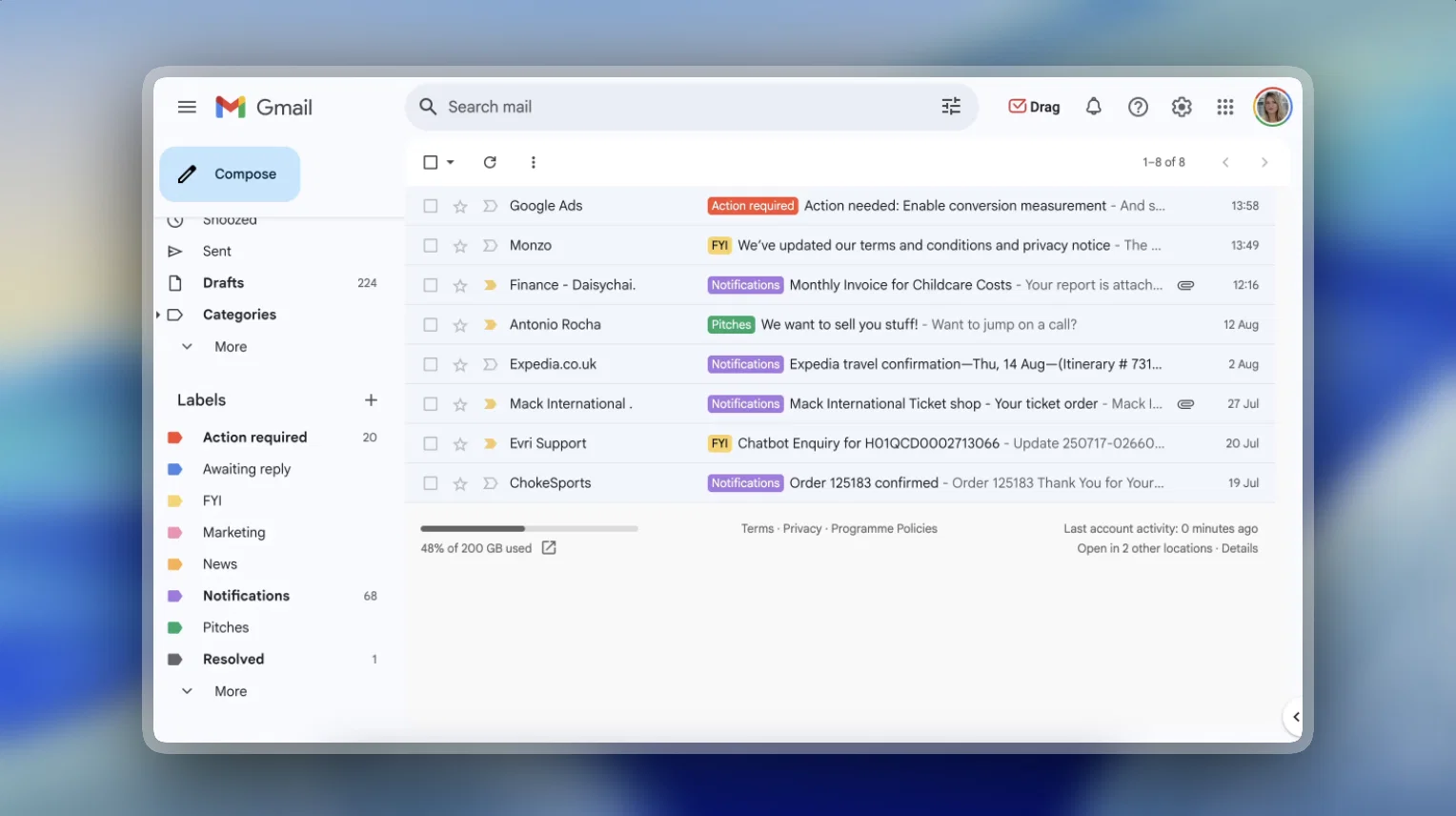
HeyHelp clears the noise: auto-tagging, organizing, highlighting priorities, and drafting responses in your voice. No new apps, no broken workflows. Just Gmail, finally working as it should.
✨ What makes HeyHelp different?
→ Native to Gmail: It runs where you already work, with zero friction.
→ Your choice of AI: OpenAI, Anthropic, or Google Gemini. Swap anytime.
→ Privacy & Security first: Google-verified, CASA Tier 2 compliant, end-to-end encrypted.
✨The impact
→ Save hours per week.
→ Gain clarity with a pre-cleaned inbox.
→ Reduce mental load with replies and follow-ups handled.
✨ What users are saying
→ “Game-changer! I only see what matters.”
→ “Simple, intuitive, and stays out of the way.”
→ “Email finally feels smooth and stress-free.”
HeyHelp gives professionals back their time, focus, and headspace - so email becomes background, not busywork.
Best for
Short scenarios where HeyHelp tends to shine.
-
AI Email Assistant in Gmail that saves you 1 hour each day.
Example outputs 1
Sample generations and before/after results for HeyHelp.
Access & connections
Where you can use HeyHelp, and what it plugs into.
Platforms
Integrations
Capabilities
What this tool accepts, produces, and is strongest at.
Input
- API
- Text
Output
- API
- Text
Supported features
Pros & cons
Pros
- Works natively in Gmail
- Automatic email sorting
- Drafts emails
- Schedules emails
- Auto-tagging and archiving
- Filter cold pitches
- Adapts to user's style
- Creates responses in user's voice
Show 6 more
- Drafts events based on emails
- Google Verified App
- Organizes emails into labels
- Learning from user actions
- All features synced with Gmail
- End-to-End Encryption
Cons
- Does not support Outlook
- Limited integrations
- Automatic tagging not customizable
- BYOK (bring your own key) only
- No offline use
Compare alternatives
Similar tools in the catalog — with a clear reason to open each one.

Ayari ✓
Free TrialConversational AI for email and calendar management.
Free + from $12.99/mo
Full comparison
Eloquens AI ✓
Free TrialAI email assistant that never sleeps.
Why look Higher community rating
Full comparison
Pullsy ✓
Free TrialYour inbox, organized. Your replies drafted.
Why look Higher community rating
Full comparison
MailSweeper ✓
PaidReclaim your inbox with AI-powered email cleanup.
Why look Higher community rating
Full comparisonPeople also view
Tools that often show up alongside HeyHelp in collections and comparisons.
Pullsy ✓
Free TrialYour inbox, organized. Your replies drafted.
Eloquens AI ✓
Free TrialAI email assistant that never sleeps.
MailSweeper ✓
PaidReclaim your inbox with AI-powered email cleanup.

Fyxer.ai ✓
Free TrialSave 1 hour daily with an AI executive assistant.
Ayari ✓
Free TrialConversational AI for email and calendar management.

SuperIntern ✓
FreemiumYour always-on AI assistant that runs your admin so you can focus.

Remy - Newsletter summarizer ✓
FreemiumTurn newsletter chaos into one clear digest.

Quartz ✓
UnknownEmail that knows what deserves your attention.
Releases 1
Imported reviews 4
HeyHelp is game changing for taking out the manual noise and work you're doing every day in your inbox. Try it, it's a breath of fresh air!
Ran Heyhelp through a heavy email week and my Linkedin queue. Turns bullets into clean drafts and flags what to answer now. The browser helper makes posting and replying faster. It's a strong time saver.
HeyHelp AI has completely transformed my inbox! Now I can easily see which emails to prioritize thanks to the smart labels.
Everything is so much more organized, and the auto-drafting feature saves me tons of time, I just review the emails before sending.
No more typing everything from scratch!
Been loving this tool so far, it's awesome to keep my inbox organized with the auto-tagging feature. I'll try the auto-draft as well, seems promising 🙏
FAQ 7
What is HeyHelp?
Does HeyHelp work outside Gmail?
How does the AI drafting work?
Can HeyHelp handle scheduling?
What about follow-ups?
Is my data secure with HeyHelp?
What’s included in the lifetime deal?
Related tools
Recommended

remio: Your Personal ChatGPT ✓
FreemiumGet Tailored Answer with Your Personal ChatGPT

StarterPilot ✓
Free TrialValidate ideas, name your business, create logos, and build websites in minutes

Thea ✓
FreemiumAI study tools to master material, not just memorize it.

TurboScribe ✓
Freemium🎯 3 free transcripts every day. 🔥 Unlimited transcription starting at $10/mo.

Recall ✓
FreemiumSummarize Anything, Forget Nothing!

Aiter.io | Paste a URL. Ship a Campaign That Sounds L... ✓
FreemiumAI marketing that sounds like you, not everyone else.