

Colourlab
Express yourself in the language of color with AI
from $15/mo
Verdict
A quick read before you dig into the full page.
- Best if
- You are colorists and need: Balancing and matching shots from different cameras or locations
- Skip if
- Might limit creative control
- Pick this when
- Hollywood-level quality grading
Considering fylm.ai instead? Compare side by side
Overview
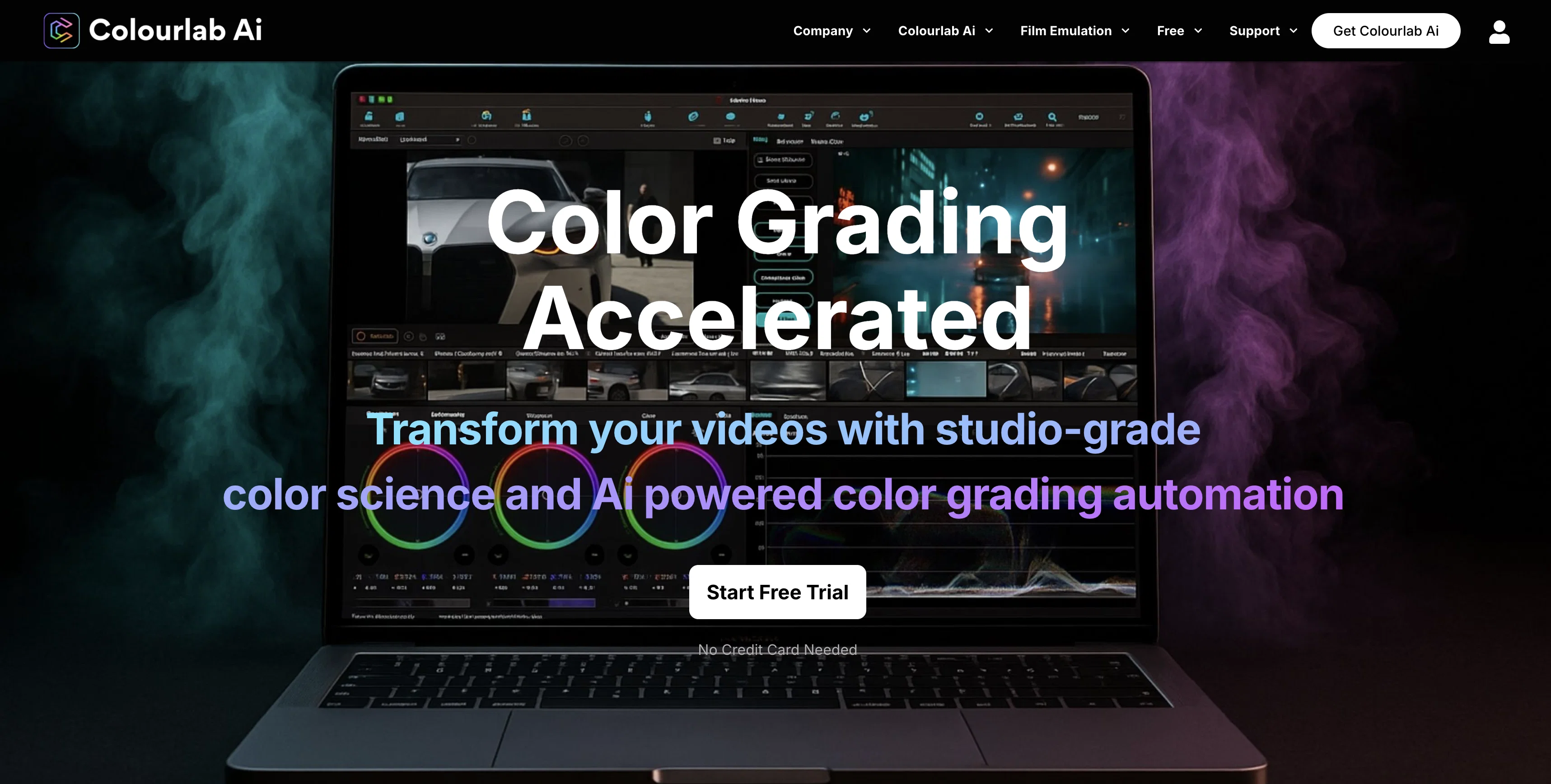
Colourlab.ai is an AI-powered tool designed to revolutionize the art of color grading in film and content production. It ensures seamless color grading through its progressive color matching engine and an array of professional toolsets.
Notable tools in the suite include Colourlab Ai Creator 3C - a leading AI color grading application, ColourPro - built specifically for professional colorists, Look Designer - a standard for innovative look design, and Freelab - dedicated to grading.
The platform also provides built-in support for over 40 camera brands, widening its applicability across various production setups. With the platform's advanced capabilities, color grading which traditionally required extensive time and expertise can now be accomplished more effectively, allowing users to focus more on creativity.
The tool's promise of 'Just Click Match' obliterates barriers to creative expression making color grading more accessible. The application can be initiated without credit card requirement, making it easily accessible for trial.
Ideal users range from colorists, editors, filmmakers to content creators. Its offerings improve efficiency, creativity, and overall output quality in film and content production.
Best for
Short scenarios where Colourlab tends to shine.
-
Balancing and matching shots from different cameras or locations
Best for Colorists
-
Creating film-inspired looks for digital video
Best for Editors
-
Streamlining color grading workflows for editors and filmmakers
Best for Filmmakers
-
Automating color management for consistent results
Best for Content creators
Example outputs 1
Sample generations and before/after results for Colourlab.
Access & connections
Where you can use Colourlab.
Platforms
Capabilities
What this tool accepts, produces, and is strongest at.
Input
- Image
Output
- Image
Pros & cons
Pros
- Hollywood-level quality grading
- Compatible with Premiere Pro
- Compatible with Final Cut Pro
- Compatible with Davinci Resolve
- Smart filters
- Color presets
- Auto-color balance feature
- Color match to specific movies
Show 41 more
- Automates repetitive editing tasks
- Designed for colorists and editors
- Available as stand-alone plugin
- Assists in identifying best shots
- Supports 40+ camera brands
- Progressive color matching engine
- Suite includes Colourlab Ai Creator 3C
- Suite includes ColourPro for professional colorists
- Suite includes Look Designer for innovative look design
- Suite includes Freelab for dedicated grading
- No credit card required for trial
- Supports creativity in color grading
- Expressive language of color grading
- Facilitates faster editing decisions
- Metadata does not alter original image
- Neutral state color balance feature
- Offers free LUT library
- Helps create celluloid-inspired looks
- Equally effective for drone, phone, digital camera and GoPro footage
- Helps achieve professional-level color grade
- No cost trial for 15 days
- Grainlab feature for grain perceptions
- Halo Lab feature for halation and diffusion emulation
- Assists in creating cohesive content
- Transforms digital video like traditional film processing
- Built-in support for Neural Looks
- Comprehensive toolset for pro colorists
- Balances and equalizes images quickly
- Facilitates faster color corrections
- Built-in support for AutoBalance
- Community support available via Discord
- Allows creating own color references
- Films Emulation in digital post-production
- Improves efficiency in content production
- Overall output quality enhancement
- Learn section for knowledge enhancement
- Support section for solving queries
- Offers variety of product features
- Useful for Filmmakers
- Effective for content creators
- Supports creative look design
Cons
- Limited editing software compatibility
- Only offers standalone plugin
- May oversimplify color grading
- Might limit creative control
- Automated processes may be inaccurate
- Reliance on presets and filters
- No information on speed
- No mention of international support
Show 2 more
- Trial period too short
- Details on camera compatibility limited
Compare alternatives
Similar tools in the catalog — with a clear reason to open each one.

fylm.ai
FreemiumAI-powered cloud color grading for pros.
Why look Freemium alternative
Full comparisonPeople also view
Tools that often show up alongside Colourlab in collections and comparisons.

VenturusAI ✓
FreemiumBusiness idea analysis and reporting.

VideoDubber ✓
FreemiumTranslate and dub videos, audios and subtitles with voice cloning and lipsync

Viddo AI ✓
PaidAll-in-one AI Video Generator

Topaz Video AI ✓
PaidCinematic superpowers: Ultra smooth, sharp, and steady.

AutoPod ✓
Free TrialAutomate video podcast editing in Premiere Pro

AutoCut ✓
Free TrialAI-powered video editing for Premiere Pro.
fylm.ai
FreemiumAI-powered cloud color grading for pros.

Caption-spark ✓
FreeSpark captivating captions for social media posts.
Releases 1
FAQ 12
What is Colourlab AI?
How does Colourlab AI save editing time?
Can Colourlab AI be used as a stand-alone plugin?
What is the 'auto-color balance' feature in Colourlab?
What is the 'color match' feature in Colourlab?
What editing software is compatible with Colourlab?
Who is the target audience for Colourlab?
What functionalities does Colourlab AI Creator 3 have?
Can Colourlab improve efficiency in content production?
What are the distinctive features of ColourPro in Colourlab?
How does Look Designer enhance the look design process?
How does Colourlab's Freelab assist in grading?
Related tools
Recommended

Artflow ✓
FreemiumConsistent AI photos and videos of You
Khroma
UnknownAI color tool for personalized palettes
VenturusAI ✓
FreemiumBusiness idea analysis and reporting.

AI Course Creator ✓
FreemiumAI-powered course creation in minutes.

GhostTheWriter
Free TrialSummon spirits to write for you while you watch.

Scispace ✓
FreemiumPlatform for exploring and publishing research papers.