
PowerPoint presentations 2026 Rank: #344
AI Presentations App ✓
Turn text into PowerPoint slides instantly.
Verdict
A quick read before you dig into the full page.
- Best if
- Turn text into PowerPoint slides instantly
- Skip if
- No offline functionality
- Pick this when
- Supports various file formats
Considering PPT.AI instead? Compare side by side
Overview




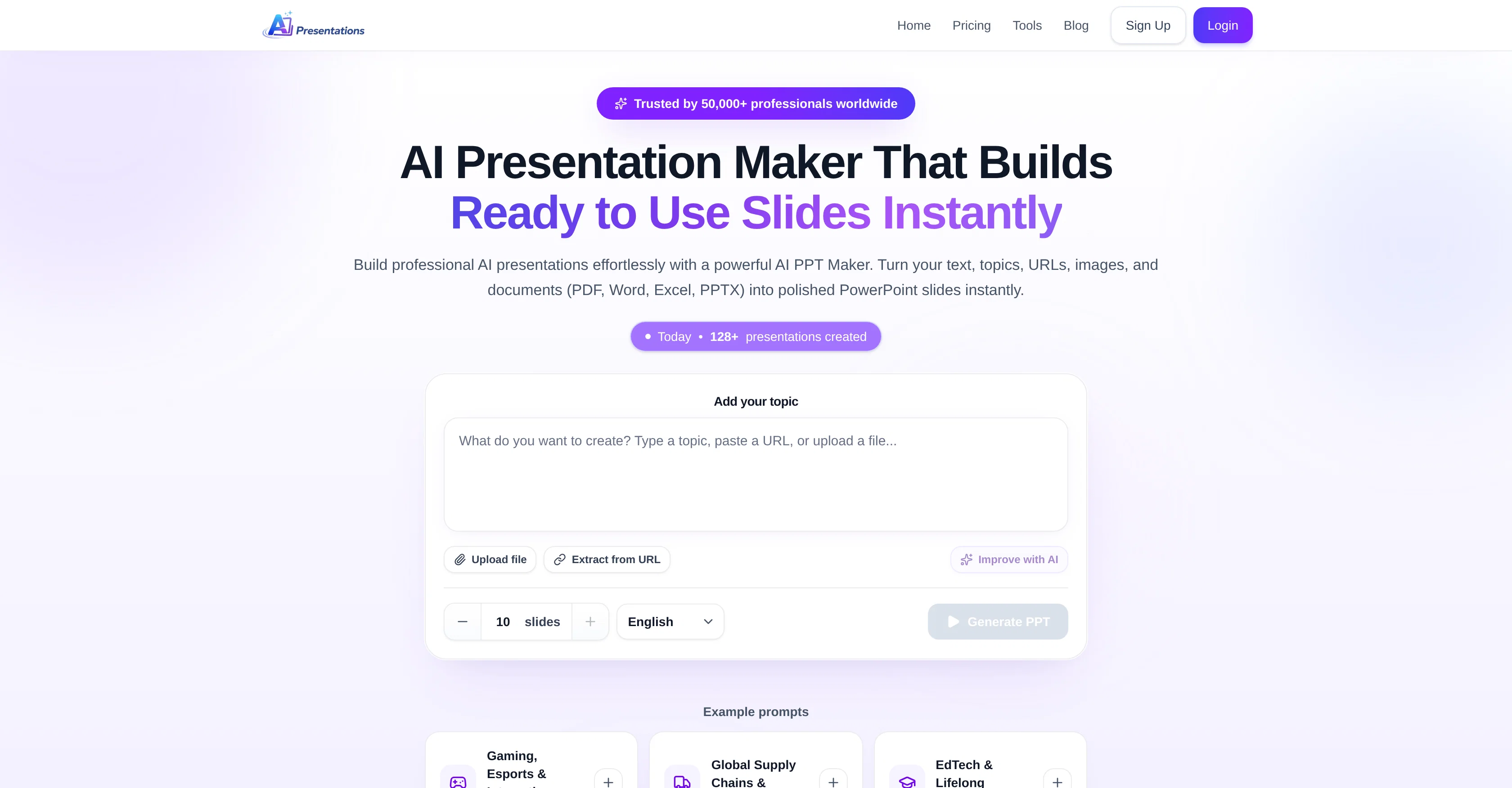
AI Presentations App is an innovative AI Presentations Maker tool that enables the swift and easy creation of professional presentations. Utilizing powerful AI technology, it turns user-provided prompts, ideas, texts, images, URLs, and documents into polished PowerPoint slides instantaneously.
The entire process can be completed in just three simple steps. First, the user inputs a topic or uploads a file, such as PDF, Word, Excel, or PPTX, clicks the 'Generate PPT' button.
The AI Presentation Maker then starts understanding the user's prompt and subsequently displays a presentation outline. If satisfied with the outline, the user can proceed to create the presentation.
However, if changes are necessary, they can edit the outline accordingly. In the final step, the AI tool generates a complete slide deck, which can be exported for use in MS PowerPoint or edited directly within the AI PPT Maker with the help of prompts.
Unique features include the ability to make modifications within the presentation without needing to regenerate the entire content and an inbuilt image search to add visuals to slides.
A special AI assistant is also included to help refine and improve existing presentations. The assistant can expand short slides, summarize long ones, and improve slide titles, among other capabilities.
Best for
Short scenarios where AI Presentations App tends to shine.
-
Turn text into PowerPoint slides instantly.
Example outputs 1
Sample generations and before/after results for AI Presentations App.


Access & connections
Where you can use AI Presentations App, and what it plugs into.
Platforms
Capabilities
What this tool accepts, produces, and is strongest at.
Input
- Code
- Tabular
- Image
- Text
- Video
- Audio
Output
- Code
- API
- Text
- Image
Supported features
- Slides
- Text Generation
- Docs
- Assistant
- Automation
Pros & cons
Pros
- Supports various file formats
- Editable outlines before generation
- In-tool presentation edits
- Inbuilt image search
- Can refine existing presentations
- Expand short slides
- Summarize long slides
- Improve slide titles
Show 21 more
- Supports direct MS PowerPoint export
- No full regeneration required
- Create presentations from prompts
- User-friendly interface
- Multi-format content import
- Text to PowerPoint feature
- Automatic slide optimization
- Compatibility with any OS
- Real-time content modification
- Various themes, fonts, colors
- Multiple usage applications
- No additional formatting required
- Fully editable PPTX output
- Content privacy and security
- Improved storytelling and clarity
- Faster content creation
- No design skills required
- Automated layout and formatting
- Accessible from any device
- One-tool solution for presentations
- Tool used by professionals
Cons
- No offline functionality
- Exclusively PPTX format export
- Dependent on user prompts
- Single user-centered design
- No built-in analytics tools
Compare alternatives
Similar tools in the catalog.

PPT.AI ✓
Free TrialTransform ideas into stunning presentations instantly
Free + from $3.9/mo
Full comparison
AI PPT Maker ✓
FreemiumAI turns your ideas into PowerPoint presentations instantly.
Free + from $3.9/mo
Full comparison
Slideteam - Presentation Maker ✓
FreemiumGenerate professional presentations in seconds with AI
Free + from $43.57/mo
Full comparison
workppt ✓
Free TrialCreate unlimited presentations with AI in seconds.
Free + from $8.33/mo
Full comparisonPeople also view
Tools that often show up alongside AI Presentations App in collections and comparisons.

Xpptx ✓
Free TrialXpptx - Create Presentations with One Click
workppt ✓
Free TrialCreate unlimited presentations with AI in seconds.

Twistly ✓
Free TrialThe fastest AI presentation maker add-in made for PowerPoint
Slideteam - Presentation Maker ✓
FreemiumGenerate professional presentations in seconds with AI
PPT.AI ✓
Free TrialTransform ideas into stunning presentations instantly
AI PPT Maker ✓
FreemiumAI turns your ideas into PowerPoint presentations instantly.

Zetane ✓
Free TrialCompress document work from days to minutes

Tome App AI ✓
FreemiumCreate professional presentations in minutes with AI.
Prompts 1
Story · Sanju R
In a deep, quiet forest, lived a tiny firefly named Lumo. But Lumo was different. While the other fireflies ignited the night like brilliant, swirling constellations, Lumo’s light was barely a pulse. Every evening, the clearing danced with blinding blue and green light, but Lumo could only manage a soft, sad warmth. No matter how hard he tried, he barely flickered.
One night, a little girl, wearing a purple jacket and clutching her knees, became lost deep in the woods. She sat huddled at the base of a massive tree, her face streaked with tears. The forest was overwhelming, and darkness pressed in from all sides. Far in the distance, the ot…
Loading full prompt…
Releases 1
Imported reviews 7
Reliable and Easy-to-Use AI Presentation Tool
AI Presentations App has become one of my go-to tools whenever I need to create a presentation quickly. The interface is simple, the workflow is straightforward, and the AI generates a logical slide structure with professional-looking layouts.
I particularly like that I can start with just a topic or a document and get a complete presentation within minutes. The slides are easy to customise, and the content is well organised, which saves a lot of time compared to building a presentation from scratch.
While I still make small adjustments to match my preferences, the overall quality is excellent and dramatically reduces the effort required. Whether you're preparing a business pitch, school project, training material, or client presentation, this tool is definitely worth trying. It has made creating PowerPoint presentations much faster and more efficient for me.
Excellent AI Presentation Maker That Saves Hours of Work
I've tried several AI presentation tools, and AI Presentations App stands out for its speed, ease of use, and the quality of its output. It can turn a simple prompt, document, or URL into a well-structured PowerPoint presentation in just a few minutes.
What impressed me the most is the ability to edit the presentation outline before generating the slides. This gives you much more control over the final result. The slide designs are clean and professional, and the AI-generated content usually requires only minor edits before it's ready to present.
The built-in editing features and image search make the workflow even smoother, so I don't have to switch between multiple tools. It's especially useful for business presentations, client proposals, educational content, and last-minute presentations.
Overall, this tool has significantly reduced the time I spend creating presentations while maintaining a professional standard. I would highly recommend it to students, educators, professionals, marketers, and anyone who regularly creates PowerPoint presentations.
Great AI presentation tool! It creates well-structured PowerPoint slides in minutes from a simple prompt. The interface is easy to use, the output looks professional, and it supports text, documents, URLs, and images. It has saved me a lot of time when preparing presentations. Highly recommended for students, professionals, and anyone who regularly creates PPTs.
Clean output, easy editing, and useful for quick professional decks.
Amazing presentation tool, especially for those last minute asks!
⭐⭐⭐⭐⭐ Great AI Presentation Tool!
I really liked the Brand PPT feature. It helped me create professional, on-brand presentation slides in under 60 seconds. The AI-generated content was well-structured, the design looked polished, and the editing process was simple. It has saved me a lot of time compared to creating presentations manually. Highly recommended for anyone who needs fast, professional-quality PowerPoint presentations.
I've been using AI Presentations for creating slides for my educational YouTube channel, and it's been really helpful. Usually, making presentation slides takes me a lot of time, especially when covering study topics, but this tool speeds up the process a lot.
I like that it gives a good structure for the content and creates clean-looking slides that don't need much editing. It helps me focus more on researching and explaining topics instead of spending hours on design.
It's not perfect, and I still make some changes to fit my style, but it saves enough time that it's become part of my regular workflow. For teachers, students, and educational content creators, it's definitely worth trying.
FAQ 12
What is AI Presentation Maker?
How does AI Presentation Maker work to create presentations?
What types of inputs does AI Presentation Maker accept?
Can I edit the presentation outline in AI Presentation Maker?
Does AI Presentation Maker allow for revisions without regenerating the entire presentation?
Is there an image search feature built into AI Presentation Maker?
What functions does the AI assistant in AI Presentation Maker perform?
Can I import PDF, Word, Excel, or PPTX files into AI Presentation Maker?
Can AI Presentation Maker turn documents into PowerPoint slides automatically?
How does AI Presentation Maker optimize slides?
Can AI Presentation Maker convert text into PowerPoint slides?
What features make AI Presentation Maker user-friendly?
Related tools
Recommended

DeepSeek ✓
FreeUnravel the mystery of AGI with curiosity

Cue ✓
FreeLearn music production by doing, not Googling.

Vireel AI Image to Image Generator ✓
Free TrialTransform images with AI-powered creative editing tools.

Free Fact Checker ✓
FreeInstantly fact-check any AI chat or text on the internet.

AskFred ✓
Freemium24/7 AI customer support for small businesses.

Thea ✓
FreemiumAI study tools to master material, not just memorize it.