

AI Image Enhancer ✓
Upscale images to higher resolution online for free
from $7.99/mo
Verdict
A quick read before you dig into the full page.
- Best if
- Upscale images to higher resolution online for free
- Skip if
- Limited landscape enhancements
- Pick this when
- Upscales images to higher resolution
Considering Deep Image instead? Compare side by side
Overview
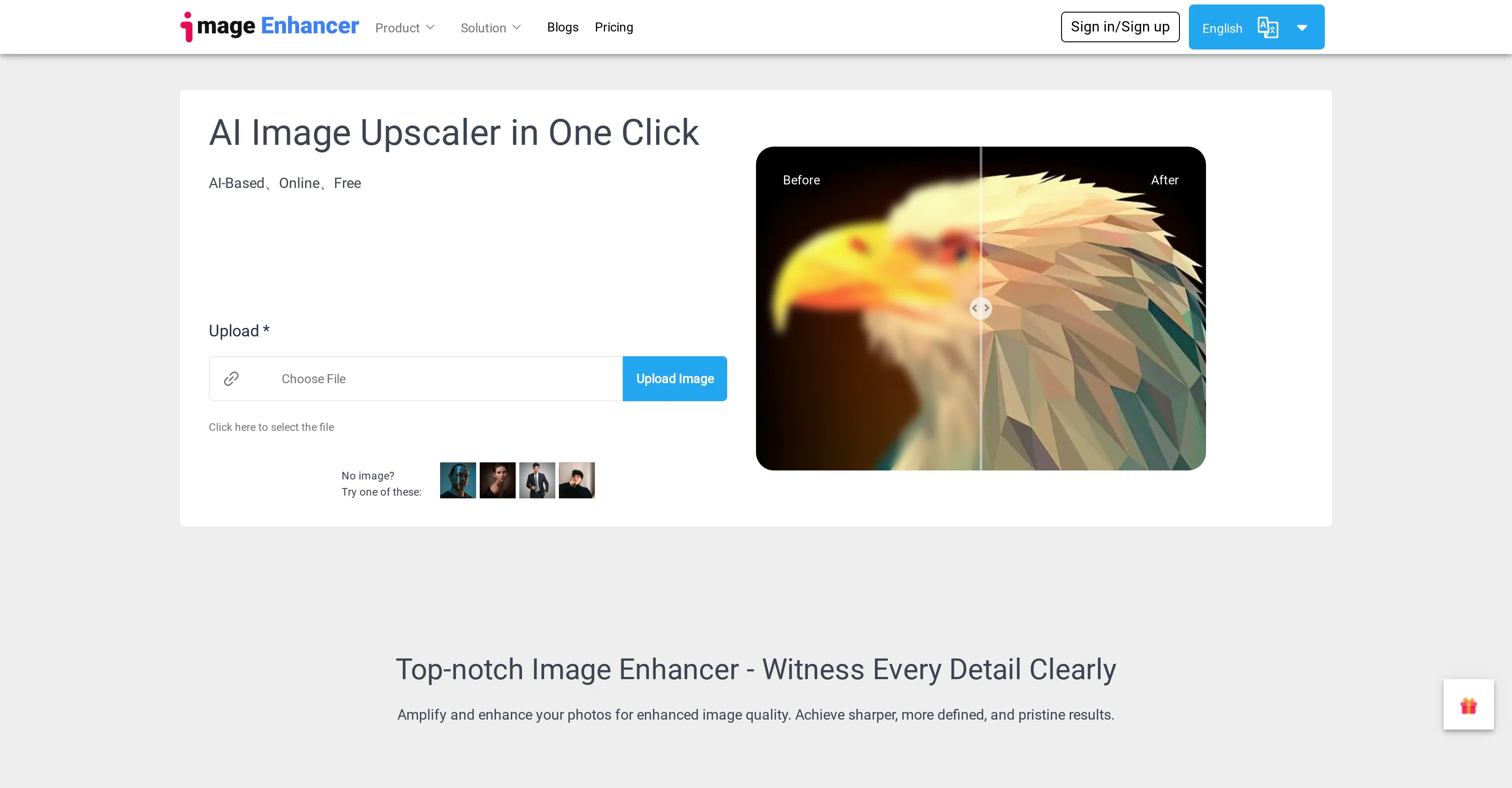
AI Image Enhancer is a comprehensive AI tool designed to improve and upscale the quality of images to a higher resolution. The tool offers a variety of advanced features to amplify and enhance image quality, providing sharp, defined and pristine results.
Its AI-driven solutions provide super-sized enhancements, boosting image size and detail while also offering powerful image sharpening capabilities. The tool can also eliminate noise captured in photos by phones or digital cameras, sharpen blurry photos and enhance underexposed pictures.
It even offers specific solutions for photographers, anime creators, e-commerce shops, and the real estate sector, offering improved image resolution and preserving originality.
The tool also features an AI repair and denoise function that can restore old photographs, maintaining their authenticity while enhancing their overall quality.
It also includes a portrait enhancer which can effectively retouch, deblur, and enhance facial features in photos. Aimed at a wide range of users, the AI Image Enhancer serves the needs of professionals who require high-quality images for various purposes, including printing, social media, marketing campaigns, and presentations.
Access & connections
Where you can use AI Image Enhancer.
Platforms
Capabilities
What this tool accepts, produces, and is strongest at.
Input
- Image
Output
- Image
Supported features
- Denoise
Pros & cons
Pros
- Upscales images to higher resolution
- Advanced image enhancing features
- Provides super-sized enhancements
- Boosts image size and detail
- Offers powerful image sharpening
- Noise removal in photos
- Can sharpen blurry photos
- Enhances underexposed pictures
Show 38 more
- Solutions for photographers, e-commerce, real estate
- Restores old photographs
- Includes a portrait enhancer
- Can retouch and deblur photos
- Enhances facial features in photos
- Customizable for different sectors
- Increases image resolution
- Preserves image originality
- Efficient for professional use
- Optimized for anime creation
- Anime Upscaler feature
- Watermark remover function
- Background remover feature
- Face Swapper function
- Multilingual support
- Ideal for social media use
- Restoration of compressed images
- Useful in marketing campaigns
- Improves images for presentations
- Vertically integrates with video enhancer
- Helps in image compositing
- Optimized for mobile usage
- Offers free and affordable plans
- Generates large file size outputs
- Eases workflow for app and website graphics
- Corrects motion artifacts in videos
- Generates Ghibli style anime art
- Supports character creation for games
- Improved resolution for e-commerce product images
- Image quality enhancer for DIY products
- Improves photo brightness and contrast
- Useful for passport size photo creation
- Provides HD background removal
- Turns picture into a cartoon
- Ideal for graphics designers and artists
- Suitable for banners, illustrations, posters
- Improves images for printing
- Offers one-click image enhancement
Cons
- No offline usage
- File sizes increase
- Possible limited editing tools
- One-click only customization
- Not articulated compression sensitivity
- Unspecified photo compatibility
- No batch processing
- Unspecified processing speed
Show 2 more
- No text enhancing
- Limited landscape enhancements
Compare alternatives
Similar tools in the catalog — with a clear reason to open each one.

Deep Image ✓
Free TrialEnhance photos with advanced editing features.
Free + from $9/mo
Full comparison
Upscayl ✓
Free TrialEnhance images with free, open-source AI upscaling.
Why look More privacy-focused
Full comparison
AI Upscaler ✓
FreemiumSmarter AI 4K Upscaler for Images & Videos
Why look Freemium alternative
Full comparison
SciFig ✓
FreemiumTurn text into publication-ready scientific figures.
Why look Freemium alternative
Full comparison

Neurohelper AI ✓
PaidEvery leading AI model. One workspace.
Why look Better for writing
Full comparisonReleases 1
FAQ 12
What is the AI Image Enhancer tool?
How does AI Image Enhancer work to enhance images?
Can AI Image Enhancer improve low quality photos?
Who can benefit from using the AI Image Enhancer tool?
Does the AI Image Enhancer support images for e-commerce shops?
How does AI Image Enhancer enhance facial features in photographs?
Is AI Image Enhancer suitable for professional use?
What does the AI repair and denoise function in AI Image Enhancer do?
Can the AI Image Enhancer restore and enhance old or underexposed photos?
Can AI Image Enhancer improve social media images?
Does the AI Image Enhancer support anime upscaling?
What type of image resolutions can AI Image Enhancer upscale to?
Related tools
Recommended

Aiarty Image Enhancer ✓
Free TrialEnhance photos with AI for stunning quality and detail.

KeywordSearch ✓
FreemiumDiscover and target YouTube audiences.
WriteHuman ✓
Free TrialUndetectable and private content generation.

SVGStud.io ✓
FreeGenerate and search custom SVGs with AI

AIComicFactory.ai ✓
Free TrialCreate comics instantly from your ideas

Kurby ✓
FreemiumReal estate data + AI