

AFFiNE AI ✓
The universal editor for work, play, and creation.
Free + from $8.9/mo
Verdict
A quick read before you dig into the full page.
- Best if
- The universal editor for work, play, and creation
- Skip if
- Limited customization
- Pick this when
- Universal editor
Considering TheLibrarian.io instead? Compare side by side
Overview
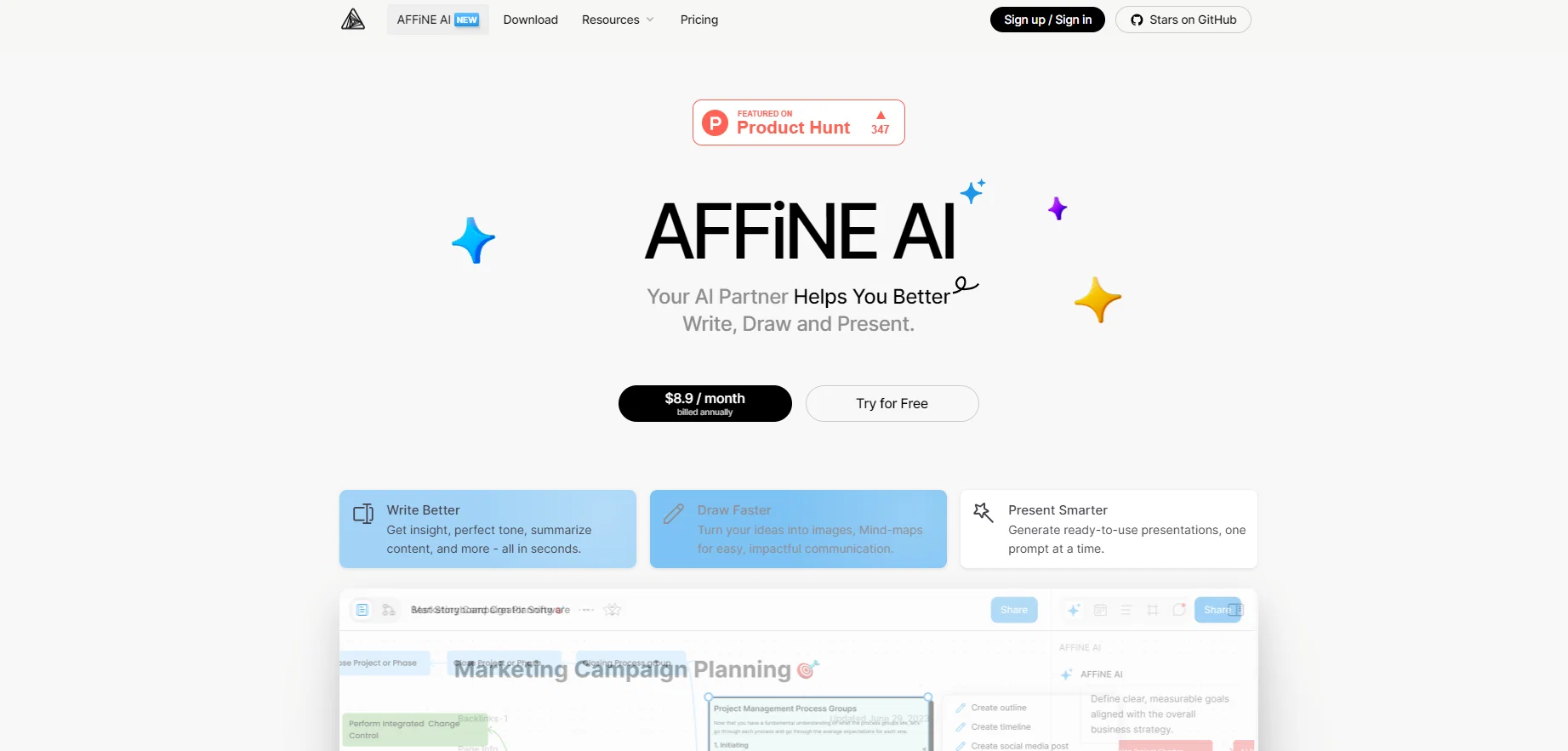
AFFiNE AI is an all-in-one artificial intelligence-powered tool designed to enhance productivity in various areas. It aims to improve efficiency and quality of work by providing robust features and functions.
Key features include writing assistance, where AFFiNE AI provides insights, tones, and content summaries in part of a dynamic workflow. It also provides drawing aids that translate ideas into visual elements like mind-maps to foster impactful communication.
For presentations, this tool ensures the creation of ready and polished slides with the use of prompts. The Chat with AI feature is designed for obtaining real-time insights to questions.
It also presents an Inline AI assistant that helps with the improvement of tone, spelling, and content summaries. Beyond these, it has an extensive feature for creating presentations and generating mind maps with AI, all aimed at enhancing productivity and thinking patterns.
Furthermore, it guides the conceptualization process in a bid to turn ideas into reality. Staking a claim in data privacy, AFFiNE AI only sends related content information to third-party AI vendors when in use.
AFFiNE AI can be used in local workspaces as well, activated simply by logging into the associated AFFiNE Cloud account. The tool can also be utilized in both Page and Edgeless Mode of a document, allowing users to enjoy flexibility in the use of AI assistance across different document formats.
Best for
Short scenarios where AFFiNE AI tends to shine.
-
The universal editor for work, play, and creation.
Example outputs 1
Sample generations and before/after results for AFFiNE AI.
Access & connections
Where you can use AFFiNE AI.
Platforms
Capabilities
What this tool accepts, produces, and is strongest at.
Input
- Code
- Tabular
- Image
- Text
Output
- Code
- Tabular
- Text
- Image
Pros & cons
Pros
- Universal editor
- Writing assistance
- Presentation generation
- Data privacy
- Drawing aids
- Text summarizing
- Mind mapping tools
- Workflow automation
Show 18 more
- Conceptualization guide
- Content generation
- Local workspace usability
- Page and Edgeless Mode support
- Work, play, and creation
- REAL (conceptualization to completion)
- Prompt assistance
- Flexible document format adaptation
- Change tone/fix spelling & grammar
- Visualize your mind
- Create quality content
- Create engaging presentations
- Auto-sorting and auto-tagging
- Summarize content into mind-maps
- Chat entry in sidebar
- Click 'Expand sidebar' to activate
- 10 trial experiences for free
- Unlimited usage for early users
Cons
- No built-in data storage
- Data shared with vendors
- Limited free trial
- Paid service only
- Limited customization
- Potential future usage restrictions
- No offline mode
- No mobile application
Show 2 more
- Edgeless mode might be confusing
- No open source SDK
Compare alternatives
Similar tools in the catalog — with a clear reason to open each one.

TheLibrarian.io ✓
Free TrialYour WhatsApp AI assistant for instant productivity.
Why look Higher community rating
Full comparison
Supernormal App ✓
FreemiumThe AI assistant app that turns meetings into completed work
Free + from $25.90/mo
Full comparison
MiroAI ✓
FreemiumUnlock creative power with AI-driven collaboration.
Free + from $8
Full comparison
Collate ✓
FreeUnlimited free and private summaries and chat with PDF
Why look Fully free option
Full comparisonPeople also view
Tools that often show up alongside AFFiNE AI in collections and comparisons.
Supernormal App ✓
FreemiumThe AI assistant app that turns meetings into completed work
Collate ✓
FreeUnlimited free and private summaries and chat with PDF
TheLibrarian.io ✓
Free TrialYour WhatsApp AI assistant for instant productivity.

Saidar ✓
FreemiumYour AI Secretary for Admin Tasks, now on SMS

Runable ✓
FreemiumThe Best Way to Work with AI
MiroAI ✓
FreemiumUnlock creative power with AI-driven collaboration.

Knogra ✓
FreeChart the whole subject. One scene at a time.

Junie by JetBrains ✓
FreemiumStop switching tools. Start shipping.
Releases 1
Imported reviews 2
Great to use for the converting a doc into mind map!
Seems good , but do not have single easy to use step guide to help use it. Its like your learn and then it works . They could prepared a small cheat sheet to make their product easy to use . I am logging out
FAQ 12
What is AFFiNE AI and how does it enhance productivity?
How does the writing assistance of AFFiNE AI work?
Can AFFiNE AI help in creating presentations?
What is the Chat with AI feature and what is its primary purpose?
In what ways does the Inline AI assistant enhance content?
Can AFFiNE AI generate mind maps?
How does AFFiNE AI handle data privacy?
Can AFFiNE AI be utilized in a local workspace?
How to use AFFiNE AI in Edgeless Mode of a document?
What is AFFiNE Cloud and how do I access it with AFFiNE AI?
How does AFFiNE AI assist with the conceptualization process?
What is the functionality of AFFiNE AI in Page and Edgeless Modes?
Related tools
Recommended

Beeyond AI ✓
Free TrialBeeyond AI: Unlock 50+ AI tools under one subscription

IllumiChat ✓
FreemiumFrom Ticket Backlog to Instant Answers Powered by AI

Limecube ✓
FreemiumTransforming the way websites are created with AI.

Mindsmith ✓
FreemiumPlatform for building and sharing eLearning content

Stunning ✓
PaidBuild AI-powered websites in seconds

Otio ✓
FreemiumFastest Way To Read & Write - Your Research Focused AI Workspace