

Video effects 2026 Rank: #2780
VidLux - AI Effects Generator ✓
Create stunning effects without writing a single prompt.
Verdict
A quick read before you dig into the full page.
- Best if
- Create stunning effects without writing a single prompt
- Skip if
- Limited to multimedia content
- Pick this when
- Pre-built effects library
Considering DeepMake instead? Compare side by side
Overview
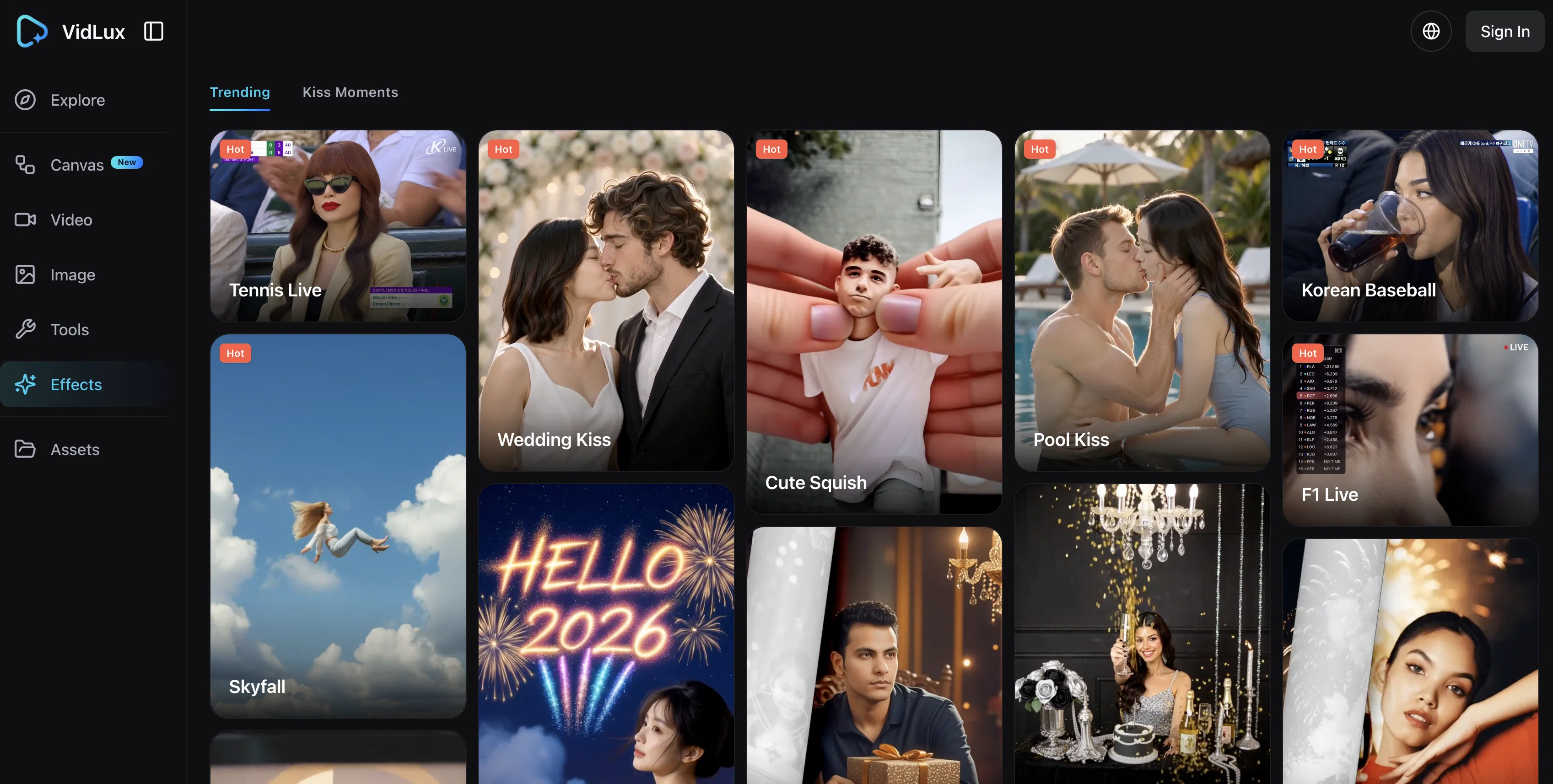
AI Effects is a versatile tool that promotes creativity and efficiency in multimedia content production. The tool provides a library of pre-built effects users can select from and apply to their work to enhance visual appeal.
The unique feature of this tool is its ability to accept various types of inputs such as images, videos, and texts. Its core functionalities include creating videos from text or images, transforming references into videos, and converting frames into video format.
It can also manipulate image-based content, providing users with features to convert text to images or alter images. With AI Effects, users navigate an unintimidating upload procedure to integrate their desired pieces of multimedia content.
There's no need for writing prompts, making the tool user-friendly for both tech-savvy and non-technical users. The tool also includes access to VidLux, a trending tool set with potential to help users stay up-to-date with popular stylistic choices and features.
Moreover, users can explore the Canvas option, which could serve as an additional platform for creative output. AI Effects offers yearly plans with potential for significant savings, adding to its appeal as an accessible, user-friendly tool for multimedia content generation.
Access & connections
Where you can use VidLux - AI Effects Generator.
Platforms
Capabilities
What this tool accepts, produces, and is strongest at.
Input
- Image
Output
- Video
Pros & cons
Pros
- Pre-built effects library
- Inputs: images, videos, texts
- Creates videos from text
- Transforms references into videos
- Converts frames to videos
- Manipulates image-based content
- Converts text to images
- User-friendly upload procedure
Show 13 more
- No coding required
- Accessible to non-technical users
- Includes VidLux features
- Yearly subscription for savings
- Canvas platform for creativity
- Produces image to image
- Stays updated with trends
- Promotes creativity in multimedia
- Streamlines content transformation
- Offers video editing
- Includes various creative tools
- Image editing feature
- Easy content integration
Cons
- Limited to yearly plans
- Lacks prompt writing feature
- Dependent on pre-built effects
- Lacks real-time editing capabilities
- No free trial mentioned
- No advanced editing tools
- No direct social media sharing
- Single platform oriented: Canvas
Show 2 more
- Limited to multimedia content
- No standalone mobile app
Compare alternatives
Similar tools in the catalog — with a clear reason to open each one.

DeepMake ✓
FreemiumCreate stunning VFX with AI in just a few clicks.
Why look Freemium alternative
Full comparison

AI Effect | AI Video Generator ✓
FreemiumTurn text or images into videos. Pay as you go
Why look Freemium alternative
Full comparison
Photo to Video AI ✓
PaidTurn photos into videos with AI.
Why look Typically cheaper
Full comparison
MojoMake - AI Image to Video Generator ✓
FreemiumUse every top AI model and 100+ effects in one account.
Why look Freemium alternative
Full comparison
AI Music Video Generator ✓
PaidTurn a Suno song into a music video with beat-synced auto-editing
Why look Typically cheaper
Full comparisonReleases 1
FAQ 12
What is AI Effects?
What can I do with AI Effects?
How can I upload content to AI Effects?
What types of inputs does AI Effects accept?
Can AI Effects really make videos from text?
What is the 'Reference to Video' feature in AI Effects?
How does AI Effects handle image to image tools and effects?
What is the purpose of the Canvas option in AI Effects?
How does AI Effects assist in creating videos from images?
What is VidLux in AI Effects?
Does AI Effects have a provision for converting frames into video format?
Can I alter images with AI Effects?
Related tools
Recommended

VidLux – AI Image Generator & Editor ✓
FreemiumTransform any photo with AI, instantly.

VidLux - Image to Video AI ✓
FreemiumBring photos to life with AI video.

MagicSlides.app AI PPT Maker ✓
FreemiumCreate Stunning PPTs in Seconds with the AI PPT Maker

GetLogit ✓
FreemiumArtificial intelligence, available for everyone.

ChatGPT ✓
FreemiumAsk anything, create anything, and move from idea to action.

Automateed ✓
Free TrialCreate eBooks effortlessly with Automateed, the AI-powered writing tool.