

Music videos vv1.0.0 2026 Rank: #744
AI Music Video Generator ✓
Turn a Suno song into a music video with beat-synced auto-editing
Verdict
A quick read before you dig into the full page.
- Best if
- Turn a Suno song into a music video with beat-synced auto-editing
- Skip if
- Requires paid for commercial rights
- Pick this when
- Cinematic music video creation
Considering BeatViz AI Music Video Generator instead? Compare side by side
Overview

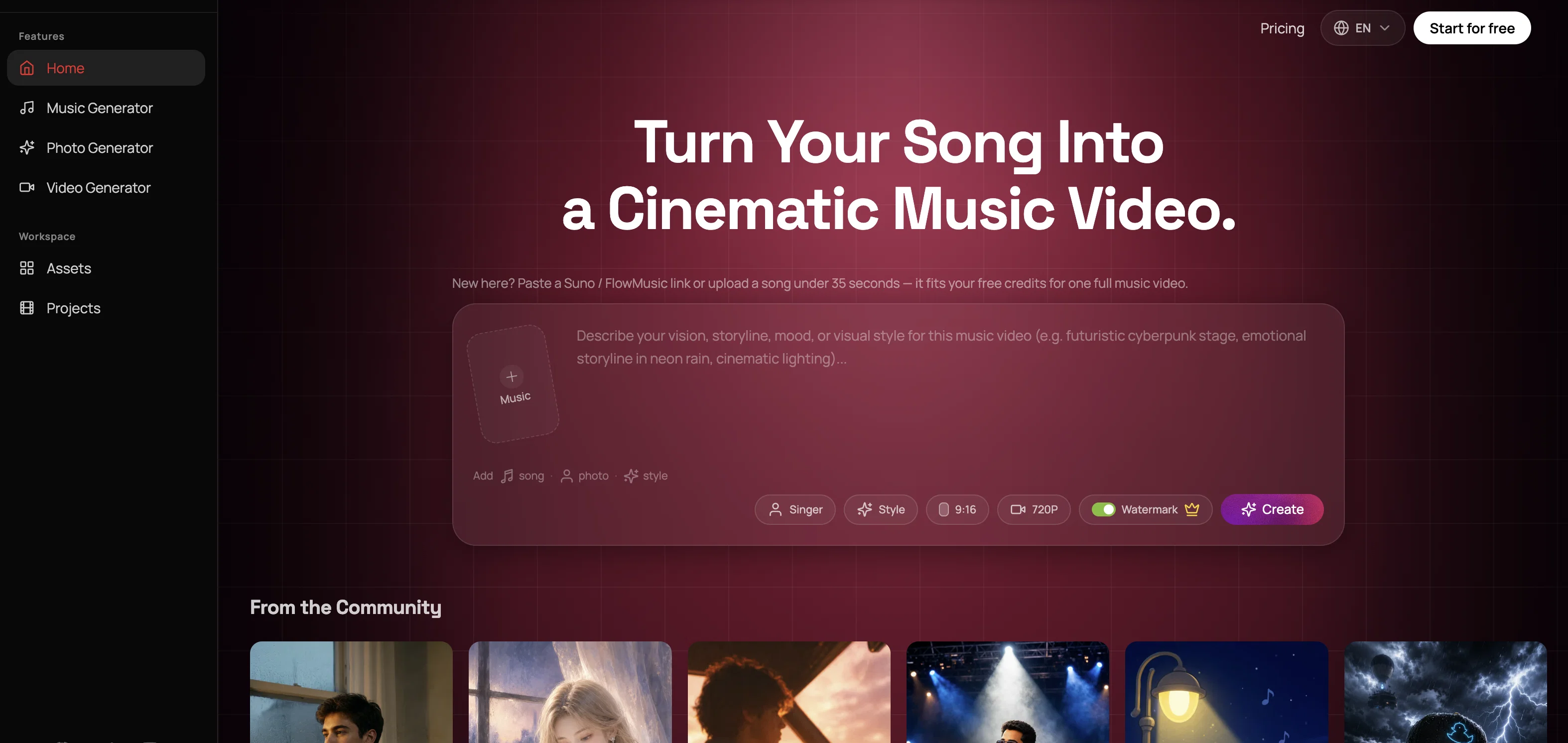
You just paste a Suno or FlowMusic link—or upload your own audio—and add a photo of the singer.
The tool analyzes the song’s beat and structure, plans out the shots, generates the visuals, turns them into video clips, and lip-syncs the singing scenes. It then cuts everything into short 1–3 second shots that match the beat.
Editing was definitely the hardest part. A 10-second AI-generated clip is rarely usable from start to finish, so the tool picks out the best moments, slices them up, and reuses them throughout the video.
It currently takes a few minutes to make a video, the maximum resolution is 720p, and crowd scenes can still look a little strange.
The free credits are enough to make one full video, and you don’t need a credit card. I’d really appreciate feedback on the editing—that’s the part I’m still least confident about.
Access & connections
Where you can use AI Music Video Generator, and what it plugs into.
Platforms
Integrations
Capabilities
What this tool accepts, produces, and is strongest at.
Input
- Image
- Text
- Audio
Output
- Audio
- Video
- Image
Highlights
- Agents
Supported features
- Agents
Pros & cons
Pros
- Cinematic music video creation
- Supports varied music genres
- User-friendly workflow
- Suno and FlowMusic compatibility
- Style selection feature
- Includes image generation
- Lip sync technology
- Multi-model pipeline
Show 16 more
- HD video export
- Commercial rights availability
- Free trial provision
- Automated video editing
- Accommodates personal song upload
- Allows photo inclusion
- Fast video generation
- Seamless integration with music platforms
- Commercial license for paid plans
- Efficient song-to-story transition
- Fast by design
- One subscription, multiple top models
- Visual direction control
- GPT 5.4 storyboard generation
- Suno FlowMusic supported sources
- LTX i2v and lip-sync pipeline
Cons
- Limited to Suno, FlowMusic
- No variety in formats
- No real-time editing
- Requires upload of photo
- Paid plans for HD
- Not entirely free
- Lip-sync limited to vocals
- Requires paid for commercial rights
Show 2 more
- No copyright enforcement for songs
- No custom parameter adjustments
Compare alternatives
Similar tools in the catalog — with a clear reason to open each one.

BeatViz AI Music Video Generator ✓
FreemiumTransform your music into stunning visual experiences with AI
Why look Freemium alternative
Full comparison
Music Video Generator ✓
PaidTurn your song into a cinematic, lyrics-driven music video
Why look Typically cheaper
Full comparison
BeatMV ✓
Free TrialTurn any song into scroll-stopping videos in minutes with AI-directed scripts and
Free + from $11.9/mo
Full comparison
1MoreShot ✓
FreemiumTransform tracks into professional music videos instantly.
Why look Freemium alternative
Full comparison
Plazmapunk ✓
FreemiumTurn Your Music into Stunning AI-Generated Videos in Minutes
Why look Freemium alternative
Full comparison
Releases 2
AI music video generation — Turn any song into a professional music video with AI. Automatically analyze the track and create visuals that match its rhythm, mood, and structure.
Automatic beat sync — AI understands a song’s rhythm, tempo, mood, and structure, and automatically aligns visuals, transitions, and effects with every beat.
AI storyboard scripting — Generate creative concepts, visual themes, and scene-by-scene storyboards before producing the final music video.
Text-to-video creative direction — Describe your ideas in plain language, and let AI turn them into distinctive visual styles, scenes, and cinematic experiences.
Character & style consistency — Create recurring characters and keep a unified visual style across scenes for a more polished, professional video.
Imported reviews 1
Dayuum!!!
The results are crazy good. Wow!!
I have seen, and tried many such tools, but, none of them came this close to the quality shown in demo videos.
FAQ 12
What is the AI Music Video Generator?
How does the AI Music Video Generator create videos?
How can I use Suno or FlowMusic with the AI Music Video Generator?
What music genres does AI Music Video Generator support?
How do I add my own song in the AI Music Video Generator?
What is the role of images in the AI Music Video Generator?
What does selecting a style mean in the AI Music Video Generator process?
What is the function of the lip-sync singing shots feature in the AI Music Video Generator?
Can the AI Music Video Generator edit the videos it creates?
How does the multi-model pipeline feature in the AI Music Video Generator work?
What will I get in the free trial offered by AI Music Video Generator?
What additional benefits are there in the paid plans of the AI Music Video Generator?
Related tools
Recommended

Notis ✓
Free TrialThe first WhatsApp assistant that runs on your ChatGPT and Claude subscriptions

Jason AI ✓
PaidAI-powered assistant for B2B sales outreach

Kick ✓
FreemiumAccounting software that does the work for you

Gemini ✓
FreemiumGemini: Google's most capable AI model yet

Younet ✓
Free TrialAI Agent Orchestration and Automation. Build your agentic business.

ChatPlayground AI ✓
PaidThe #1 Platform for Comparing AI Models