

Videos vv1.2 2026 Rank: #167
Anyvids ✓
Any idea to video, made simple.
Verdict
A quick read before you dig into the full page.
- Best if
- You are content creators and need: AI Product Photography: Create studio-quality AI product photography with scene templates in one click
- Skip if
- Limited video editing tools
- Pick this when
- Comprehensive video and image creation
Considering freebeat AI instead? Compare side by side
Overview


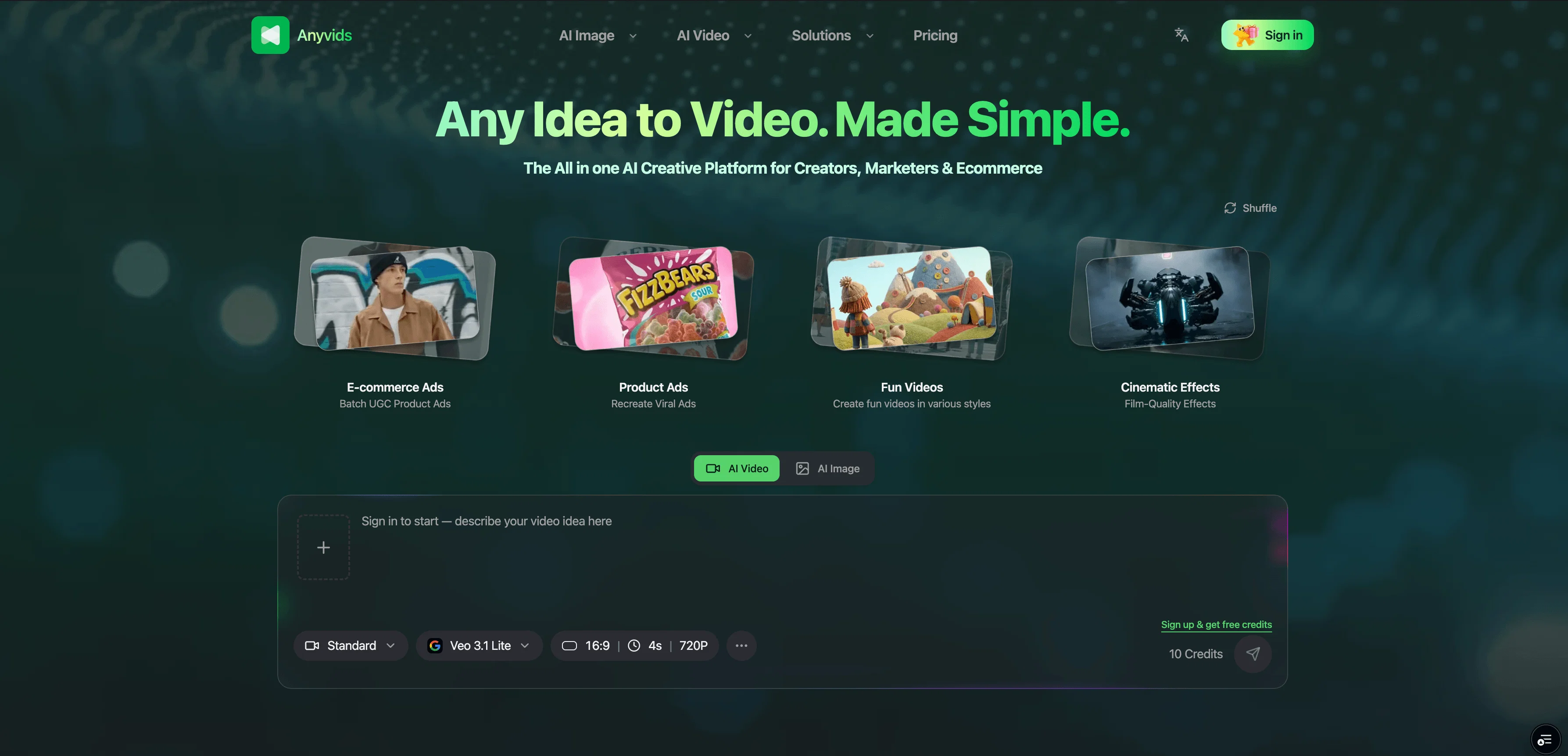
Anyvids.ai is a comprehensive AI platform designed for video and image creation. The platform incorporates an array of top AI models, allowing users to create, edit, and refine videos and images within a unified environment.
It provides tailored AI solutions not only for individual creators, but also for enterprises, catering to requirements of social content, brand campaigns, and cinematic projects.
The creation process on Anyvids.ai is designed to be intuitive and user-friendly, involving four steps - describing or uploading an image for your video, choosing output settings, waiting for the AI to generate the video, and then being able to download and share the final result.
Apart from being a video generator, Anyvids.ai also offers an array of creative tools such as an AI image generator, AI movie maker, an AI character generator they also include Text to image, Image to Image and a text to video feature among others.
AI models available on the platform includes Gpt image 2, Nano banana 2, Flux 2 and others. The platform is intended for a wide audience, from content creators and designers to any individual or business in need of AI-powered video and image creation tools.
- Ai Video Generation
- Ai Image Generation
- Virtual Try-on 虚拟试穿
- Product Video Shoots 产品视频拍摄
- Product Photos 产品照片
- Ai Avatar
- Ai Video Editing
- Ai Image Editing
- Video Upscaler
- Motion Control
- Character Swap
- Ai Ad Video Generation
- Ai Movie Maker
- Ai Animation Generator
Best for
Short scenarios where Anyvids tends to shine.
-
AI Product Photography: Create studio-quality AI product photography with scene templates in one click.
Best for Content creators
-
AI Product Video: Turn product photos into scroll-stopping AI product videos for ads and ecommerce.
Best for Designers
-
AI Virtual Try-On Photo: Generate publish-ready AI virtual try-on photos for PDPs, ads, and social.
Best for Social media managers
-
AI Virtual Try-On Video: Create realistic AI virtual try-on videos from product and model references.
Best for Marketing teams
-
Relight AI Studio: Turn flat photos into intentional, studio-ready light—without booking a lighting day.
Best for Film students
-
AI Video Effects: Add energy and vibe to any shot with ready-made AI video effects — Virtual VFX, cinematic Transitions, and Commercial product motion in one place.
Best for Small business owners
Example outputs 1
Sample generations and before/after results for Anyvids.
Access & connections
Where you can use Anyvids.
Platforms
Capabilities
What this tool accepts, produces, and is strongest at.
Input
- Image
- Text
Output
- Video
- Image
Highlights
- SOTA
Models
Text
Image
Audio
Video
Pros & cons
Pros
- Comprehensive video and image creation
- Inclusive for individuals, enterprises
- Supports various output formats
- Opportunities for fine-tuning
- Offers text-to-image transformation
- Offers image-to-image transformation
- Offers text-to-video transformation
- Offers image-to-video transformation
Show 15 more
- Video character swapping
- Video upscaling
- Frames-to-video feature
- Motion control feature
- Easy to use
- Clear pricing structure
- Option of image prompts
- Option of text prompts
- Covers social, brand, cinematic projects
- Intuitive design
- User-friendly interface
- Reference to video feature
- Top models in one place
- Unique video and image generator
- Diverse creative tools
Cons
- No mobile app available
- No API for integrations
- Limited video editing tools
- Dependent on internet speed
Compare alternatives
Similar tools in the catalog — with a clear reason to open each one.

freebeat AI ✓
FreemiumTurn Music & Ideas into Viral Videos In One Click
Why look Typically cheaper
Full comparison
MagicLight ✓
FreemiumTransform text into captivating videos instantly.
Why look Typically cheaper
Full comparison
Seedance ✓
FreemiumMulti-shot video generation from text and image.
Why look Stronger for image work
Full comparisonPeople also view
Tools that often show up alongside Anyvids in collections and comparisons.
Seedance ✓
FreemiumMulti-shot video generation from text and image.
MagicLight ✓
FreemiumTransform text into captivating videos instantly.

Kaiber Superstudio ✓
Free TrialAI Video Generation

HeyGen ✓
FreemiumCreate AI spokesperson videos from text
freebeat AI ✓
FreemiumTurn Music & Ideas into Viral Videos In One Click

D-ID ✓
FreemiumCreate AI-generated videos with ease

ResearchMonkey AI | YouTube Summarizer ✓
Free TrialSave Hours of Research in Seconds with 40+ AI Tools

OutlierKit ✓
PaidEnter one channel, see the entire niche.
Releases 2
- Commerce Studio Is Now Live
Create studio‑quality visuals in one click — no prompts needed.
A single hub for all your ecommerce creatives — product photos and videos, AI relighting, virtual try‑on (photo & video), plus poster and shot inspiration — without bouncing between tools.
- AI Video Effects Is Now Live
Add energy and vibe to any shot with ready‑made AI video effects — virtual VFX, cinematic transitions, and commercial product motion in one place.
Upload an image, pick a template, and generate creator‑ready clips — no third‑party tools needed.
- All‑new AI Image Editing
Interactive, precise editing with one‑click selection and layer separation, plus text translation in 14 languages.
Imported reviews 2
The best part about this site for me is being able to use top models like Kling, Veo, and Seedance all in one place to make my images and videos. No more jumping back and forth between different apps. It’s honestly a lifesaver for creators who want serious features without the headache of managing a bunch of tools."
I was lucky enough to join the early canary testing for this platform, and it’s been impressively simple and transparent to use.
FAQ 12
What is Anyvids.ai?
Why should a person choose Anyvids.ai over its competitors?
🛠️ 1
tool
wrote:
Someone should choose Anyvids.ai because it solves three common pain points at once: model choice, workflow fragmentation, and pricing opacity. You get access to many top AI video and image models under one subscription, so you don’t have to jump between tools. You can go from text or image to finished video, edit with prompts, upscale, swap characters, and design avatars all in the same place. On top of that, pricing is transparent: you always see how many credits each generation costs, your history is trackable, refunds are clearly defined, and even the entry‑level plan removes watermarks and supports commercial use.
What makes Anyvids.ai unique?
🛠️ 1
tool
wrote:
Anyvids.ai stands out as an all‑in‑one AI video and image platform that aggregates all top AI video and image models into a single, simple interface. Instead of locking you into one model, it gives you a curated, constantly updated model library, plus a complete creative toolkit (generation, editing, upscaling, avatars, motion control, etc.) in one workflow. Clear, credit‑based pricing and no‑watermark, commercial‑ready outputs also make it especially attractive for serious creators and teams.
What AI models are available on Anyvids.ai?
How do text-to-image and image-to-image transformations work on Anyvids.ai?
Can Anyvids.ai upscale videos?
Can I create AI-generated avatars with Anyvids.ai?
How does motion control work on Anyvids.ai?
How does the text-to-video feature in Anyvids.ai work?
How do I utilize image prompts on Anyvids.ai?
What type of individuals and teams can benefit from using Anyvids.ai?
What is the image-to-video transformation on Anyvids.ai?
Related tools
Recommended

AirMusic ✓
Free TrialAI music generator and music video creator in one platform.

WebsitePublisher AI ✓
FreemiumYour AI builds a full app, right from your phone

AdControlCenter ✓
Free TrialRun every ad network from one dashboard

Sea Imagine | Motion Control ✓
FreemiumTransform text into stunning AI videos and images.

GetLogit ✓
FreemiumArtificial intelligence, available for everyone.

ChatGPT ✓
FreemiumAsk anything, create anything, and move from idea to action.