

UXMagic AI ✓
Generate Figma-ready UI designs with AI instantly.
Free + from $17.5/mo
Verdict
A quick read before you dig into the full page.
- Best if
- You are uI/UX Designers and need: Sectional Editing Without Breaking the Layout
- Skip if
- Works best with clear prompts, great for keeping projects focused
- Pick this when
- Generates mockups
Considering Figr AI instead? Compare side by side
Overview
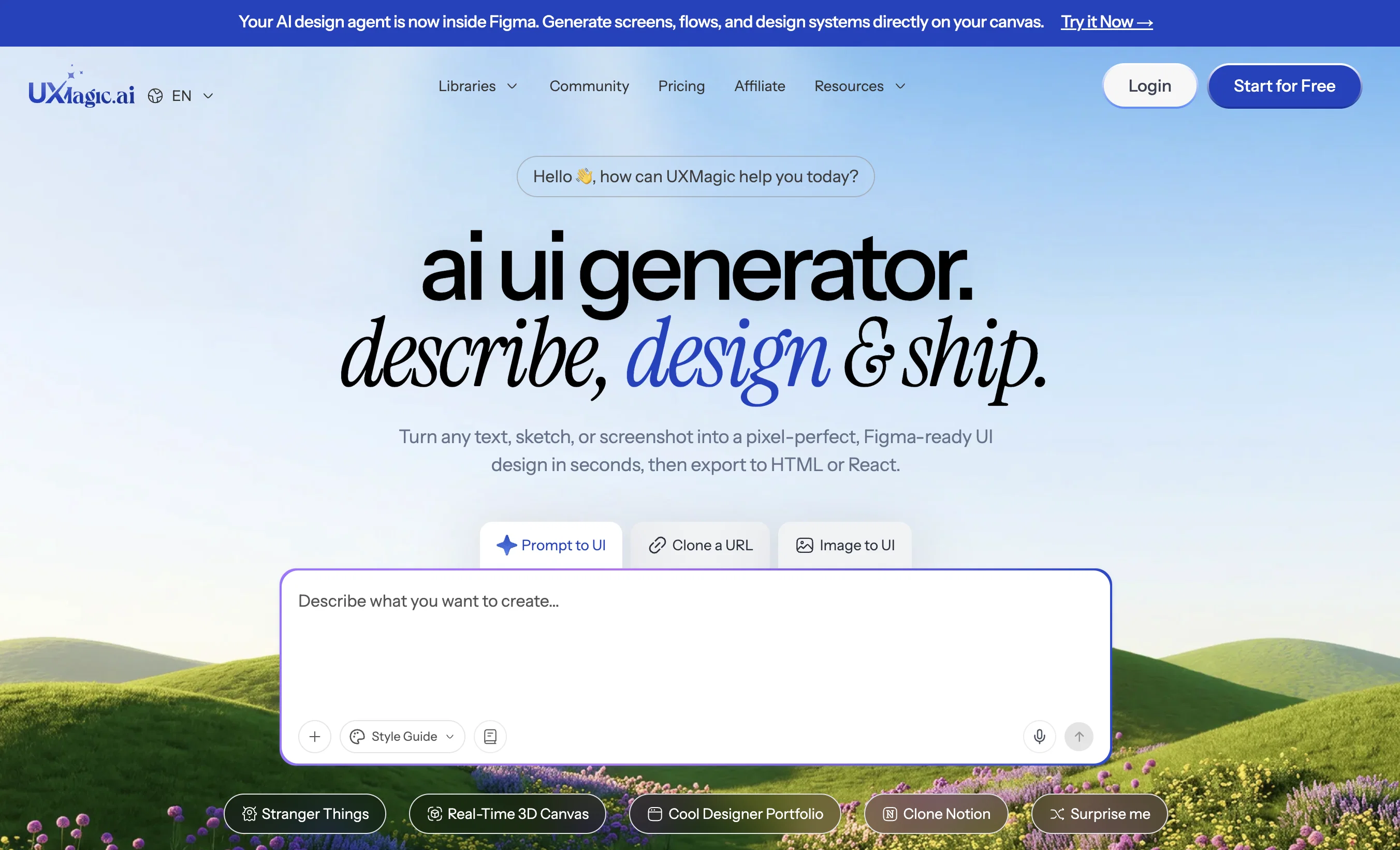
UXMagic.ai is a personalized AI First UX/UI design tool, enabling teams to design 10x faster. Users can create wireframes, interfaces and optimise their product design with any design system or using their own design style/system by just prompts, documents, sketches, or existing Figma files.
Offering features like AI UI Generator, AI wireframe generator, Cloning a website from URL. Designing websites, SaaS and mobile apps. It is fully integrated with Figma, code, cursor and many other platforms.
Best for
Short scenarios where UXMagic AI tends to shine.
-
Sectional Editing Without Breaking the Layout
Best for UI/UX Designers
-
Instant Sitemap & User Flow Creation
Best for Agile Teams
-
Redesigning Existing Screens
Best for Startups
-
Creating Figma-Ready Designs for Handoff
Best for Marketing Agency Owners
-
Front-End code available in HTML and React (Flutter coming soon)
Best for Product Designers
-
Generate Wireframes with just prompts (editable in Figma)
Best for Design Consultants
-
UX Brainstorming & Concept Exploration
Best for Senior UX Designers
-
Speeding up MVP & Prototype Design
Best for UI/UX Designers
Example outputs 1
Sample generations and before/after results for UXMagic AI.
Access & connections
Where you can use UXMagic AI, and what it plugs into.
Platforms
Integrations
Capabilities
What this tool accepts, produces, and is strongest at.
Input
- Image
- Text
- Geo
Output
- Code
- API
- Text
- Image
Supported features
- Visual Creation
- Image Understanding
- Styling
- Integrations
- Team Collaboration
Pros & cons
Pros
- Generates mockups
- Creates Figma-ready wireframes
- Sectional editing (update any component of a screen without affecting the rest of the screen)
- Convert images into editable Figma designs and code
- Import Figma files and edit them with prompts
- Prompt-based high-fidelity designs
- Generates sitemaps
- Generates style guides
Show 28 more
- Export to Figma, HTML, React, Cursor, Windsurf and 15 other platforms
- Applies style guidelines
- Intelligent content suggestions
- AI Wireframe Generator
- Enterprise-grade scalability
- Syncs with existing design systems
- Produces code-ready components
- AI UI Generator
- 70% time saved
- Generate screen flows from a single prompt
- Convert sketches into editable Figma designs and code
- Convert screenshots into editable Figma designs and code
- Website clone feature
- Figma integration
- Generating high fidelity designs
- Responsive design creation
- Creating design mockups
- Transforms design systems into code-ready UIs
- Speeding up MVP & Prototype Design
- Generates UIs from text, screenshots, or URL
- Create fully responsive Figma components from simple description
- Generates multi-page wireframes
- Accelerates repetitive design tasks
- Pixel-perfect auto layout
- UX Brainstorming & Concept Exploration
- Instant generation of sitemaps, wireframes and style guides
- Single tool for design to code process
- Customizable output
Cons
- Works best with clear prompts, great for keeping projects focused.
- Generates strong first drafts, but encourages final polish in Figma.
- Takes a moment on large projects because it’s building full flows.
- Designs may vary in style, giving you more creative options to choose from.
- Design system setup takes a bit upfront, but ensures perfect consistency later.
Compare alternatives
Similar tools in the catalog — with a clear reason to open each one.

Figr AI ✓
FreemiumProduct-aware AI that thinks through UX, then builds it
Why look Higher community rating
Full comparison
Frontitude ✓
FreemiumAI writing assistant for design teams in Figma
Why look Typically cheaper
Full comparisonPeople also view
Tools that often show up alongside UXMagic AI in collections and comparisons.

WEVO ✓
UnknownEffortless UX Research for Teams

Userology ✓
UnknownAI-powered user research in 30 minutes

TheLoops ✓
PaidAI-powered CX platform for seamless customer support
Frontitude ✓
FreemiumAI writing assistant for design teams in Figma
Figr AI ✓
FreemiumProduct-aware AI that thinks through UX, then builds it

Discova AI ✓
UnknownAI-powered UX insights engine

Home Design AI ✓
Free TrialRedesign any room or home with a single photo.

Fiuto ✓
FreemiumAI-powered user research for everyone.
Releases 1
Imported reviews 1
Love the product!
FAQ 12
What is UXMagic.ai?
How does the UXMagic Copilot feature work?
How can I export my designs from UXMagic.ai to Figma, React, or Webflow?
How can UXMagic.ai benefit users with no design skills?
What is Agentic AI in the context of UXMagic.ai?
Can UXMagic.ai suggest content for my designs?
What security measures does UXMagic.ai have in place?
Does UXMagic.ai offer scalability for large projects?
Can I sync my existing design systems with UXMagic.ai?
What are some pre-built UI libraries in UXMagic.ai?
What is meant by 'code-ready components' in UXMagic.ai?
How does UXMagic.ai simplify UX design workflows?
Related tools
Recommended

1UI ✓
PaidGenerate pixel-perfect UI designs with AI in seconds.

freebeat AI ✓
FreemiumTurn Music & Ideas into Viral Videos In One Click

MarketAlerts.ai ✓
FreemiumInvest smarter with AI on your side

UXsniff ✓
FreemiumUX Change Intelligence for what changed and what mattered

InstaWebAI ✓
FreemiumCreate, launch and grow your business website all in one platform

biela.dev ✓
Free TrialIf you can imagine it, Biela can code it!