

ThinkDiffusion ✓
Use the most powerful Stable Diffusion UI in under 90 seconds.
Trial; then from $19.99/mo
Verdict
A quick read before you dig into the full page.
- Best if
- You are aI artists and need: Generating AI art and videos
- Skip if
- Limited storage options
- Pick this when
- Cloud-based platform
Considering Photo AI instead? Compare side by side
Overview
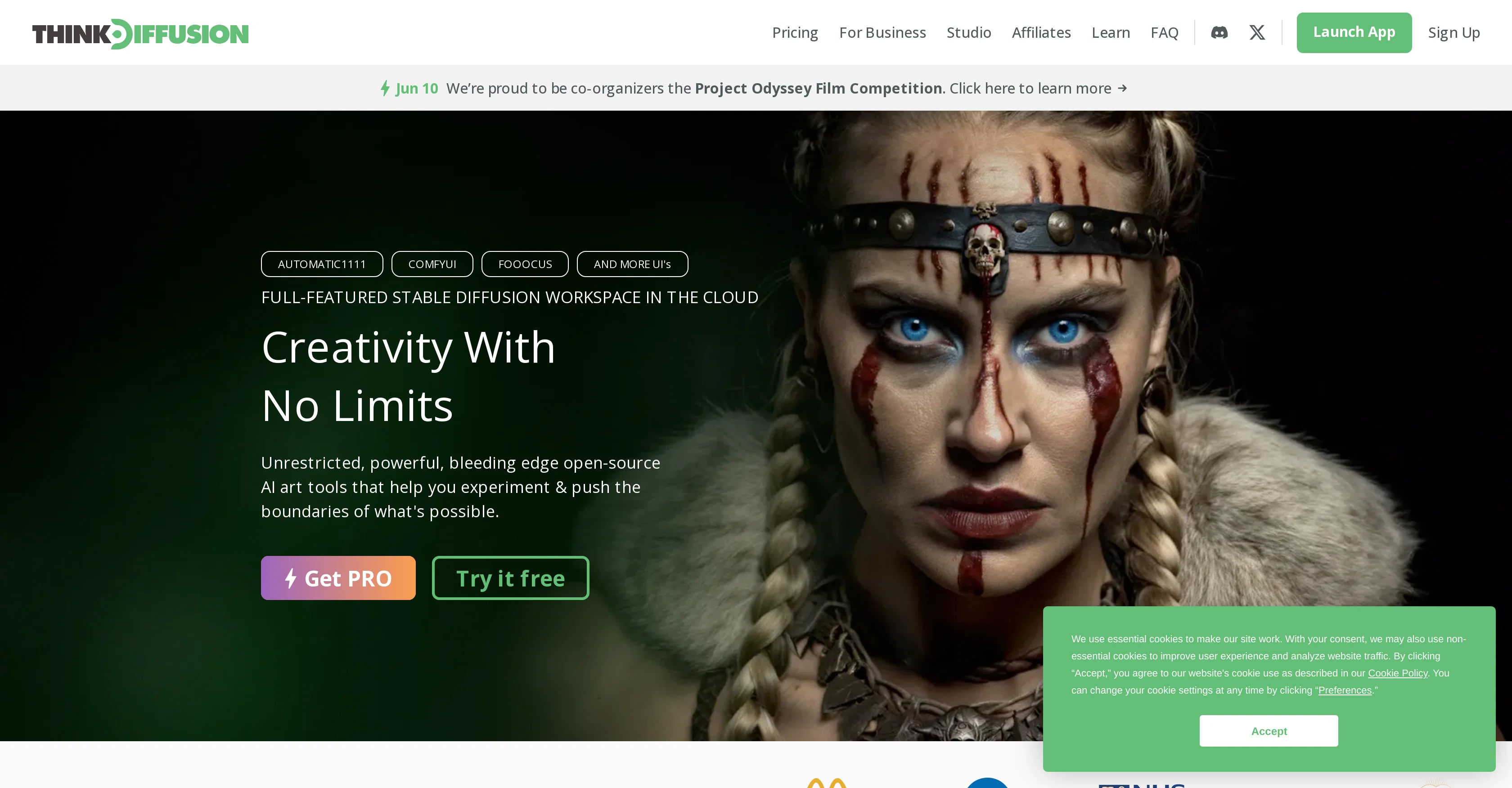
ThinkDiffusion is a cloud-based AI art platform that offers a workspace for 'Stable Diffusion'. The platform allows the user to launch and operate bleeding-edge open-source AI art tools that aid in exploring and expanding the limits of AI-powered creativity.
The platform is available in different formats to accommodate users of varying experience levels, and specific UIs are designed to provide the best user experience.
The FOOOCUS UI is recommended for those new to AI art, offering a simple yet insightful introduction to the Stable Diffusion ecosystem. On the other hand, AUTOMATIC1111, also known as A1111, is the platform's flagship UI, offering the most comprehensive feature set and a vast extension/plugin ecosystem.
For users interested in model creation, the platform offers KOHYA UI that focuses on quick model training and fine-tuning. The COMFYUI is centered around designing and executing intricate workflows, allowing users to create, save, share and gather workflows created by the platform's user community.
Users utilize ThinkDiffusion in various domains, from advertising and education to fashion and filmmaking, as seen in the creative applications executed by global brands, universities, and other users.
Best for
Short scenarios where ThinkDiffusion tends to shine.
-
Generating AI art and videos
Best for AI artists
-
Training and fine-tuning AI models
Best for Video editors
-
Creating animated music videos
Best for Fashion designers
-
Crafting unique visuals for commercials
Best for Educators
-
Integrating AI art into educational curricula
Best for Creative professionals
-
Preparing fashion designs for runway shows
Best for Brands
Example outputs 1
Sample generations and before/after results for ThinkDiffusion.

Access & connections
Where you can use ThinkDiffusion.
Platforms
Pros & cons
Pros
- Cloud-based platform
- No coding required
- Accessible on any device
- Access to top-tier models
- 24/7 access
- Troubleshooting support
- Tutorial availability
- User privacy commitment
Show 39 more
- Flexible pricing models
- Ability to manage cookies
- Advanced UI for Stable Diffusion
- Enables creations anytime, anywhere
- Various UI formats
- Simple UI for beginners
- Dedicated UI for model creation
- UI for designing workflows
- Ability to share workflows
- Compatible with popular extensions
- Access to Stable Diffusion UI
- Multi-domain application
- Supports global brands and universities
- Private and dedicated machine instances
- Allows multiple machines simultaneously
- Capability to train models
- Persistent storage up to 200GB
- 1-click model upload
- Can run workflows on mobile
- Preloaded popular extensions
- Enable installation of any model
- UIs suiting various experience levels
- Infinitive creativity space
- Full-featured workspace
- Generates photorealistic art
- Hassle-free setup and launch
- Unrestricted open-source ecosystem
- Unleashed creative freedom
- Helpful user community
- Fine-tuned control over positioning
- Seamless sketch to life transition
- Numerous animation techniques
- Ability to control compositions
- User-friendly tool
- Global open-source ecosystem
- Dynamic model training
- Revolutionary photorealism technique
- Large extension/plugin ecosystem
- Fully loaded with cutting-edge software
Cons
- Multiple UIs might overwhelm
- Unclear model training speed
- Unclear error troubleshooting effectiveness
- Limited storage options
- Non-essential cookie usage
- Lack of customization details
- Unspecified hardware requirements
Compare alternatives
Similar tools in the catalog — with a clear reason to open each one.

Photo AI ✓
PaidCreate beautiful AI photos and videos of real people
Why look Typically cheaper
Full comparison
Stockimg AI ✓
PaidGenerated images and text for design ease.
Why look Typically cheaper
Full comparison
BestPhotoAI ✓
FreemiumCreate amazing AI photos instantly
Why look Typically cheaper
Full comparison
Midjourney ✓
PaidExpand human imagination through AI-powered visuals.
Why look Typically cheaper
Full comparisonPeople also view
Tools that often show up alongside ThinkDiffusion in collections and comparisons.
Stockimg AI ✓
PaidGenerated images and text for design ease.
Photo AI ✓
PaidCreate beautiful AI photos and videos of real people
Midjourney ✓
PaidExpand human imagination through AI-powered visuals.

CreativePixel ✓
FreemiumOut-create Your Competition in Minutes
BestPhotoAI ✓
FreemiumCreate amazing AI photos instantly

Nathan Tailors AI Suit Generator ✓
FreeDescribe your dream suit. We draw it, then build it.

LineArt ✓
Free TrialTurn one photo into a whole coloring book.

Line Drawing Converter ✓
Free TrialConvert photos into clean line drawings online.
Releases 1
Imported reviews 12
Super weird seeing a some of these negative responses. I've been using Think Diffusion for months and been in their discord pretty much everyday but have never seen a single complaint about pricing or them raising prices. Something is fishy about these comments - probably some toxic competitor with fake accounts.
I have found ThinkDiffusion to be a game changer for my workflow. My productivity has increased several fold and their support and guides are just top notch
Raise prices by 20% then ask everyone to pay you $20 to lower the prices back down to where they were before. Sketchy af
Agree with comments, I do not trust this website
Sketchy with pricing. I regret giving them my credit card info.
i wanted to love this, but it's buggy and they screw around with their pricing to make you think your getting a good deal. Boo
I really wanted to like this service, but there are constant issues, downtime, and errors. They also won't refund you for problems on their end. They don't care about their users.
They over promise and under deliver. They also raised their prices, then did a promo that ended up as their original price. Shady website.
Replying to kelvin fundi. RunDiffusion is also cloud based, no install required. Have you even tried it?
Service was buggy, hard to use. Didn't get the results I wanted.
Think Diffusion is better than RunDiffusion in several ways. First, Think Diffusion is cloud-based, which means you can use it from anywhere, on any device. RunDiffusion, on the other hand, requires you to install software on your computer.
Best SD no doubt great feature set without having to spend a lot of money for a powerful PC
FAQ 12
What is Stable Diffusion technology that ThinkDiffusion uses?
How do I operate ThinkDiffusion from my browser?
Do I need high-end GPU to use ThinkDiffusion?
What does the 'Control Net' extension in ThinkDiffusion do?
How can I work with Civilai's models on ThinkDiffusion?
How can ThinkDiffusion help me troubleshoot errors?
Does ThinkDiffusion have any tutorials for creating QR codes?
How can I manage my cookie preferences in ThinkDiffusion?
What are the different user interface options available in ThinkDiffusion?
What is the KOHYA UI in ThinkDiffusion used for?
How can I create and share workflows using the COMFYUI in ThinkDiffusion?
Can I use ThinkDiffusion on any device?
Related tools
Recommended

VenturusAI ✓
FreemiumBusiness idea analysis and reporting.

Stratup.ai ✓
FreemiumInnovative idea generation for businesses.

LearningStudioAI ✓
Free TrialAI-powered authoring tool for effortless online course creation.

Stunning ✓
PaidBuild AI-powered websites in seconds

TutorAI ✓
FreemiumInstant knowledge on any topic

LogoAi ✓
PaidAI-powered branding in seconds.
