Workflows 2026 Rank: #410
Floyo ✓
Every creative challenge has a workflow. Find yours.
Free + from $7.5/mo
Verdict
A quick read before you dig into the full page.
- Best if
- You are aI Artists and need: Filmmaking & Animation
- Skip if
- Limited workflow customization
- Pick this when
- ComfyUI for easy use
Considering PixieBrix instead? Compare side by side
Overview
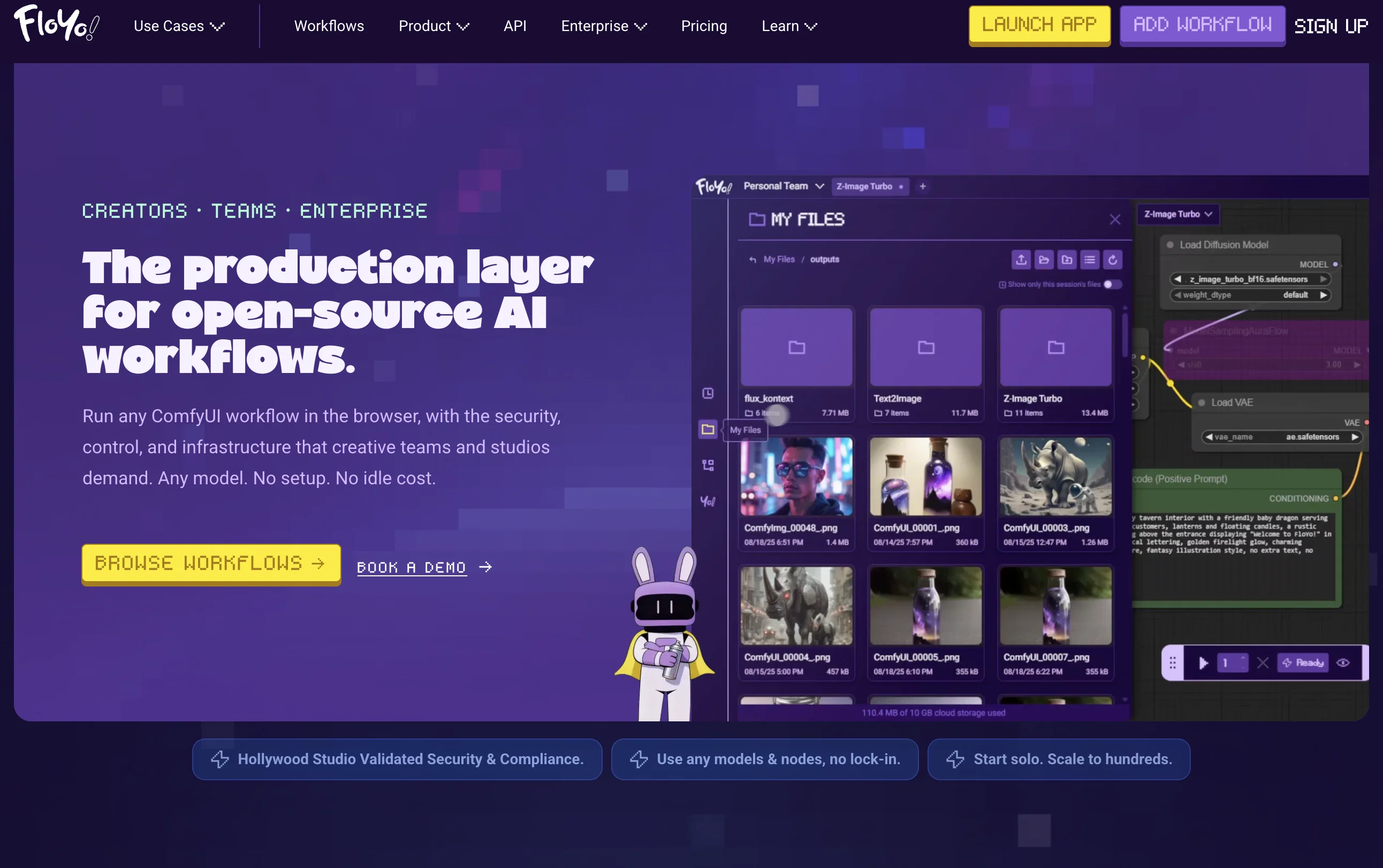
Floyo is where you find that workflow and run it. Search by what you're trying to create, pick a workflow, hit run. It launches in your browser. No installation, no setup, no debugging dependencies.
If you build workflows, publish them on Floyo. Track who's using them, password-protect them for paid distribution, build your reputation as a creator.
If you work with a team, Floyo is the only platform in this space with real collaboration — shared run history, shared assets, team pages for organizing pipelines. Your teammate can open your exact
run, tweak it, and re-run. No JSON files over Slack.
Free to try: 20 minutes of GPU time per day, forever, no credit card. You only pay when you're actively generating.
Built by creators of ThinkDiffusion. 5+ years running cloud infrastructure for AI creators.
Best for
Short scenarios where Floyo tends to shine.
-
Filmmaking & Animation
Best for AI Artists
-
Character Consistency
Best for Filmmakers
-
LoRA Training
Best for Animators
-
Image to Video generation
Best for Game Developers
-
Text to Image generation
Best for Photographers
-
Video to Video restyling
Best for VFX Artists
-
Sketch to Image conversion
Best for Content Creators
-
Inpainting and Outpainting
Best for Enterprises
Example outputs 1
Sample generations and before/after results for Floyo.
Access & connections
Where you can use Floyo, and what it plugs into.
Platforms
Capabilities
What this tool accepts, produces, and is strongest at.
Input
- API
- Image
- Text
- Video
Output
- Video
- API
- Text
- Image
Highlights
- Open Source
- API
Supported features
- Image Generation
- Video Generation
- Image Edit
- Video Edit
- Visual Creation
- Styling
- Open Source
- API
Pros & cons
Pros
- ComfyUI for easy use
- Works in a browser
- Zero setup requirements
- Platform for free building
- Creative freedom without constraints
- Open-source workflows
- Covers diverse fields
- Video Production, Animation workflows
Show 39 more
- Machine Learning training workflows
- Video to Video Outpainting
- Fast Image Generation
- Text to Image conversion
- Allows complex operations
- Large base of workflows
- Usable across industries
- Offers enterprise solutions
- Supports workflow sharing
- Community Engagement
- ThinkDiffusion powered
- Allows user contributions
- Custom API Integrations
- Fast workflow launching
- Versatile automation potential
- 50% off first year offer
- Supports both individual creators and enterprises
- Custom workflow additions
- Comprehensive Use Cases
- User-friendly Platform
- Direct browsing of workflows
- Yearly subscription benefits
- Help Docs availability
- Workflow Preview option
- Configurable API
- Retail & Ecommerce workflows
- VFX & Post Production workflows
- Active creator support
- Useful for diverse fields
- Easy workflow discovery
- Unlimited workflow building
- Faster, easier sharing
- All-open source workflows
- Workflow addition facility
- Beneficial for video production
- Helpful in image editing
- Ready-to-run premade workflows
- Vertical Video Production workflows
- Character and Concept Design workflows
Cons
- Limited workflow customization
- No offline capabilities
- Potential browser compatibility issues
- Possible latency issues
- No user-specific tool customization
- Dependent on community contributions
- Entirely dependent on ThinkDiffusion
- May require high network bandwidth
Show 2 more
- Lack of elaborate documentation
- Unsuitable for low-end devices
Compare alternatives
Similar tools in the catalog — with a clear reason to open each one.

PixieBrix ✓
FreemiumExtend your apps, accelerate work
Why look Higher community rating
Full comparison
Unframe AI ✓
UnknownThe Managed AI Delivery Platform
Why look Higher community rating
Full comparison
WebFill ✓
FreemiumFilling forms and emails, solving MCQs, for students and professionals.
Why look Higher community rating
Full comparisonPeople also view
Tools that often show up alongside Floyo in collections and comparisons.
WebFill ✓
FreemiumFilling forms and emails, solving MCQs, for students and professionals.

Waveloom ✓
PaidBuild and deploy AI workflows visually
Unframe AI ✓
UnknownThe Managed AI Delivery Platform
PixieBrix ✓
FreemiumExtend your apps, accelerate work

n8nChat ✓
FreemiumAI-powered n8n workflow assistant

BotDojo ✓
UnknownThe Fastest Way to Build AI Agents

Shogo AI ✓
Free TrialTurn prompts into working visual tools instantly.

RapidMap - powered by Leanify ✓
FreemiumThe fastest way to map and streamline inefficient workflows
Releases 1
Imported reviews 7
played around with floyo for a while built a custom workflow and it worked great Nice i can edit build for free and only get charged when i queue
This platform really makes ComfyUI easy to use. Love it!
been using comfyui for ages and sharing workflows was always a pain. send someone a json and they come back with "missing node" errors, wrong models, you know how it is
floyo kinda just solves that from the first look, from what I understand, you can bundle workflows together with guides so people actually know what they're doing and the best part i like is if it runs for you it runs for everyone while only getting charged for actually generating time. One who is ComfyUI person, do give it a try.
really impressed by the variety of useful workflows they've.
was looking for comfyui alternatives - i want workflows - but there's so much pain to get nodes to work on comfy - but this floyo solves this entirely
one of my teammbmers just told me about this as an option for our project and it seemes like the only solution thtat allows us to colab within comfy and not have dm eachother jsons and waste time trying to get our computers and pipelines constnatly synced.
Found it really useful to generate videos and images with the latest opensource models.
FAQ 12
What is Floyo?
How does Floyo's ComfyUI support browser use?
What kinds of workflows can I launch through Floyo?
Can I use Floyo for creative output without any constraints?
Is there any setup required to use Floyo?
Can Floyo be beneficial for video production?
What are the main uses of Floyo in machine learning training?
How does Floyo support text to image conversion?
Can I use Floyo for image editing?
Can Floyo restyle an existing video using a reference image?
Does Floyo support animation workflows?
In what ways can Floyo support marketing campaign needs?
Related tools
Recommended

Claude ✓
FreemiumBuilding reliable, interpretable AI systems

Stunning ✓
PaidBuild AI-powered websites in seconds

ChatGPT ✓
FreemiumAsk anything, create anything, and move from idea to action.

AI Lawyer ✓
Free TrialInstant legal advice and document creation at your fingertips

AI Course Creator ✓
FreemiumAI-powered course creation in minutes.

Notis ✓
Free TrialThe first WhatsApp assistant that runs on your ChatGPT and Claude subscriptions