

Video text removal 2026 Rank: #1881
Remove Text From Video – AI Subtitle & Watermark Re... ✓
Remove subtitles, captions, and watermarks from videos instantly.
Verdict
A quick read before you dig into the full page.
- Best if
- Remove subtitles, captions, and watermarks from videos instantly
- Skip if
- Limited minutes per month
- Pick this when
- Works for TikTok, YouTube, and Reels videos
Considering Video Text Remover instead? Compare side by side
Overview
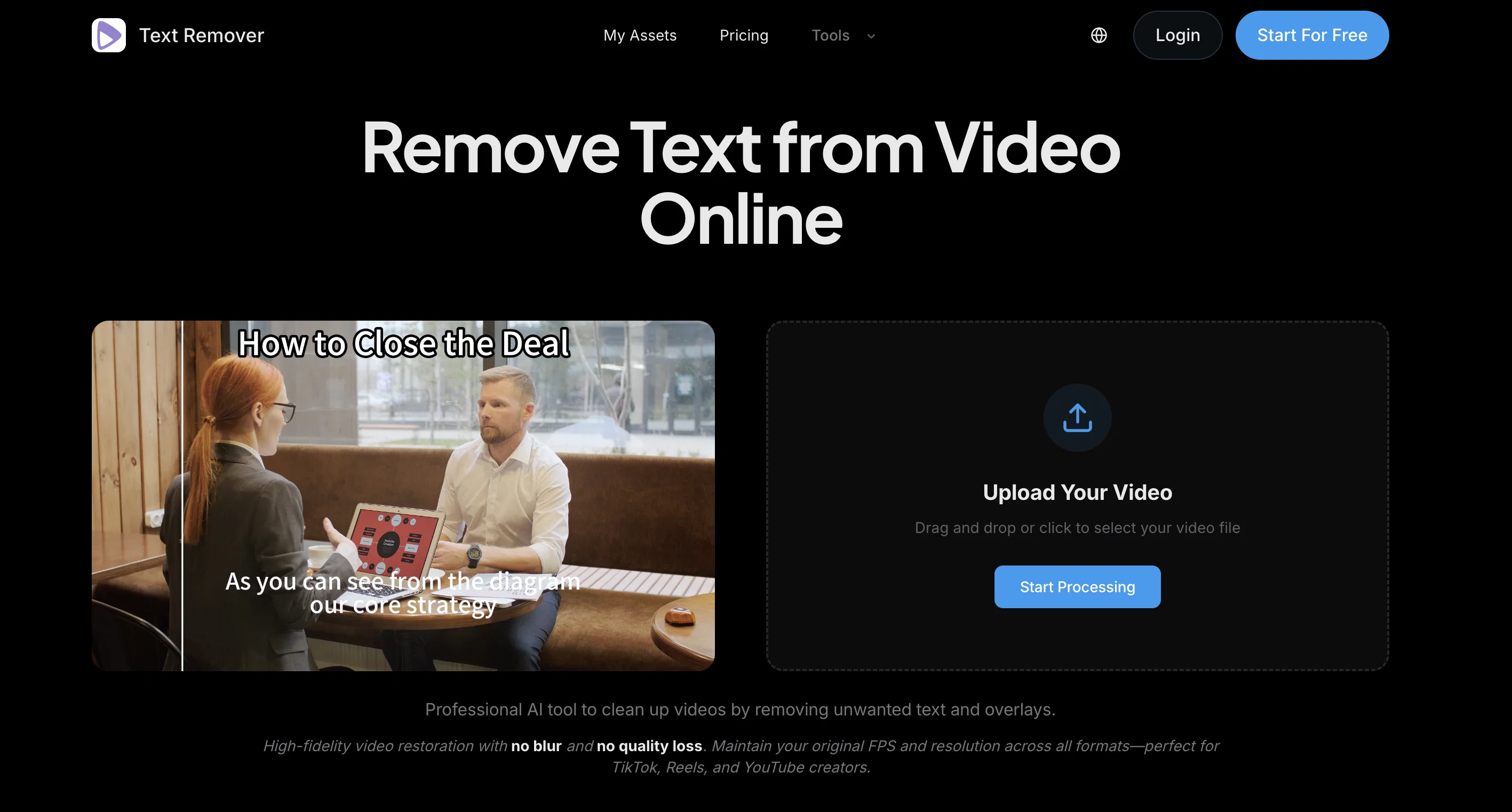
Description: Remove Text from Video is an AI-powered online video text remover built for creators, editors, and marketers who want to clean up their footage quickly and easily. It helps users eliminate hardcoded subtitles, captions, and distracting text overlays in a simple, browser-based workflow.
Instead of relying on complicated desktop editing software, our AI makes the process highly accessible. Just upload your video, highlight the unwanted area, and let the AI automatically process the cleanup while keeping the background looking natural. It is a practical solution for repurposing social media clips, updating tutorials, improving screen recordings, and refreshing promotional content.
Whether you need to remove subtitles from video or erase stubborn on-screen text, Remove Text from Video provides a fast, user-friendly experience right in your browser. You can even start with a free trial to test the AI-powered cleanup before upgrading.
Key Features:
* AI-Powered Erasure: Remove text overlays smoothly and naturally.
* Browser-Based Workflow: No software installation or complex setup required.
* One-Click Cleanup: Easily erase hardcoded subtitles and captions.
* Fast Processing: Built for modern, high-speed video editing needs.
Use Cases:
* Content Repurposing: Clean up text overlays from social media videos for cross-platform sharing.
* Localization: Remove existing subtitles to prepare videos for new languages and markets.
* Screen Recordings & Tutorials: Erase distracting on-screen text or pop-ups.
* Marketing Refresh: Clean up promotional videos in a simple, straightforward workflow
- Ai Subtitle Removal
- Video Text Removal
- Watermark Removal
- Ai Video Cleanup
- Remove Captions From Video
- Video Editing Automation
- Ai Text Watermark Remover
Access & connections
Where you can use Remove Text From Video – AI Subtitle & Watermark Re....
Platforms
Capabilities
What this tool accepts, produces, and is strongest at.
Input
- Video
Output
- Video
Supported features
- Video Edit
- Video Understanding
Pros & cons
Pros
- Works for TikTok, YouTube, and Reels videos
- Supports MP4, MOV, and WebM
- Keeps original resolution and FPS
- Preserves original video quality
- AI-powered video cleanup
- Remove watermarks and text overlays
- Remove subtitles and captions automatically
Cons
- Free usage has limited credits
- Subscription required
- Limited minutes per month
- Processing queue for certain plans
- Possible ghosting issues
Compare alternatives
Similar tools in the catalog — with a clear reason to open each one.

Video Text Remover ✓
Free TrialAI video text and object remover for cleaner content.
Why look Typically cheaper
Full comparison
Remove Text From Video.net ✓
Free TrialAI video cleanup for reposts, ads, and reuse
Free + from $19.99/mo
Full comparison
W-Agent ✓
FreeRemove watermarks, subtitles, logos, and text from video and images
Why look Fully free option
Full comparison
Subtitle Remover ✓
PaidErase hardcoded subtitles from any video, pixel-perfectly.
Why look Typically cheaper
Full comparison
Releases 1
FAQ 12
What is Text Remover?
How does Text Remover work?
Does Text Remover cause any quality loss in videos?
What video formats does Text Remover support?
Can Text Remover remove any type of text overlay from videos?
Does Text Remover require a powerful computer to use?
Can I remove text from video without experiencing blur using Text Remover?
Can Text Remover maintain the original FPS and resolution after text removal?
Is the Text Remover suitable for social media content creators?
How does Text Remover handle the background after removing the text?
Can I use text Remover to remove subtitles and captions?
Does Text Remover work with TikTok, Reels, and YouTube videos?
Related tools
Recommended

Kin - Personal AI Advisors ✓
FreePrivacy-first & designed your for mind, and life at work

Easy-Peasy.AI ✓
FreemiumAccelerates content creation.

MarketAlerts.ai ✓
FreemiumInvest smarter with AI on your side

Kick ✓
FreemiumAccounting software that does the work for you

AUDITSU ✓
Free TrialAccessibility compliance for EU mobile apps

Younet ✓
Free TrialAI Agent Orchestration and Automation. Build your agentic business.