

Video text removal 2026 Rank: #2672
Subtitle Remover ✓
Erase hardcoded subtitles from any video, pixel-perfectly.
from $5.30/mo
Verdict
A quick read before you dig into the full page.
- Best if
- Erase hardcoded subtitles from any video, pixel-perfectly
- Skip if
- No learning from user videos
- Pick this when
- High frame-rate OCR
Considering Video Text Remover instead? Compare side by side
Overview

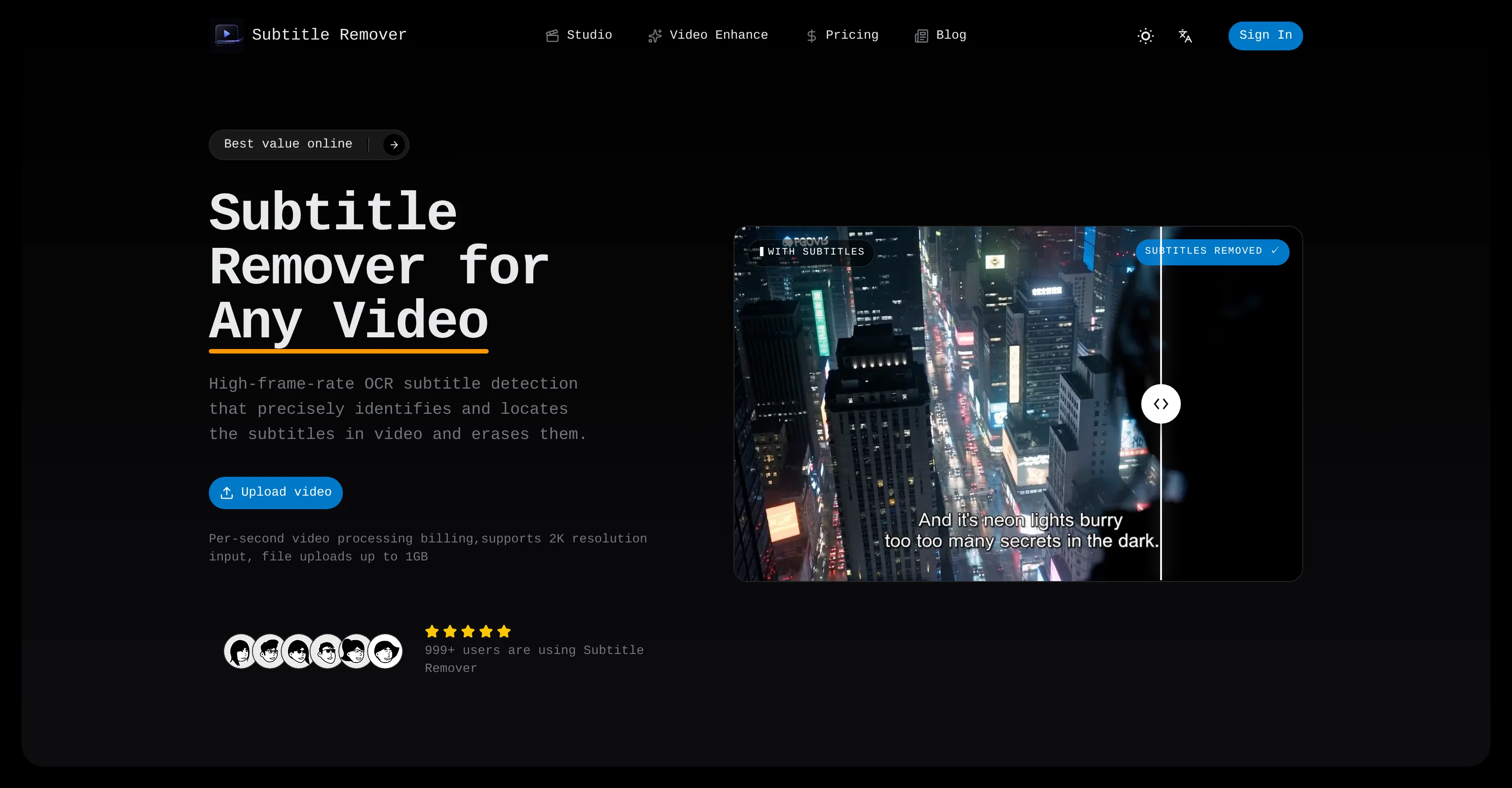
Subtitle Remover is a digital tool powered by AI technology, intended for the purpose of eradicating hard-coded subtitles, captions, watermarks and any visible text displayed on-screen from video footage.
The technology works by utilizing a high frame-rate OCR subtitle detection system, capable of identifying and precisely locating any subtitles embedded within a video file.
The tool then sets about erasing these identified subtitles, thereby reconstructing the actual pixels located behind the subtitle text on a frame-by-frame basis.
This method results in an efficient and effective removal of subtitles without leaving any blurring or black bars on the cleaned video. The tool supports a maximum input resolution of 2K and the output is a clear 1080p MP4 video.
Beyond just subtitles, the technology can also identify and eliminate channel watermarks, logos, and on-screen text, further enhancing the clarity of the video.
The system offers users a choice of choosing automated OCR for detecting subtitles, or manually drawing boxes for more precision in what is erased. Moreover, the AI operates from frames before and after the text instances, allowing it to rebuild pixels accurately, resulting in a legitimate erasure of subtitles rather than a simple single-frame blur or mosaic effect.
The tool secures user privacy by not re-using or learning from users' videos.
Access & connections
Where you can use Subtitle Remover.
Platforms
Capabilities
What this tool accepts, produces, and is strongest at.
Input
- Video
Output
- Video
Pros & cons
Pros
- High frame-rate OCR
- Precise subtitle detection
- Efficient subtitle removal
- Reconstructs pixels behind subtitle
- No blur or black bars
- Max input resolution 2K
- Clear 1080p output
- Removes channel watermarks
Show 25 more
- Identifies and eliminates logos
- Enhanced video clarity
- Manual and automated detection
- Uses frames before and after
- Doesn't blur or mosaic
- Privacy protection
- Input support up to 1GB
- Per-second video processing
- Clean, fair pricing
- Truly clean subtitle removal
- Supports MP4 / MOV / MKV
- 30 day file storage
- Auto-detects or manual boxes
- Temporal inpainting model
- Supports any language subtitles
- 1080p export
- Videos auto-delete after 30 days
- Removes watermarks and logos
- Removes hard-coded subtitles
- Accurate pixel reconstruction
- Removes text without ruining frame
- Manual box precision control
- Clean artifact-free subtitle removal
- Supports 30+ languages
- User-friendly interface
Cons
- Limited to 2K input resolution
- Only 1080p output
- No learning from user videos
- Manual drawing can be tedious
- Hard to remove complex watermarks
- Per-second processing billing
- Doesn't support beyond MP4 output
- No batch processing feature
Show 2 more
- File upload size limit
- Output stored for only 30days
Compare alternatives
Similar tools in the catalog — with a clear reason to open each one.

Video Text Remover ✓
Free TrialAI video text and object remover for cleaner content.
Why look Better for writing
Full comparison
Remove Text From Video.net ✓
Free TrialAI video cleanup for reposts, ads, and reuse
Free + from $19.99/mo
Full comparison
Remove Text From Video – AI Subtitle & Watermark Re... ✓
FreemiumRemove subtitles, captions, and watermarks from videos instantly.
Why look Freemium alternative
Full comparison
W-Agent ✓
FreeRemove watermarks, subtitles, logos, and text from video and images
Why look Fully free option
Full comparison
erase.tools ✓
FreemiumRemove text, captions, and watermarks from videobackground rebuilt seamlessly.
Why look Freemium alternative
Full comparisonReleases 1
Imported reviews 1
I’ve been working on short-form drama content recently, and I keep running into the same issue: even when I explicitly tell Seedance 2.0 not to generate subtitles, the output occasionally still includes them.
Regenerating the video isn’t really a practical fix—each one can cost over $10, and with six or seven of these cases a day, the extra cost quickly adds up to nearly $100.
I first looked for existing subtitle-removal tools, but most had one or more of these limitations:
- Only support videos under one minute
- Don’t let you manually select the subtitle area, so results can be inconsistent
- Charge per use or through expensive plans, especially for longer videos
- Slow upload and processing speeds
After trying a number of options, I decided to build a small tool specifically for removing subtitles from videos.
It currently uses Volcano Engine’s video subtitle-removal capability and supports:
- Videos up to 1 GB
- No video-duration limit
- Manually selecting the subtitle area
- Per-second billing
- Around 50× lower cost than regenerating a video with AI
If you’re dealing with the same issue, feel free to give it a try: https://subtitleremover.com
I’d also love to hear any feedback or ideas.
FAQ 12
What is the maximum input resolution that Subtitle Remover can handle?
Can Subtitle Remover remove hardcoded English and Chinese subtitles?
Does Subtitle Remover leave any blur or black bars on the video after subtitle removal?
How does Subtitle Remover's OCR technology identify subtitles?
What is the video output format from Subtitle Remover?
Does Subtitle Remover have an automatic detection feature for subtitles?
Is there an option for removing subtitles manually on Subtitle Remover?
Beyond subtitles, what visible text elements can Subtitle Remover erase from the video?
Can Subtitle Remover remove channel watermarks and logos?
How does Subtitle Remover ensure user privacy?
Does Subtitle Remover support the removal of on-screen text?
Does Subtitle Remover export clean video at 1080p resolution?
Related tools
Recommended

MagicSlides.app AI PPT Maker ✓
FreemiumCreate Stunning PPTs in Seconds with the AI PPT Maker

GetLogit ✓
FreemiumArtificial intelligence, available for everyone.

ChatGPT ✓
FreemiumAsk anything, create anything, and move from idea to action.

Automateed ✓
Free TrialCreate eBooks effortlessly with Automateed, the AI-powered writing tool.

Kin - Personal AI Advisors ✓
FreePrivacy-first & designed your for mind, and life at work

Aiter.io | Paste a URL. Ship a Campaign That Sounds L... ✓
FreemiumAI marketing that sounds like you, not everyone else.
