

Video text removal 2026 Rank: #1082
erase.tools ✓
Remove text, captions, and watermarks from videobackground rebuilt seamlessly.
Free + from $14.99/mo
Verdict
A quick read before you dig into the full page.
- Best if
- Remove text, captions, and watermarks from videobackground rebuilt seamlessly
- Skip if
- Imperfect with complex backgrounds
- Pick this when
- Supports multiple file types
Considering Video Text Remover instead? Compare side by side
Overview
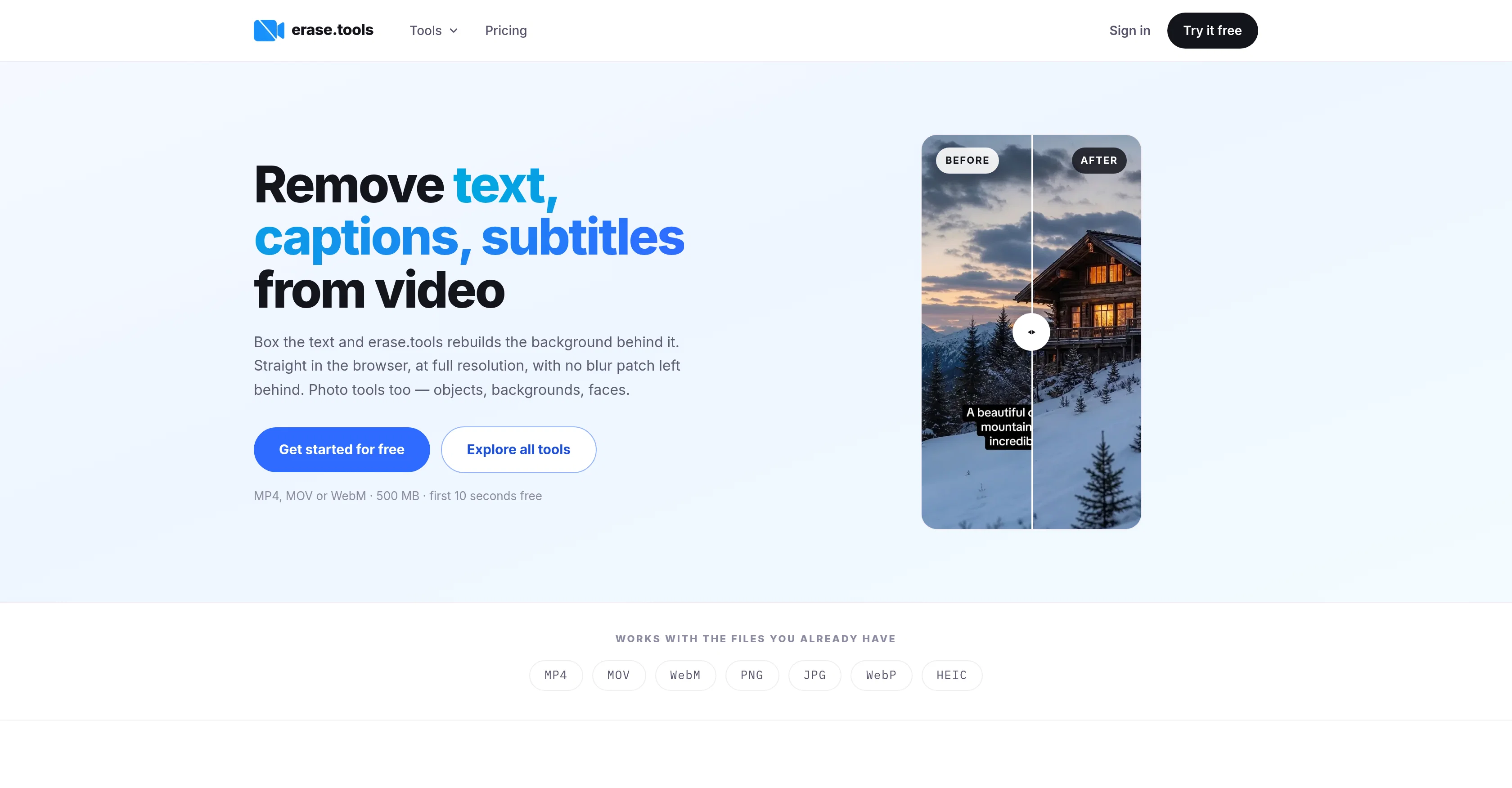
erase.tools is a suite of AI-based tools designed for editing and modification of both photo and video content. The principal function of this tool is the removal of text, captions, subtitles, and watermarks from videos.
This task is performed by allowing the user to box the unwanted element, after which the tool rebuilds the background, thus offering a clear, full-resolution result with no blur or crop.
Its photo editing features include an object remover, which can erase any undesired elements from a photo, a background remover which allows to isolate the subject and export with a transparent or white background, and a blur tool which can pixelate or blur objects, faces, or sections of the image.
Furthermore, the tool is capable of removing watermarks from images. Additionally, it supports file conversion like HEIC to JPG, and WebP to JPG or PNG.
The entire process is executed directly in the browser, offering the user full-resolution downloads with original quality retained. It also provides an API for JS and Python.
erase.tools functions at various pricing tiers, including a free tier.
Access & connections
Where you can use erase.tools.
Platforms
Capabilities
What this tool accepts, produces, and is strongest at.
Input
- Video
- Tabular
- API
Output
- Video
- API
Pros & cons
Pros
- Supports multiple file types
- Users can edit videos
- Supports video background removal
- Removes undesired photo elements
- Exports with white background
- Exports with transparent background
- Includes a photo blur tool
- Supports HEIC to JPG
Show 41 more
- Supports WebP to JPG
- Supports WebP to PNG
- Process executed in browser
- Offers high-resolution downloads
- Original quality is retained
- Includes an API for JS
- Includes an API for Python
- Various pricing tiers available
- Features a free usage tier
- Removes text from videos
- Removes captions from videos
- Removes subtitles from videos
- Removes watermarks from videos
- Rebuilds video background
- Performs seamless edits
- Provides no blur/crop results
- Offers high resolution video restoration
- Removes photo watermarks
- Provides a photo object remover
- Removes photo backgrounds
- Pixelates images
- Supports batch operations
- Supports API access
- Features a photo censor tool
- Removes video text
- Removes video captions
- Batch removes with the same region
- Includes facial blur augmentations
- No installation required
- Processes directly in the browser
- Provides immediate export links
- Retains original file bitrate
- Works with large photo files
- Compatible with multiple video formats
- Ensures privacy with in-browser processing
- No added watermarks
- Image and video editing capabilities
- Supports high resolution photos
- Easy to use interface
- Removes photo objects
- Allows background reconstruction
Cons
- Limited to 500MB files
- Max 90 seconds video
- Limited format support
- Quality depends on surrounding pixels
- No mobile application
- Pricing for prolonged use
- Imperfect with complex backgrounds
- Few API languages
Show 2 more
- Can't process moving objects
- Batch selections are uniform
Compare alternatives
Similar tools in the catalog — with a clear reason to open each one.

Video Text Remover ✓
Free TrialAI video text and object remover for cleaner content.
Why look Typically cheaper
Full comparison
Remove Text From Video.net ✓
Free TrialAI video cleanup for reposts, ads, and reuse
Free + from $19.99/mo
Full comparison
Remove Text From Video – AI Subtitle & Watermark Re... ✓
FreemiumRemove subtitles, captions, and watermarks from videos instantly.
Why look Typically cheaper
Full comparison
W-Agent ✓
FreeRemove watermarks, subtitles, logos, and text from video and images
Why look Fully free option
Full comparison
Subtitle Remover ✓
PaidErase hardcoded subtitles from any video, pixel-perfectly.
Why look Typically cheaper
Full comparisonReleases 1
FAQ 12
What is erase.tools?
How does erase.tools work?
Does erase.tools support video content editing?
How does erase.tools rebuild the background when removing elements?
Can erase.tools blur specific parts of an image?
Does erase.tools remove watermarks from images?
What file conversion does erase.tools support?
Can I download the full-resolution result directly from erase.tools?
Is there an API for erase.tools?
What are the pricing tiers for erase.tools?
Does erase.tools offer a free tier?
Is the image restoration clear without any blur or crop in erase.tools?
Related tools
Recommended

SparkVid | Image to Video AI Generator ✓
Free TrialUpload a still and watch it move.

CraftStory ✓
FreemiumTurn any photo into a hyper-realistic talking AI video

GetLogit ✓
FreemiumArtificial intelligence, available for everyone.

ChatGPT ✓
FreemiumAsk anything, create anything, and move from idea to action.

freebeat AI ✓
FreemiumTurn Music & Ideas into Viral Videos In One Click

remio: Your Personal ChatGPT ✓
FreemiumGet Tailored Answer with Your Personal ChatGPT