

T-Square ✓
Transform architectural ideas into stunning reality instantly
Trial; then from $13/mo
Verdict
A quick read before you dig into the full page.
- Best if
- Transform architectural ideas into stunning reality instantly
- Skip if
- Expensive enterprise plan
- Pick this when
- User-friendly interface
Considering ARCHITEChTURES instead? Compare side by side
Overview
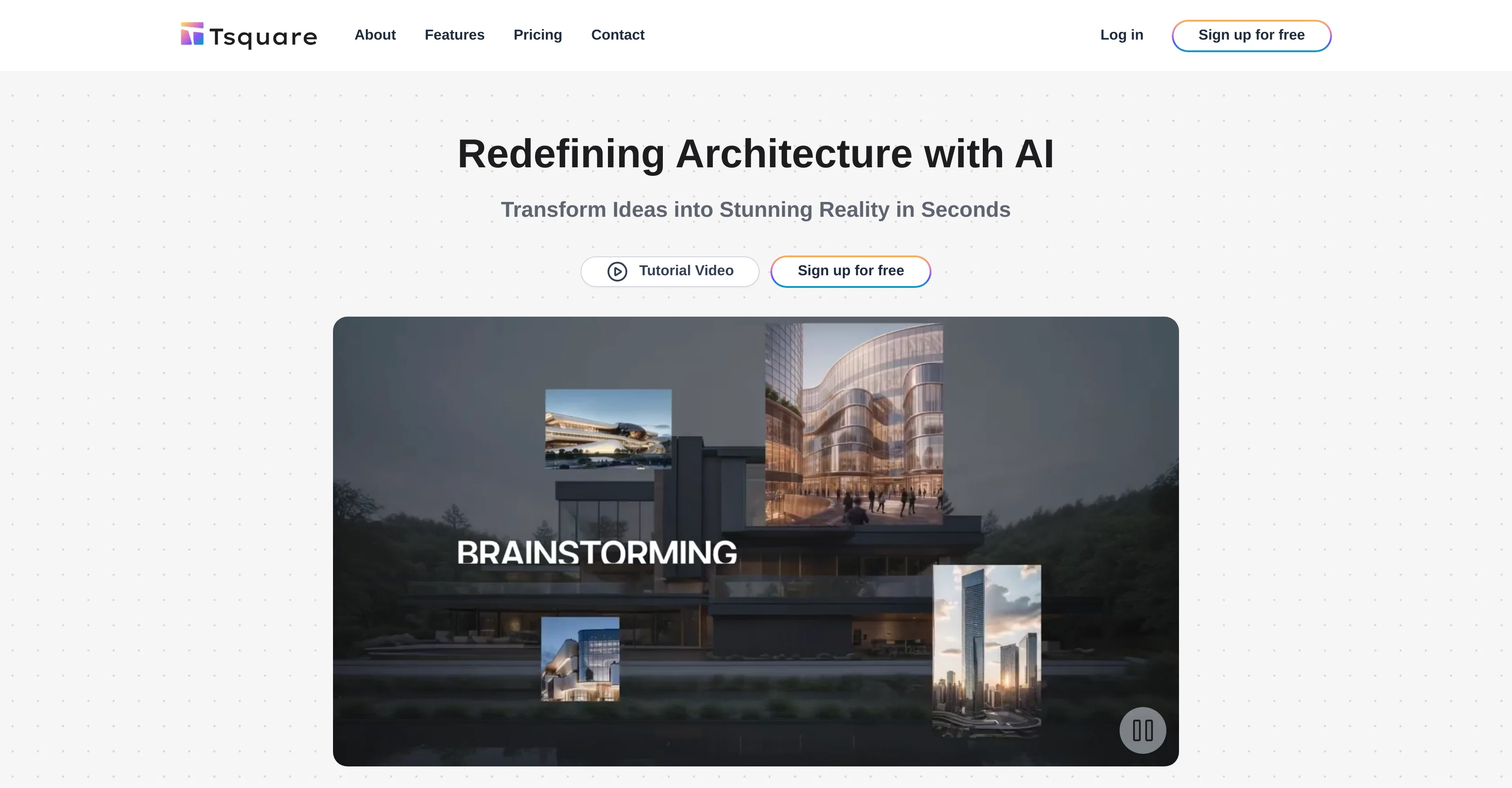
T-Square is an AI-powered platform designed to guide architects through the entire design process, from initial concept to the final blueprint. It offers a seamless, user-friendly interface, with the ability to upload SketchUp models, 3D models, and sketches, which become the basis for further AI-assisted creation.
Key features of T-Square include the ability to refine styles and designs using a reference image and a prebuilt prompt library that guides the AI generation process.
T-Square also offers a rapid iterative design process, where uploaded designs can be transformed into image renderings using prebuilt AI technologies.
The platform allows for iterative re-edits and improvements via features like Erase & Replace and Outpainting, ensuring the final design meets the user's vision.
T-Square also provides an upscale feature that enhances the resolution of finalized designs. The platform accommodates various project types including architectural, interior, and landscape design, enabling users to explore a range of materials, colors, and design options with precision.
In terms of storage and data security, all user data is securely stored on servers managed by vetted, third-party partners.
Access & connections
Where you can use T-Square.
Platforms
Capabilities
What this tool accepts, produces, and is strongest at.
Input
- 3D
- Image
Output
- Image
Supported features
- Arhitecture & Interior design
Pros & cons
Pros
- User-friendly interface
- SketchUp models compatibility
- Supports 3D models
- Allows blueprint creation
- Refine designs using images
- Prebuilt prompt library
- Rapid iterative design process
- Transform designs into renderings
Show 18 more
- Re-edits and improvements feature
- Erase & Replace feature
- Outpainting feature
- Upscale feature for resolution
- Handles various project types
- Interior and landscape design
- Secure data storage
- Project version control
- Designs comment feature
- Priority customer support
- Enterprise-level customer support
- Allows unlimited image generation
- Team management feature
- Project tracking feature
- Custom branding option
- Supports SketchUp sketches
- Users keep copyrights
- Gallery for inspiration
Cons
- Limited image generation rates
- No free collaboration features
- Limited support in basic plan
- Expensive enterprise plan
- Third party data storage
- No multi-platform support mentioned
- No offline functionality mentioned
- Limited to design field
Show 2 more
- Depends on reference image
- No mention of multi-user work
Compare alternatives
Similar tools in the catalog — with a clear reason to open each one.

ARCHITEChTURES ✓
FreemiumAI-powered design: Months to minutes for buildings.
Free + from $43/mo
Full comparison
ReRender AI ✓
Free TrialInstant photorealistic renders for architectural designs.
Why look Offers a public API
Full comparison
Architect AI ✓
FreemiumArchitectural renderings for design and communication.
Why look Typically cheaper
Full comparison
Archsynth ✓
FreemiumTransform sketches into stunning architectural renders with AI.
Why look Typically cheaper
Full comparison
Visoid ✓
FreemiumAI-powered 3D architectural visualization in minutes.
Why look Higher community rating
Full comparisonReleases 1
Imported reviews 2
opened this tool between client calls. quiet UI, no fluff. gave it a mood and to must haves and it came back with room comps that stick to the idea instead of drifting. not a mind melt, but it moves a concept board forward fast. give me auto retry on fails and i'd park this in my daily kit.
We've been using Tsquare AI's products and couldn't be more impressed. Their AI tools are incredibly powerful, especially the ability to generate high-quality 3D models and visualizations from 2D floor plans. It has significantly streamlined our design process and improved our efficiency. The team is responsive, professional, and truly understands both technology and the needs of the industry. Highly recommended for any business looking to enhance design workflows or product visualization.
FAQ 12
What is T-Square?
What does the T-Square platform offer?
What kind of designs can be uploaded to T-Square?
What are the key features of T-Square?
Can T-Square enhance the resolution of final designs?
What types of projects can T-Square accommodate?
How does T-Square ensure data security?
Does T-Square have any features for collaborative work?
What is the pricing for T-Square services?
Does T-Square provide a free trial?
How do the refinement features in T-Square work?
Can sketches exported from SketchUp be used in T-Square?
Related tools
Recommended

Gendo ✓
FreemiumBeautiful CGI for designers in minutes, not days.

Photo AI ✓
PaidCreate beautiful AI photos and videos of real people

Mindsmith ✓
FreemiumPlatform for building and sharing eLearning content

Midjourney ✓
PaidExpand human imagination through AI-powered visuals.

PrometAI ✓
FreemiumTurn ideas into viable reality with AI business plan generator.

Limecube ✓
FreemiumTransforming the way websites are created with AI.