

Visoid ✓
AI-powered 3D architectural visualization in minutes.
Free + from $29/mo
Verdict
A quick read before you dig into the full page.
- Best if
- AI-powered 3D architectural visualization in minutes
- Skip if
- Limited rendering styles
- Pick this when
- Stunning 3D rendered images
Considering ARCHITEChTURES instead? Compare side by side
Overview
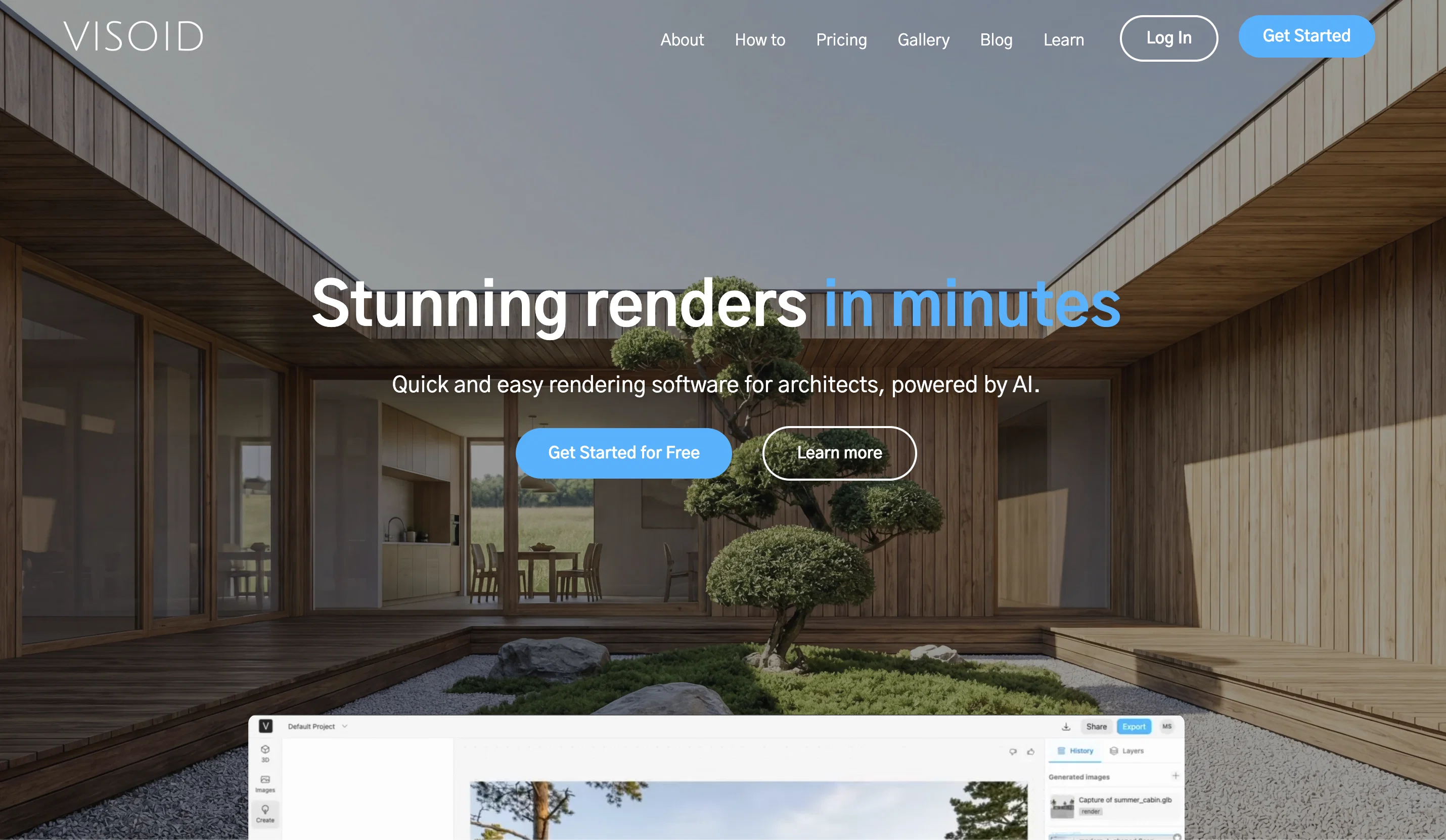
Visoid is an AI-powered 3D architectural visualization software designed to streamline the visualization workflow. It replaces traditional, complex methods with a single, web-based application, providing coherent, high-quality visualizations.
The software offers sleek, final image rendering within a relatively short amount of time. It enables users to experiment with different materials for design alternatives and visualize projects under varying lighting or seasons.
Besides, it encourages iterative steps towards reaching the desired visual outcome.Visoid not only caters to professionals from the architecture industry but also equally serves various other industry verticals.
With its ability to transform early-stage concepts into powerful renderings, it enhances the communication of design ideas by adding a level of realism and materiality.Users can deploy Visoid to create high-quality visualizations based on files from any favourite 3D application.
The software also offers the functionality to generate architectural visualizations from detailed 3D models or even quick Photoshop collages. Additionally, it can convert hand sketches into render systems for testing and communicating materiality.Visoid's versatility accommodates use for different project types - be it early-stage urban projects, multi-family or commercial projects, or single houses.
The software allows detailed scene control and can produce renderings based on simple volumetric models, detailed inputs or even basic sketches, making it highly adaptable to the user's workflow.
Lastly, Visoid comes with a user-friendly interface, making it an easily usable tool that requires no prior experience.
Best for
Short scenarios where Visoid tends to shine.
-
AI-powered 3D architectural visualization in minutes.
Example outputs 1
Sample generations and before/after results for Visoid.
Access & connections
Where you can use Visoid.
Platforms
Capabilities
What this tool accepts, produces, and is strongest at.
Input
- 3D
Output
- Image
Pros & cons
Pros
- Stunning 3D rendered images
- Operates on cloud servers
- Lightning-fast rendering times
- No specific hardware requirements
- Specifically for architectural visualizations
- Streamlines visualization workflows
- Replaces complex methods
- No need for scene building
Show 37 more
- No need for lighting setup
- No need for camera setup
- No texture and object libraries
- No long final renders
- Few clicks to customize
- Adjust environment, mood, color
- Different output images
- Highly accessible platform
- No prior experience required
- No tutorials needed
- No online libraries needed
- No plugins needed
- Various licensing options
- Free version available
- Single seat version
- Team version for projects
- Reduces visualization time
- Boosts productivity
- High-quality visualizations
- Experiment with different materials
- Varying lighting or seasonal visualization
- Iterative design steps
- Transforms early-stage concepts
- Works with any 3D application
- Detailed 3D models or Photoshop collages
- Converts hand sketches
- User-friendly interface
- Adaptable to different project types
- Detailed scene control
- Simple volumetric models or detailed inputs
- Multiple subscription options
- High resolution renderings
- Unlimited images on certain plans
- Customer success team
- Up-to-date with latest features
- High-quality visualizations from simple models
- Increase productivity and improve communication
Cons
- Exclusively for architectural visualizations
- Limited customization
- Limited to cloud servers
- No offline version
- Overly simplified for professionals
- No explicit integration with 3D modeling software
- No texture and model libraries
- Not supported different industry verticals
Show 2 more
- Limited rendering styles
- No previous version compatibility
Compare alternatives
Similar tools in the catalog — with a clear reason to open each one.

ARCHITEChTURES ✓
FreemiumAI-powered design: Months to minutes for buildings.
Free + from $43/mo
Full comparison
ReRender AI ✓
Free TrialInstant photorealistic renders for architectural designs.
Why look Offers a public API
Full comparison
Architect AI ✓
FreemiumArchitectural renderings for design and communication.
Why look Typically cheaper
Full comparison
Archsynth ✓
FreemiumTransform sketches into stunning architectural renders with AI.
Why look Typically cheaper
Full comparison
Designedbyai ✓
Free TrialCreate stunning interior designs with AI in seconds
Free + from $99.99/mo
Full comparisonPeople also view
Tools that often show up alongside Visoid in collections and comparisons.
ReRender AI ✓
Free TrialInstant photorealistic renders for architectural designs.
Designedbyai ✓
Free TrialCreate stunning interior designs with AI in seconds
Archsynth ✓
FreemiumTransform sketches into stunning architectural renders with AI.
Architect AI ✓
FreemiumArchitectural renderings for design and communication.
ARCHITEChTURES ✓
FreemiumAI-powered design: Months to minutes for buildings.

CAD Scene ✓
Free TrialAI architectural rendering for professional architects.

Autotag by Bimrock AI ✓
Free TrialAutomate MEP design and engineering in Revit.

ArchVizr ✓
Free TrialPhotorealistic renders from your CAD file in 20 seconds.
Releases 1
FAQ 12
What is Visoid?
How does Visoid work?
What are the hardware requirements to use Visoid?
Does Visoid require prior experience or tutorial?
What customization options does Visoid offer for creating visualizations?
Can Visoid be used for interior rendering?
How does Visoid simplify traditional visualization workflows?
How does Visoid replace traditional visualization workflows?
What are the licensing options available for Visoid?
How does Visoid reduce visualization time?
How can Visoid integrate with other 3D applications?
Can Visoid work with hand sketches?
Related tools
Recommended

Makeit.ai ✓
PaidGenerate thousands of architectural plans instantly.

Arch-E ✓
UnknownCreate and explore AI-generated images for design

Agentgpt ✓
FreemiumDeploy autonomous AI Agents effortlessly in your browser.

Architectgpt ✓
PaidAI-powered home design: Create your dream space.

LearningStudioAI ✓
Free TrialAI-powered authoring tool for effortless online course creation.

Photo AI ✓
PaidCreate beautiful AI photos and videos of real people