

Storyd ✓
Create business presentations leaders love, in seconds.
Free + from $18 / mo
Verdict
A quick read before you dig into the full page.
- Best if
- You are business professionals and need: Creating business presentations that capture the attention of leaders
- Skip if
- Subscription can be expensive
- Pick this when
- Quick data presentations creation
Considering MagicSlides.app AI PPT Maker instead? Compare side by side
Overview
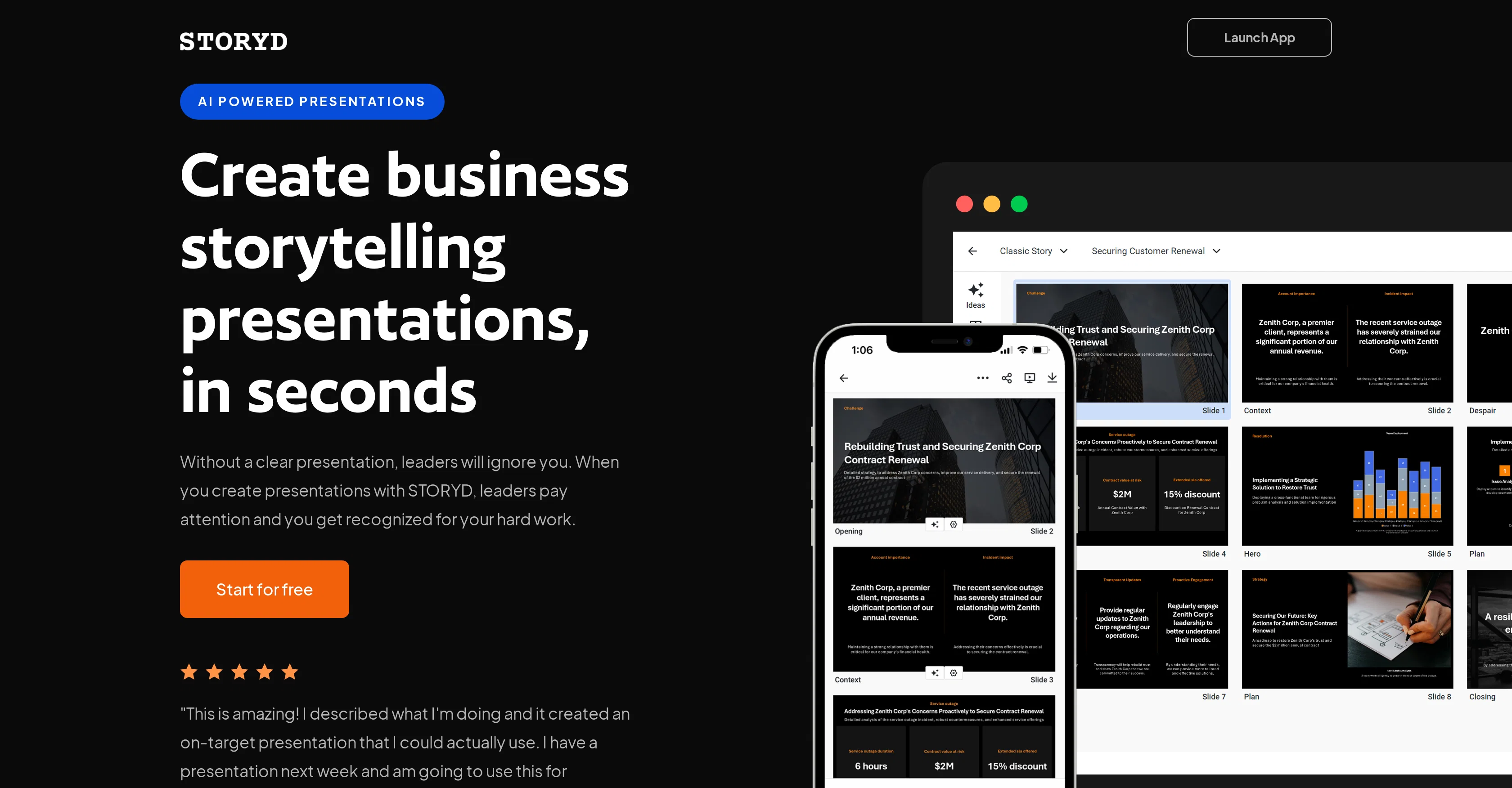
STORYD is an AI-powered tool designed to streamline the creation of business presentations, specifically aimed at allowing users to get their points across clearly and efficiently to leaders in the business world.
To achieve this, STORYD offers a range of features and tools to assist with building compelling storytelling narratives within presentations. Users simply need to input a few sentences about their desired topic, from which STORYD then generates a professional business deck to structure the user's presentation around best practices in communication.
STORYD also offers customizable options for slide themes, colors, and fonts. And, for those facing writer's block, the platform provides rephrase and brainstorm functions that can aid in modifying and expanding upon the user's narrative.
Additional features extend the user's ability to add variety and depth to their presentations beyond text-based content. This includes the ability to incorporate lists, images, charts, and numerical data into their presentations.
Users can start using the STORYD for free, with additional features unlocked in the pro and automate plans.
Best for
Short scenarios where Storyd tends to shine.
-
Creating business presentations that capture the attention of leaders
Best for Business professionals
-
Generating pitch-deck quality presentations within seconds
Best for Marketing teams
-
Developing detailed stories to show an audience with minimal instructions
Best for Sales teams
-
Quickly creating presentations from data
Best for Consultants
Example outputs 1
Sample generations and before/after results for Storyd.
Access & connections
Where you can use Storyd, and what it plugs into.
Platforms
Integrations
Capabilities
What this tool accepts, produces, and is strongest at.
Input
- API
- Tabular
- Text
Output
- Tabular
- API
- Text
- Image
Pros & cons
Pros
- Quick data presentations creation
- Customizable corporate themes
- High-quality data presentation
- Effort and time saving
- Employs best practice communication
- Professional business deck generation
- Slide themes, colors, and fonts customization
- Rephrase and brainstorm functions
Show 23 more
- Incorporation of lists, images, charts, numerical data
- Free initial use
- Pitch-deck quality design
- Plug in a few sentences and get a detailed story
- Mixes text-based content with multimedia
- Variety and depth addition to presentations
- Option to collaborate live with colleagues
- Text, lists, images, charts, numerical data incorporation
- Theme, font, color visual previews
- Upload and extract existing deck's theme
- 100s of layout options
- Data storytelling optimization
- Pre-written business storytelling presentations
- Industry or department-based browsing for relevant ideas
- Presentation topic and slide structure editing
- Browser presentation
- Export to PowerPoint, Google Slides, Keynote, Canva
- Team collaboration feature
- Real time editing
- Priority access with pro plan
- API Access with automate plan
- Unlimited users with automate plan
- Branded themes
Cons
- Limited free version
- No mobile application
- Subscription can be expensive
- Limited customization options
- No offline version
- Requires web access
- Depends on user input
- Limited to presentations only
Show 2 more
- No native data integration
- Relies heavily on templates
Compare alternatives
Similar tools in the catalog — with a clear reason to open each one.

MagicSlides.app AI PPT Maker ✓
FreemiumCreate Stunning PPTs in Seconds with the AI PPT Maker
Why look Offers a public API
Full comparison
NextDocs.io ✓
FreemiumThe AI-native editor for docs, slides, and more
Why look Offers a public API
Full comparison
Gamma ✓
FreemiumAI-powered content creation, minus the hassle.
Why look Better for writing
Full comparison
AI Slide Generator ✓
Free TrialCreate stunning presentations from any text in seconds
Why look Offers a public API
Full comparisonPeople also view
Tools that often show up alongside Storyd in collections and comparisons.

okkslides ✓
FreemiumTransform ideas into professional PowerPoint slides in minutes.
NextDocs.io ✓
FreemiumThe AI-native editor for docs, slides, and more
MagicSlides.app AI PPT Maker ✓
FreemiumCreate Stunning PPTs in Seconds with the AI PPT Maker
AI Slide Generator ✓
Free TrialCreate stunning presentations from any text in seconds

GenPPT ✓
PaidThe AI Presentation Tool for Deep, Research-Backed Slides
Gamma ✓
FreemiumAI-powered content creation, minus the hassle.

Skywork ✓
Free Trial10 tasks in 1 hour, not 10 hours

OpenDeck ✓
FreeSlide decks that speak for themselves.
Releases 1
Imported reviews 1
impressive :O quite easy to use and great designs overall
FAQ 12
What is STORYD?
How does STORYD use AI to create presentations?
What kind of data can I integrate into my STORYD presentations?
How much time does it take to create a presentation with STORYD?
What are the customizable options that STORYD offers for slide themes?
Does STORYD offer assistance for users facing writer's block?
Can I incorporate multimedia content in my STORYD presentations?
How user friendly is STORYD for someone with little tech experience?
Who are the key leaders that have shown trust in STORYD?
Can I try STORYD for free?
What are the added benefits of the pro and automate plans of STORYD?
Can I collaborate on STORYD with my colleagues in real time?
Related tools
Recommended

Glimmer ✓
UnknownAI-powered magic for stunning presentations

Prezo ✓
UnknownBuild slide decks 10x faster

Motionit ✓
FreemiumAI-powered slides and videos in minutes.

SlidesAI ✓
FreemiumCreate presentation slides with AI in seconds.

PresentationGPT ✓
FreemiumCustomizable presentations generated efficiently.

PresentationsAI ✓
FreemiumGenerate stunning presentations in minutes with AI