

SlideSpeak ✓
Create PowerPoint presentations with AI
Free + from $24/mo
Verdict
A quick read before you dig into the full page.
- Best if
- You are consultants and need: Consultants using it to quickly understand client presentations
- Skip if
- Limited integration options
- Pick this when
- Interacts with PowerPoint slides
Considering MagicSlides.app AI PPT Maker instead? Compare side by side
Overview


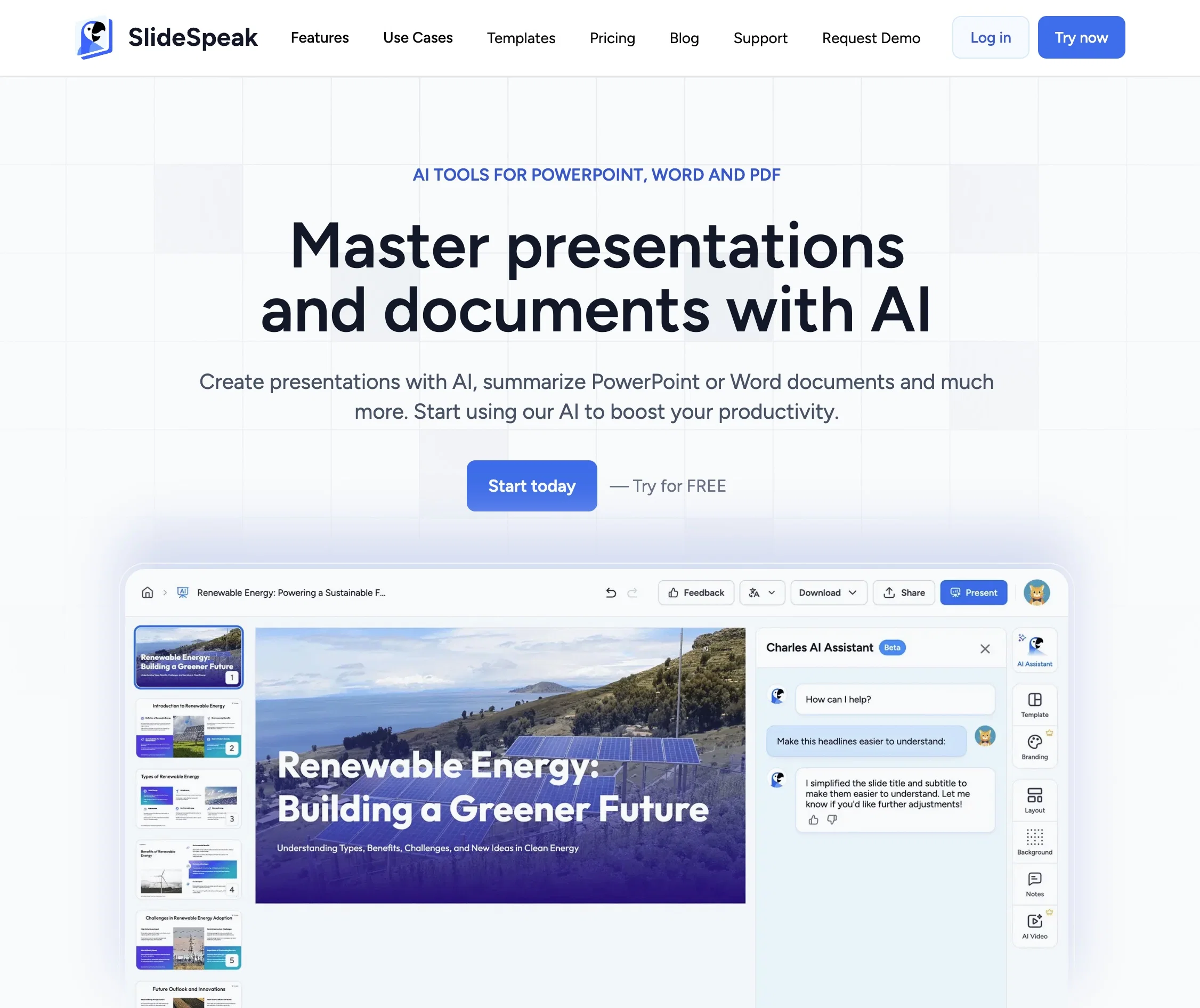
SlideSpeak is an AI-powered presentation tool that allows users create slides within seconds. Users can upload their Word and PDF files and create presentations.
SlideSpeak also creates AI designed infographics, chart, tables and other visualizations to make your content as engaging as possible. The AI engine, powered by ChatGPT, generates summaries and designs beautiful slides.
The platform is easy to use, and even supports the import of existing PowerPoint templates and files. SlideSpeak provides fast results, with the AI engine answering questions about the slides within seconds.
Users also have access to an AI agent that can modify and edit presentation or build up entire slide decks. The tool prioritizes data security and encryption, with customer data stored securely and not shared with any third party.
However, data may be submitted to OpenAI during the processing of files. Overall, SlideSpeak aims to enhance productivity by transforming PowerPoint presentations into powerful conversations.
Users can save time and gain new insights and summarize, create and edit presentations with our AI assistant. No credit card is required to use SlideSpeak, and it is available for free.
Best for
Short scenarios where SlideSpeak tends to shine.
-
Consultants using it to quickly understand client presentations
Best for Consultants
-
Students using it to summarize lecture slides
Best for Students
-
Education to create presentations
Best for Educators
Example outputs 1
Sample generations and before/after results for SlideSpeak.
Access & connections
Where you can use SlideSpeak, and what it plugs into.
Platforms
Capabilities
What this tool accepts, produces, and is strongest at.
Input
- Tabular
- Image
- Text
- Video
Output
- Video
- Text
- Image
Highlights
- Agents
- API
- MCP
Supported features
- Agents
- API
- MCP
- Slides
Pros & cons
Pros
- Interacts with PowerPoint slides
- Create Presentations with AI
- Fully PowerPoint native
- Import existing PowerPoint templates
- Fast results within seconds
- Currently free to use
- Data security encryption
- No customer data sharing
Show 11 more
- AI Video from Presentations
- No credit card needed
- Gets action items from presentations
- Downloadable PowerPoints
- Customer data fully encrypted
- Data not shared with third-parties
- Presentations from PDF, Word and other docs
- Create Google Slides with AI
- Seamless PowerPoint chat
- Powerful conversation transformation
- Saves users' work hours
Cons
- Only supports PowerPoint files
- No multi-document support
- Future payment uncertainty
- Limited query capabilities
- Doesn't support real-time collaboration
- No offline functionality
- Supports only PPTX format
- Limited integration options
Show 1 more
- No manual refinement ability
Compare alternatives
Similar tools in the catalog — with a clear reason to open each one.

MagicSlides.app AI PPT Maker ✓
FreemiumCreate Stunning PPTs in Seconds with the AI PPT Maker
Why look Typically cheaper
Full comparison
NextDocs.io ✓
FreemiumThe AI-native editor for docs, slides, and more
Why look Typically cheaper
Full comparison
Gamma ✓
FreemiumAI-powered content creation, minus the hassle.
Why look Typically cheaper
Full comparison
AI Slide Generator ✓
Free TrialCreate stunning presentations from any text in seconds
Why look Typically cheaper
Full comparison
okkslides ✓
FreemiumTransform ideas into professional PowerPoint slides in minutes.
Free + from $25/mo
Full comparison
GenPPT ✓
PaidThe AI Presentation Tool for Deep, Research-Backed Slides
Why look Typically cheaper
Full comparisonPeople also view
Tools that often show up alongside SlideSpeak in collections and comparisons.

ClassPoint AI ✓
FreemiumAI-powered classroom engagement tool

Twistly ✓
Free TrialThe fastest AI presentation maker add-in made for PowerPoint

PPT.AI ✓
Free TrialTransform ideas into stunning presentations instantly

Plus AI for PowerPoint ✓
UnknownCreate stunning presentations in minutes with AI.

AI PPT Maker ✓
FreemiumAI turns your ideas into PowerPoint presentations instantly.
okkslides ✓
FreemiumTransform ideas into professional PowerPoint slides in minutes.
NextDocs.io ✓
FreemiumThe AI-native editor for docs, slides, and more
MagicSlides.app AI PPT Maker ✓
FreemiumCreate Stunning PPTs in Seconds with the AI PPT Maker
Releases 1
Imported reviews 6
It’s amazing how you can just upload a PowerPoint on SlideSpeak and ask questions about it. Such a smart and helpful tool
very good and engaging, I really like it.
Works really well compared to all other solutions
Love love it. This tool was super handy summarize powerpoint files from my lectures. I'd highly recommend it.
This is good! Saved me some time to get information from really long report
Great tool to summarize powerpoint files with AI. Its free and works really well.
FAQ 12
What is SlideSpeak?
How does SlideSpeak work?
What is the technology behind SlideSpeak?
How quickly does SlideSpeak provide answers?
Is SlideSpeak free to use?
Does SlideSpeak only support PowerPoint files?
Is SlideSpeak planning on supporting other file types?
How does SlideSpeak secure user data?
Can I use SlideSpeak without a credit card?
How do I upload my PowerPoint files to SlideSpeak?
Can SlideSpeak create summaries of my presentations?
Are there any limitations to the questions I can ask SlideSpeak?
Related tools
Recommended

GPTExcel ✓
FreemiumGenerate spreadsheet formulas with AI

AcademicGPT ✓
FreemiumAI-powered academic writing assistant.

Academic Help ✓
FreemiumAutomated essay support for academic writing.

Beebee.com ✓
PaidFinancial market analysis & real-time news platform.

TutorAI ✓
FreemiumInstant knowledge on any topic

AIGPT ✓
FreeElderly and time-constrained shopping assistant