

UI design 2026 Rank: #3078
Sleek AI ✓
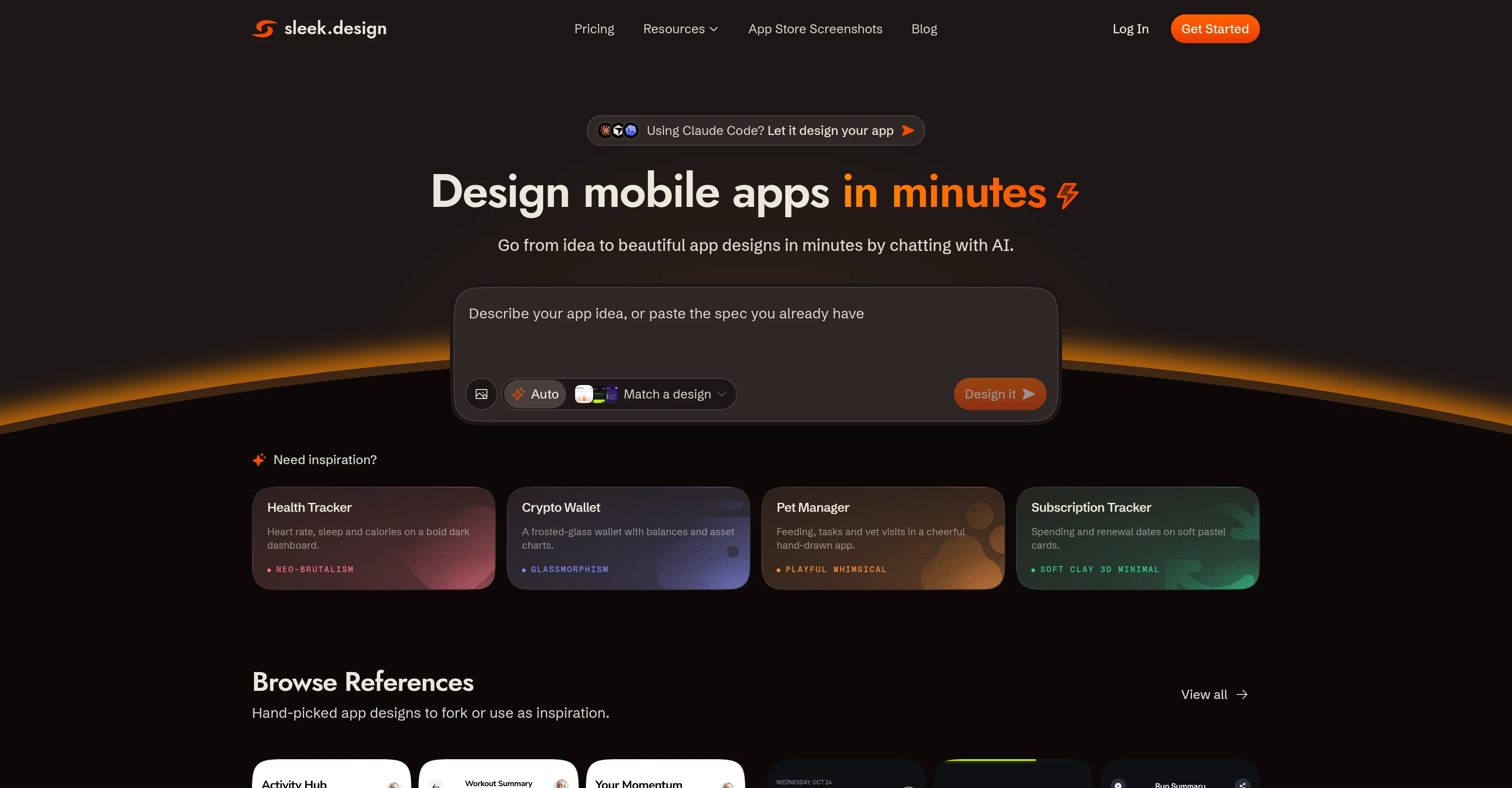
Design mobile apps in minutes by chatting with AI.
Trial; then from $20/mo
Verdict
A quick read before you dig into the full page.
- Best if
- Design mobile apps in minutes by chatting with AI
- Skip if
- Sub-optimal for complex design requirements
- Pick this when
- Designs both iOS and Android apps
Considering 1UI instead? Compare side by side
Overview
Sleek is an AI-powered tool that facilitates the design of mobile applications for both iOS and Android platforms. This tool is designed for a variety of users, from founders and product managers to developers and marketers, looking to create mobile app designs with no specialized design experience.
Users simply describe their app idea or attach a reference image and Sleek's AI generates the design, including the layout, components, copy, and styling.
The generated designs are completely editable, allowing for quick iterations and refinements to build an interface that best suits the user's needs. Sleek supports the exportation of designs to Figma or directly to code for further usage.
Besides creating unique app designs, users also have the option to choose from a library of hand-picked app design templates. Sleek also provides ways for users to collaborate with AI coding agents like Claude Code, Codex, or Cursor, and its functionalities can be utilized to speed up designers' workflow, without replacing design tools like Figma.
While it can generate app designs across a broad spectrum of concepts, including fintech, social, e-commerce, productivity, wellness, and AI tools to name a few, its main distinction is its specificity for mobile app design, with adherence to iOS Human Interface Guidelines and Material Design conventions.
Access & connections
Where you can use Sleek AI, and what it plugs into.
Integrations
Capabilities
What this tool accepts, produces, and is strongest at.
Input
- API
- Image
- Text
Output
- Code
- API
Pros & cons
Pros
- Designs both iOS and Android apps
- No specialized design experience required
- Editable generated designs
- Allows quick iterations and refinements
- Exports designs to Figma or Code
- Library of app design templates
- Speeds up designers' workflow
- Specific to mobile app design
Show 7 more
- Adheres to iOS Human Interface Guidelines and Material Design conventions
- Supports array of app concepts: fintech, social, e-commerce, etc.
- Non-technical users can create professional-looking designs
- Allows exportation to HTML or React with Tailwind CSS
- Compatible with Claude Code, Codex, or Cursor
- Generates high fidelity designs for designers
- Ensures accurate device dimensions and tap-target sizing
Cons
- Limited to mobile design
- Dependent on Figma for edits
- Inability to integrate with other design software
- Limited free plan
- Lacks standalone capability
- Sub-optimal for complex design requirements
- Limited template library
- Customization may require design knowledge
Show 1 more
- Restricted to iOS and Android platforms
Compare alternatives
Similar tools in the catalog — with a clear reason to open each one.



UXCanvas.ai ✓
Free TrialIdea to UI/UX Design Prototype in Seconds
Free + from $49/mo
Full comparison

C1 Artifacts API - Thesys ✓
FreemiumMake AI apps respond with interactive UI in real-time.
Why look Offers a public API
Full comparison
Draw My UI ✓
FreeTransform sketches into real UI designs.
Why look Fully free option
Full comparisonReleases 1
FAQ 12
What is Sleek AI Mobile App Designer?
How does Sleek's AI work to generate mobile app designs?
What platforms does Sleek support for app design?
What types of users is Sleek intended for?
Can I edit the designs that Sleek generates?
How can Sleek be used in conjunction with other design tools like Figma?
How does Sleek support the exportation of designs?
Does Sleek have a library of pre-made app design templates?
Can Sleek collaborate with AI coding agents like Claude Code, Codex, or Cursor?
How does Sleek adhere to iOS Human Interface Guidelines and Material Design conventions?
In what ways can Sleek speed up a designer's workflow?
What broad spectrum of app concepts can Sleek design for?
Related tools
Recommended

MagicSlides.app AI PPT Maker ✓
FreemiumCreate Stunning PPTs in Seconds with the AI PPT Maker

Claude ✓
FreemiumBuilding reliable, interpretable AI systems
MySpec ✓
UnknownTurn vague ideas into robust technical specifications.

Whacka ✓
Free TrialTurn ideas into real apps from your phone.
BeatMV ✓
Free TrialTurn any song into scroll-stopping videos in minutes with AI-directed scripts and

Reel to Prompt ✓
FreeConvert Instagram Reels into ready-to-use AI prompts.