

Technical specifications 2026 Rank: #11
MySpec ✓
Turn vague ideas into robust technical specifications.
Verdict
A quick read before you dig into the full page.
- Best if
- Turn vague ideas into robust technical specifications
- Skip if
- Limited to English
- Pick this when
- Facilitates Spec Driven Development
Considering CoreStory instead? Compare side by side
Overview





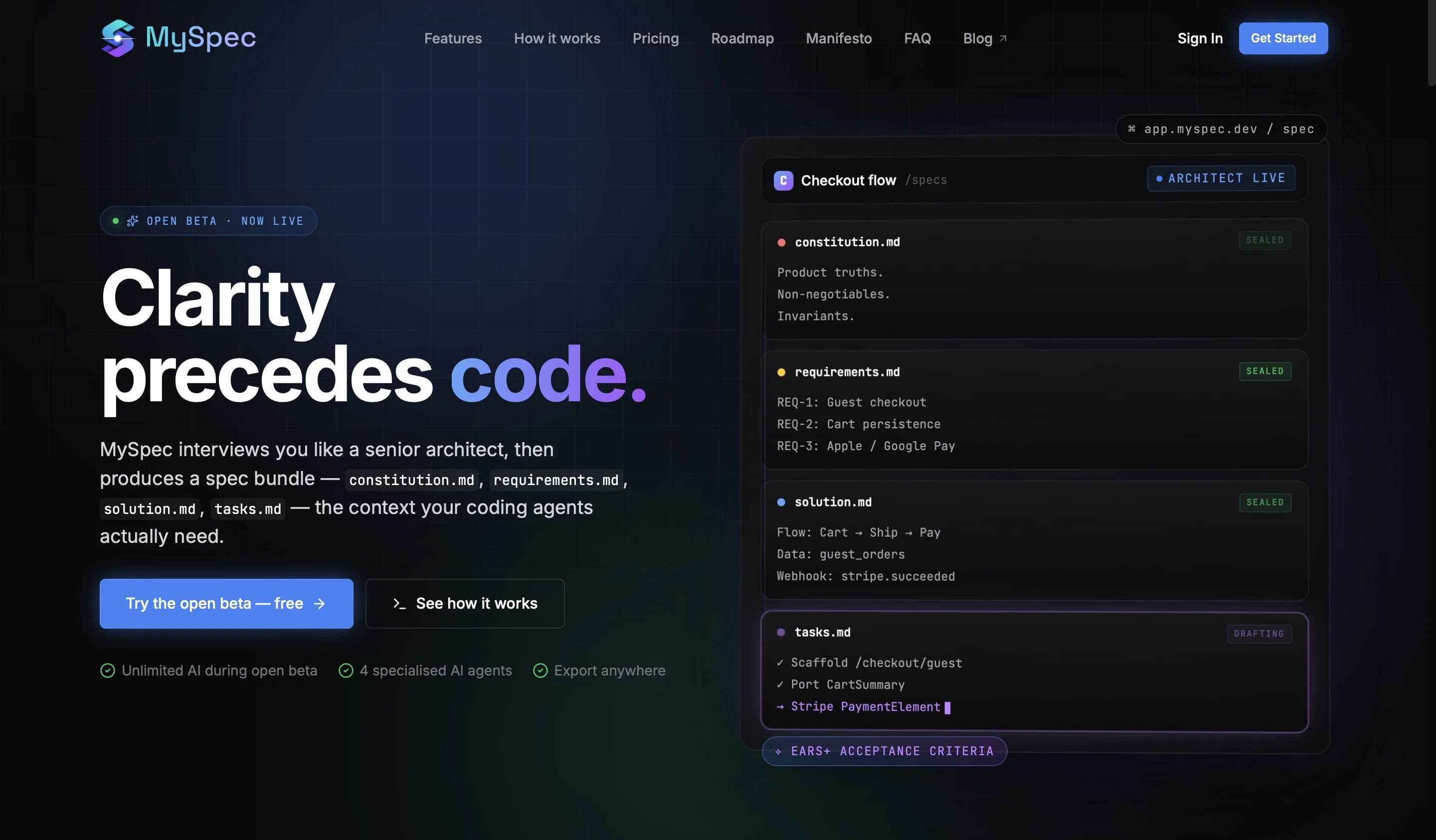
The platform helps users transform rough ideas, scattered notes, and AI generated concepts into structured product specifications, technical architecture, development workflows, and implementation plans. Instead of repeatedly rewriting prompts or manually organizing product logic, users can build a clear specification layer that improves communication, consistency, and the quality of AI-assisted development.
MySpec is designed for developers, startup founders, indie hackers, creators, and modern product builders who want a more structured way to build software with AI. Whether someone is planning an MVP, designing a scalable application, or managing a fast-moving product workflow, MySpec helps reduce development friction and creates a stronger foundation before implementation begins.
What makes MySpec different is its focus on clarity and systems thinking rather than just code generation. While many AI tools are optimised for producing code quickly, MySpec focuses on helping users think through requirements, architecture, and product structure first. This approach helps reduce prompt chaos, minimise technical debt, and improve the overall development process as projects grow more complex.
- Build With Clarity
- Founder Tools
- Ai Assistant
- Ai Cto
- Early Stage Startup
- Idea To Product
Best for
Short scenarios where MySpec tends to shine.
-
Turn vague ideas into robust technical specifications.
Example outputs 1
Sample generations and before/after results for MySpec.
Access & connections
Where you can use MySpec, and what it plugs into.
Platforms
Integrations
Capabilities
What this tool accepts, produces, and is strongest at.
Input
- Code
- Tabular
- Image
- Text
Output
- Code
- Tabular
- Text
Highlights
- SOTA
- Agents
- MCP
Supported features
- Docs
- Code Assistant
- Agents
- App Builder
- Automation
- Writing
- MCP
Models
Text
Image
Audio
Video
Coding
Pros & cons
Pros
- Facilitates Spec Driven Development
- Eliminates idea ambiguity
- Generates robust technical specifications
- Functions like digital senior architect
- Conducts intelligent interviews for requirements
- Generates comprehensive specification bundle
- Captures scope, flows, edge cases
- Allows alteration in plain English
Show 19 more
- Features EARS+ acceptance criteria
- Offers real-time Mermaid diagram previews
- Exports bundle in versatile formats
- Four-step idea to spec delivery
- Integration capabilities with GitHub, VS Code
- Version-controlled truth for changes
- Free and Pro versions available
- Unified source of truth in specs
- Testable EARS+ WHEN/IF/THE-system-SHALL clauses
- Live writing process with Mermaid
- Import rough idea feature
- Structured interview to clarify scope
- Allows further refinement of bundle
- Export bundle as ZIP or clipboard copy
- Can export into .specs/ for tool use
- Agents capture idea details via single conversational interface
- Structured spec bundle provides context
- Live previews of diagrams
- Scenario-based questioning
Cons
- No offline access
- Workflow not customizable
- Limited integration options
- Limited to English
- ProVersion costs
- No multi-device syncing
- No immediate GitHub integration
- No support for pictures
Show 2 more
- No Collaborative workspace
- Doesn't support all coding languages
Compare alternatives
Similar tools in the catalog — with a clear reason to open each one.

GreenPRD ✓
FreemiumTurn your idea into a spec that stays in sync
Free + from $7.67/mo
Full comparison
Spec ✓
Free TrialTurn any idea into engineering-ready product specs.
Free + from $23/mo
Full comparison
WriteMeSpecs ✓
FreemiumCreate technical specs 10x faster with AI
Free + from $9.99/mo
Full comparisonPeople also view
Tools that often show up alongside MySpec in collections and comparisons.
Spec ✓
Free TrialTurn any idea into engineering-ready product specs.
GreenPRD ✓
FreemiumTurn your idea into a spec that stays in sync

CoreStory ✓
UnknownRequire Intelligence
WriteMeSpecs ✓
FreemiumCreate technical specs 10x faster with AI

Wisary ✓
Free TrialAlign Your Team to Ship the Right Product Fast

Nautex AI ✓
FreemiumSpecifications management for Coding Agents

metastory AI ✓
FreemiumAI Product Management with Contextual Intelligence | Second Brain for Software Houses

IdeaPico ✓
PaidTurn messy app ideas into agent-ready specs.
Releases 1
Imported reviews 2
Been trying MySpec for a side project and it's been pretty useful so far. I especially liked how it reviews the generated spec instead of just stopping there. The scoring and suggestions helped me catch a few things I missed. The homepage felt a little busy at first, but the app itself is much simpler once you get in. Hope this feedback helps, good job!
Honestly, MySpec saved us from a massive rewrite. We used to just start coding and hope the architecture would figure itself out (spoiler: it didn't, it was pure spaghetti). Using this tool completely changed how we plan. It forces you to get crystal-clear on the specs and scalability before you lay down a single line of code. If you’re tired of 3 AM tech-debt panic attacks, just try it. Seriously.
FAQ 12
What is MySpec and what does it do?
How does MySpec eliminate ambiguity in coding projects?
What is the role of the four AI agents in MySpec?
How does the conversational interface in MySpec work?
What is the EARS+ acceptance criteria feature in MySpec?
What is the live Mermaid preview feature in MySpec?
What type of diagrams can MySpec generate?
Can I edit the specification bundle in MySpec?
What formats can I export the finished bundle in using MySpec?
What is the process of using MySpec like?
What are the plans for GitHub and VS Code integration in MySpec?
How does MySpec help with Spec Driven Development?
Related tools
Recommended

Pounce ✓
Free TrialGet real followers and engagement in minutes.

Whacka ✓
Free TrialTurn ideas into real apps from your phone.

Reel to Prompt ✓
FreeConvert Instagram Reels into ready-to-use AI prompts.

Branda ✓
FreemiumAn entirely new fun way to create and manage brands!

Crucible AI Braintrust ✓
Free TrialThe only AI designed to disagree with you.

Edge Arena ✓
Free TrialPut business decisions on trial with competing AI agents.