PDFTranslator ✓
Free PDF Translator Online
Verdict
A quick read before you dig into the full page.
- Best if
- Free PDF Translator Online
- Skip if
- Limited to PDF formats
- Pick this when
- Translate PDF without reformatting
Considering PDF Translator instead? Compare side by side
Overview
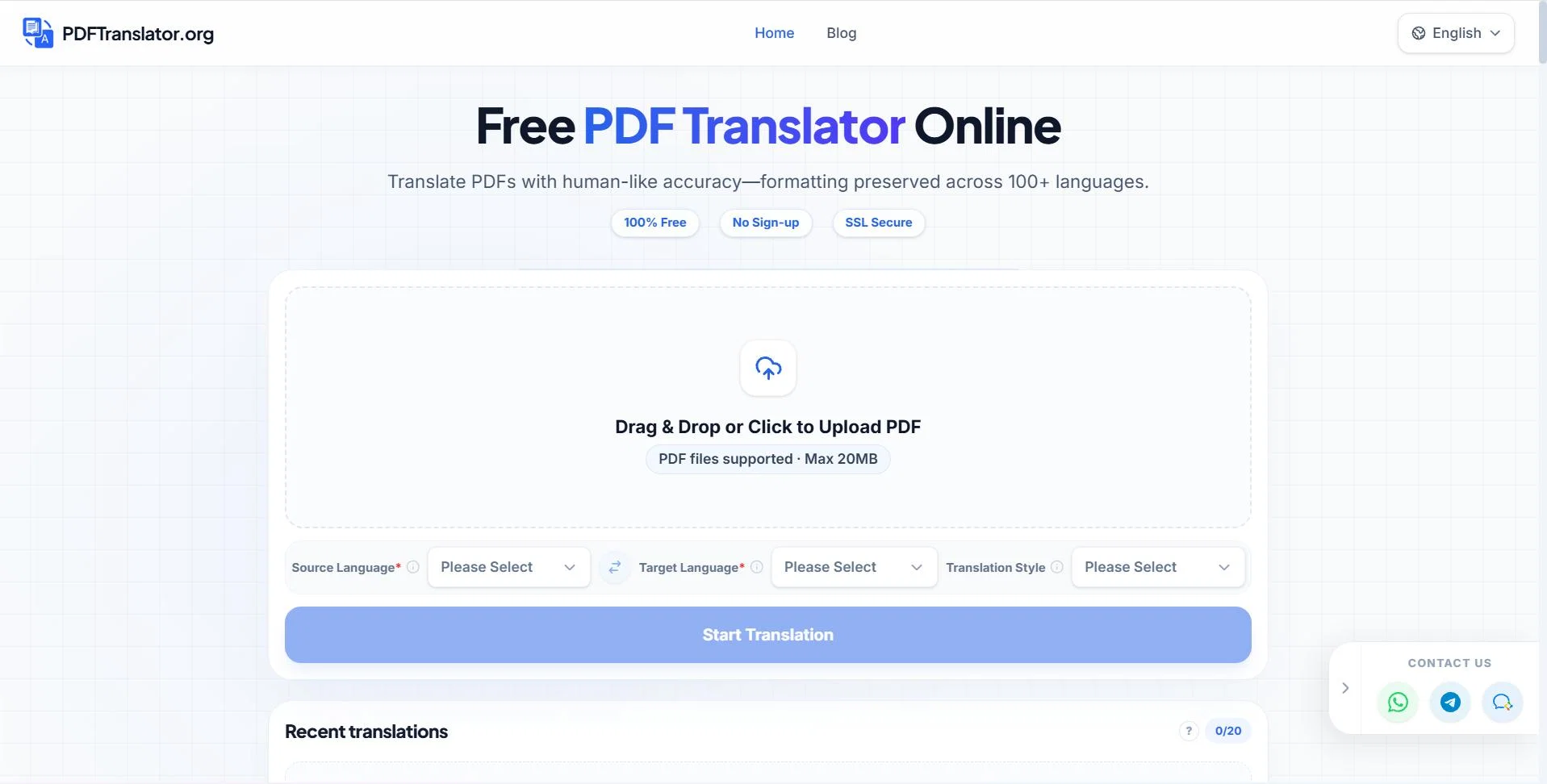
PDFTranslator is a powerful, completely free PDF translation tool. It supports over 100 languages while flawlessly preserving your document's original layout, allowing for a seamless side-by-side reading experience.
To meet your specific needs, you can easily switch between four professional translation tones: General, Academic, Legal, and Business. Complete with a convenient history feature, it makes managing multilingual documents for work or study easier and more efficient than ever.
Access & connections
Where you can use PDFTranslator.
Platforms
Capabilities
What this tool accepts, produces, and is strongest at.
Supported features
- Translation
Pros & cons
Pros
- Translate PDF without reformatting
- Supports nearly 100 languages
- PDF to Word Conversion
- PDF Splitting Tool
- PDF to Image Conversion
- Word Counter for PDF
- Image to PDF Conversion
- Online translation process
Show 14 more
- No registration required
- No software installation
- Browser-based service
- Downloadable edited translations
- Allows secondary document editing
- No loss of layout
- Simple three-step process
- Automatic language detection
- Secure document protection
- Quick translation delivery
- Supports large file sizes
- Free service
- Real-time progress display
- Translation maintains original format
Cons
- Limited file size upload
- Relies on internet connection
- No offline functionality
- Potential privacy concerns
- Limited to PDF formats
- No integrated editing tools
- Doesn't support non-mainstream languages
- No batch processing
Show 2 more
- Browser dependent performance
- Translation time varies on complexity
Compare alternatives
Similar tools in the catalog — with a clear reason to open each one.
PDF Translator ✓
PaidTranslate PDFs and documents in 136 languages, preserving format.
from $20/mo
Full comparison
iLovePDF AI PDF Translator ✓
UnknownTranslate PDFs while preserving perfect formatting.
Why look Higher community rating
Full comparison
PDFtoMD Converter ✓
FreemiumTurn any PDF into clean Markdown instantly.
Free + from $15.9/mo
Full comparisonReleases 1
Imported reviews 1
The translation is good enough. It's free, so waiting longer for the result is not a problem
FAQ 12
How does PDF Translator Free work?
What languages are supported by PDF Translator Free?
Does PDF Translator Free maintain the layout of PDFs post translation?
What additional features does PDF Translator Free offer apart from translation?
Is there a specific step-by-step process to use PDF Translator Free?
Does PDF Translator Free require user registration?
Do I need to install software to use PDF Translator Free?
In what format can I download the translated documents from PDF Translator Free?
Does PDF Translator Free allow secondary editing on translated documents?
Is there a size limit on the PDFs that can be translated using PDF Translator Free?
Does PDF Translator Free support bidirectional translation between specific languages?
What is the translation speed of PDF Translator Free?
Related tools
Recommended

Promtist AI ✓
FreeGenerate optimized prompts for better AI results.

Video Transcriber AI ✓
FreeTranscribe video to text online free

Voice Changer.video ✓
FreeTransform your voice into any tone and language.
AI Landing Page.ai ✓
Free TrialGenerate landing pages quickly with AIsimple, fast, and effective.

RemoveSoraWatermark in 3s ✓
FreemiumRemove Sora watermarks in 3 secs.

Clever AI Humanizer ✓
FreeMake AI text undetectable and human-like.