

Scientific illustrations 2026 Rank: #2766
PaperFig ✓
AI scientific figures with editable labels, built-in OCR, and 4K
Verdict
A quick read before you dig into the full page.
- Best if
- AI scientific figures with editable labels, built-in OCR, and 4K
- Skip if
- Image editing limited
- Pick this when
- Assists in creating scientific figures
Considering EZFigure instead? Compare side by side
Overview
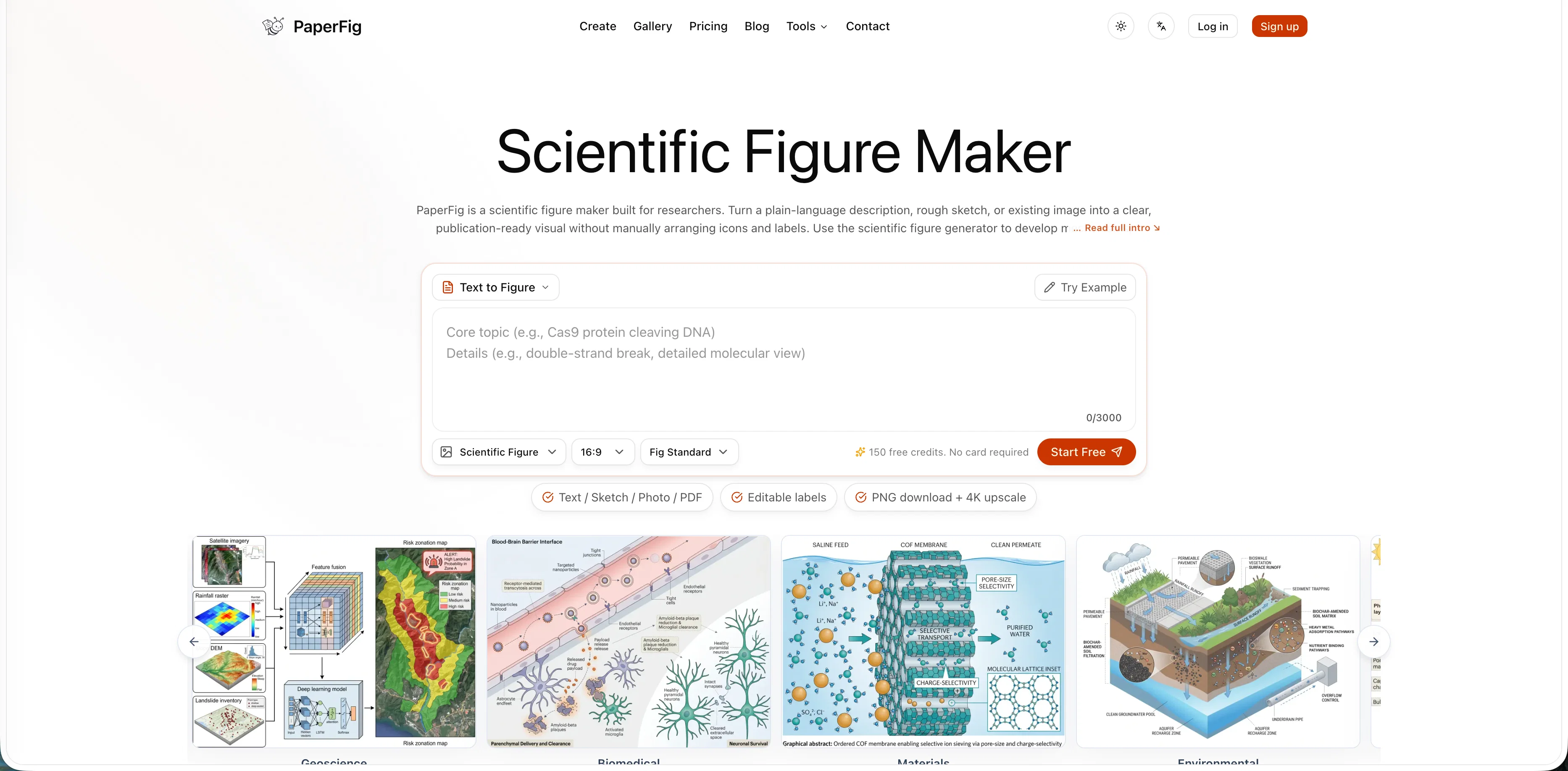
PaperFig is an AI scientific figure maker for researchers creating mechanism diagrams, workflow figures, and graphical abstracts. Describe your idea or upload a sketch, reference image, or PDF — it generates polished figures in seconds, with text labels you can edit anytime.
Built-in OCR extracts labels from existing figures. Export in PNG, PDF, or faithful 4K PNG.
Access & connections
Where you can use PaperFig.
Platforms
Capabilities
What this tool accepts, produces, and is strongest at.
Input
- Tabular
- Image
- Text
Output
- Image
Pros & cons
Pros
- Assists in creating scientific figures
- Transforms descriptions into visuals
- Supports in developing mechanisms
- Aids workflow creation
- Creates graphical abstracts
- Offers flexibility for refinement
- Downloads in PNG format
- Useful for manuscript preparation
Show 22 more
- Efficient for presentation assembly
- Helpful in lab meeting documentation
- Covers broad research disciplines
- Various input paths supported
- Supports editing of labels
- Turns ideas into publication-ready visuals
- Handles multiple file formats
- Converts sketches into figures
- Exports in PNG and PDF
- Provides teaching support
- Tuned on publication figures
- Multiple research disciplines covered
- Credit system for user convenience
- Allows editable export
- Offers upscale options for images
- Matches journal requirements
- Built-in OCR for label editing
- Faithful 4K PNG option
- Option to start from references
- Aids in enhancing figures
- Aids in creating visual explanations
- Export-ready options for manuscripts
Cons
- Limited vector export options
- Credits system for usage
- Limited to scientific figures
- Image editing limited
- Certain features are premium
Compare alternatives
Similar tools in the catalog — with a clear reason to open each one.

EZFigure ✓
Free TrialPublication-ready scientific figures, effortlessly.
Why look Typically cheaper
Full comparison
FigPad ✓
Free TrialTurn your idea into a polished scientific figure
Why look Typically cheaper
Full comparison
Figviz ✓
Free TrialFrom a sentence to a science-ready diagram.
Why look Typically cheaper
Full comparison
Figwise ✓
FreemiumAI-generated, journal-ready research figures in minutes.
Why look Typically cheaper
Full comparisonReleases 1
Imported reviews 1
Nice niche - figure-making is the part of a paper everyone underestimates until the deadline. Question on export: most journals want vector with editable text, and I only see PNG / PDF / 4K PNG listed. Is that PDF true vector, or a raster wrapped in a PDF?
FAQ 12
What is PaperFig?
How does PaperFig assist in creating scientific figures?
What are the input methods PaperFig accepts?
Can I edit the figures created by PaperFig?
What disciplines does PaperFig support?
In what file formats can I download my final visuals from PaperFig?
Can PaperFig turn sketches into professional visuals?
What types of scientific figures can PaperFig generate?
Does PaperFig offer options to refine wording in the figures?
Who can benefit from using PaperFig?
Can I use photographs as an input for PaperFig?
What is the process of turning plain-description into visuals in PaperFig?
Related tools
Recommended

GetLogit ✓
FreemiumArtificial intelligence, available for everyone.

ChatGPT ✓
FreemiumAsk anything, create anything, and move from idea to action.

Notis ✓
Free TrialThe first WhatsApp assistant that runs on your ChatGPT and Claude subscriptions

freebeat AI ✓
FreemiumTurn Music & Ideas into Viral Videos In One Click

Jason AI ✓
PaidAI-powered assistant for B2B sales outreach

DeepSeek ✓
FreeUnravel the mystery of AGI with curiosity