

Scientific visualization 2026 Rank: #2314
PaperClaw ✓
Make publication-ready scientific figures with AI.
Verdict
A quick read before you dig into the full page.
- Best if
- Make publication-ready scientific figures with AI
- Skip if
- Limited free plan
- Pick this when
- Generates variety of figures
Considering SciFigureAI instead? Compare side by side
Overview
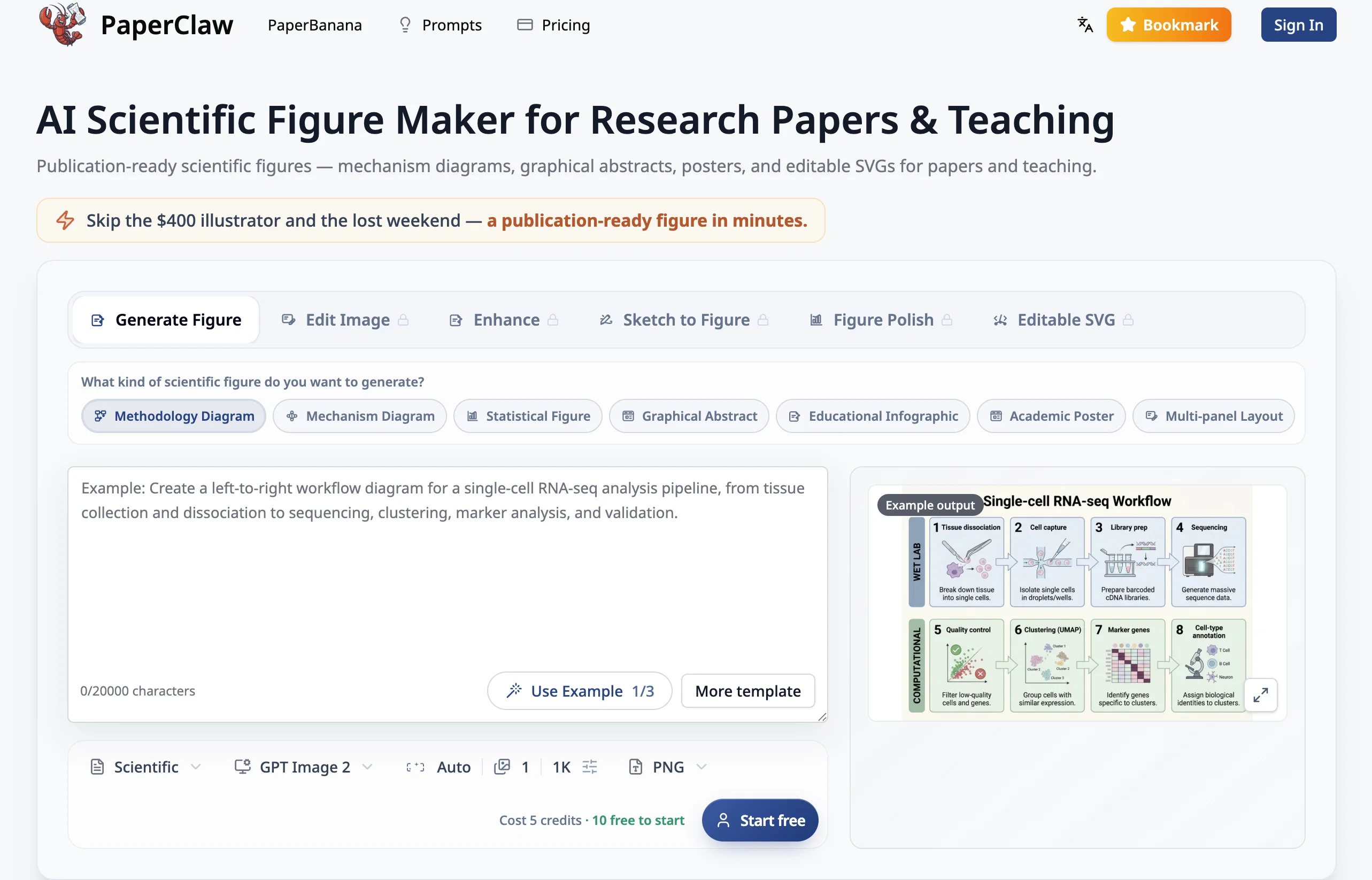
PaperClaw is an Artificial Intelligence tool designed to generate publication-ready scientific figures including mechanism diagrams, graphical abstracts, posters, and editable Scalable Vector Graphics (SVGs) for research papers and educational purposes.
It eliminates the need for pricey illustrators and time-consuming design work, enabling researchers to create ready-to-publish figures in moments. The platform allows users to generate a variety of figures from simple textual descriptions through its 'Generate Figure' feature.
Additionally, it offers an 'Edit Image' feature where current figures can be modified based on textual instructions. Its 'Enhance' feature helps to refine details like removing backgrounds or upscaling images to high resolutions.
Users can also convert hand-drawn sketches into polished figures via the 'Sketch to Figure' feature. Lastly, the 'Figure Polish' allows users to refine draft figures to fit an academic aesthetic without altering the original data.
Moreover, PaperClaw can generate real, scalable SVGs that can be edited using design software such as Illustrator, Inkscape, and Figma. The figures created with PaperClaw can be employed in a wide range of areas such as biological mechanism diagrams, research methodology diagrams, graphical abstracts for research papers, research workflows, and statistical figures.
Access & connections
Where you can use PaperClaw, and what it plugs into.
Platforms
Capabilities
What this tool accepts, produces, and is strongest at.
Input
- Image
- Text
Output
- Code
- Image
Supported features
- Image Generation
- SVG
Pros & cons
Pros
- Generates variety of figures
- Editable Scalable Vector Graphics
- Change figures with instructions
- Region-precise changes
- Remove backgrounds with click
- Upscale images with click
- Convert sketches to illustrations
- Restyle draft figures
Show 41 more
- True SVGs from text
- Vectorize any image
- Figure creation from descriptions
- Maintains original data
- Compatible with other software
- Saves time and cost
- Suitable for research/teaching
- Quick figure generation
- Image enhancement
- Wide range of figures
- No design skills needed
- Original layout preservation
- Supports high-resolution printing
- Rapid academic aesthetic refinement
- Immediate and unlimited revisions
- Dimensionally unrestricted images
- Auxiliary graphics software unrequired
- Improvements maintaining data integrity
- Eliminates need for illustrators
- Cost-effective for researchers
- Ease of use, user-friendly
- Support for multiple image formats
- Clean and professional results
- Simplifies complex design tasks
- Supports academic illustrations
- Optimized for science figures
- Text-to-figure conversion
- Eliminates background seamlessly
- Handles multiple types of figures
- Visually enhances hand-drawn sketches
- Powerful image editing capabilities
- Improves figure based on instructions
- Flexible and multipurpose tool
- Streamlined process for figure editing
- Preserves original layout and structure
- Automatic upscaled high-resolution images
- Eliminates commissioning designers
- Turns textual descriptions to figures
- Enables fast alterations
- Global educational utility
- Precision fix for color, typography and alignment
Cons
- Lacks mobile support
- Limited customization options
- No bilingual support
- Does not support 3D
- No offline access
- Inconsistent text-editing capabilities
- Doesn't support multi-user collaboration
- No gradual transparency editing
Show 1 more
- Limited free plan
Compare alternatives
Similar tools in the catalog — with a clear reason to open each one.

SciFigureAI ✓
Free TrialTurn research ideas into scientific figure drafts.
Why look Typically cheaper
Full comparison
SciDraw AI ✓
FreemiumAI-powered scientific illustration and data visualization platform.
Why look Typically cheaper
Full comparison
SciFig ✓
FreemiumTurn text into publication-ready scientific figures.
Why look Higher community rating
Full comparison
PaperPlot ✓
PaidGenerate publication-ready scientific diagrams from text.
Why look Typically cheaper
Full comparison
FigCanvas ✓
Free TrialAI scientific figure generator for researchers.
Why look Typically cheaper
Full comparisonReleases 1
FAQ 12
What types of figures can PaperClaw generate?
How can one instruct PaperClaw to generate a specific scientific figure?
Is it possible to edit figures created with PaperClaw?
What is the image quality output of PaperClaw?
Can PaperClaw convert hand-drawn sketches into digital illustrations?
How does PaperClaw maintain the original data when restyling draft figures?
Can PaperClaw create SVGs from text?
What software can I use to edit the output from PaperClaw?
Is PaperClaw suitable for both research and teaching purposes?
How does PaperClaw interpret a user's plain language descriptions?
How does the background removal feature in PaperClaw work?
Can PaperClaw upscale images to high-resolution figures for printing?
Related tools
Recommended

biela.dev ✓
Free TrialIf you can imagine it, Biela can code it!

X-Pilot AI ✓
FreemiumTurn Documents into Accurate Video Course Series

AI Builder | Hostinger Horizons ✓
Free TrialBuild web apps and websites without writing any code.

WebsitePublisher AI ✓
FreemiumYour AI builds a full app, right from your phone

Blink.new ✓
FreemiumChat with AI to build production-ready apps.

BuildCheck ✓
FreeKnow before you build.