

Vibe coding 2026 Rank: #302
Blink.new ✓
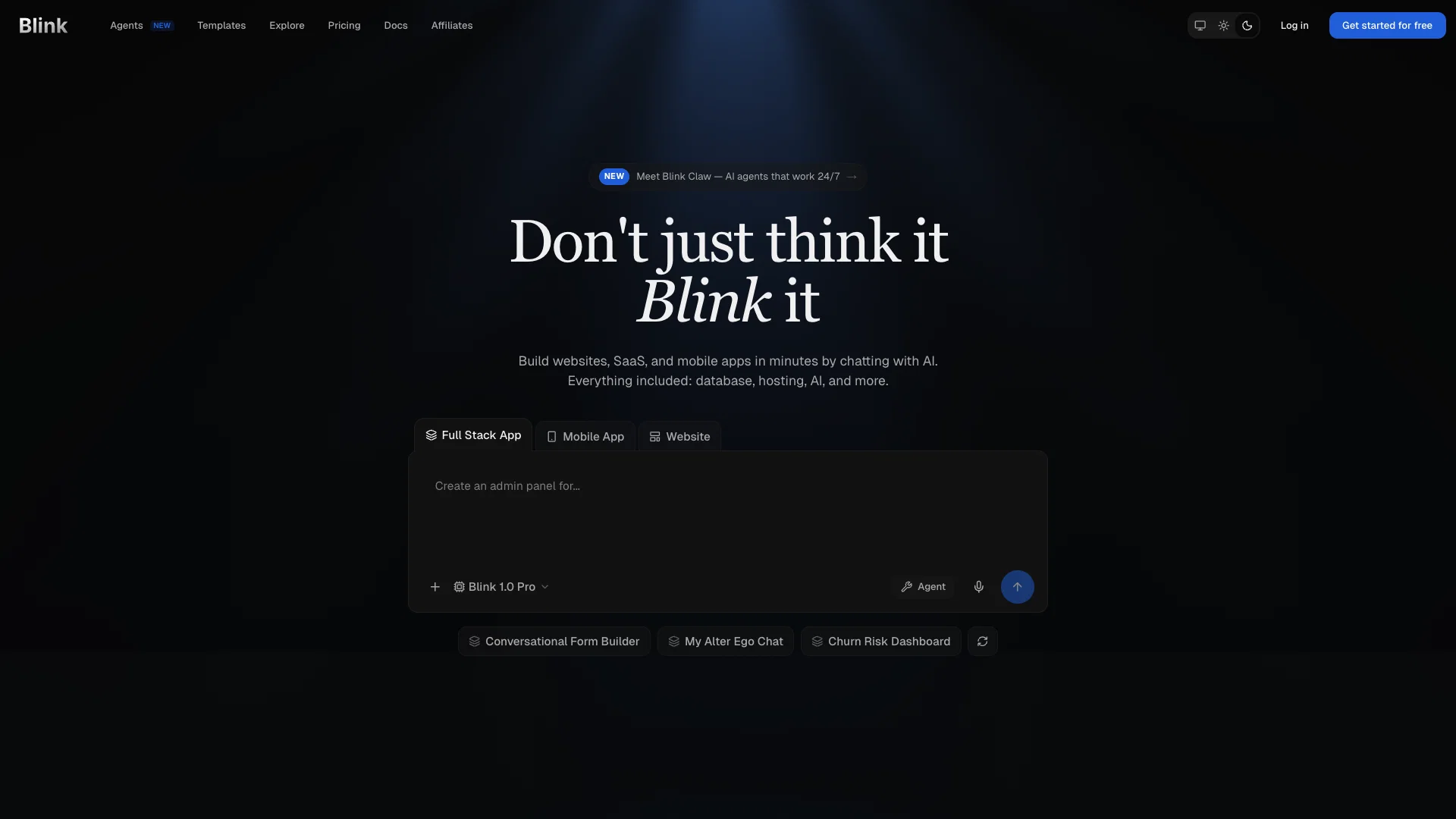
Chat with AI to build production-ready apps.
Verdict
A quick read before you dig into the full page.
- Best if
- You are aI-Native Entrepreneurs and need: Rapidly building MVPs (Minimum Viable Products) and closing high-figure deals
- Skip if
- Learning resources still growing
- Pick this when
- Full-stack app builder
Considering Base44 instead? Compare side by side
Overview




The AI agent interprets your input and builds, deploys, and hosts a complete, production-ready application — handling everything from databases, authentication, and APIs to payment systems and global hosting. Unlike other AI tools, Blink produces true full-stack applications with real databases and real infrastructure, configured and deployed automatically.
But Blink goes far beyond app building.
You can now build Agentic AI Apps — applications with AI agents embedded inside them. Spin up sandboxes, build RAG-powered apps, and create production-grade alternatives to tools like Cursor, Shortcut, or Perplexity — all on Blink, without writing a line of code.
Blink also lets you deploy OpenClaw Agents safely and securely in 60 seconds. Connect your agent to Slack, Telegram, or Discord and chat with it directly from where your team already works. Choose from 200+ LLMs and 100+ connectors — including Gmail, Google Sheets, Airtable, and Figma — just by signing in. No API keys needed, for either the LLMs or the connectors.
Whether you're a first-time builder or shipping your next product, Blink offers ready-to-use templates, comprehensive documentation, and flexible pricing plans — including a free plan to get started.
Best for
Short scenarios where Blink.new tends to shine.
-
Rapidly building MVPs (Minimum Viable Products) and closing high-figure deals
Best for AI-Native Entrepreneurs
-
Creating complex, full-featured enterprise-grade platforms and SaaS products in hours
Best for Startup Founders
-
Developing internal business tools (e.g., ERP systems, Talent Acquisition tools)
Best for No-Code Builders
-
Building consumer tools and online games (e.g., Mahjong, tower defense games)
Best for Product Managers
-
Generating AI consulting firms or specialized AI tools with minimal prompts
Best for Developers (for rapid prototyping)
Example outputs 1
Sample generations and before/after results for Blink.new.
Access & connections
Where you can use Blink.new, and what it plugs into.
Platforms
Capabilities
What this tool accepts, produces, and is strongest at.
Input
- Code
- Tabular
- Image
- Text
- Geo
- Audio
Output
- Code
- Game
- Video
- Text
- Image
Highlights
- Agents
- API
- Use code TAAFT
- Save $10
Supported features
- Agents
- API
- App Builder
- Automation
- Integrations
- Code Assistant
- IDE
Pros & cons
Pros
- Full-stack app builder
- Natural language input
- Automatic deployment and hosting
- Real databases
- Real global hosting
- Individual SaaS tools creation
- Ready-to-use app templates
- Comprehensive documentation
Show 40 more
- Varied pricing plans
- Free plan available
- Tailored apps creation
- Tutorial resources
- Vibe coding
- Chat to build apps
- Database setup
- Authentication systems
- Payment systems integration
- Web and mobile apps
- Alternative to popular SaaS
- Auto-configured and deployed
- User specific SaaS tools
- Auto database setup
- Auto API integration
- Auto authentication systems
- Auto payment systems
- Auto hosting setup
- Coding education
- Web app development
- Mobile app development
- Tech stack reference
- Auto SSL certification
- Auto global CDN
- No code platform
- Full-stack production applications
- All plans include hosting
- Per-seat pricing and shared workspaces
- Shared workspaces
- Stripe payments integration
- File storage configuration
- Real-time functions
- Free SSL, CDN
- Automatic app scaling
- Instant app deployment
- Production ready apps
- Frontend and backend generated
- Automatic backend setup
- React Native apps support
- Responsive web apps
Cons
- Desktop app support not yet available
- Best results come with clear prompting
- Requires internet connection to build and deploy
- Free plan suited for getting started
- Learning resources still growing
Compare alternatives
Similar tools in the catalog — with a clear reason to open each one.

Base44 ✓
FreemiumLet’s make your dream a reality. Right now.
Why look Typically cheaper
Full comparison
Trickle Magic Canvas ✓
FreemiumTurn your ideas into live apps and websites with AI.
Why look Typically cheaper
Full comparisonPeople also view
Tools that often show up alongside Blink.new in collections and comparisons.
Trickle Magic Canvas ✓
FreemiumTurn your ideas into live apps and websites with AI.

Rocket ✓
FreemiumThink It. Type It. Launch It.

Mocha ✓
FreemiumTurn app ideas into reality, instantly.

Floot ✓
FreemiumBuild AI apps with the subscription you're already paying for.

biela.dev ✓
Free TrialIf you can imagine it, Biela can code it!
Base44 ✓
FreemiumLet’s make your dream a reality. Right now.

Powabase ✓
FreemiumPostgres, RAG, and agents. One backend.

MF0.ai ✓
PaidEvery top AI in one chat. Real memory. No subscription.
Releases 1
Imported reviews 1
Blink feels like the kind of tool that gets you from “I have an idea” to “wait, this is actually running?” pretty fast. Still curious how well the generated code holds up once the project gets more complicated.
FAQ 12
What is Blink?
What can I build using Blink?
Do I need any coding skills to use Blink?
What differentiates Blink from other AI tools?
What is 'vibe coding' and how does it work?
Are there ready-to-use app templates available on Blink?
How does the AI agent in Blink interpret my commands in plain English?
What are the hosting features provided by Blink?
How does Blink handle database setup and integration?
Can I use Blink to create an alternative version of an existing SaaS tool?
What kind of learning resources are available on Blink?
What are the pricing plans for Blink?
Related tools
Recommended

AppDeploy ✓
FreeDeploy real apps directly from ChatGPT or Claude

Whacka ✓
Free TrialTurn ideas into real apps from your phone.

Chattee AI App Builder ✓
Free TrialTurn ideas into full-stack apps instantly with GDPR-compliant builder.

Verdent ✓
Free TrialYour AI Technical Cofounder for Turning Ideas into Real Products

Automateed ✓
Free TrialCreate eBooks effortlessly with Automateed, the AI-powered writing tool.

SureThing.io - "OpenClaw" for Beginners ✓
FreemiumFirst General AI Agency. Designed for long-horizon tasks.