

Decision making 2026 Rank: #422
BuildCheck ✓
Know before you build.
Verdict
A quick read before you dig into the full page.
- Best if
- Know before you build
- Skip if
- Limited to three solutions
- Pick this when
- Workflow optimization
Considering Choosaro instead? Compare side by side
Overview
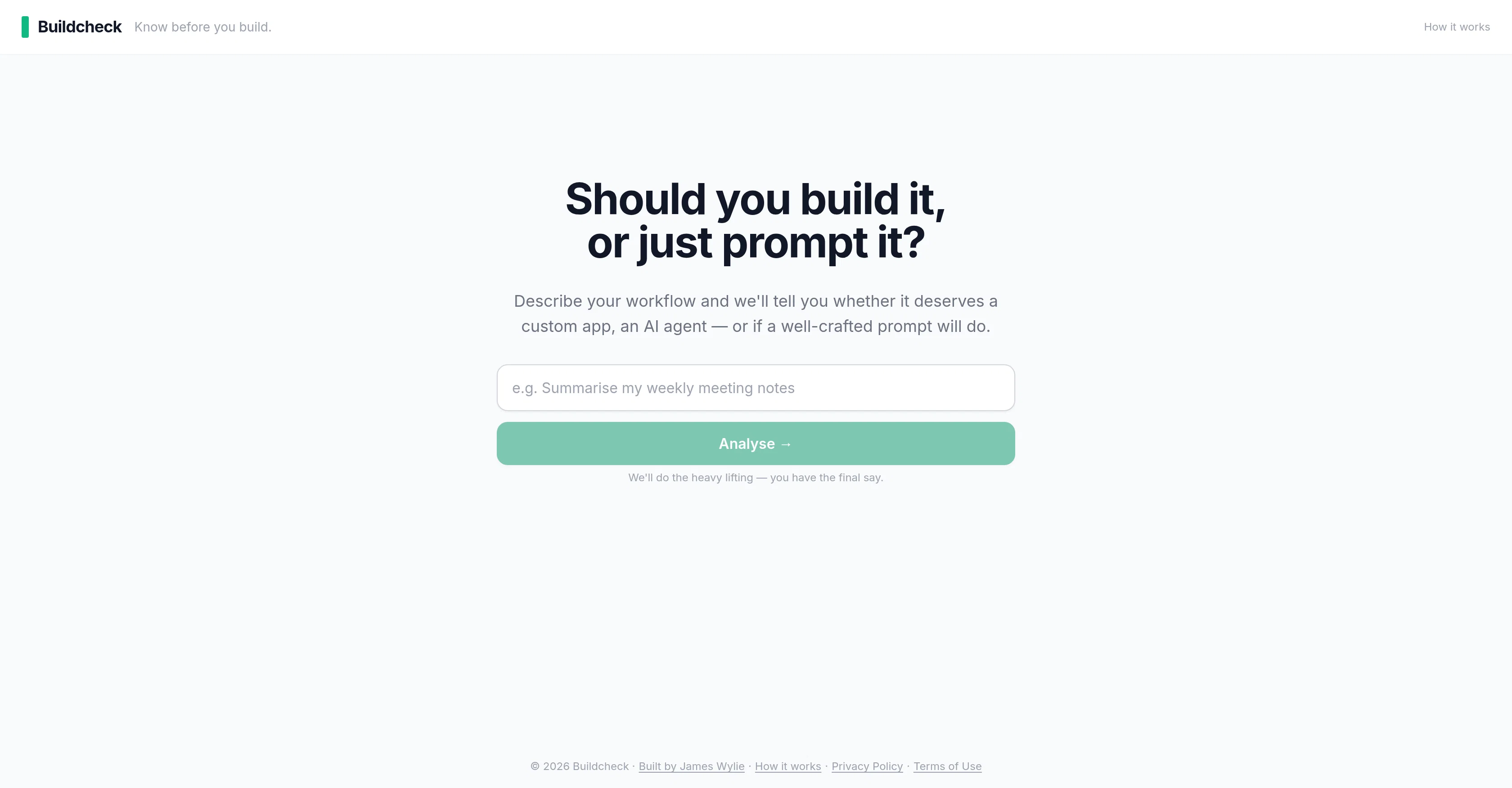
Buildcheck is a tool designed to provide insights and recommendations regarding the appropriateness of implementing a custom app, an artificial intelligence (AI) agent, or a prompt in a given workflow.
Upon description of a user's workflow, it briefly evaluates and suggests the most efficient solution among the aforementioned options. The tool does not autonomously decide the final implementation but rather proposes choices based on its analysis.
Ultimately, the user reserves the final decision-making power over the choice of implementation. It addresses the user's need to know whether to invest in building a tailored app, deploy an AI agent for automation and intelligence, or simply arrange a well-crafted prompt.
Buildcheck, therefore, facilitates informed decision-making in the development process. It aims to help users optimize their workflow by aligning their business requirements with the most suitable technology solution.
Access & connections
Where you can use BuildCheck.
Platforms
Capabilities
What this tool accepts, produces, and is strongest at.
Input
- Text
Output
- Text
Highlights
- Agents
Supported features
- Writing
- Agents
Pros & cons
Pros
- Workflow optimization
- Technology choice recommendation
- Automated analysis process
- Streamlined build process
- Facilitates informed decision-making
- Suggests most efficient solution
- User retains decision-making power
- Aligns requirements with technology
Show 16 more
- User-friendly interface
- Time-saving tool
- Investment advisory functionality
- Custom app appropriateness insights
- Structured prompt evaluation
- Tailored to specific workflows
- Designed for app developers
- Built for IT managers
- Assists in software development
- Anticipates technology adoption needs
- Workflow description based analysis
- Prompt implementation guide
- Helps in business innovation
- Efficient process analysis
- Two-minute insight delivery
- Data privacy assured
Cons
- No mobile app version
- Limited to three solutions
- User-input reliant
- Assumes tech literacy
- No real-time consultation
- No trial version available
- No multi-language support
- Non-interactive workflow analyzer
Show 2 more
- No support for legacy systems
- Dependent on user's final decision
Compare alternatives
Similar tools in the catalog.


Decisionmentor ✓
FreemiumAI-powered compass for better decision making.
Free + from $3.99/mo
Full comparison
Deoptima ✓
FreemiumChatGPT-powered assistant that guides you step-by-step to choose the best product/service
Free + from $20 USD / month
Full comparison

Releases 1
FAQ 12
How does Buildcheck work in decision-making for application development?
What is the advantage of using Buildcheck in my build process?
How does Buildcheck support workflow analysis?
What type of recommendations does Buildcheck provide?
How does Buildcheck help in deciding between a custom app, an AI agent or a prompt?
Is Buildcheck suitable for IT managers and professionals?
Can Buildcheck help me save costs in the build process?
Does Buildcheck accommodate the user's unique use case and requirements?
What is the role of Buildcheck in IT strategy formulation?
How does Buildcheck contribute to business process optimization?
How can Buildcheck help if I am an app developer?
How does Buildcheck determine the appropriateness of a build?
Related tools
Recommended

Cosmos ✓
FreeYour space for inspiration.
Axey ✓
FreemiumYour all-in-one AI partner

CodeRabbit ✓
Free TrialEnhanced code review for improved workflow and quality.

Claude ✓
FreemiumBuilding reliable, interpretable AI systems

AppDeploy ✓
FreeDeploy real apps directly from ChatGPT or Claude

AI Builder | Hostinger Horizons ✓
Free TrialBuild web apps and websites without writing any code.