

Scientific visualization 2026 Rank: #2088
FigCanvas ✓
AI scientific figure generator for researchers.
Verdict
A quick read before you dig into the full page.
- Best if
- AI scientific figure generator for researchers
- Skip if
- Potential steep learning curve
- Pick this when
- Generates scientific figures
Considering SciFigureAI instead? Compare side by side
Overview
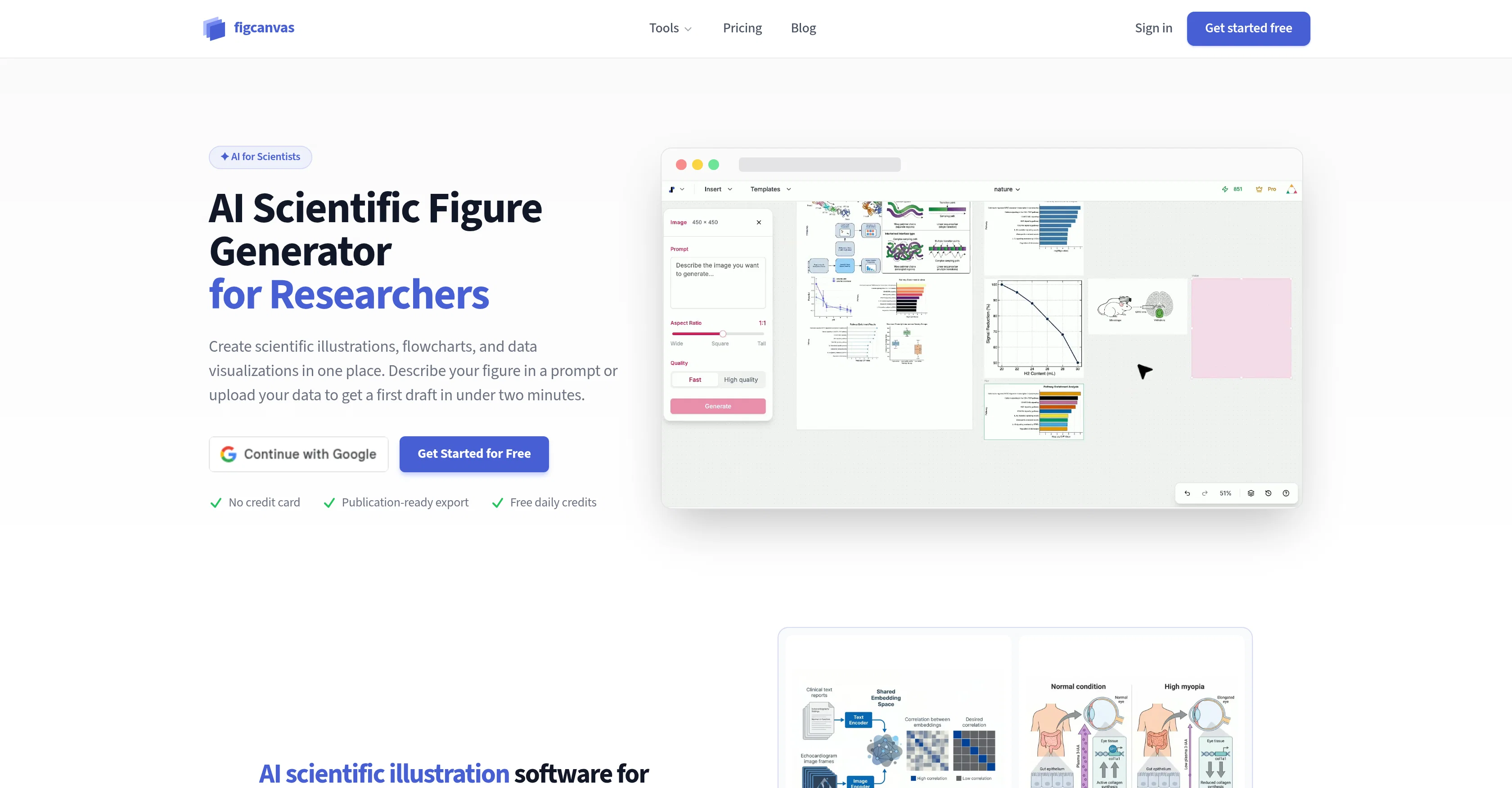
FigCanvas is an Artificial Intelligence-powered tool designed for the creation of scientific figures, diagrams, and data visualizations. Aimed at researchers, it is a comprehensive platform for creating illustrations for biological visuals, pathways, mechanisms, cell biology visuals, experiment overviews, and much more.
Users describe the process or visual structure they want to depict, and the tool will generate a draft figure which can be refined for use in papers and presentations.
In addition to illustrations, FigCanvas allows for rapid generation of data visualizations from user-provided datasets or structured values. It is designed to facilitate the transformation of raw data into easily readable and shareable figures.
Furthermore, FigCanvas can transform methodology text into flowcharts, aiding in the representation of experimental workflows, CONSORT diagrams, and bioinformatics pipelines.
The tool also enables the assembly of multi-panel figures on an 'infinite canvas', thus offering flexibility in data presentation. All the figures generated can be converted into an editable SVG format for customized adjustments.
FigCanvas is designed according to the visual standards of top-tier journals and offers export options in various formats including SVG, PNG, and PDF.
Access & connections
Where you can use FigCanvas.
Platforms
Capabilities
What this tool accepts, produces, and is strongest at.
Input
- Tabular
- Image
- Text
Output
- Image
Supported features
- Image Generation
- Visual Creation
- Styling
Pros & cons
Pros
- Generates scientific figures
- Creates scientific illustrations
- Processes raw data visuals
- Transforms text descriptions into diagrams
- Supports pathway diagrams creation
- Transforms molecular mechanisms into visuals
- Visualizes study designs
- Displays structured data values
Show 42 more
- Features infinite canvas
- Simultaneous handling of visualizations
- Allows alignment of various figures
- Exports in SVG, PNG, PDF
- Matches top-tier journals' visual standards
- User-friendly editing
- Quick draft generation
- Converts methodology text into flowcharts
- Presents bioinformatics pipelines visually
- Facilitates experimental overviews
- Creates cell biology visuals
- Enables multi-panel figures assembly
- Generates CONSORT diagrams
- Creates editable SVG figures
- Converts raw data into figures
- Visualizes pathways, mechanisms
- Produces experiment overviews
- Functional with plain-language prompts
- Generates drafts for refinement
- Accessibility for non-coders
- Instant methodology flowchart
- Protocol text transformation
- Allows drag, align, group actions
- Smart guide for panels
- Directly editable SVG on platform
- 300 DPI PNG export
- Handles color choices, typography, layout
- Sourced color palettes from journals
- Typography matches journal style guides
- Follows chart conventions automatically
- Provides publication-ready export
- No separate tool download required
- Visualizes uploaded dataset or structured values
- Optimized for researchers
- Transforms paper summaries into figures
- Suggests best visual starting point
- One tool for all research figures
- Cheaper and faster than competition
- Free daily credits availability
- No coding required
- Faster than manual building
- Plain language figure description feature
Cons
- Lacks real-time collaboration
- Limited export formats
- No mobile application
- No offline usage
- Potential steep learning curve
- Limited customization options
- Embedding figures unavailable
- No integral reference management
Show 2 more
- Domain-specific usability
- Not open-source
Compare alternatives
Similar tools in the catalog — with a clear reason to open each one.

SciFigureAI ✓
Free TrialTurn research ideas into scientific figure drafts.
Why look Higher community rating
Full comparison
SciDraw AI ✓
FreemiumAI-powered scientific illustration and data visualization platform.
Why look Offers a public API
Full comparison
SciFig ✓
FreemiumTurn text into publication-ready scientific figures.
Why look Higher community rating
Full comparison
PaperPlot ✓
PaidGenerate publication-ready scientific diagrams from text.
from $9.9/mo
Full comparison
PaperClaw ✓
Free TrialMake publication-ready scientific figures with AI.
Free + from $13.5/mo
Full comparisonReleases 1
FAQ 12
What is FigCanvas?
How does FigCanvas generate scientific figures?
What kind of visuals can FigCanvas create?
What is the 'infinite canvas' feature in FigCanvas?
Which formats can I export from FigCanvas?
Does FigCanvas follow any particular visual standards?
How is FigCanvas useful for researchers?
Can FigCanvas accept plain-language prompts or datasets as input?
Is FigCanvas user-friendly?
How quickly can FigCanvas generate a working draft?
What types of data visualizations does FigCanvas support?
How does FigCanvas ensure integration into diverse platforms?
Related tools
Recommended

Claude ✓
FreemiumBuilding reliable, interpretable AI systems

MarketAlerts.ai ✓
FreemiumInvest smarter with AI on your side

AppDeploy ✓
FreeDeploy real apps directly from ChatGPT or Claude

Vertech Academy ✓
Free TrialPre-built AI study workflows that outperform raw ChatGPT prompts.

AI Builder | Hostinger Horizons ✓
Free TrialBuild web apps and websites without writing any code.

WebZum ✓
Free TrialSite, Google ad, and a 15-second video ad. Five minutes.