

Team collaboration 2026 Rank: #794
Nimbalyst ✓
Agent-native visual workspace for builders
Verdict
A quick read before you dig into the full page.
- Best if
- Agent-native visual workspace for builders
- Skip if
- High learning curve
- Pick this when
- Agent-native visual workspace
Considering illumi instead? Compare side by side
Overview
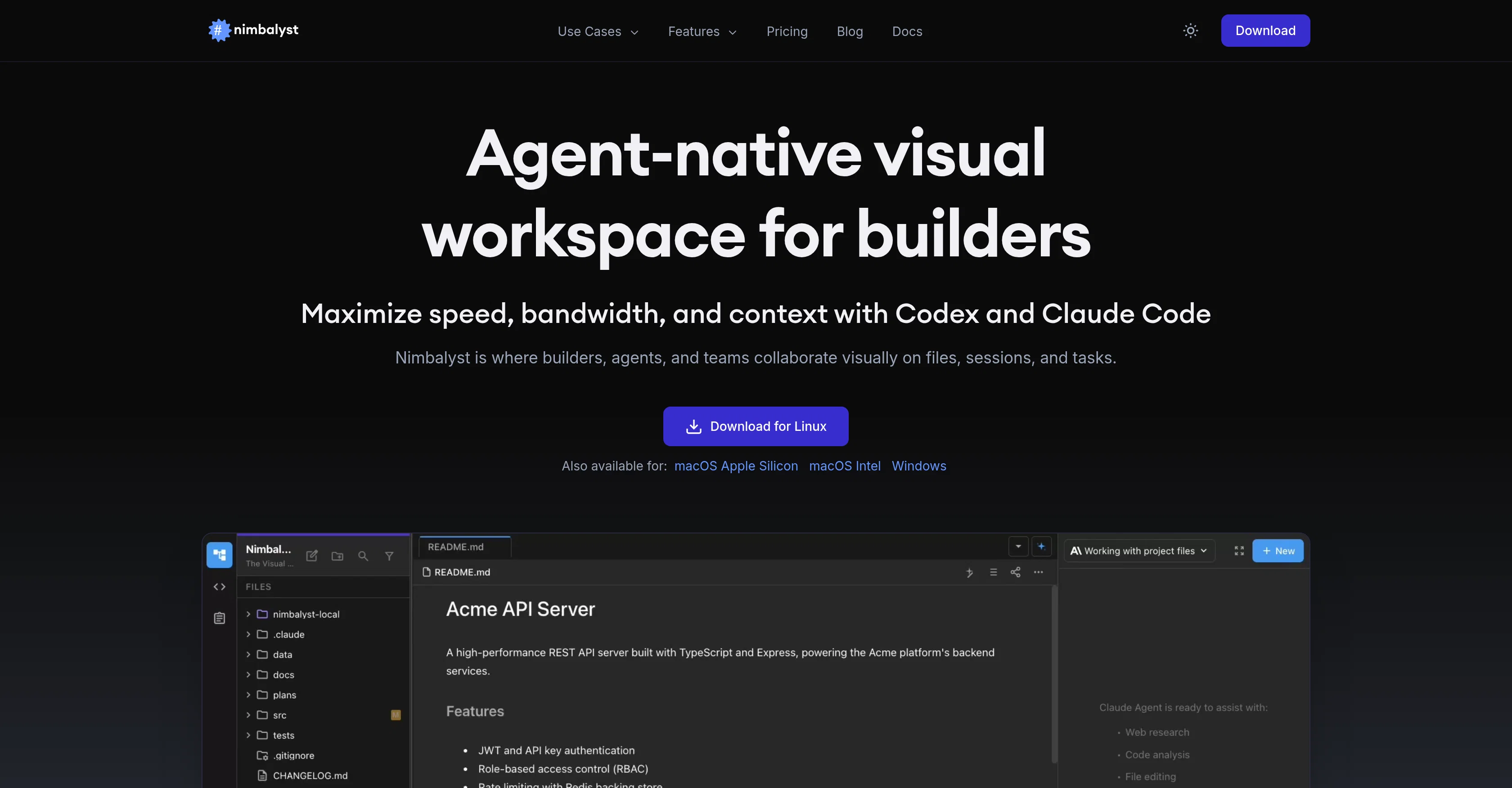
Nimbalyst is an agent-native visual workspace intended for builders, agents, teams, developers, product managers and designers. It serves as a collaborative platform where users can visually function on files, sessions, and tasks.
The application offers varied features such as visual file editing and agent-powered visual editors that enable users to review AI-made modifications and iterate.
In addition, it allows markdown files and CSV data editing with full project structure comprehension from its Codex and Claude Code features. With AI-powered data transforms, users can filter, sort, reshape, or enrich their data.
The program also eliminates the need for application switching, optimizing productivity. Furthermore, Nimbalyst facilitates visual UI planning, providing real frontend code from your mockups.
It also promotes full-project awareness with AI code generation and review before applying features. Users can create and modify visual diagrams and schemas while the system augments structure and context.
They can design database schemas and visually create entity relationships with Claude Code and Codex understanding their full data model. Users can also generate complete normalized schema as a visual diagram.
Another beneficial feature of Nimbalyst involves its integrated session management and agent management environment, allowing users to manage tasks efficiently with a full task tracking system built in.
Overall, Nimbalyst blends human efforts with AI assistance to improve workflow, boost efficiency, and better manage project execution.
Best for
Short scenarios where Nimbalyst tends to shine.
-
Agent-native visual workspace for builders
Example outputs 1
Sample generations and before/after results for Nimbalyst.
Access & connections
Where you can use Nimbalyst, and what it plugs into.
Platforms
Integrations
Capabilities
What this tool accepts, produces, and is strongest at.
Input
- Code
- Tabular
- Image
- Text
Output
- Code
- Tabular
- Text
- Image
Highlights
- Agents
- MCP
- Open Source
- Local
Supported features
- Agents
- IDE
- Code Assistant
- Code Review
- MCP
- Open Source
- Runs Locally
- Writing
- Spreadsheets
- Integrations
Show 3 more
- Automation
- Mobile Companion
- SOC 2 Compliance
Pros & cons
Pros
- Agent-native visual workspace
- Context-aware editing
- Files review before application
- Supports various file types
- Trusted by established companies
- Integrated session management
- Built-in task tracking system
- Compatible with macOS, Windows, Linux
Show 37 more
- UI mockup editor
- Real frontend code generation
- Database schema visual design
- Interactive with other agents
- Visual schema design
- Session Kanban for organization
- Option to manage git state
- Real-time preview diagrams
- Full project awareness for code
- Flexible project management options
- Draft markdown files
- Allows CSV data editing
- Spreadsheets familiar-like view
- Productivity optimization
- Allows agent management
- Normalize schema generation
- Visual UI planning
- Natural language diagramming
- Prisma-ready output
- Embedded markdown diagrams
- Chat function built-in
- Real-time mermaid syntax creation
- Full context and visibility
- Visual file editing
- Workload organizing features
- Plan, write, analyze capabilities
- Coming soon to iOS
- Visual diagram creation
- Broad set of use-cases
- Agent-powered visual Editors
- Interactive question and visual startups
- Eliminates app switching
- Live rendered preview of diagrams
- Interact with your agents functionality
- Agent auto-updating tasks
- Project tracking features
- Full data model understanding
Cons
- No Android support
- Limited file type support
- No offline mode
- No full-screen mode
- Limited customization
- High learning curve
- No multi-language support
- No import/export capabilities
Show 1 more
- Single platform dependent
Compare alternatives
Similar tools in the catalog — with a clear reason to open each one.

illumi ✓
FreemiumAI visual workspace that takes you from thinking to delivery
Why look Offers a public API
Full comparison
Team Journal ✓
FreemiumAI-powered team journaling to keep everyone in sync.
Free + from $11.20/mo
Full comparison
Coda AI ✓
FreemiumThe doc for everyone, meet the evolution of docs
Free + from $10/mo
Full comparison
BoardMix ✓
FreemiumBoost team efficiency with AI-powered collaborative whiteboarding.
Free + from $4.9/mo
Full comparison
Huly ✓
FreemiumOpen-source platform replacing Linear, Jira, Slack, and Notion.
Why look More privacy-focused
Full comparisonPeople also view
Tools that often show up alongside Nimbalyst in collections and comparisons.
Team Journal ✓
FreemiumAI-powered team journaling to keep everyone in sync.
illumi ✓
FreemiumAI visual workspace that takes you from thinking to delivery
Huly ✓
FreemiumOpen-source platform replacing Linear, Jira, Slack, and Notion.

Glue ✓
Free TrialSmarter work chat with AI assistance.
Coda AI ✓
FreemiumThe doc for everyone, meet the evolution of docs
BoardMix ✓
FreemiumBoost team efficiency with AI-powered collaborative whiteboarding.

Silo ✓
FreemiumAI ad creative generator for marketers.

Roadmark ✓
FreemiumBranch your roadmap, keep every decision.
Releases 1
Imported reviews 1
High bandwidth way to work with Claude Code and Codex. Has become my main workspace.
FAQ 12
What is Nimbalyst?
What is the main purpose of Nimbalyst?
How does Nimbalyst work?
What are the key features of Nimbalyst?
What type of files can I work with in Nimbalyst?
How does Nimbalyst aid in collaboration?
Can you tell me more about the AI-assisted editing in Nimbalyst?
What are Claude Code and Codex in Nimbalyst?
How does the AI code generation in Nimbalyst work?
How can I review AI edits in Nimbalyst before applying them?
Does Nimbalyst offer any sorting or task management features?
Can I use Nimbalyst for spreadsheet editing?
Related tools
Recommended

Recall ✓
FreemiumSummarize Anything, Forget Nothing!

Supernormal App ✓
FreemiumThe AI assistant app that turns meetings into completed work

Google Antigravity ✓
FreeLift your development into the agent-first era

Mistral AI Studio ✓
FreeAI builders' preferred toolkit for enterprise deployment.

Unsloth AI ✓
FreeOpen-source desktop app for running and training models.

Pomelli ✓
FreeGoogle Labs presents Pomelli.