

Team collaboration vv1.2 2026 Rank: #316
illumi ✓
AI visual workspace that takes you from thinking to delivery
Verdict
A quick read before you dig into the full page.
- Best if
- You are aI-driven teams and need: Brainstorming
- Skip if
- Workflow capturing might overwhelm
- Pick this when
- Integrated workspace
Considering Nimbalyst instead? Compare side by side
Overview




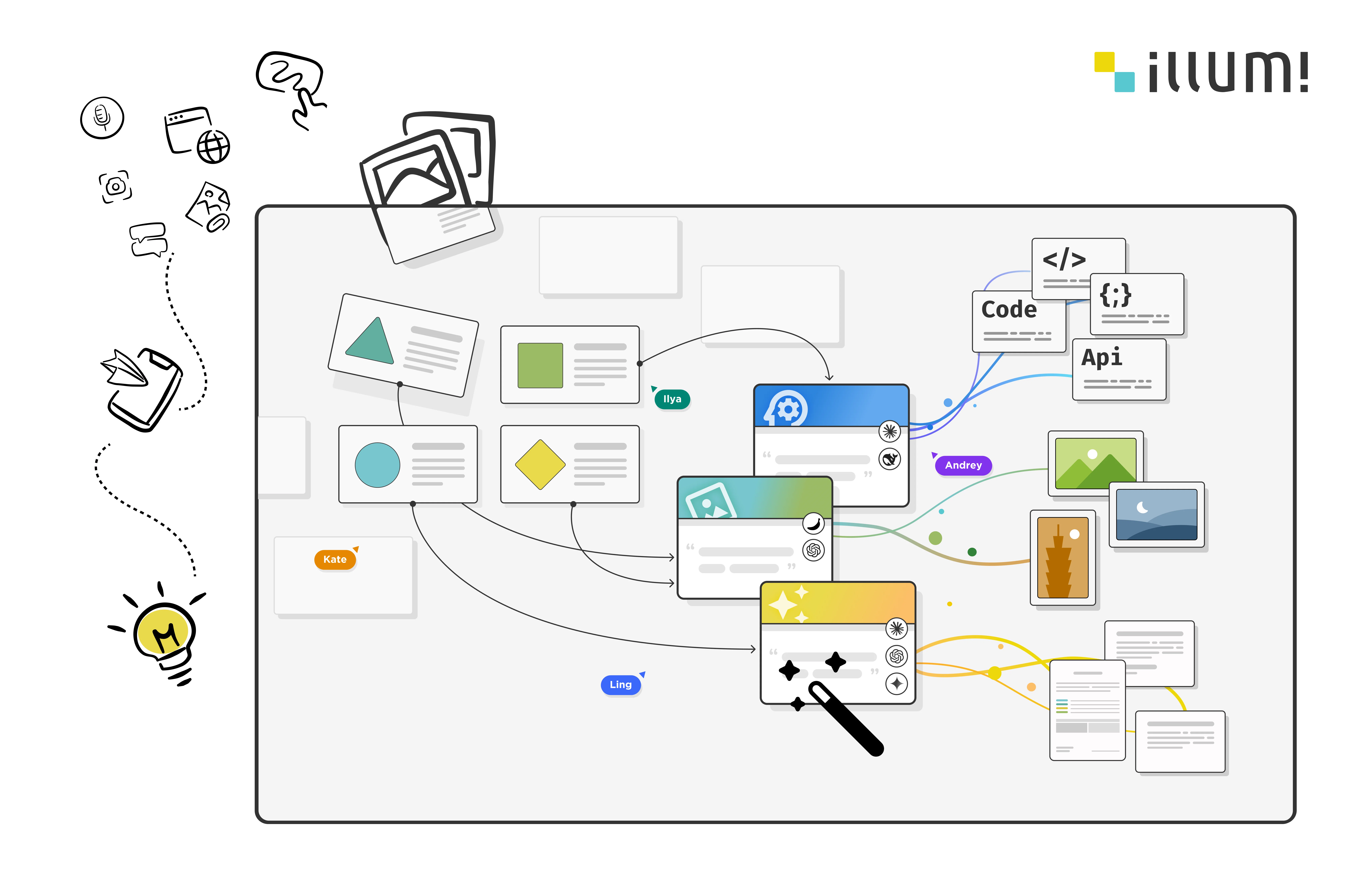
Most AI agents suffer because context remains trapped in people's head or individual tools. illumi moves these interactions onto a shared visual board where teams map ideas and run parallel workflows in real-time. This visual scope gives every collaborator access to the persistent context behind an AI response, which reduces the friction of scattered, ephemeral workflows.
In this workspace, you can build and reuse Prompts and Notes as a collective knowledge asset. Sharing these components creates a library of internal Workflows that standardizes your project intelligence. By capturing insights directly on the board, the platform ensures that your team's knowledge accumulates instead of disappearing when the session ends.
As we move toward agentic AI, this knowledge layer converts directly into Agent Skills. Domain experts can capture their unique know-how and transform it into executable tech assets. This approach allows your team to define the Living Laws that guide your agents, ensuring that every automated action is anchored in your team's specific, professional standards.
Best for
Short scenarios where illumi tends to shine.
-
Brainstorming
Best for AI-driven teams
-
Mind Mapping
Best for Consultants
-
Article Generation
Best for Innovation Directors
-
Report Generation
Best for Software Architects
-
Marketing Material Generation
Best for Security Experts
-
Product Planning
Best for Content Creators
-
Learning and Note-taking
Best for Project Managers
-
Workshop facilitation
Best for Marketing Professionals
Example outputs 1
Sample generations and before/after results for illumi.
Access & connections
Where you can use illumi.
Platforms
Capabilities
What this tool accepts, produces, and is strongest at.
Input
- API
- Tabular
- Image
- Text
- Video
- Audio
Output
- Text
- Image
Highlights
- API
Supported features
- API
- Team Collaboration
- Memory
- Image Generation
- Image Understanding
- Visual Creation
Pros & cons
Pros
- Integrated workspace
- Real-time collaboration
- Context-aware prompts
- Data card organization
- Integrated with many LLMs
- Workflow templates library
- Context-switching reduction
- Team interruption minimization
Show 6 more
- Ability to reuse prompts
- Workflow improvement facilitation
- Multi-data type organization
- Visual steps from idea to impact
- Creates reusable prompts
- Enables workflow testing
Cons
- Workflow capturing might overwhelm
- Mobile experience not optimized
- High dependency on context
- Inability to transfer licences
- Complicated for simple tasks
Compare alternatives
Similar tools in the catalog — with a clear reason to open each one.

Nimbalyst ✓
FreeAgent-native visual workspace for builders
Why look Fully free option
Full comparison
Team Journal ✓
FreemiumAI-powered team journaling to keep everyone in sync.
Free + from $11.20/mo
Full comparison
Coda AI ✓
FreemiumThe doc for everyone, meet the evolution of docs
Why look Typically cheaper
Full comparison
BoardMix ✓
FreemiumBoost team efficiency with AI-powered collaborative whiteboarding.
Why look Typically cheaper
Full comparison
Huly ✓
FreemiumOpen-source platform replacing Linear, Jira, Slack, and Notion.
Why look More privacy-focused
Full comparisonPeople also view
Tools that often show up alongside illumi in collections and comparisons.
Team Journal ✓
FreemiumAI-powered team journaling to keep everyone in sync.
Nimbalyst ✓
FreeAgent-native visual workspace for builders
Huly ✓
FreemiumOpen-source platform replacing Linear, Jira, Slack, and Notion.

Glue ✓
Free TrialSmarter work chat with AI assistance.
Coda AI ✓
FreemiumThe doc for everyone, meet the evolution of docs
BoardMix ✓
FreemiumBoost team efficiency with AI-powered collaborative whiteboarding.

Silo ✓
FreemiumAI ad creative generator for marketers.

Roadmark ✓
FreemiumBranch your roadmap, keep every decision.
Releases 6
illumi is now generally available!
It is an AI visual workspace for people whose work requires structured thinking before they can produce a strong final output. By combining an infinite canvas with a context-aware AI layer, illumi helps you move from scattered notes to a finished deliverable in one continuous workflow.
Most knowledge work breaks down in three places. Ideas stay scattered, context gets lost between tools, and the effort of constantly switching between whiteboards, docs, and AI chat creates unnecessary cognitive fatigue.
illumi is built to solve that. It gives you a place to organize thinking visually, keep context connected as the work evolves, and carry everything through to a polished output without restarting the process at every step.
Try us today using TAAFT20OFF in our launch week!
illumi 1.1.0: Collaborate from anywhere, turn raw input into outcomes with AI 10x faster!
🧩 Open Intake: Collect ideas from anyone, instantly
Generate a share link and let anyone submit input. Each response drops directly into your board, neatly organized into sections.
No accounts registration. Just structured input flowing in.
🔍 Board Search (Cmd/Ctrl + K): Find anything, fast
Big canvas? No problem.
Search across your entire board and jump straight to the right card or section. No more zooming out, squinting, and pretending you remember where things are.
👀 Live Collaboration Panel
Know exactly who’s in the room.
See active collaborators in real time and stay aligned during workshops or async work.
💬 Stickers + Comments: Feedback without friction
Not everything needs a paragraph.
Drop stickers anywhere for quick reactions, or use threaded comments inside cards for deeper discussion.
Viewers can comment. Editors can resolve. Clean and controlled.
Plus! You can select multiple stickers to get all the raw content in a AI-ready Note!
🤖 Multi-Model AI (Side-by-Side)
Run the same context across different models and compare outputs:
GPT-5.4
Claude Sonnet 4.6
Gemini 3.1 Pro
⚡ Faster setup, smoother workflow
We’ve streamlined how boards start and flow:
Faster board creation
“Connect to AI” replaces “Ask AI” (because it’s not just Q&A anymore)
Smoother navigation and scrolling
Cleaner UI across the board
📐 Resizable Sections: Frameworks that scale with you
Your board grows as your thinking grows.
Sections now expand dynamically, whether you’re running a 5-person brainstorm or a 50-person workshop.
🎯 Why this matters
Most AI tools generate answers.
illumi helps teams structure messy input into usable outputs.
From scattered notes → organized context → AI-powered deliverables.
illumi 1.0.0 : Building complex deliverables
🧘 Focus Mode:
Our power users love Illumi for visual learning and connecting ideas. But as your projects evolve from loose concepts into long-form documents - like that 40-page market expansion report - the visual noise of a whiteboard can become a distraction.
We built Focus Mode to give your ideas the space they deserve.
Why Fullscreen on a Whiteboard? When it's time to stop planning and start drafting, expand any card (Notes, Preprints, or Prompts) into a beautiful Fullscreen View. It’s a dedicated text editor living right on top of your visual workspace.
🧠 Gemini 3: Now with Enhanced Web Search
We’ve upgraded our integration with Gemini 3 to better harness the live internet. It’s no longer just processing data; it’s actively finding it.
Try this prompt: Ask it "What is the biggest news in February 2026?" to see how it pulls real-time, relevant context into your work.
⚡ Speed & "Snappy" Navigation: We’ve overhauled the navigation bar to handle heavy workflows.
Instant Loading: Even if you have hundreds of projects, your board list now loads instantly (prioritising your top 15 boards).
Seamless Switching: Jumping between whiteboards is now smoother and faster.
🎥 See it in Action: From Solo Progress to Team Momentum
Wondering how this fits into your workflow? We’ve put together a walkthrough of a common scenario: The 2-Day Consulting Sprint.
🧨 Lunar New Year Offer: Last Chance!
We are preparing to launch our official pricing tiers soon. Sign up before the Lunar New Year to lock in early user benefits!
illumi v0.9, your multiplayer AI workspace, is here!
🦾 Next-Gen AI Powerhouse
We’ve upgraded illumi’s AI to the newest generation of models - making your workspace faster, sharper, and even more creative.
Daily Assistant: Gemini 3 (new), Claude 4.5 Sonnet (updated), GPT‑5.2 (updated)
Image Maker: GPT Image 1.5 (new), Nano Banana (new)
Strategic Thinker: Kimi K2 (new), Grok 4 (updated)
(Note: Model availability may vary by region due to country-specific restrictions.)
Take a look on our demo how mix of several models help in the daily work!
⏪ Rewind Time with Version History
Mistakes happen, but they don’t have to stick. We’ve introduced full history support for both Whiteboards and Cards. Easily browse past iterations and restore previous versions with a single click. Whether it’s a deleted paragraph or a complete board overhaul, your work is safe.
🚀 illumi v0.8 "Collaboration Boost"
📣 Taaft Early Adopter Special
Be illumi’s founding user with benefits!
You’ll enjoy exclusive discounts and special perks when our commercial plans go live — our way of thanking those who help shape the future of AI-native collaboration.
⚡ Last spots available — become one of our founding users today!
👉 Sign up now and claim your spot! https://illumi.one
Changelog:
🦾 Performance & Usability Power-Ups
Lightning Navigation: Our re-engineered Whiteboard API loads your boards (even 100+ of them) in a flash.
💬 WhatsApp Integration - Capture Ideas on the Move
Your brightest ideas shouldn’t wait until you’re at your desk. With our WhatsApp Intake, you can send messages, photos, and links straight to your Illumi workspace in seconds.
How? Log in to Illumi, click your profile icon, and select WhatsApp integration—just scan the QR code.
Perfect for capturing ideas, tasks, inspiration, or content while you’re out and about.
Now includes file ingestion: send docs, images, and notes directly from any device!
Check out the demo: https://www.youtube.com/watch?v=H9pjGV3Am5E
🤝 Frictionless Board Sharing
Ever wanted instant teamwork in illumi without need to type emails? With our Publish as Guest Editors flow, your group can brainstorm, plan and feedback with no signup or invite required!
How?: Publish your board and share a public edit link. Everyone with the link can jump in, add ideas, or feedback instantly.
Need more control? Update permissions anytime: give people view-only or full edit rights on the fly.
🔒 Security Tip: Anyone with the link can edit—so only share with trusted groups!
Guardrails: AI is available only for registered users!
🤩 This feature has been a hit among early adopters for remote standups and quick lunch polls.
Imported reviews 6
Great tool. Very useful interface for collaboration. I also made a video about it:
https://youtu.be/3dYx8dnG2ho
very cool tool!
Love this tool!
I like you can organise the content on the whiteboard and can check different models results in the same time
A tool that lets me freely express my creativity and collaborate with multiple AIs anytime
A work of a dedicated team that prioritizes user needs
FAQ 12
What is illumi?
🛠️ 1
tool
🙏 1
karma
wrote:
illumi is an AI visual workspace that takes you from thinking to delivery. Most tools are built for the output. illumi is built for everything that gets you there.
What does illumi actually do?
🛠️ 1
tool
🙏 1
karma
wrote:
illumi takes you from messy input to finished deliverable in a single workspace. The flow is:
**Input → Explore → Structure → Refine → Output.**
* **Input.** Drop in notes, transcripts, slide fragments, sources, client material, voice memos, docs. Everything lands as cards on an infinite canvas. *Sticker to Note* turns physical workshop stickies into digital cards in seconds. *Note Collector* gathers intake from your teammates without forcing everyone into the tool.
* **Explore.** Group cards spatially. Try connections. Compare model outputs side-by-side on the same canvas. See the shape of the thinking before you commit to a structure.
* **Structure.** Turn scattered cards into sections, outlines, and frameworks — without losing the raw material behind them. *Focus Mode* clears everything but the section you're working on when the canvas gets noisy.
* **Refine.** Manage context actively. Change which notes feed which prompt. Edit, delete, or carry partial results forward — no restarts.
* **Output.** Export a publish-ready deliverable — a report, a one-pager, a proposal, a client-ready doc — with the reasoning behind it intact.
Other AI tools force you into a prompt box and lose everything in between. illumi gives the thinking somewhere to live while it's still messy, then compiles it into something finished.
Who is illumi for?
🛠️ 1
tool
🙏 1
karma
wrote:
illumi is built for consulting, marketing teams that run recurring workshops and produce structured outputs afterward. The person in the center of that work — the one we build for — is the **workshop consultant who owns the path from strategy to execution.** The hardest part of that job isn't the workshop or the delivery. It's the synthesis in between. That's where illumi lives.
The same workflow shape shows up elsewhere and illumi fits those too: innovation directors running discovery cycles, software architects turning research into design docs, security experts compiling assessments from fragmented input, solo researchers and creators who produce structured long-form work.
What problem does illumi solve?
🛠️ 1
tool
🙏 1
karma
wrote:
The short version: consultants can't reliably turn messy, evolving thinking into clear, publish-ready work without losing context, structure, or time.
The three frictions we hear again and again:
* **Lack of structured thinking.** Scattered notes, half-formed angles, no shape to organize around.
* **Context loss.** Thinking doesn't carry forward. What you understood in the workshop is gone by the time you write the report.
* **Cognitive fatigue.** Juggling tools, rebuilding context, and re-explaining yourself to AI drains the mental energy that should go into the actual output.
illumi attacks all three: structure for the thinking, persistence for the context, and a single workspace so your attention stops leaking into tool-switching.
Which AI models does illumi use?
🛠️ 1
tool
🙏 1
karma
wrote:
illumi is model-agnostic. We currently route to **Claude, GPT, Gemini, Grok, DeepSeek, Kimi, Stable Diffusion, GPT Image, and Nano Banana** — nine-plus models and counting. You can compare outputs from different models side-by-side on the same canvas, which matters when you're deciding which model to trust for a given kind of work (Claude for reasoning, GPT for drafting, Gemini for long context, and so on).
Model availability varies by region. Bring-your-own-model is on the roadmap for teams that need it.
What is meant by 'context-aware' in the context of illumi?
Can I collaborate with others in illumi?
🛠️ 1
tool
🙏 1
karma
wrote:
Yes. illumi supports multiple people in the same canvas, and *Note Collector* lets you pull in notes from collaborators who don't use illumi directly — useful for consulting teams where a workshop is run by one person, notes are captured by another, and a deck or report has to come out the other side.
Can team members interact in real-time in illumi?
Is there a mobile app?
🛠️ 1
tool
🙏 1
karma
wrote:
Not yet. illumi is web-first because structured thinking needs real estate. Mobile view works for reading and light editing; a proper tablet experience is on the roadmap.
How is illumi different from Miro or FigJam?
🛠️ 1
tool
🙏 1
karma
wrote:
Miro and FigJam are built for the workshop. illumi is built for what happens *after* the workshop — the synthesis, the structuring, the part where a sticky-note wall has to become a client-ready report. On a whiteboard, the board is the output. On illumi, the canvas is where thinking takes shape, and the output is a publish-ready deliverable with the reasoning preserved.
If your consulting work ends at "we had a great session," a whiteboard is enough. If it ends at "we delivered a report the client can actually use," that's where illumi earns its place.
How is illumi different from Notion or Confluence?
🛠️ 1
tool
🙏 1
karma
wrote:
Notion and Confluence are great places to store what you've already written. illumi is for the stage *before* — the messy, non-linear work of turning raw material into something worth writing down. Notion is linear; illumi is spatial. Notion organizes finished thinking; illumi shapes unfinished thinking.
Many of our users still use Notion or Confluence downstream. They just stopped trying to do the synthesis phase inside it.
How is illumi different from ChatGPT, Claude, or Gemini?
🛠️ 1
tool
🙏 1
karma
wrote:
Single-model chat tools are a prompt box with amnesia. illumi is a workspace around the models. Chat forgets the context you built two hours ago; illumi keeps it in cards you can rewire, edit, or carry forward. Chat gives you one linear conversation; illumi lets you compare models on the same question, branch structures, and manage which notes feed which prompt.
Concretely: we run nine-plus models (Claude, GPT, Gemini, Grok, DeepSeek, Kimi, Stable Diffusion, GPT Image, Nano Banana) and you pick per card, per prompt. We don't replace ChatGPT. illumi is the workspace where the work becomes worth prompting about.
Related tools
Recommended

Thea ✓
FreemiumAI study tools to master material, not just memorize it.

remio: Your Personal ChatGPT ✓
FreemiumGet Tailored Answer with Your Personal ChatGPT

Automateed ✓
Free TrialCreate eBooks effortlessly with Automateed, the AI-powered writing tool.

Recall ✓
FreemiumSummarize Anything, Forget Nothing!

freebeat AI ✓
FreemiumTurn Music & Ideas into Viral Videos In One Click

leania.ai ✓
Free TrialMRI scan for Businesses: Find What to Cut, Replace, Automate with AI