
Coda AI ✓
The doc for everyone, meet the evolution of docs
Free + from $10/mo
Verdict
A quick read before you dig into the full page.
- Best if
- The doc for everyone, meet the evolution of docs
- Skip if
- Can be complex for beginners
- Pick this when
- Collaborative documents
Considering illumi instead? Compare side by side
Overview
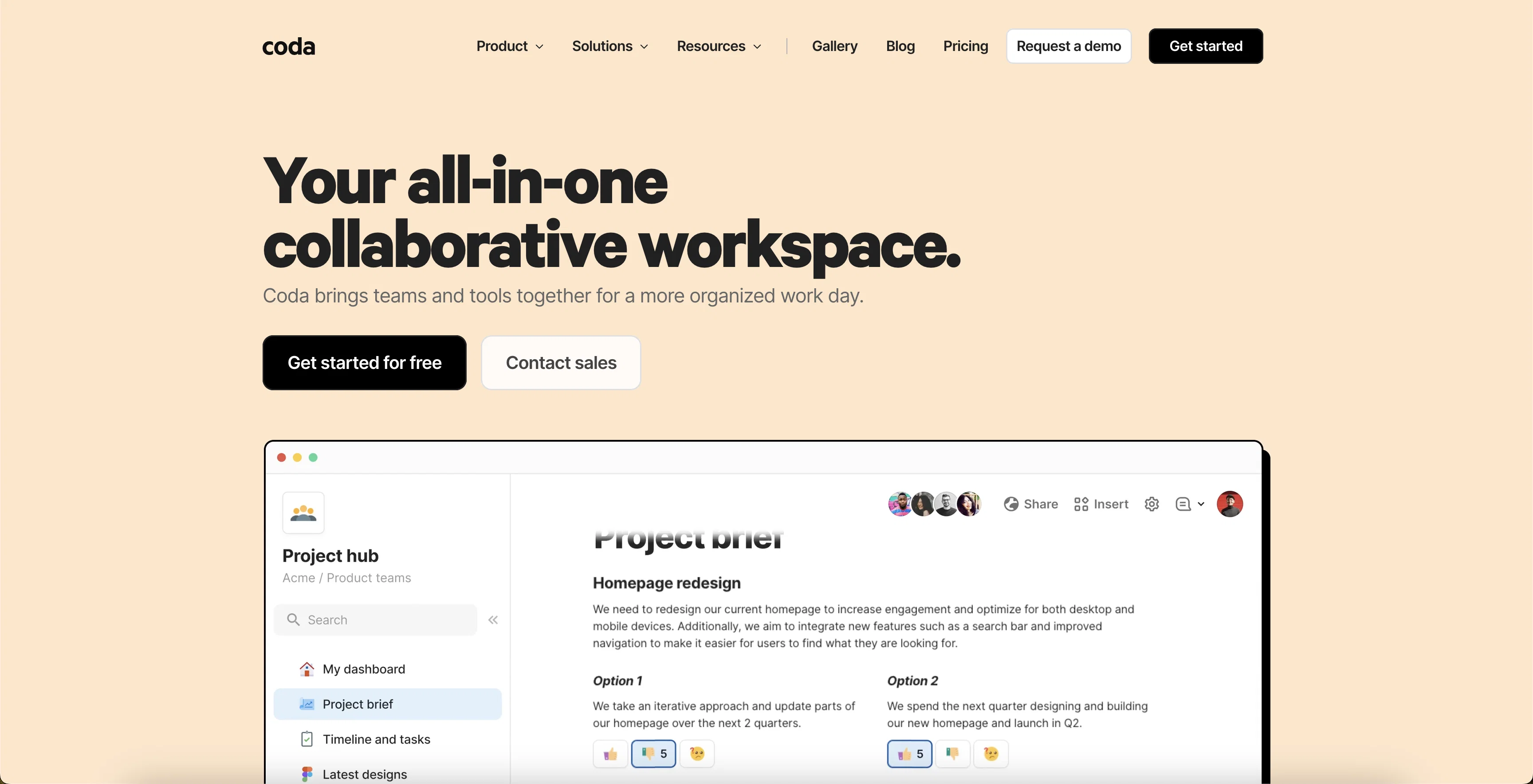
Coda is an all-in-one AI tool for teams to collaborate efficiently and effectively. It is designed to be as familiar as a document, but with the power and flexibility of an app.
It comes with powerful building blocks to help teams create the tools they need to succeed. Coda's connected data feature allows teams to roll up their plans into executive dashboards and sync updates automatically.
It also integrates with other apps, such as Google Calendars, Slack, and more, to provide seamless two-way communication. Coda's pre-built templates and pressure-tested playbooks from some of the most innovative thinkers and makers out there help teams get started quickly.
Coda is a leader in 10 software categories and has been awarded multiple G2 badges. It is also a great solution for enterprise, product teams, project management, startups, OKRs, meetings and more.
Access & connections
Where you can use Coda AI, and what it plugs into.
Platforms
Integrations
Capabilities
What this tool accepts, produces, and is strongest at.
Input
- API
- Tabular
- Text
Output
- Tabular
- API
- Text
Supported features
- Team Collaboration
- Writing
- Docs
- Spreadsheets
Pros & cons
Pros
- Collaborative documents
- Streamlined team productivity & collaboration
- Powerful building blocks
- Connected data feature
- Integrates with Google Calendars and Slack
- Pre-built templates and playbooks
- Automatic updates syncing
- Two-way communication
Show 44 more
- Seamless tool integration
- Leaders in 10 software categories
- G2 badges awardee
- Great for enterprise & startups
- Suitable for product and project management
- Facilitates OKRs and meetings
- Customizable
- Real-time data updates
- Syncs updates automatically with plans
- Gallery of playbooks
- Templates for swift setup
- Ideal for small, medium, large businesses
- Flexible to adapt team’s needs
- Educational resources available
- Expansive integration capabilities
- Cost-effective pricing
- To-do lists to task boards
- Consolidates tool stacks
- Affiliate program
- Maker fund
- Expert hiring
- Expert training
- Publishing API
- Formula and Packs
- Knowledge management solution
- Help center
- Mobile friendly
- Familiar document-like interface
- Role-based tool applicability
- Case study library
- Enterprise-scale processes
- Option to bring in more capabilities
- Incrementally improves workflows
- Optimized for productivity & efficiency
- Participation in alpha testing
- Gallery for inspiration
- Community for makers
- Guided learning videos & exercises
- Dedicated sections for different roles
- Solutions for diverse business scenarios
- Potential for tool consolidation
- Library of pressure-tested playbooks
- Ability to evolve documents
- Webinars for continuous learning
Cons
- Potential data privacy issues
- No global language support
- Limited customization options
- Dependent on internet connectivity
- Can be complex for beginners
- Need to integrate tools
- Limited app integration options
- Not mobile-friendly
Show 2 more
- Lack of advanced data processing
- No offline mode
Compare alternatives
Similar tools in the catalog — with a clear reason to open each one.

illumi ✓
FreemiumAI visual workspace that takes you from thinking to delivery
Why look Offers a public API
Full comparison
Nimbalyst ✓
FreeAgent-native visual workspace for builders
Why look Fully free option
Full comparison
Team Journal ✓
FreemiumAI-powered team journaling to keep everyone in sync.
Free + from $11.20/mo
Full comparison
BoardMix ✓
FreemiumBoost team efficiency with AI-powered collaborative whiteboarding.
Why look Typically cheaper
Full comparison

Huly ✓
FreemiumOpen-source platform replacing Linear, Jira, Slack, and Notion.
Why look More privacy-focused
Full comparisonReleases 1
Imported reviews 1
I use it for a few years now, for me it´s a great "all-in-one" tool especially if you like to build apps. Build-in AI is also great and at all the price is fair. no-Coder.io
FAQ 12
What is Coda AI?
How does Coda AI enhance team productivity?
What are the key features of Coda AI?
Does Coda AI have any integrations?
Who can benefit from using Coda AI?
What types of templates does Coda AI offer?
What is the connected data feature in Coda AI?
Can I personalize Coda AI to fit my team's needs?
How does Coda AI keep data up-to-date?
Are there any case studies available that show how Coda AI can save time and money?
Does Coda AI provide solutions for different team sizes?
How does Coda AI fit into different roles such as product teams or sales?
Related tools
Recommended

Hyperis ✓
FreemiumOrganized task prioritization.

VenturusAI ✓
FreemiumBusiness idea analysis and reporting.

LearningStudioAI ✓
Free TrialAI-powered authoring tool for effortless online course creation.

Easy-Peasy.AI ✓
FreemiumAccelerates content creation.

Writefull Academizer ✓
PaidTransform informal text into academic prose

Userpersona ✓
FreeGenerate ideal customer profiles from product descriptions.