
MailGPT
ChatGPT and Claude AI in your Gmail inbox.
Verdict
A quick read before you dig into the full page.
- Best if
- ChatGPT and Claude AI in your Gmail inbox
- Skip if
- Only available on Chrome
- Pick this when
- Chrome extension
Considering ChatGPT for Gmail instead? Compare side by side
Overview
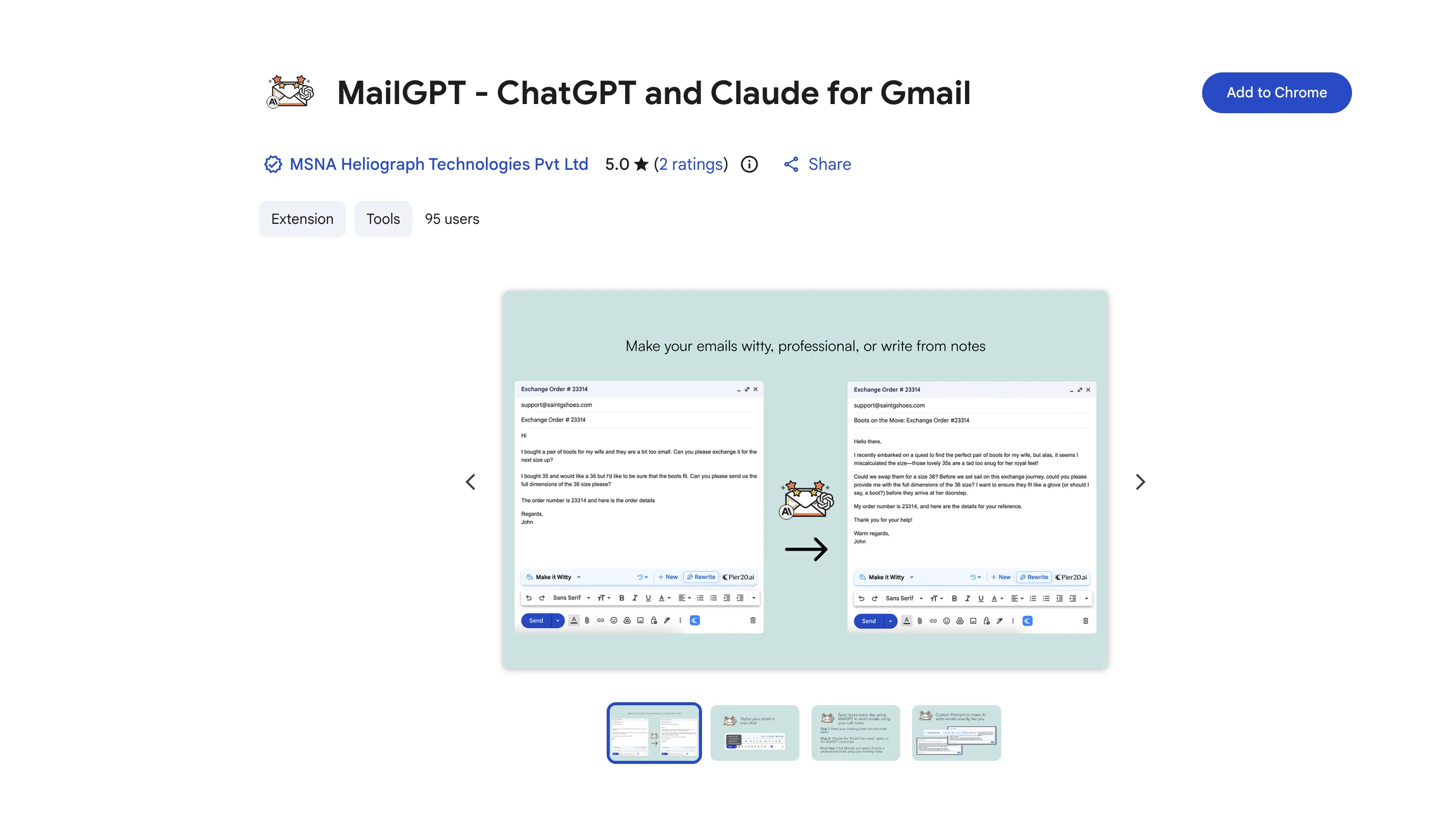
MailGPT - ChatGPT and Claude for Gmail is a Chrome extension that brings AI-based writing abilities into your Gmail inbox with the combined power of ChatGPT and Claude AI models.
Developed by Pier20.ai, this extension helps users to create efficient, professional-grade correspondence, transforming rough outlines into polished and clear emails.
The tool also has features for turning meeting notes into action-oriented emails, adding personality to messages, simplifying complex writing for better readability, and enhancing response rates.
It also enables users to craft custom writing styles informed by personalized AI instructions. Developed with a simple setup process, users need to install the extension and create a Pier20 account.
It aligns with the technology of ChatGPT by OpenAI and Claude by Anthropic, both advanced AI language models refined to understand context, process information, and generate human-like text.
It doesn't necessitate separate accounts with ChatGPT, OpenAI, Claude, or Anthropic. MailGPT does not collect or use user data and complies with EU laws.
Notably, this product is not an official OpenAI or Anthropic tool, but developed by Pier20.ai team for enhancing email writing skills of users.
Access & connections
Where you can use MailGPT, and what it plugs into.
Platforms
Capabilities
What this tool accepts, produces, and is strongest at.
Input
- Text
Output
- Text
Pros & cons
Pros
- Chrome extension
- Professional-grade correspondence
- Transforms rough outlines to emails
- Turns meeting notes to emails
- Adds personality to messages
- Simplifies complex writing
- Enhances response rates
- Custom writing styles
Show 23 more
- Simple setup process
- No separate ChatGPT account needed
- No separate Claude account needed
- No separate Anthropic account needed
- Doesn't collect user data
- Compliance with EU laws
- Good publisher record
- Ability to add wit
- 1-click meeting notes conversion
- Free to use
- Includes Q&A section
- Extension size is 480KiB
- High rating on Chrome store
- Supports English language
- Made by Pier20.ai
- Doesn't sell data to third parties
- Supports text simplification
- Enhances email communication
- Increases productivity
- Doesn't use data for creditworthiness
- Doesn't use data for lending purposes
- Promotes user privacy
- Developer committed to EU compliance
Cons
- Only available on Chrome
- Requires Pier20 account
- Exclusive to Gmail
- Doesn't integrate other email platforms
- Dependent on developer updates
- No multi-language support mentioned
- No evident offline capabilities
- Unavailable on mobile devices
Compare alternatives
Similar tools in the catalog — with a clear reason to open each one.

ChatGPT for Gmail
FreeBoost email writing productivity and quality.
Why look Better for writing
Full comparison

AI Email Writer
FreemiumWrite great emails 10x faster with AI.
Why look Better for writing
Full comparison


Releases 1
FAQ 12
What is the function of MailGPT in Gmail?
How does MailGPT - ChatGPT and Claude for Gmail enhance my emails?
What specific features does the MailGPT Chrome extension offer?
Can I create custom writing styles with MailGPT?
What AI models are used in MailGPT and what are their roles?
How does the MailGPT tool simplify complex writing?
How is MailGPT incorporated into my Gmail?
Can MailGPT turn my meeting notes into emails?
Is the setup process for MailGPT difficult?
Do I need to create a separate account with OpenAI, Claude, Anthropic, or ChatGPT to use MailGPT?
Does MailGPT collect or use my personal data?
In what way does MailGPT adhere to EU privacy laws?
Related tools
Recommended

Lotse ✓
FreeStreamline Projects, Supercharge with AI

KikiVoice ✓
FreeClone any voice in seconds with 99% similarity.

Google Antigravity ✓
FreeLift your development into the agent-first era

Productivity Page ✓
FreeBoost your productivity on any Apple device.

Easy MCP AI - Wordpress Connector for Claude ChatGPT ✓
FreeThe Most Complete End-to-End MCP for WordPress

Caret ✓
FreeAI that completes you everywhere.