

LipsyncAI.net ✓
Synchronize your video with any voice using AI.
from $15.90/mo
Verdict
A quick read before you dig into the full page.
- Best if
- Synchronize your video with any voice using AI
- Skip if
- Audio file size limit
- Pick this when
- Generates lip-synced videos
Considering sync. instead? Compare side by side
Overview
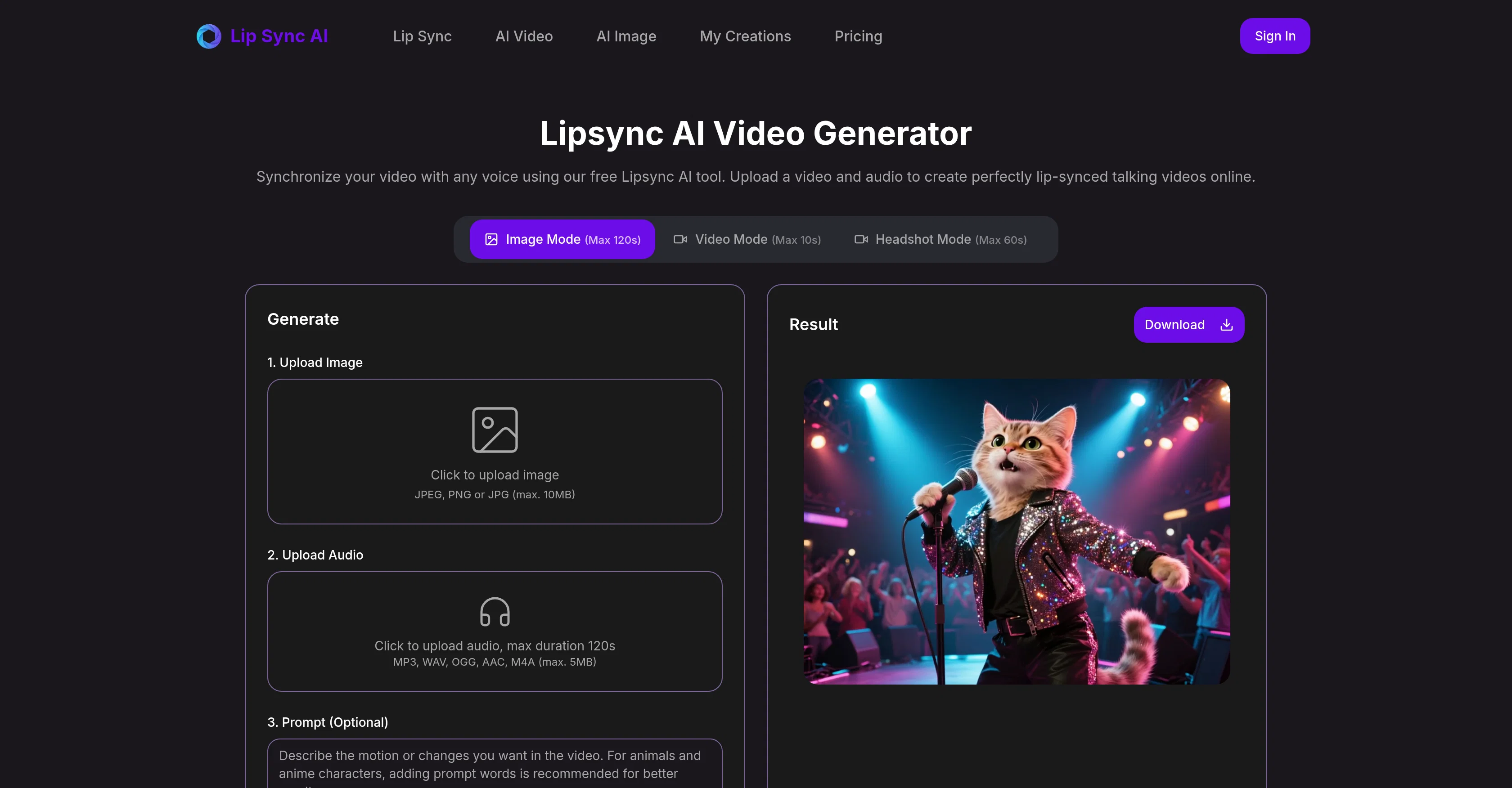
Lipsync AI Video is a tool designed to generate lip-synced videos by synchronizing uploaded video and audio files. A user can easily convert media and text prompts into talking videos by pairing the media with the prompts.
This intelligent system accurately aligns mouth motions with the provided voice or synthesized speech. It comes with different modes like the image plus audio, video plus audio, and portrait focus that cater to varying user needs.
The Lipsync AI tool also supports the generation of non-human talking videos, for example, using images of cartoon animals, and ensures natural mouth movements.
The system has robust face tracking and phoneme mapping abilities that keep timing steady and articulation natural. It offers fast turnaround times and lends itself well to uses such as creating material for social media clips, learning and tutorials, product, and support updates.
While it is mainly designed for clear frontal faces, it also has an advanced mode that enhances side faces and occlusion with stable lip sync capabilities.
Lastly, the Lipsync AI tool facilitates easy prompt-to-voice conversions for quick drafts and provides a streamlined process from testing to publishing, making it a valuable addition to any media-centric workflow.
Access & connections
Where you can use LipsyncAI.net.
Platforms
Capabilities
What this tool accepts, produces, and is strongest at.
Input
- Video
- Audio
Output
- Video
Pros & cons
Pros
- Generates lip-synced videos
- Converts media to talking videos
- Different modes (image, video, portrait)
- Supports non-human talking videos
- Ensures natural mouth movements
- Robust face-tracking
- Phoneme mapping capabilities
- Fast turnaround times
Show 39 more
- Ideal for social media clips
- Useful for learning material
- Creating product and support updates
- Advanced mode for side faces
- Occlusion enhancement
- Easy prompt-to-voice conversions
- Streamlined from testing to publishing
- Supports synthesis of voice prompts
- Supports conversion of text prompts
- Supports varieties of audio formats
- Simple upload process
- Different time durations per mode
- Credit system for usage
- Supports non-human characters animations
- Good for content creators
- Enhancement of side and occluded faces
- Clear, natural articulation
- Stable lip-sync
- Fast result delivery
- Quality sustained across batches
- Supports different media types
- Can use for cartoon animation
- Efficient media-centric workflow enhancement
- Specific advice for best results
- Alignment of synthesized/ uploaded speech
- Ideal in explaining concepts
- Alignment of mouth motions accurately
- Multiple media and mode options
- Perfect for film production
- User-friendly interface
- Free tool
- Short-timed videos for ads, posts
- Supports JPEG, PNG, JPG formats
- Supports MP3, WAV, OGG, AAC, M4A formats
- Quick draft creation
- Clear front-facing videos
- Non-human image mode
- Prompt based speech edition
- One person video ideal condition
Cons
- Max video mode 10s
- Audio file size limit
- No multispeaker synchronisation
- Limited non-human image support
- Side face enhancement in advanced mode only
- Requires clear, frontal faces
- No mention of language support
- High cost in credits for video mode
Show 1 more
- No real-time lip-sync feature
Compare alternatives
Similar tools in the catalog — with a clear reason to open each one.

sync. ✓
Freemiumthe worlds most natural lipsync tool, no training required. available via api
Why look Freemium alternative
Full comparison
Dzine AI ✓
FreemiumAI-powered design partner for effortless image creation
Why look Freemium alternative
Full comparison
LipSync Video ✓
Free TrialUpload audio and video, AI matches lips automatically.
Why look Typically cheaper
Full comparison
Lip Sync AI ✓
FreemiumCreate realistic AI lip sync videos instantly.
Why look Freemium alternative
Full comparison
Infinite Talk AI ✓
Free TrialTurn images into talking avatars with precise lip sync.
Why look Typically cheaper
Full comparison
LipSync.Studio ✓
FreemiumTransform your videos with professional Lip Sync AI.
Why look Freemium alternative
Full comparisonReleases 1
Imported reviews 1
LipSyncAI.net delivers the best lipsync quality I’ve tested so far. The mouth movements are natural, the timing is spot-on, and the results always look professional. I’ve tried several other platforms, but I keep coming back to LipSyncAI because it’s simply the most realistic and reliable. Highly recommended for anyone working with AI music videos or creative projects!
FAQ 12
What is Lipsync AI Video?
How does Lipsync AI Video synchronize mouth movements with audio?
What are the different modes provided by Lipsync AI Video?
Can Lipsync AI Video generate non-human talking videos?
How does Lipsync AI Video ensure steady timing and natural articulation?
How fast can Lipsync AI Video produce the lip-synced videos?
What possible uses does Lipsync AI Video have?
Can Lipsync AI Video work with side faces and occlusion?
What's the process for prompt-to-voice conversion with Lipsync AI Video?
How does Lipsync AI Video support testing to publishing workflow?
What file types are supported for uploading on Lipsync AI Video?
What are the maximum durations supported for each mode by Lipsync AI Video?
Related tools
Recommended

Stunning ✓
PaidBuild AI-powered websites in seconds

Mindsmith ✓
FreemiumPlatform for building and sharing eLearning content

Midjourney ✓
PaidExpand human imagination through AI-powered visuals.

Suno ✓
FreemiumMake music at the speed of your ideas.

ElevenLabs ✓
FreemiumCreate lifelike AI voices for compelling storytelling.

HeyGen ✓
FreemiumCreate AI spokesperson videos from text