

Images 2026 Rank: #956
Kovvid - Image Generator ✓
AI image generator for text-to-image creation.
Trial; then from $19.9/mo
Verdict
A quick read before you dig into the full page.
- Best if
- AI image generator for text-to-image creation
- Skip if
- Long, complex text prompts required
- Pick this when
- Models Nano Banana Pro and Seedream 4.5
Considering Photo AI instead? Compare side by side
Overview
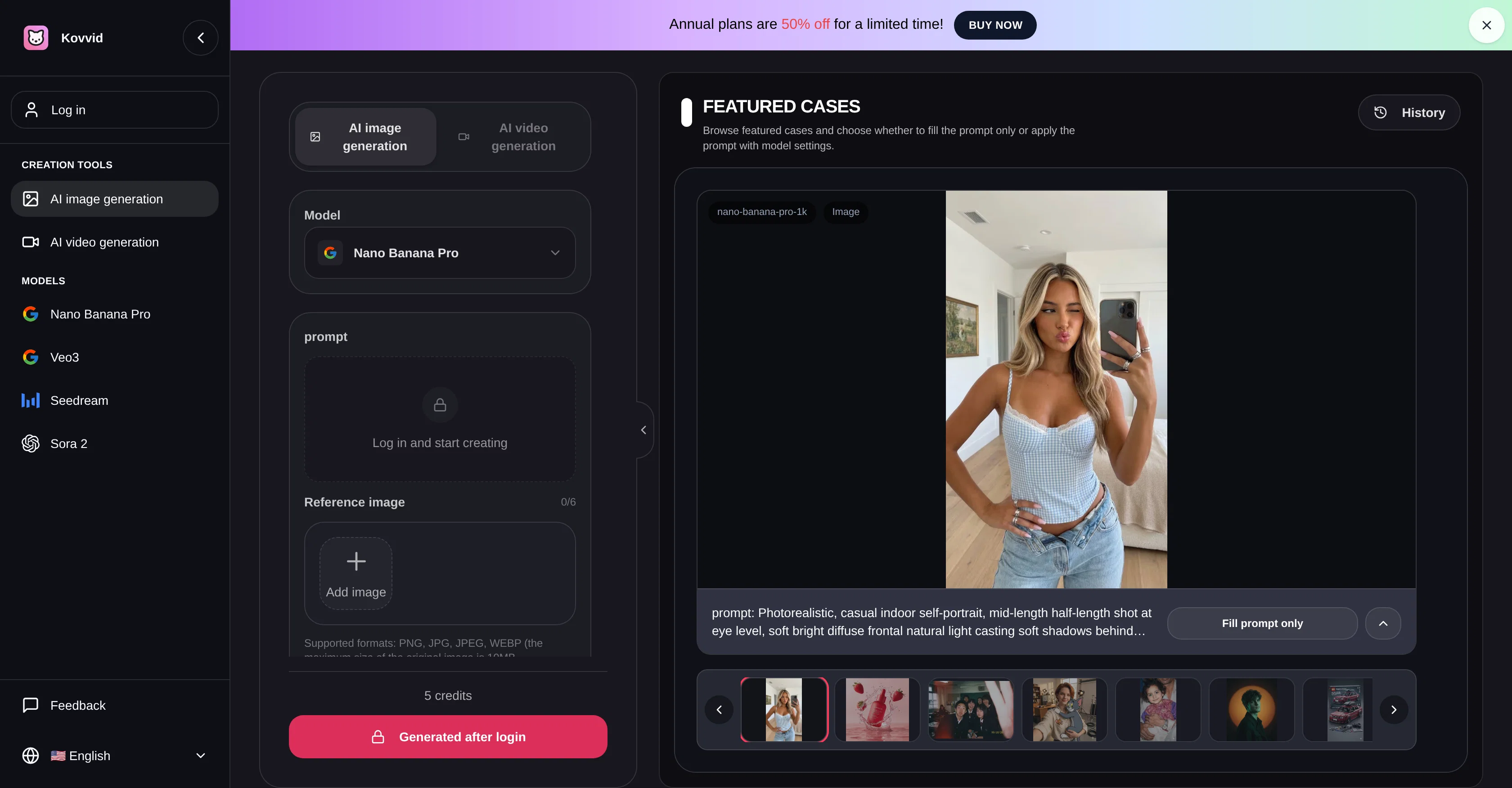
Kovvid AI is an AI-driven tool utilized for image generation, featuring models such as Nano Banana Pro and Seedream 4.5. It facilitates users to convert textual descriptions or existing images into novel graphics.
The tool is capable of generating a range of visual results, such as illustrations, product images, posters, and visuals in varying resolutions, including 4K.
The strength of Kovvid AI lies in its ability to decode detailed prompts and render high-detail, photorealistic portraits, and interpret nuanced lighting, complex body postures, makeup details, or interior design elements.
The Nano Banana Pro and Seedream 4.5 models may be used for diverse cases, ranging from straightforward text-to-image and image-to-image tasks to more complex projects involving the generation of commercial images or social media visuals.
The tool incorporates advanced settings, allowing users to adjust the aspect ratio, resolution, and visibility of their created images. Kovvid AI is a convenient solution for both individuals and businesses seeking an AI-powered image generator that offers flexibility, precision, and high-quality visual outputs.
Access & connections
Where you can use Kovvid - Image Generator.
Platforms
Capabilities
What this tool accepts, produces, and is strongest at.
Input
- Text
- Image
Output
- Image
Highlights
- SOTA
Supported features
- Image Edit
- Image Generation
- Video Generation
- Styling
- Realism
Models
Text
Image
Audio
Video
Pros & cons
Pros
- Models Nano Banana Pro and Seedream 4.5
- Generates range of visual results
- Produces illustrations, product images, posters
- Offers various resolutions, including 4K
- Decodes complex detailed prompts
- Can render high-detail images
- Photorealistic portrait generation
- Advanced interpretation of nuanced lighting
Show 21 more
- Interprets complex body postures
- Identifies makeup details
- Generates interior design imagery
- Supports straightforward and complex tasks
- Facilitates image-to-image transformations
- Generates commercial images, social media visuals
- Advanced adjustable image settings
- User-friendly tool
- Offers adjustable aspect ratio
- Outputs in 4K Resolution
- High precision results
- Flexible tool that suits individuals and businesses
- Supports text-to-image conversion
- Creates photorealistic scenes
- Advanced lighting interpretation
- Commercial image generation
- Adjustable aspect ratios and resolution
- Offers high-quality visual outputs
- Individual and business applications
- High detail rendering
- Adjustable visibility of images
Cons
- Long, complex text prompts required
- No bulk image generation
- No support for video generation
- Lack of format variety
- Limited model options
- Requires login for generation
- No stated performance metrics
- Copyright protection unclear
Show 2 more
- Inbuilt community potentially distracting
- No evident price information
Compare alternatives
Similar tools in the catalog — with a clear reason to open each one.

Photo AI ✓
PaidCreate beautiful AI photos and videos of real people
Why look Typically cheaper
Full comparison
Stockimg AI ✓
PaidGenerated images and text for design ease.
Why look Typically cheaper
Full comparison
BestPhotoAI ✓
FreemiumCreate amazing AI photos instantly
Why look Typically cheaper
Full comparison
Midjourney ✓
PaidExpand human imagination through AI-powered visuals.
Why look Typically cheaper
Full comparison
Releases 1
FAQ 12
What is Kovvid AI and what can it do?
What's the difference between Nano Banana Pro and Seedream 4.5?
What kind of visual outputs can Kovvid AI generate?
How is text-to-image transformation achieved in Kovvid AI?
Can Kovvid AI do image-to-image transformations?
How can I adjust the aspect ratio of images created with Kovvid AI?
In what resolutions can Kovvid AI generate images?
What level of detail can Kovvid AI interpret and render?
What are the practical uses of the Nano Banana Pro and Seedream 4.5 models in Kovvid AI?
How can Kovvid AI be used to generate commercial images?
Can Kovvid AI handle complex interior design elements?
Is Kovvid AI useful for individual users or is it more suited for businesses?
Related tools
Recommended

X-Pilot AI ✓
FreemiumTurn Documents into Accurate Video Course Series

Denovo ✓
FreemiumTurn your idea into a real business in minutes.
AIReel ✓
Free TrialGenerate AI videos & images from image or text prompt.

PhotoMentor ✓
FreemiumStop guessing if your photo is good. Get instant, objective feedback.

GPT-IMG ✓
Free TrialCreate stunning AI images in seconds.
AIAI.com | Text to Image AI Generator ✓
Free TrialTransform text into stunning images instantly.