

Image to video 2026 Rank: #1982
ImageToVideo AI.tools ✓
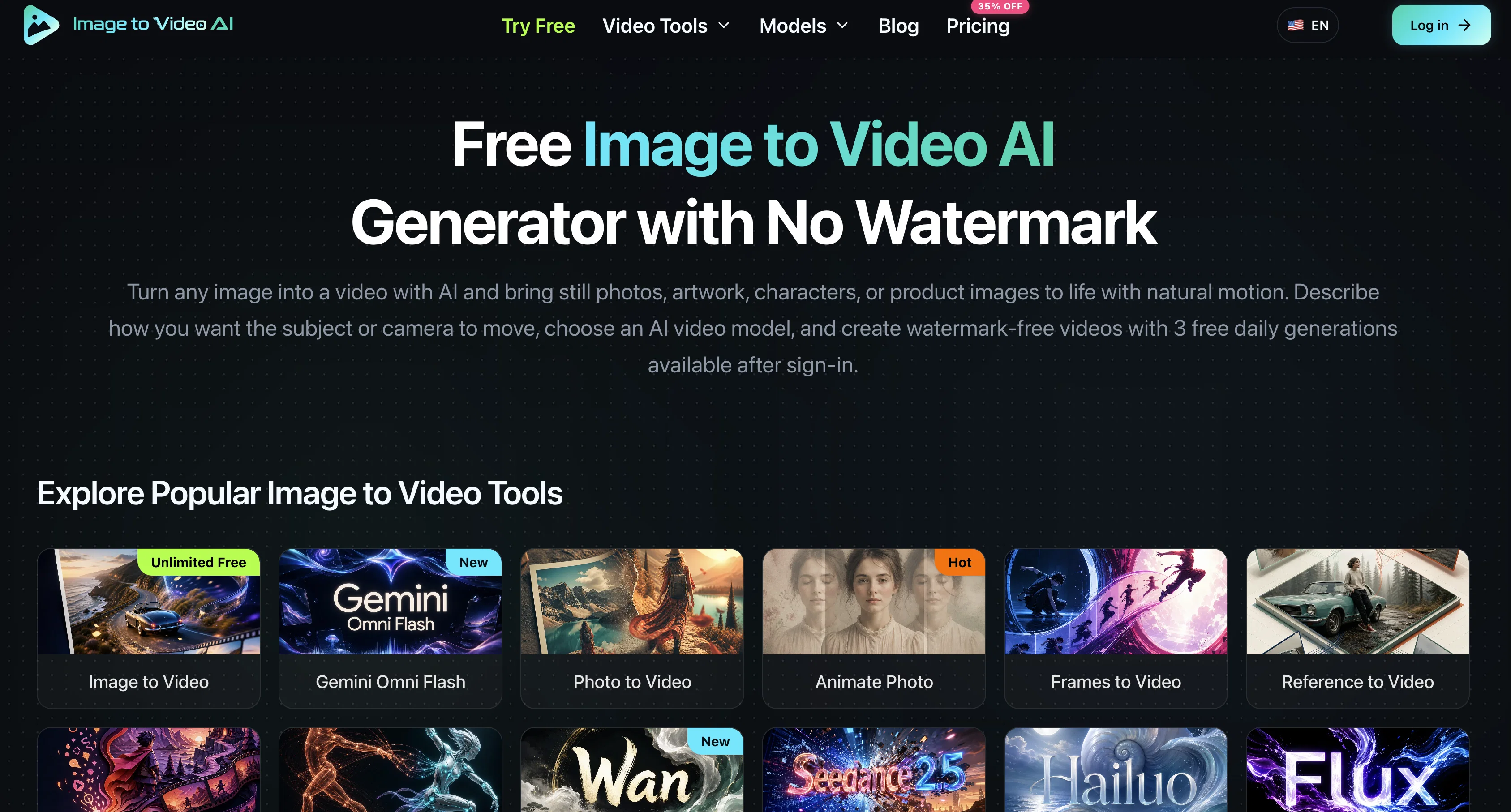
Turn any image into a video with AI.
Verdict
A quick read before you dig into the full page.
- Best if
- Turn any image into a video with AI
- Skip if
- Limited to three free generations daily
- Pick this when
- Converts images to videos
Considering MojoMake - AI Image to Video Generator instead? Compare side by side
Overview

Free Image to Video AI is an artificial intelligence tool designed to convert still images into videos. Ideal for breathing life into photos, artwork, characters, or product images, this platform generates animations that add a visual dynamic to static images.
Users are invited to describe the intended motion or camera movement, choose an AI video model, then create videos with no watermark. More than a plain animation tool, this AI allows users to compare different AI video models, guide motion with text prompts, and generate videos through a workflow specifically designed for image-to-video transitions.
It supports a wide assortment of source images, from portraits and landscapes to old photos and artwork. This flexible platform is aimed at diverse visual styles and creative objectives, accommodating various use cases including portrait animation, product videos, old photo animation, and social media content.
Users can test the tool with three free daily generations after signing in. The tool is not just for creating animations but also for creating entirely new classes of content, transforming existing visual assets into animated sequences.
Different AI video models offer diverse types of motion and control, and users are encouraged to find the best model for their image to create the desired motion effect.
- Image To Video
- 3 Free Daily Generations
- No Watermark
- Multiple Ai Video Models
- Text To Video
- Reference To Video
- Frames To Video
Access & connections
Where you can use ImageToVideo AI.tools.
Platforms
Capabilities
What this tool accepts, produces, and is strongest at.
Input
- Text
- Image
Output
- Image
- Video
Highlights
- SOTA
Pros & cons
Pros
- Converts images to videos
- Supports diverse image types
- No watermark on videos
- Motion guide with text
- Workflow for image-to-video
- Supports diverse visual styles
- Free three daily generations
- Creates new content classes
Show 36 more
- Allows model comparisions
- Various motion and control
- Supports portrait animation
- Supports product videos
- Supports old photo animation
- Creates social media content
- Supports various types of motion
- Video model flexibility
- Natural image enhancement
- No subscription required
- Creates cinematic animations
- Eases content repurposing
- Supports 720p resolution
- Easy to use interface
- Multiple animation possibilities
- Guide motion for effects
- Animation control using prompts
- Generates watermark-free videos
- Allows preview before generation
- Supports various creative objectives
- Test tool before subscribing
- Generates video fast
- Supports character animation
- Controls for audio generation
- Controls for frame control
- Supports visual consistency
- Supports product promos
- Can animate family photos
- Can animate vintage prints
- Customisable video generation
- Native audio and flexible image guidance
- Supports 2K output
- Provides high quality videos
- Supports up to 30s videos
- Supports up to 30 image references
- Flexible image-to-video transformation
Cons
- Limited to three free generations daily
- Requires signing in for usage
- Potential quality inconsistencies amongst models
- Motion controlled by implied text
- Dependent on user's descriptive ability
- No explicit mention of resolution support
- No specified format for output videos
- No native app, web-based only
Compare alternatives
Similar tools in the catalog — with a clear reason to open each one.

MojoMake - AI Image to Video Generator ✓
FreemiumUse every top AI model and 100+ effects in one account.
Why look Typically cheaper
Full comparison
VidFlux - Photo to Video Generator ✓
PaidTransform photos into cinematic videos with AI.
Why look Typically cheaper
Full comparison
Grok Imagine ✓
FreemiumUnleash Your Creativity with Grok Imagine
Why look Offers a public API
Full comparison
VidFlux - Image to Video AI ✓
PaidTransform any image into stunning videos.
Why look Typically cheaper
Full comparison
MindVideo ✓
FreemiumCreate stunning videos from text or images.
Why look Typically cheaper
Full comparison
Vidnix | AI Image to Video Generator ✓
Free TrialTurn text into stunning AI videos.
Why look Typically cheaper
Full comparisonReleases 1
FAQ 12
What is Free Image to Video AI?
How does Free Image to Video AI differ from other animation tools?
What types of images can Free Image to Video AI support?
What can Free Image to Video AI offer for social media content creation?
Can Free Image to Video AI generate videos with no watermarks?
What types of motion can the different AI video models of Free Image to Video AI offer?
How do I guide motion with Free Image to Video AI?
How can I compare different AI video models in Free Image to Video AI?
What is the process of creating a video in Free Image to Video AI?
How flexible is Free Image to Video AI in accommodating various visual styles and creative objectives?
How does Free Image to Video AI transform existing visual assets into animated sequences?
How can I test the tool with three free daily generations after signing in?
Related tools
Recommended

HappySeeds ✓
FreemiumTurn ideas into AI-powered apps instantly.
ClipFlare ✓
FreemiumTurn long videos into viral clips with AI

MagicSlides.app AI PPT Maker ✓
FreemiumCreate Stunning PPTs in Seconds with the AI PPT Maker

GetLogit ✓
FreemiumArtificial intelligence, available for everyone.

ChatGPT ✓
FreemiumAsk anything, create anything, and move from idea to action.

Automateed ✓
Free TrialCreate eBooks effortlessly with Automateed, the AI-powered writing tool.