

Images 2026 Rank: #377
Image to ImageAI ✓
Transform and enhance photos with powerful AI technology.
Trial; then from $7.9/mo
Verdict
A quick read before you dig into the full page.
- Best if
- You are graphic Designers and need: Restoring damaged family photos from the 1960s
- Skip if
- May struggle with complex images
- Pick this when
- Comprehensive image editing features
Considering Photo AI instead? Compare side by side
Overview
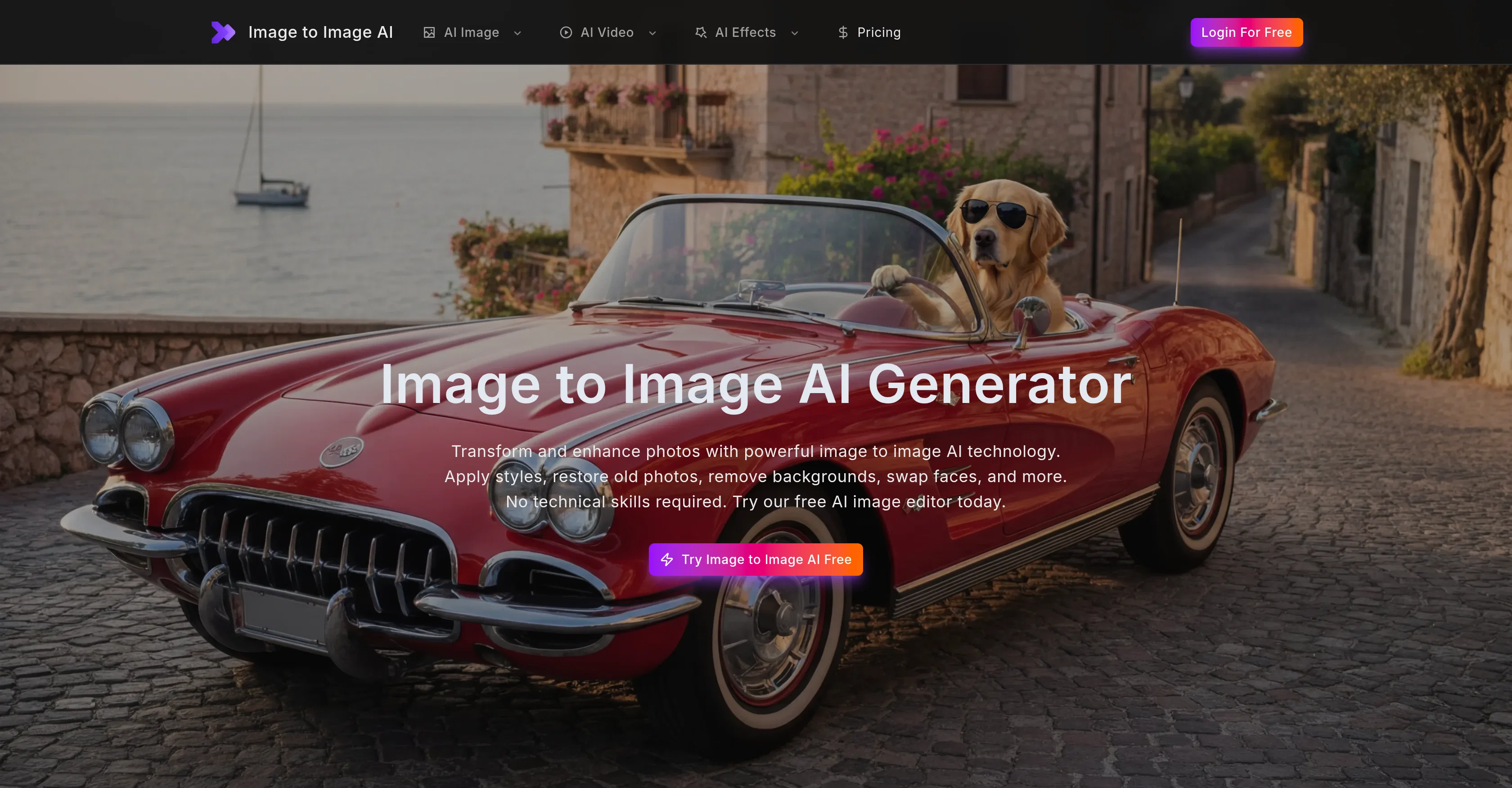
Image to Image AI is a comprehensive online image editing and enhancing tool that leverages artificial intelligence. Its capabilities include transforming photos into various art styles and enhancing image quality.
The AI easily and quickly deploys style transfer, image enhancement, face swapping, and restoration of old photos. Users with no technical skills are required to achieve professional results.
The suite comes with a feature that automatically improves the brightness, contrast, sharpness, and color balance of any image. Furthermore, the AI can realistically swap faces between photos, making it perfect for creating creative content, memes, and social media posts.
It can also effectively restore damaged or faded photos and upscale low-resolution images to high-definition quality without introducing blur. Unwanted backgrounds, watermarks, logos, and text overlays can be removed in just a few clicks, leaving a clean, natural finish.
AI-assisted portrait retouching gives photos a professional studio finish. Users can also turn any image into an anime or cartoon-style artwork. It is an all-in-one editor designed for professional use, social media, marketing, and creative projects and operates with leading AI models.
The tool allows anyone to seamlessly transform images using its high-end algorithms, providing precise, high-quality output.
Best for
Short scenarios where Image to ImageAI tends to shine.
-
Restoring damaged family photos from the 1960s
Best for Graphic Designers
-
Batch processing product photos for e-commerce by removing backgrounds
Best for Social Media Influencers
-
Upscaling low-resolution images for large-scale billboard printing
Best for E-commerce Sellers
-
Transforming travel photos into artistic watercolor or cyberpunk styles
Best for Professional Photographers
Example outputs 1
Sample generations and before/after results for Image to ImageAI.
Access & connections
Where you can use Image to ImageAI.
Platforms
Capabilities
What this tool accepts, produces, and is strongest at.
Input
- Image
Output
- Image
Highlights
- SOTA
Supported features
- Image Edit
- Image Generation
Pros & cons
Pros
- Comprehensive image editing features
- Image enhancement options
- Style transfer capabilities
- Face swapping feature
- Photo restoration tool
- Supports image upscaling
- Background removal feature
- Watermark removal tool
Show 41 more
- Object removal from photos
- Photo colorization option
- Retouching capabilities
- Anime conversion feature
- Cartoon generation tool
- Useful for creative projects
- No technical skills required
- Instant photo processing support
- Offers commercial use rights
- Online accessibility
- Supports common image formats
- High resolution previews
- Free with premium features
- Automatic brightness adjustment
- Contrast and sharpness improvement
- Recolor black and white images
- Art style conversion options
- Integrates advanced models
- Images suitable for marketing
- High precision image quality
- Professional result generation
- Face swapping support
- Restoration of old photos
- Realistic style transfers
- Removes unwanted objects
- Realistic colorizations
- Anime-style conversions
- Supports batch processing
- Automatic corrections
- Automatic photo restoration
- High-definition upscaling
- Removes unwanted backgrounds
- Watermark, logo removal
- Text overlay removal
- Supports most image formats
- Old photo repair and enhancement
- One-click background removal
- Seamless transformation of images
- Picture-to-cartoon conversion
- Multiple mixing models integration
- High quality image outputs
Cons
- No offline version
- Limited format support
- No batch processing in free version
- Potential inconsistency between models
- No API access
- No plugin for external editors
- May struggle with complex images
- No mobile app
Show 1 more
- Results depend on original image quality
Compare alternatives
Similar tools in the catalog — with a clear reason to open each one.

Stockimg AI ✓
PaidGenerated images and text for design ease.
Why look Stronger for image work
Full comparisonPeople also view
Tools that often show up alongside Image to ImageAI in collections and comparisons.
Stockimg AI ✓
PaidGenerated images and text for design ease.

Photo AI ✓
PaidCreate beautiful AI photos and videos of real people

Midjourney ✓
PaidExpand human imagination through AI-powered visuals.

CreativePixel ✓
FreemiumOut-create Your Competition in Minutes

BestPhotoAI ✓
FreemiumCreate amazing AI photos instantly

Nathan Tailors AI Suit Generator ✓
FreeDescribe your dream suit. We draw it, then build it.

LineArt ✓
Free TrialTurn one photo into a whole coloring book.

Line Drawing Converter ✓
Free TrialConvert photos into clean line drawings online.
Releases 1
FAQ 12
How can Image to Image AI enhance my photos?
What features does Image to Image AI offer for photo transformation?
Can Image to Image AI remove the background of an image?
What artistic styles can I apply to my photos using Image to Image AI?
Is it possible to restore old or damaged photos using Image to Image AI?
Can Image to Image AI convert my picture into an anime or cartoon-style?
What kind of technical skills do I need to use Image to Image AI?
Can I use Image to Image AI for professional or commercial purposes?
What image formats are supported by Image to Image AI?
Can I preview the outcomes before downloading in Image to Image AI?
Is Image to Image AI free to use?
What benefits do I get by upgrading to the premium version of Image to Image AI?
Related tools
Recommended

Gemini ✓
FreemiumGemini: Google's most capable AI model yet

AppDeploy ✓
FreeDeploy real apps directly from ChatGPT or Claude

Pounce ✓
Free TrialGet real followers and engagement in minutes.

WebZum ✓
Free TrialSite, Google ad, and a 15-second video ad. Five minutes.
Free Image Generator.app ✓
FreemiumGenerate stunning AI images in seconds.

EzEditor AI Magic Editor ✓
Free TrialEdit photos instantly with text prompts.