

iLoveIMG ✓
Free web app for easy image modification.
Verdict
A quick read before you dig into the full page.
- Best if
- Free web app for easy image modification
- Skip if
- Limited file types support
- Pick this when
- Supports multiple image formats
Considering Viyou AI Image Generator instead? Compare side by side
Overview
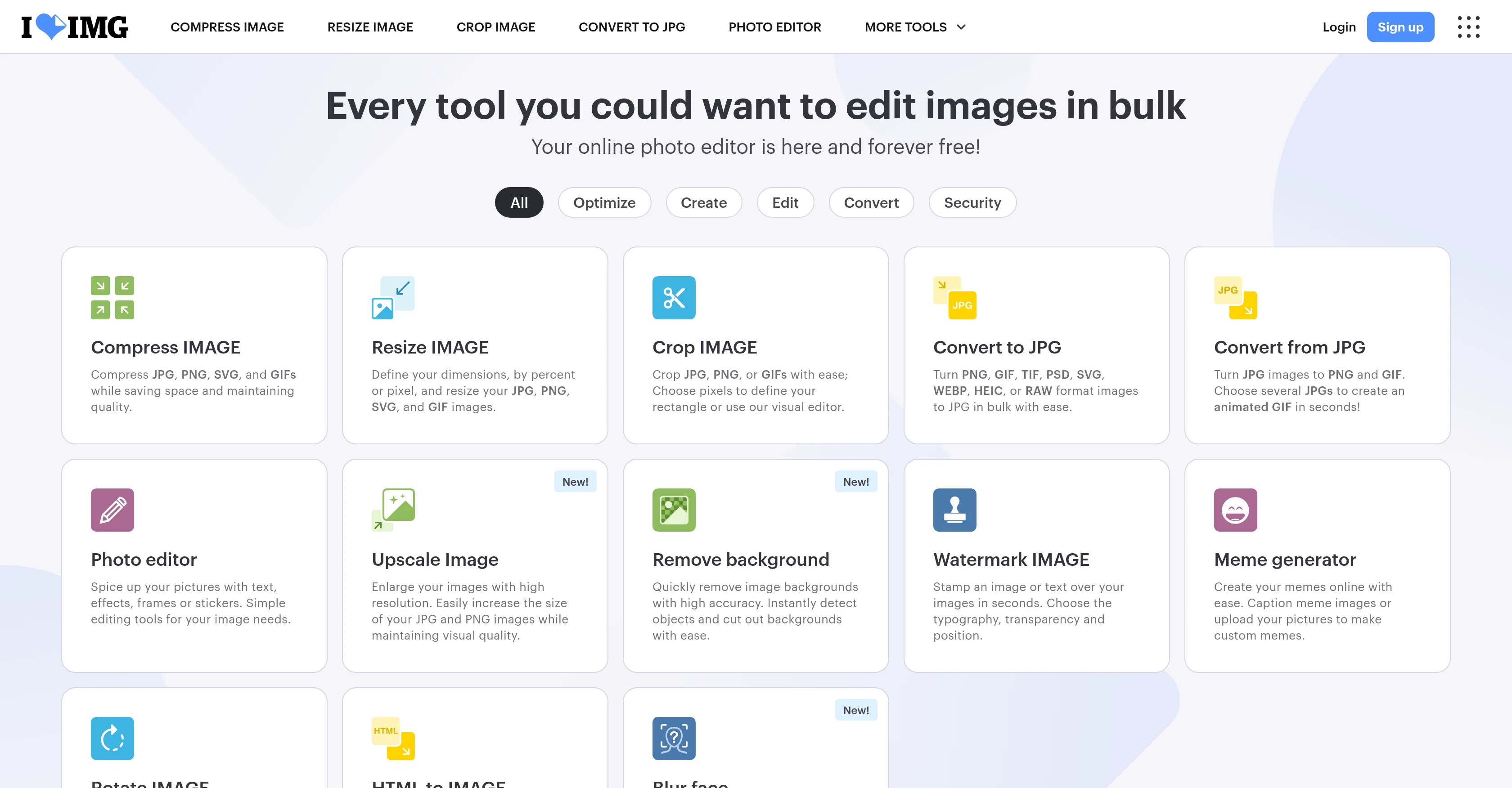
iLoveIMG is a free web application designed for simple and swift image modification. The tool offers a wide array of functions to manipulate, optimize, and convert images on the web.
Users can easily compress, resize, and crop images (including JPG, PNG, SVG, and GIF files) to save space while maintaining quality. There's also a straightforward image conversion tool allowing users to convert images to and from JPG, as well as other formats like PNG, GIF, TIF, PSD, SVG, WEBP, HEIC, or RAW.
Alongside its core features, iLoveIMG also provides more specialized tools like a photo editor to enhance pictures with text, effects, frames or stickers; a meme generator that facilitates custom meme creation; and an HTML to image conversion tool that converts webpages to JPG or SVG.
Additional features include simple image upscaling, background removal, and the application of watermarks or blur effects to protect privacy. The tool's capabilities can also be extended through an API for automation and integration in high-demand workflows.
Although it primarily focuses on image enhancement, the product stems from a larger suite of digital tools that cover document management, e-signing, and more.
Access & connections
Where you can use iLoveIMG.
Platforms
Capabilities
What this tool accepts, produces, and is strongest at.
Input
- Image
Output
- Image
Supported features
- SVG
Pros & cons
Pros
- Supports multiple image formats
- Image compression maintaining quality
- Image resizing feature
- Image cropping tool
- Wide range of image conversions
- Advanced photo editor
- Meme generation feature
- HTML to image conversion
Show 39 more
- Image upscaling capability
- Accurate background removal
- Watermark application for images
- Blur effects for privacy
- API for workflow automation
- Part of larger digital suite
- Free online application
- Supports both JPG and PNG
- Facilitates image optimization
- Document management features
- E-signing functionality
- Bulk editing capability
- Advanced image rotation
- Animated GIF creation
- Security features
- Privacy protection
- Heic and RAW support
- Customizable image dimensions
- Enhanced with text, effects, frames
- Ease of use
- Multiple language support
- Supports WEBP and TIF
- Visual editor for cropping
- Instant object detection
- Privacy focused blur feature
- Switch to document mode
- Clean and simple interface
- Linked with iLovePDF
- Efficient PNG to JPG conversion
- Supports SVG files
- Text addition on images
- Integration with mobile app
- Dedicated JPG to PNG converter
- Multifaceted image converter
- PSD file conversion
- Batch processing capability
- Online meme creation
- Fast and swift operations
- Integrates with iLoveSign
Cons
- Limited editing functions
- No offline mode
- No layered editing
- No direct social media posting
- Limited file types support
- No advanced color adjustment
- No photo cataloging
- Lacks motion blur tool
Show 1 more
- Dependent on internet connectivity
Compare alternatives
Similar tools in the catalog — with a clear reason to open each one.

Viyou AI Image Generator ✓
FreemiumTransform text and images into stunning videos and visuals.
Free + from $39.99/yr
Full comparison
Img2Img AI ✓
FreemiumTransform any image with AI in seconds.
Why look Offers a public API
Full comparison


Releases 1
Imported reviews 1
OK, it says "FREE" and "NO Pricing," and yet some tools are available only to "Premium users?" If that's not misleading, I don't know what's "free" any longer! Oh, yes, the air, thank God, but maybe soon they'll start selling it as well ;-) THX
FAQ 12
What is iLoveIMG and what does it do?
What types of images can I modify with iLoveIMG?
Does iLoveIMG support conversion between different file formats?
How does the image compression feature on iLoveIMG work?
Does iLoveIMG allow resizing and cropping of images?
What additional tools and features does iLoveIMG offer for image editing?
Is it possible to convert HTML to image using iLoveIMG?
Can I upscale images with iLoveIMG without affecting the quality?
How does the background removal feature in iLoveIMG work?
How can I protect my images with watermarks or blur effects using iLoveIMG?
How can I automate tasks with iLoveIMG in my workflow using its API?
What other digital tools does iLoveIMG offer apart from image enhancement?
Related tools
Recommended

Supernormal App ✓
FreemiumThe AI assistant app that turns meetings into completed work

AI Image to Image.io ✓
FreemiumTransform images with simple text commands.

Image Editor Online ✓
FreeTransform images with AI prompts instantly online.

Whacka ✓
Free TrialTurn ideas into real apps from your phone.

Denovo ✓
FreemiumTurn your idea into a real business in minutes.
Free Image Generator.app ✓
FreemiumGenerate stunning AI images in seconds.
