
Hiding Elephant ✓
AI Design Workspace for Real Creative Work
Free + from $29/mo
Verdict
A quick read before you dig into the full page.
- Best if
- AI Design Workspace for Real Creative Work
- Skip if
- More powerful than basic AI tools, so there’s a small learning curve
- Pick this when
- Combines AI generation with real design control
Considering Photo AI instead? Compare side by side
Overview




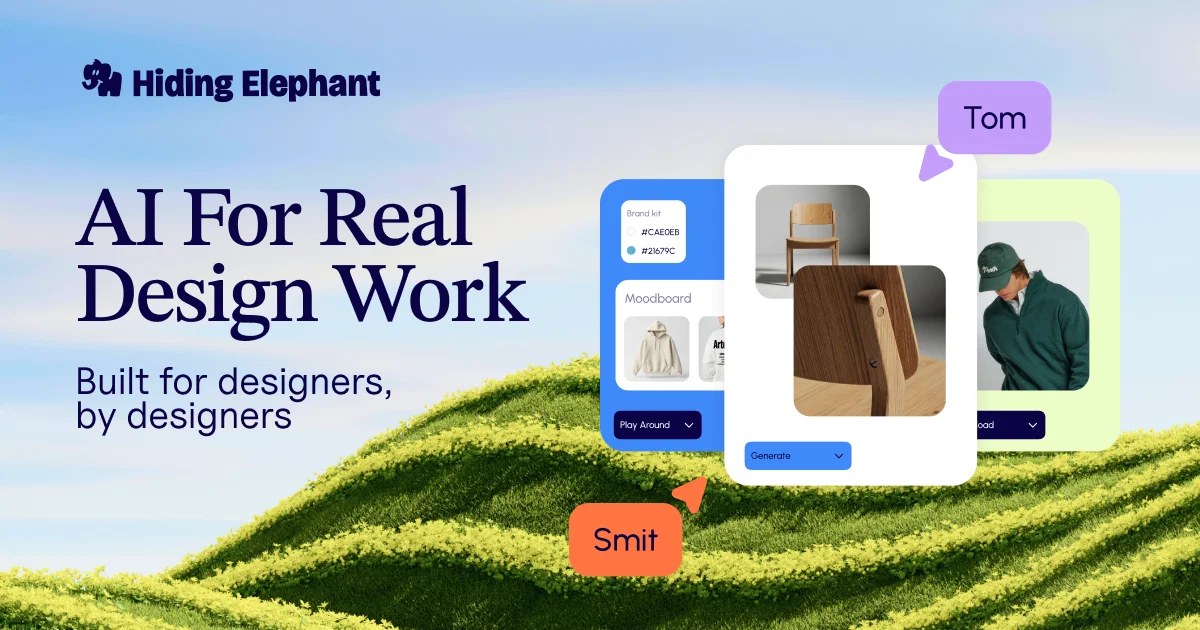
It brings together AI image generation, a real design canvas, vector editing, brand assets, and automation workflows in one connected environment. Instead of jumping between multiple tools, users can explore ideas, refine visuals, keep work aligned with a brand, and turn designs into production-ready assets from the same workspace.
Hiding Elephant is especially useful for creative teams working on brand visuals, product images, marketing assets, social content, ad creatives, and repeatable design workflows. It is built for real design work, not just one-off AI experiments — giving users both the speed of AI and the flexibility of professional creative tools.
- Image To Video
- Product Photos
- Ai Video Generator
- Vector Editing
- On-brand Designs
- Generate Complete Ecommerce Listing Image Sets From One Product Photo
- Social Media Post Creation
- Brand Intelligence
Access & connections
Where you can use Hiding Elephant.
Platforms
Capabilities
What this tool accepts, produces, and is strongest at.
Input
- 3D
- Image
- Text
- Video
Output
- Audio
- Video
- Text
- Image
Pros & cons
Pros
- Combines AI generation with real design control
- Includes vector editing inside the same workspace
- Helps keep visuals aligned with brand assets
- Supports repeatable creative workflows and automation
- Built for production work, not just AI experiments
Cons
- Ideal for active creative teams, not users who only need a one-time image
- Still evolving quickly, with new features being added regularly
- More powerful than basic AI tools, so there’s a small learning curve
- Best results come with clear prompts and direction
- Some advanced workflows may take time to set up properly
Compare alternatives
Similar tools in the catalog — with a clear reason to open each one.

Photo AI ✓
PaidCreate beautiful AI photos and videos of real people
Why look Typically cheaper
Full comparison
Stockimg AI ✓
PaidGenerated images and text for design ease.
Why look Typically cheaper
Full comparison
BestPhotoAI ✓
FreemiumCreate amazing AI photos instantly
Why look Typically cheaper
Full comparison
Midjourney ✓
PaidExpand human imagination through AI-powered visuals.
Why look Typically cheaper
Full comparison
CreativePixel ✓
FreemiumOut-create Your Competition in Minutes
Why look Typically cheaper
Full comparisonReleases 1
Imported reviews 2
We were looking for a tool that would save us from boring routine work, improve our margins by bringing production costs down, and help us scale delivery without simply throwing more people at the problem. Hiding Elephant helped us go from brief to awesome results MUCH faster.
What I like most is that it helps us speed things up without turning the process into a black box (we all know how AI can be tricky about the outcome).
And yes, you’ll have to invest some time into onboarding and setting the tool up properly. But the more we tweak our workspace, the faster we get great results for clients with a level of efficiency we could only dream about before.
this one's actually built well, quality is nice, but it struggles with the text parts. it either messes up the letters or blends them into the background. even small changes like asking for a different font just resets the whole design. still, you can grab some really great base concepts and finish them up yourself, so just for that, i strongly recommend it as a starting point for logo designs.
FAQ 12
What is HidingElephant?
How does HidingElephant create unique logos?
What are the key features of HidingElephant?
How does the 'Pixel to Vector' feature in HidingElephant work?
What makes HidingElephant different from other AI-logo design tools?
🛠️ 1
tool
🙏 4
karma
wrote:
Hiding Elephant is built for professional designers who need both speed and control in their creative process. Unlike many AI tools that generate simple, template-based logos, Hiding Elephant empowers designers to explore multiple creative directions with AI, then refine their work with a fully vector-based canvas for precise editing. Its AI is designed to assist, not replace, ensuring high-quality, scalable designs while keeping professionals in full control. With staff picks, design challenges, and achievement badges, it’s not just a tool—it’s a growing creative community that evolves with its users.
Does HidingElephant reuse icons or text from the same or different prompts?
How can HidingElephant help a professional designer?
Does HidingElephant support iteration of designs?
How does HidingElephant facilitate creation of logo variations?
🛠️ 1
tool
🙏 4
karma
wrote:
Hiding Elephant makes it easy to create different logo variations with its "Single Generation, Multiple Variations" feature, which helps designers quickly explore different styles from one idea. The similar generations tool lets users tweak and refine logos while keeping the same overall feel. With sketch-to-image, rough ideas can turn into polished logos in no time. Plus, precision AI editing tools allow changes to specific areas without affecting the whole design. These features work together to give designers more creative control while making the process fast and easy.
What type of prompts does HidingElephant accept for logo design?
🛠️ 1
tool
🙏 4
karma
wrote:
HidingElephant accepts text and and text+image prompts for logo design.
How quickly can HidingElephant create a logo design?
Is HidingElephant suited for brand identity creation?
Related tools
Recommended

Mindsmith ✓
FreemiumPlatform for building and sharing eLearning content

Taplio ✓
FreemiumThe LinkedIn growth tool to turn content into pipeline

Kin - Personal AI Advisors ✓
FreePrivacy-first & designed your for mind, and life at work
Looka ✓
PaidAI-powered logo and brand identity design

MagicPost ✓
FreemiumEfficient LinkedIn post generation.

Durable AI Website Builder ✓
PaidCreate a professional website in seconds with AI.