

Footage ✓
Create stunning AI-generated videos from images and text.
Trial; then from $9.99/mo
Verdict
A quick read before you dig into the full page.
- Best if
- Create stunning AI-generated videos from images and text
- Skip if
- Low resolution output (480p)
- Pick this when
- Video generation from images
Considering freebeat AI instead? Compare side by side
Overview
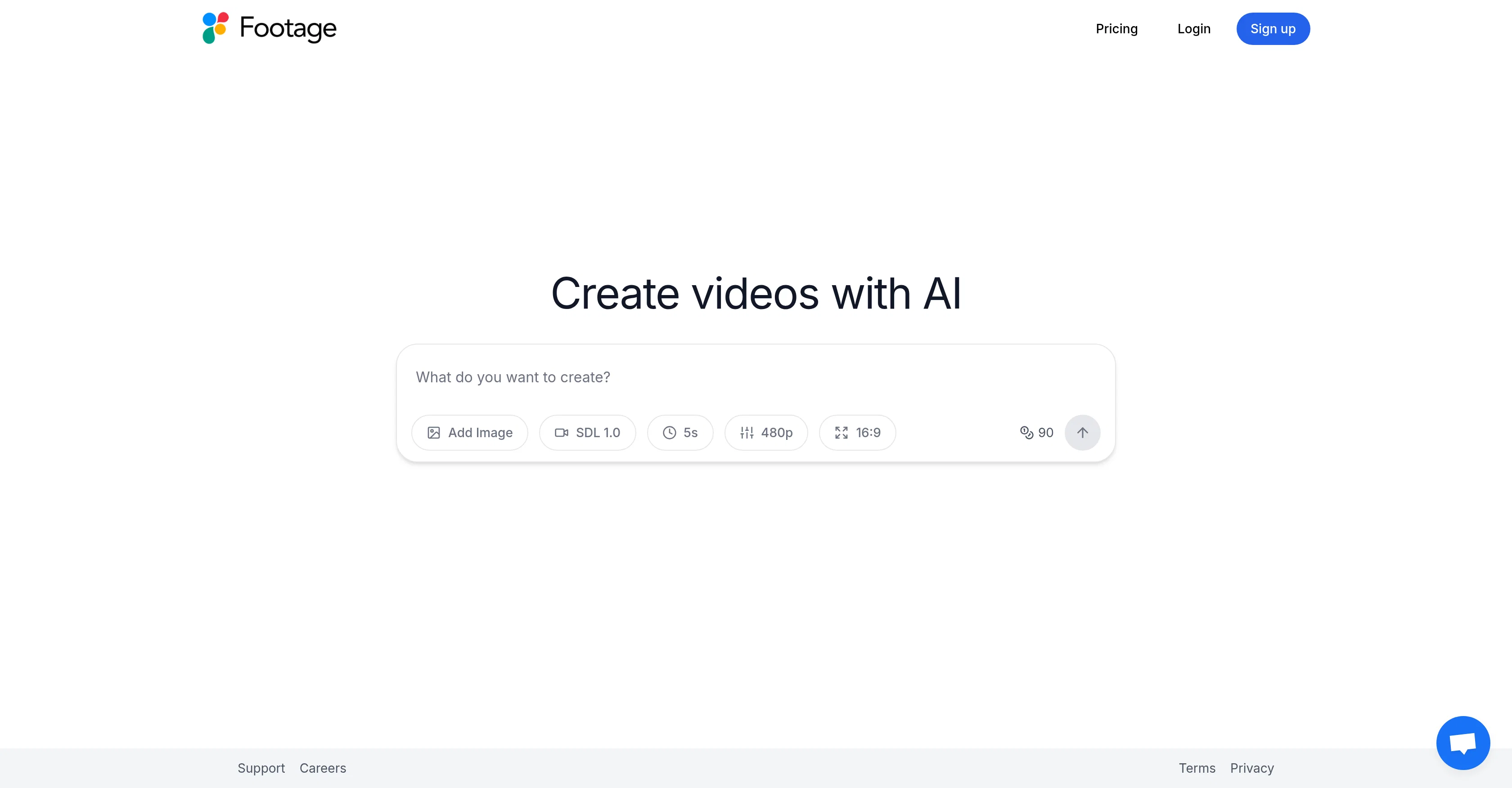
Footage - AI Video Generation is an AI-based tool designed to assist users in creating videos with an artificial intelligence touch. This tool provides a unique feature that allows for video generation from images and textual prompts.
The functionality underscores its usefulness in a range of fields from content creation, advertising, to educational presentations. With its AI capabilities, it automates the video creation process, making it easier and more efficient for users regardless of their technical background.
The resulting output is a video with a resolution of 480p, offered in a 16:9 aspect ratio, providing a professional-grade video quality. The tool also comes with a 'Support' feature, ensuring users can get assistance whenever needed.
However, the tool does not specify the length or specific format of the videos that can be created. It should also be noted that the tool adheres strictly to privacy regulations, ensuring the safety of users' data.
Access & connections
Where you can use Footage.
Platforms
Capabilities
What this tool accepts, produces, and is strongest at.
Input
- Image
- Text
Output
- Video
Pros & cons
Pros
- Video generation from images
- Textual prompts for videos
- Useful in multiple fields
- Automates video creation
- Non-technical user friendly
- Professional-grade video quality
- 480p resolution
- 16:9 aspect ratio
Show 14 more
- In-app support feature
- Sticks to privacy regulations
- Supports data safety
- Ideal for content creation
- Versatile for marketing advertising
- Beneficial for educational presentations
- Optimized for video automation
- Supports video production
- Thorough customer support
- Compliant with privacy laws
- HD video rendering
- Boosts video editing productivity
- Streamlines content creation
- Enhances video marketing strategies
Cons
- Low resolution output (480p)
- Undefined video length
- Missing specific video format
- Tailored only for 16:9 ratio
- Automation limits creative control
Compare alternatives
Similar tools in the catalog — with a clear reason to open each one.

freebeat AI ✓
FreemiumTurn Music & Ideas into Viral Videos In One Click
Why look Typically cheaper
Full comparison
MagicLight ✓
FreemiumTransform text into captivating videos instantly.
Why look Typically cheaper
Full comparison



Seedance ✓
FreemiumMulti-shot video generation from text and image.
Why look Stronger for image work
Full comparisonPrompts 1
Prompt test Seedance Lite 1.0 · zehaan khan
this is the prompt i used... They have options to chose... you can limit your videos upto 12 seconds... The good thing is you have options to choose video aspect ratio , quality and the model....
Create a cinematic, high-energy 20–30 second video showing the power of AI tools. Start with chaos: cluttered calendars, missed meetings, frustrated people. Fast cuts, dramatic lighting, slight slow-motion on frustration. Transition: glowing futuristic interface, AI agent taking…
Loading full prompt…
Releases 1
Imported reviews 4
Good output. Minimum 5 seconds, maximum 12, with credit cost relative to length — minimum 90, maximum 216. Fast, and follows instructions well. Note that it might take a couple of tries to upload a starting image, if you choose to use one.
Amazing app....
Amazing and very fast. 300 free credits a month is actually generous. Recommended!
All the features that you would need....
Aspect ratio, size , quality control all in one place...
FAQ 12
What is Footage - AI Video Generation?
How does Footage - AI Video Generation create videos from images and text?
In what fields is Footage - AI Video Generation particularly useful?
Does Footage - AI Video Generation need technical background for usage?
What resolution do the videos created by Footage - AI Video Generation have?
What is the aspect ratio of videos created by Footage - AI Video Generation?
Is there a support feature available in Footage - AI Video Generation?
How does Footage - AI Video Generation ensure users' data privacy?
Can Footage - AI Video Generation be used for marketing and advertising?
Can Footage - AI Video Generation be used for creating educational presentations?
How does Footage - AI Video Generation automate the video creation process?
Is Footage - AI Video Generation user-friendly for non-technical users?
Related tools
Recommended

PixPal - Free AI Chat with Image Editor & Video Gener... ✓
FreeAI chat with images – Create, edit, innovate for free!

Clever AI Humanizer ✓
FreeMake AI text undetectable and human-like.

VideoWeb AI | Video to Video ✓
FreemiumTransform videos with AI-powered video generation.

Gaga AI ✓
FreemiumTurn photos into talking, animated avatars instantly.

Mindsmith ✓
FreemiumPlatform for building and sharing eLearning content

IllumiChat ✓
FreemiumFrom Ticket Backlog to Instant Answers Powered by AI