

AI for Photoshop - DALL-E 2 and Stable Diffusion (fly... ✓
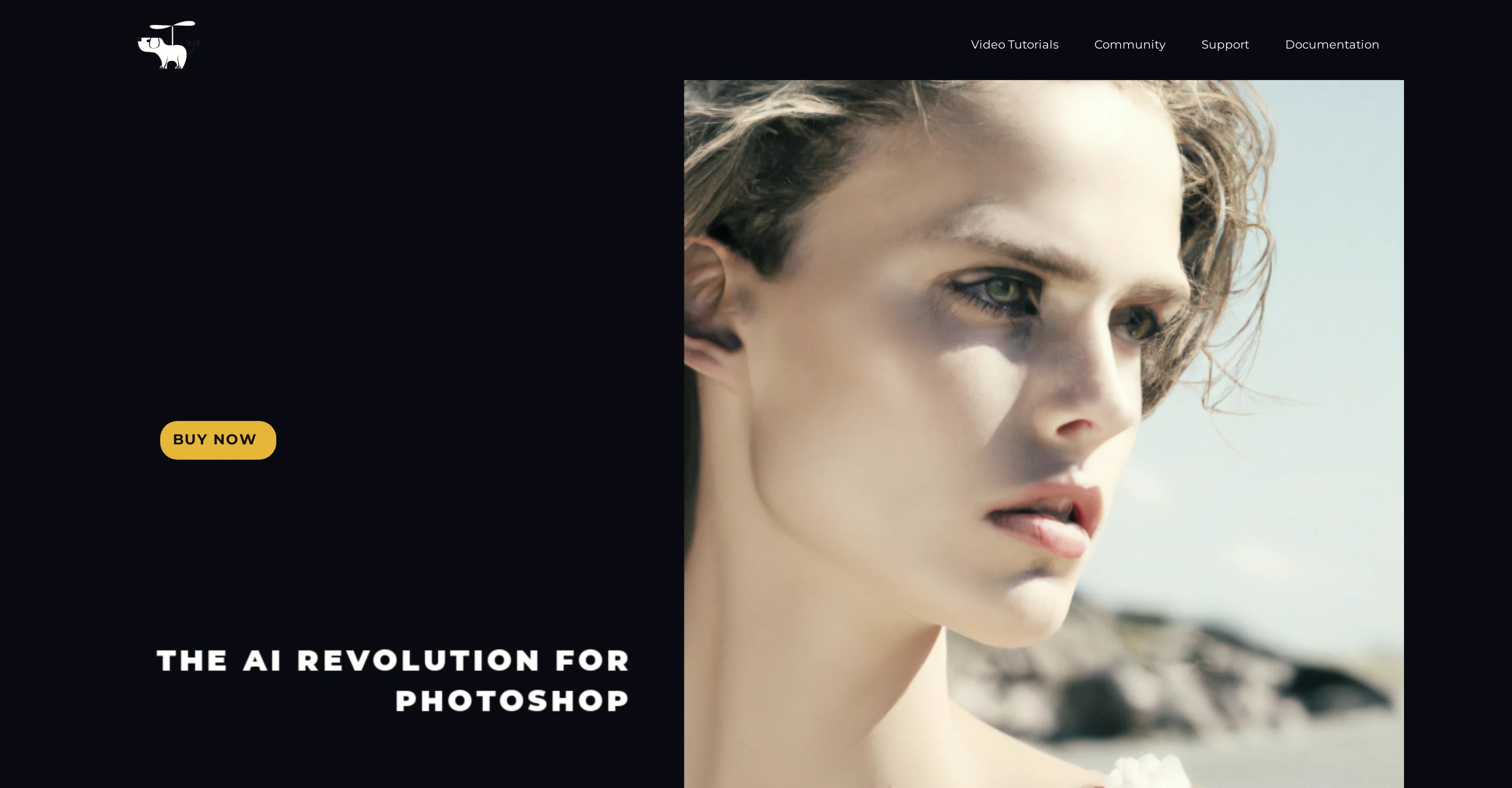
Turbocharge your Photoshop workflow with AI
Verdict
A quick read before you dig into the full page.
- Best if
- Turbocharge your Photoshop workflow with AI
- Skip if
- Limited to Photoshop version 23.5
- Pick this when
- Stable Diffusion server use
Considering Photo AI instead? Compare side by side
Overview
Flying Dog for Photoshop, featuring DALL-E 2 and Stable Diffusion, is an advanced AI-based tool designed to significantly accelerate and refine the creative process for designers.
It offers a range of features to automate and enhance various aspects of digital editing. It enables automatic content generation to adjust image aspect ratios (Outpainting) and allows the addition of text layers using AI text generation from a dedicated server.
Users can interactively control text style, add prompts for specific results, and integrate the text into existing images. The AI brush functionality facilitates generation of objects with background removal.
Integration of 3D objects from a vast library to build a 3D scene for image generation is also possible. Users can replace image backgrounds, cater to AI creativity prompts, create new environments via prompts, and more.
The tool also supports increased image resolution, conversion of AI-generated images to SVG, allows selection from a range of controlNet or T2I Coadapter types, and offers different AI connectors.
It can be launched locally or on the cloud, making it accessible for Mac users. The system supports data privacy and allows customization options including the use of custom models.
It offers a quick-start feature that requires no prior technical skills to use. It is deemed cost-efficient with prices based on usage time, while also providing an environment free of content filters and keyword restrictions.
Best for
Short scenarios where AI for Photoshop - DALL-E 2 and Stable Diffusion (fly... tends to shine.
-
Turbocharge your Photoshop workflow with AI
Example outputs 1
Sample generations and before/after results for AI for Photoshop - DALL-E 2 and Stable Diffusion (fly....
Access & connections
Where you can use AI for Photoshop - DALL-E 2 and Stable Diffusion (fly....
Platforms
Capabilities
What this tool accepts, produces, and is strongest at.
Input
- API
- 3D
- Tabular
- Image
- Text
Output
- 3D
- API
- Text
- Image
Supported features
- Outpainting
Pros & cons
Pros
- Stable Diffusion server use
- Text-to-Image features
- Inpainting, Outpainting features
- Image-to-Image modifiers
- Diverse modifier library
- Selection-based operations
- DreamBooth model fine-tuning
- Background task capability
Show 33 more
- Multi-server management
- Windows, Linux, Mac compatible
- High-resolution image outputs
- GRPCServer, DALL-E 2 support
- Image aspect ratio adjustment
- Adjustable text styles
- Prompt-based object generation
- Inbuilt 3D asset library
- High-resolution image output
- Multiple controlNet, T2I Coadapter types
- Data privacy options
- Custom model use
- Quick-start feature
- Cloud or local launch
- Automatic content generation
- Background replacement
- 3D object integration
- Increasing image resolution
- Extraction of 3D primitives
- Inpainting for 3D layer
- Integrated Upscalers for Gyre
- Vectorizer for converting images
- Local or cloud launch
- Affordable pricing model
- Photoshop version 23.5 compatibility
- No content filter feature
- NVIDIA GPU optimization
- Usage-time based pricing
- Community and documentation support
- Data privacy and customization
- Custom model inclusion
- Plugin refund via Adobe support
- Active Discord channel for troubleshooting
Cons
- Requires NVIDIA GPU
- Recommends at least 6GB GPU
- Limited to Photoshop version 23.5
- Only supports four servers
- No full support for Automatic1111
- Requires local installation
- May require manual installation
- Only supports Windows and Linux
Show 2 more
- No content filter on Gyre server
- Plugin issues handled by Adobe Support
Compare alternatives
Similar tools in the catalog — with a clear reason to open each one.

Stockimg AI ✓
PaidGenerated images and text for design ease.
Why look Stronger for image work
Full comparisonPeople also view
Tools that often show up alongside AI for Photoshop - DALL-E 2 and Stable Diffusion (fly... in collections and comparisons.
Stockimg AI ✓
PaidGenerated images and text for design ease.

Photo AI ✓
PaidCreate beautiful AI photos and videos of real people

Midjourney ✓
PaidExpand human imagination through AI-powered visuals.

CreativePixel ✓
FreemiumOut-create Your Competition in Minutes

BestPhotoAI ✓
FreemiumCreate amazing AI photos instantly

Nathan Tailors AI Suit Generator ✓
FreeDescribe your dream suit. We draw it, then build it.

LineArt ✓
Free TrialTurn one photo into a whole coloring book.

Line Drawing Converter ✓
Free TrialConvert photos into clean line drawings online.
Releases 1
FAQ 12
What is the Flying Dog AI for Photoshop?
How does the Flying Dog AI for Photoshop help designers?
What are the features of Flying Dog AI for Photoshop?
How can one use their own Stable Diffusion server with this plugin?
What modifiers are included in the library of the Flying Dog AI for Photoshop?
Which computers and systems are compatible with the Flying Dog AI for Photoshop plugin?
What is the purpose of DALL-E 2 in the Flying Dog AI for Photoshop?
How does the Flying Dog AI for Photoshop replace stock images with Text-to-Image AI?
How is the Outpainting feature in Flying Dog AI for Photoshop different from resizing images?
What servers does the Flying Dog AI for Photoshop plugin support?
Is there a test version available for the Flying Dog AI for Photoshop?
How can I report bugs or request features for the Flying Dog AI for Photoshop?
Related tools
Recommended

LearningStudioAI ✓
Free TrialAI-powered authoring tool for effortless online course creation.

Eightify
UnknownAI-powered YouTube video summarizer extracting key ideas for quick content assessment.

Hyperis ✓
FreemiumOrganized task prioritization.

Mindsmith ✓
FreemiumPlatform for building and sharing eLearning content

Easy-Peasy.AI ✓
FreemiumAccelerates content creation.
Search Alkemy ✓
FreemiumClient-Ready Keyword Research in Minutes