

Verdict
A quick read before you dig into the full page.
- Best if
- You are researchers and need: Instantly locate precise video scenes, audio moments, or PDF pages
- Skip if
- Updates limited after 1 year for the Lifetime license
- Pick this when
- Designed for macOS
Considering Dokkio instead? Compare side by side
Overview
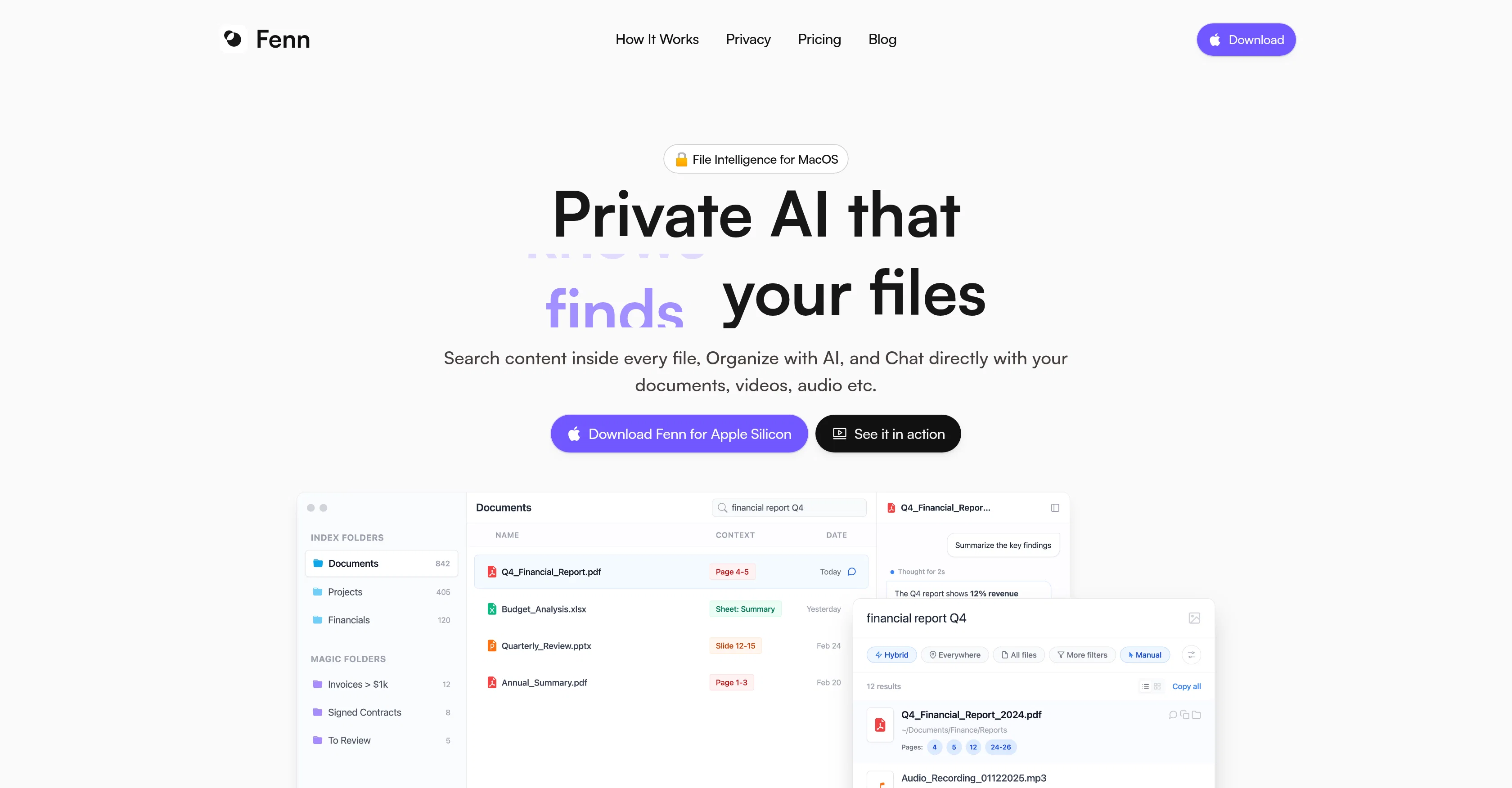
Fenn is a private file management AI tool designed specifically for macOS. The tool provides an advanced file search, with the ability to search for content inside every file including audio, images, videos, and various document types.
Its artificial intelligence capabilities allow for automated file renaming based on file content, and the creation of 'Magic Folders' that auto-update to contain files that meet various user-defined criteria.
Fenn has an innovative feature that enables the user to interact with their files privately - users can ask questions, get summaries, compare versions, and extract needed information with citations back to the source file.
Importantly, Fenn is designed with privacy in mind. All file processing is local and does not require file upload, meaning Fenn can work offline, and user files never leave their Mac.
Fenn can handle an extensive range of file types, from common document, image, audio and video formats, to specific formats like Adobe suite files and several coding language files.
It is autonomous in its function, requiring no connection to an external AI model provider, and it is highly appreciated by Mac users for its efficient file-seeking capabilities.
- Private On-device Indexing
- Search Inside 50+ File Types
- Semantic & Keyword Search
- Agentic Search Across Files
- Face Recognition Search
- Search By Content Similarity
- Unlimited Private Ai Chat
- Auto-organizing Folders
- Rename Any Files With Ai
- Extract Any File Data To Csv
- Audio & Video Transcription
- Spotlight Alternative
- Finder Alternative
Best for
Short scenarios where Fenn tends to shine.
-
Instantly locate precise video scenes, audio moments, or PDF pages
Best for Researchers
-
Search content inside files and apps like Finder, Notes, Google Drive, Obsidian, Dropbox, One Drive, and Resilio Sync
Best for Video editors
-
Visual and semantic search over an image database
Best for Audio engineers
Example outputs 1
Sample generations and before/after results for Fenn.
Access & connections
Where you can use Fenn.
Platforms
Capabilities
What this tool accepts, produces, and is strongest at.
Input
- Code
- Image
- Text
- Video
- Audio
Output
- Text
Highlights
- Local
Supported features
- Runs Locally
- Instant file search
Pros & cons
Pros
- Designed for macOS
- Content-specific search within files
- Automated file renaming
- Creates 'Magic Folders'
- Private interaction with files
- Handles exhaustive file types
- Works on Adobe files
- Works on coding files
Show 16 more
- Totally private processing
- Offline capable
- No upload needed
- Chat feature for summarising
- Can compare versions
- Extracts information with citations
- Efficient file-seeking
- Autonomous function
- Handles audio and video files
- In-app search for content
- User-defined criteria for folders
- Rapid indexing of files
- Supports developer file formats
- Local processing of files
- Caters to Adobe creative files
- Handles varied document types
Cons
- Only for macOS
- No multi-device synchronization
- No freemium
- Limited to one Mac/device
- Updates limited after 1 year for the Lifetime license
Compare alternatives
Similar tools in the catalog — with a clear reason to open each one.

Dokkio ✓
FreemiumCloud file organization and retrieval made efficient.
Why look Freemium alternative
Full comparison
Filently ✓
Free TrialAI filing layer for your existing Google Drive
Why look Typically cheaper
Full comparison
Filex AI ✓
Free TrialScan, organise & search your files with AI
Why look Typically cheaper
Full comparison
FileFolder ✓
FreeAI-powered file management for effortless organization.
Why look Fully free option
Full comparisonPeople also view
Tools that often show up alongside Fenn in collections and comparisons.
Filex AI ✓
Free TrialScan, organise & search your files with AI
Filently ✓
Free TrialAI filing layer for your existing Google Drive

Sparkle ✓
UnknownOrganize files automatically with AI
FileFolder ✓
FreeAI-powered file management for effortless organization.
Dokkio ✓
FreemiumCloud file organization and retrieval made efficient.

Files Magic AI File Organizer for Mac ✓
Free TrialYour AI-powered file organizer that respects privacy for macos

The Drive AI ✓
FreemiumAI agents to organize files

Ritto ✓
UnknownShow it once. Ritto repeats it forever.
Releases 1
FAQ 12
What is Fenn?
How does Fenn work?
Does Fenn work with Windows or only macOS?
Is Fenn a cloud-based file management system?
How does Fenn ensure 100% privacy?
Can Fenn search within the content of files?
How does Fenn use AI to rename files?
What are 'Magic Folders' in Fenn?
What is the private chat feature of Fenn?
What file types can Fenn handle?
Can Fenn work with Adobe creative files?
Can Fenn work offline?
Related tools
Recommended

Meshy ✓
FreemiumTurn text and images into production-ready 3D models with AI in seconds.

RenameClick ✓
FreemiumRename, organize, and search files by content with local AI

PicTextRemover ✓
FreemiumRemove text, objects, and watermark from images online for free.

C2Story ✓
Free TrialTurn any idea into illustrated stories with AI.

BulkImagen ✓
FreemiumType once, get a stack of images back.

RemoteX ✓
FreemiumChat with your servers. Safely.