

EVE ✓
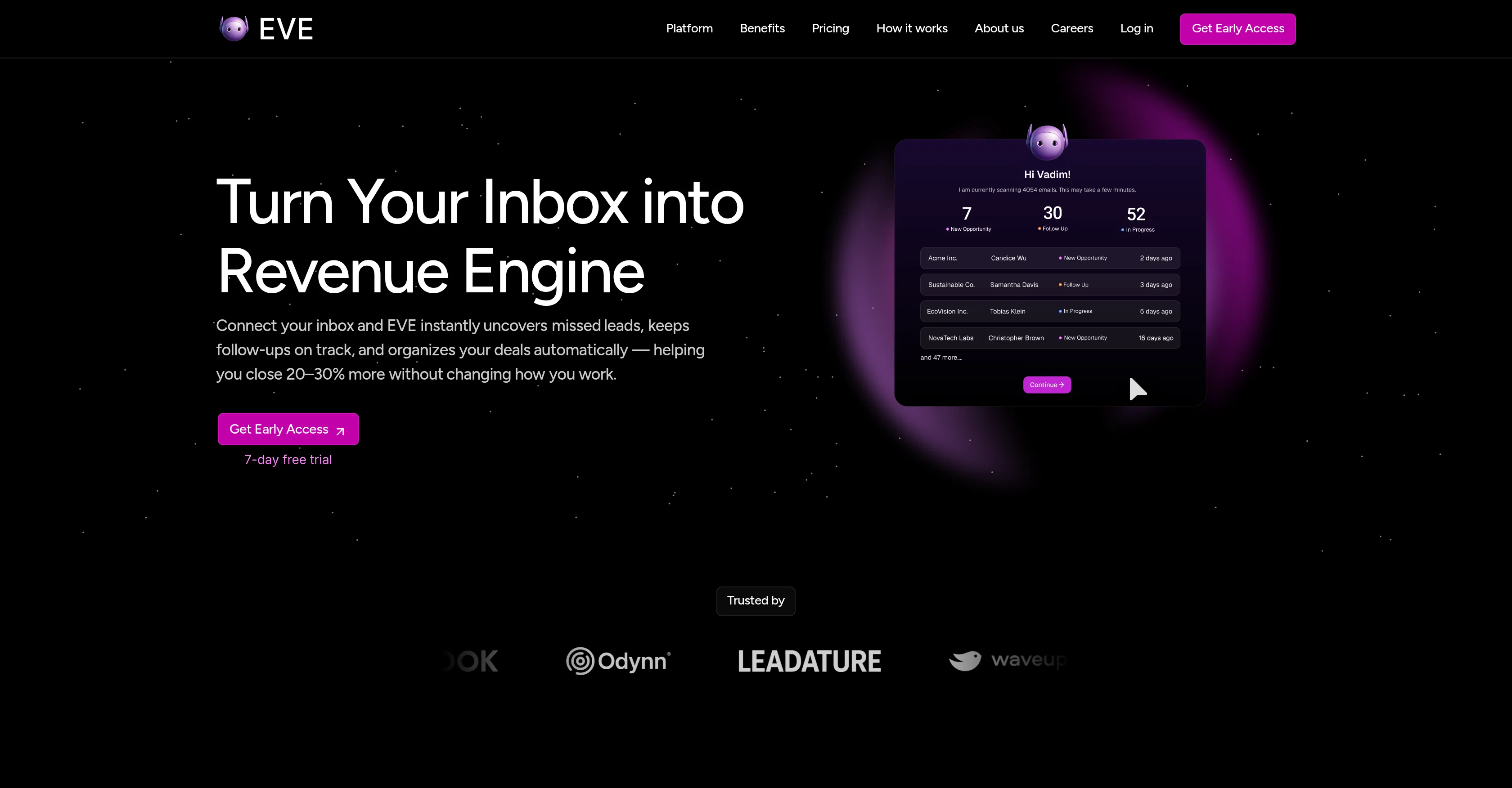
Turn Your Inbox into Revenue Engine
Trial; then from $250/mo
Verdict
A quick read before you dig into the full page.
- Best if
- Turn Your Inbox into Revenue Engine
- Skip if
- Limited historical data analysis
- Pick this when
- Efficient email management
Considering Ayari instead? Compare side by side
Overview
EVE is an artificial intelligence tool designed to facilitate efficient email management and correspondence, primarily focused on enhancing revenue opportunities.
By continually scanning a user's inbox, EVE identifies new leads, stalled conversations and other important business signals, ensuring nothing falls through the cracks.
This AI solution goes beyond just scanning as it proficiently organizes deals and keeps track of necessary follow-ups. Not only does EVE identify potential revenue opportunities hidden within routine communication, but it also generates hyper-personalized responses using the user's writing style which helps with follow-ups, proposals, check-ins, and retention outreach.
An additional feature of EVE is that it provides real-time revenue insights neatly laid out on a unified dashboard which fosters an improved visibility across an entire team.
The sophisticated AI system can learn business patterns autonomously, eliminating the need for explicit training or setup. EVE also assists in segregating urgent emails from non-urgent ones, therefore saving users hours of sifting through their inbox.
This tool could be particularly valuable for industries and businesses heavily reliant on email communication, such as professional services and digital agencies.
The overarching goal of EVE is to streamline business communications to make it more efficient and productive with minimal effort required from the user.
Access & connections
Where you can use EVE, and what it plugs into.
Platforms
Integrations
Capabilities
What this tool accepts, produces, and is strongest at.
Input
- Text
Output
- Text
Highlights
- Agents
Supported features
- Agents
- Automation
- Integrations
- Outreach
- Text Generation
- Team Collaboration
Pros & cons
Pros
- Efficient email management
- Unearths new leads
- Tracks stalled conversations
- Organizes deals autonomously
- Follow-up system
- Identifies hidden revenue opportunities
- Generates hyper-personalized responses
- Mimics user's writing style
Show 40 more
- Real-time revenue insights
- Unified dashboard
- Autonomous business pattern recognition
- Segregates urgent and non-urgent emails
- Industries tailored
- No explicit training required
- Enhances team visibility
- Streamlines business communication
- 24/7 inbox scanning
- Drafts personalized responses
- Real-time updates on opportunities
- Alerts on missed opportunities
- Smart reminders for stalled deals
- Organizes shared team emails
- Automatic lead/opportunity detection
- Opportunity detection within routine communications
- Response generation in user's voice
- Immediate email triage
- Zero training
- Cost management
- Revenue pipeline visibility
- Cross-team intelligence
- Gmail/Outlook integration
- Connects multiple inboxes
- Dashboard with revenue overview
- One-click approval for responses
- Unlimited usage
- Tracks conversations with leads
- Multi-user pipeline management
- Actionable next steps generation
- Customer retention assistance
- Historical data analysis
- Tracks routine communications
- Improved communication efficiency
- Tracks revenue signals
- Clear business intelligence
- 7-day free trial
- Secure, audited system
- SLA + priority support
- Email analytics feature
Cons
- Limited email platforms integration
- Potentially questionable privacy
- High cost for individuals
- Dependent on email communication
- Assumes frequent missed leads
- Potential response approval bottleneck
- Inflexibility for non-business patterns
- Limited historical data analysis
Show 1 more
- Doesn't store actual emails
Compare alternatives
Similar tools in the catalog — with a clear reason to open each one.

Ayari ✓
Free TrialConversational AI for email and calendar management.
Why look Typically cheaper
Full comparison
HeyHelp ✓
Free TrialAI Email Assistant in Gmail that saves you 1 hour each day.
Why look Typically cheaper
Full comparison
Eloquens AI ✓
Free TrialAI email assistant that never sleeps.
Why look Typically cheaper
Full comparison
Pullsy ✓
Free TrialYour inbox, organized. Your replies drafted.
Why look Typically cheaper
Full comparison
MailSweeper ✓
PaidReclaim your inbox with AI-powered email cleanup.
Why look Typically cheaper
Full comparisonReleases 1
FAQ 12
What is EVE?
How does EVE aid in email management?
How does EVE identify new leads and revenue opportunities?
How does EVE identify urgent emails from non-urgent ones?
Does EVE require any explicit training or setup?
How does EVE implement the task of segregating emails?
How does EVE generate personalized responses?
What is the unified dashboard feature in EVE?
What industries would benefit most from using EVE?
How does EVE assist in tracking deals and follow-ups?
How is the writing style of the user implemented in responses generated by EVE?
Can EVE handle multiple inboxes for a complete company overview?
Related tools
Recommended

Automateed ✓
Free TrialCreate eBooks effortlessly with Automateed, the AI-powered writing tool.

Kin - Personal AI Advisors ✓
FreePrivacy-first & designed your for mind, and life at work

Notis ✓
Free TrialThe first WhatsApp assistant that runs on your ChatGPT and Claude subscriptions

freebeat AI ✓
FreemiumTurn Music & Ideas into Viral Videos In One Click

Marketing Assistant (Elsa AI) ✓
FreemiumDefine your ideal customers and craft a winning marketing strategy with Elsa.

remio: Your Personal ChatGPT ✓
FreemiumGet Tailored Answer with Your Personal ChatGPT