

Editly ✓
Generate, edit, and restore images in one place.
Trial; then from $19
Verdict
A quick read before you dig into the full page.
- Best if
- Generate, edit, and restore images in one place
- Skip if
- Limited Aspect Ratio options
- Pick this when
- Generates images from text
Considering Viyou AI Image Generator instead? Compare side by side
Overview
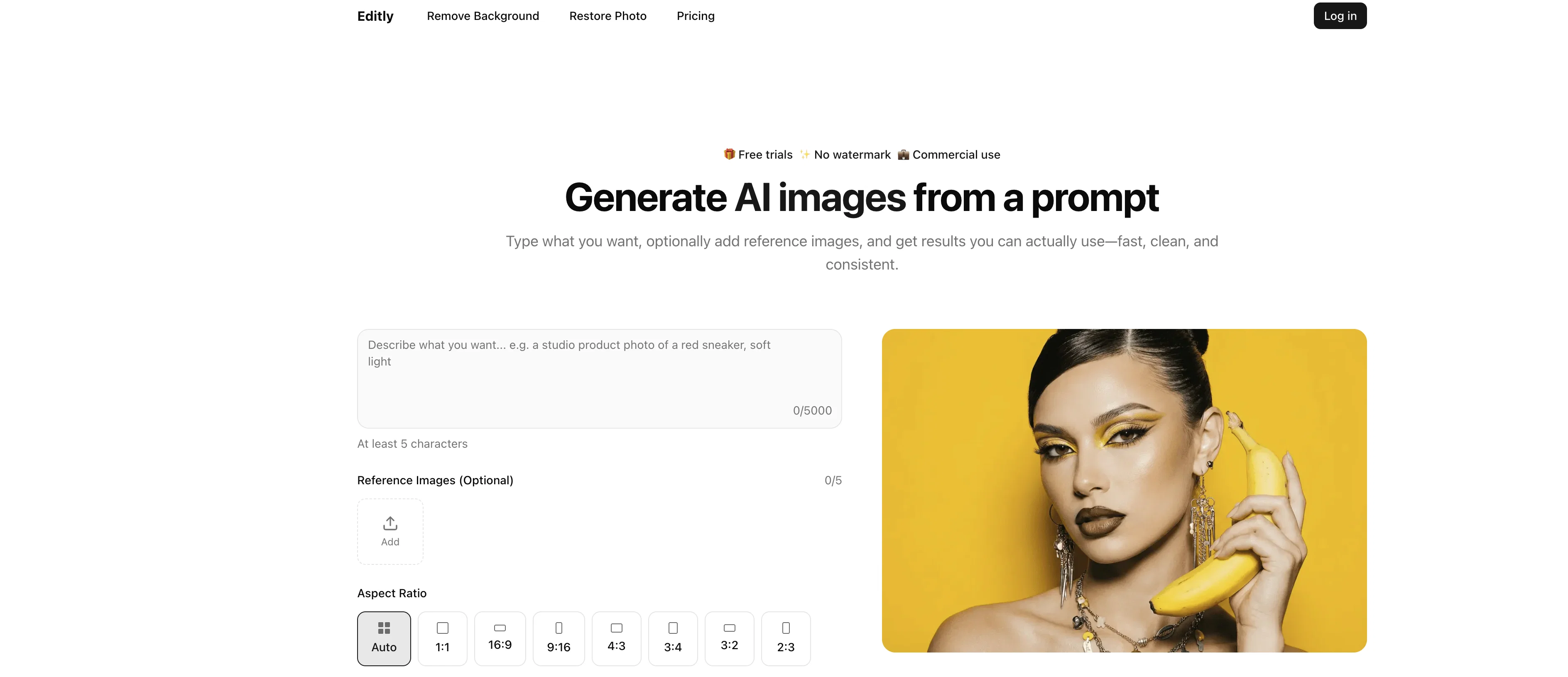
Editly leverages AI capabilities to create and edit images. This tool is capable of generating images from prompts, enhancing the quality of existing images, and exploring newly added features.
It offers a suite of functionalities including AI-generated images, background removal, and photo restoration.Users can generate images by describing a scene, product, or character.
They can also supplement their prompts with optional reference images to influence the style and details of the generated output. The tool is especially efficient in removing backgrounds of images with intricate details such as hair, jewelry, glasses frames, and other thin objects.In addition to these, Editly also aids in restoring old or low-quality images.
Users can utilise the tool to fix scratches, reduce noise, and recover clarity in their images, while still managing to retain a natural look on faces.
The tool promises a fast workflow that involves uploading or prompting, previewing, and then downloading images.Commercial use is permissible and users are ensured clean downloads devoid of any forced branding on their images.
The tool is designed for handling real image work, making it suitable for quick ideas as well as for production. Whether it's for brainstorming, creating ads, thumbnails, or concept art, Editly can cater to versatile image creating and editing needs.
Access & connections
Where you can use Editly.
Platforms
Capabilities
What this tool accepts, produces, and is strongest at.
Input
- Image
- Text
Output
- Image
Supported features
- Image Generation
- Video Generation
- Image Edit
- Styling
Pros & cons
Pros
- Generates images from text
- Allows reference images
- Provides image description
- Offers background removal
- Photo restoration service
- Exports in transparent PNG
- Fixes scratches on photos
- Reduces noise in photos
Show 19 more
- Ensures natural faces post-restoration
- Offers watermark-free downloads
- Fast workflow
- Keeps track of job history
- Available for commercial use
- Handles real image work
- Effective for brainstorming sessions
- Useful for ad creation
- Supports thumbnail creation
- Accommodates concept art creation
- Efficient background removal
- Restores old photos
- Limits forced branding on images
- Dashboard visible credit balance
- Tricky items background removal
- Image enhancement capabilities
- Prompt to image functionality
- Clean cutouts feature
- Family archives photo restoration
Cons
- Credits Expire in 30 days
- Only PNG output format
- No Mobile App
- No subscription option
- Lacks advanced editing features
- No psd, raw support
- Unoptimized for bulk images
- Limited Aspect Ratio options
Show 2 more
- Data Privacy Concerns
- No offline use
Compare alternatives
Similar tools in the catalog — with a clear reason to open each one.

Viyou AI Image Generator ✓
FreemiumTransform text and images into stunning videos and visuals.
Free + from $39.99/yr
Full comparison
Img2Img AI ✓
FreemiumTransform any image with AI in seconds.
Why look Typically cheaper
Full comparison

Photoeditor ✓
PaidEnhanced image editing with object and text removal.
Why look Typically cheaper
Full comparison
Cleanup pictures ✓
FreemiumRemove unwanted elements from photos instantly.
Why look Typically cheaper
Full comparisonReleases 1
FAQ 12
What is Editly?
Can Editly generate AI non-human images from text prompts?
What is the 'Prompt to Image' functionality in Editly?
Does Editly have a feature to remove backgrounds from images?
How does Editly help in photo restoration?
Does Editly's AI alter faces during the restoration process?
Are downloaded images from Editly watermark-free?
What does 'high-detail accuracy' mean in Editly's context?
How does Editly's dashboard help me manage my work?
Is Editly suitable for professional use?
Can Editly create concept art?
How does Editly's AI handle hair and glasses frames during the background removal process?
Related tools
Recommended

AI Image to Image.io ✓
FreemiumTransform images with simple text commands.

Thea ✓
FreemiumAI study tools to master material, not just memorize it.

Suno ✓
FreemiumMake music at the speed of your ideas.

ObjectRemover ✓
FreeAI-powered magic to remove unwanted objects from photos.

ChatGPT ✓
FreemiumAsk anything, create anything, and move from idea to action.

TurboScribe ✓
Freemium🎯 3 free transcripts every day. 🔥 Unlimited transcription starting at $10/mo.