

ChatPDF extension ✓
Extract & communicate with docs in various formats.
from $2.99/mo
Verdict
A quick read before you dig into the full page.
- Best if
- You are content creators and need: Content creators can use the AI writer, paraphraser, grammar checker, and AI image generator
- Skip if
- Limited file type interaction
- Pick this when
- Supports multiple document formats
Considering DocGPT.io instead? Compare side by side
Overview
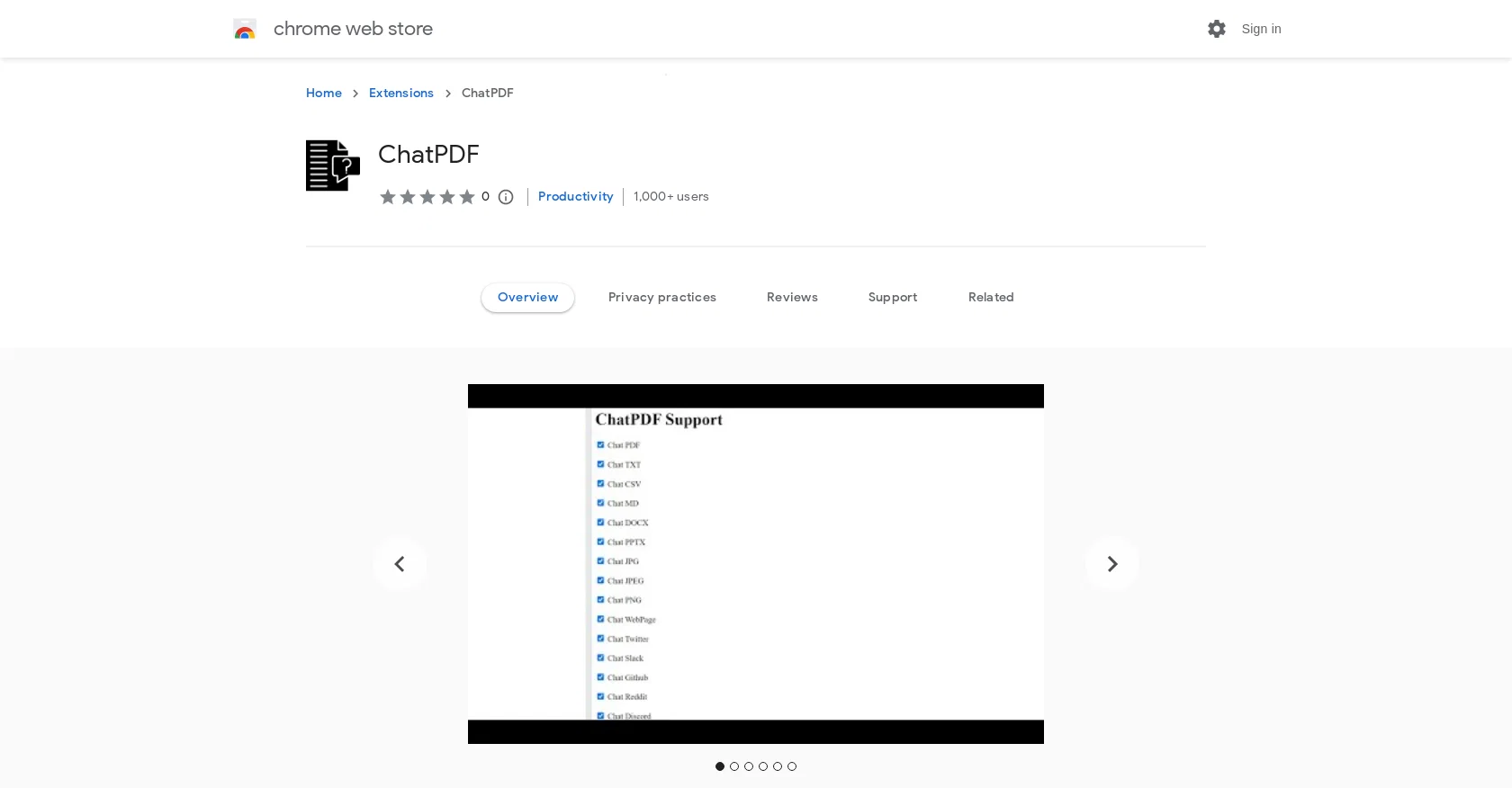
ChatPDF is a web application that utilizes powerful AI to enable users to chat with and extract information from various types of documents, including PDF, TXT, CSV, MD, DOCX, PPT, EXCEL, JPG, JPEG, PNG, JSON, and web pages.
The tool is designed to provide a chat-like experience and can be used to communicate with documentation in different formats. It offers several features such as chatting with documents, web pages, Twitter, Slack, Github, Reddit, and Discord.ChatPDF utilizes Azure OpenAI Service to create embedding vectors from documents and retrieve the most relevant document to answer user questions.
It employs AI models like text-embedding-ada-002, GPT-3, and ChatGPT to extract matching answers for user queries. The tool also supports knowledge base management, including knowledge base indexing, sandboxing, data extraction, and document summarization.The application uses an instruction-based model (similar to text-davinci-003) and chat-based deployment (text-embedding-ada-002, GPT-3, and gpt-35-turbo AI models) for Q&A and chat experiences.
It integrates with users' own online knowledge bases, allowing them to chat with and extract information from PDFs, TXT, JPEG, JPG, and PNG files within their knowledge base.For privacy practices, ChatPDF collects personally identifiable information, authentication information, and website cookies.
Users can reference the developer's privacy policy for more detailed information on data collection and usage.
Best for
Short scenarios where ChatPDF extension tends to shine.
-
Content creators can use the AI writer, paraphraser, grammar checker, and AI image generator.
Best for Content creators
-
Researchers can summarize web articles, check grammar in academic writing, paraphrase sentences, and summarize PDF files and Youtube videos.
Best for Researchers
-
Students can get help with homework, essay writing, grammar checking, and summarizing content.
Best for Students
-
Software engineers can ask ChatGPT to write code snippets and explain code.
Best for Software engineers
-
Professionals can summarize web pages and PDF files, enhance workplace communication, check grammar, and extract data from pages.
Best for Professionals
Example outputs 1
Sample generations and before/after results for ChatPDF extension.
Access & connections
Where you can use ChatPDF extension, and what it plugs into.
Platforms
Capabilities
What this tool accepts, produces, and is strongest at.
Input
- Text
Output
- Text
Pros & cons
Pros
- Supports multiple document formats
- Chat-like interaction with documents
- Integrated with web platforms
- Supports knowledge base management
- Indexing and sandboxing feature
- Data extraction capability
- Can summarize documents
- Instruction-based and chat-based model
Show 13 more
- Integration with online knowledge bases
- Supports retrieval of relevant document
- Supports various image formats
- Developer's privacy policy available
- Chrome tool extension
- Chat with WebPage/Twitter/Slack/Github/Reddit/Discord
- Applicable to personal knowledge base
- Embedding vectors creation
- Extract matching answers functionality
- Language: English
- Web application
- Size: 1.61MiB
- Updated: July 18, 2023
Cons
- Collects personal data
- Limited to Chrome
- No multilingual support
- No offline functionality
- Limited file type interaction
- No open source code
- Not verified by Google
- Lacks comprehensive user reviews
Show 1 more
- Dependent on the availability of user's knowledge base
Compare alternatives
Similar tools in the catalog — with a clear reason to open each one.

DocGPT.io ✓
Free TrialOnline assistant for creating and analyzing documents.
Free + from $4.99/mo
Full comparison
docAnalyzer ✓
FreemiumTurn document overload into work worth putting your name on
Why look Freemium alternative
Full comparison
Ask Your PDF ✓
FreemiumChat with your PDFs and extract valuable insights
Why look Freemium alternative
Full comparison
DocsGPT ✓
FreemiumInstant answers from your documents.
Why look Freemium alternative
Full comparison
Humata ✓
FreemiumChat your way through long documents instantly.
Why look Freemium alternative
Full comparisonPeople also view
Tools that often show up alongside ChatPDF extension in collections and comparisons.
docAnalyzer ✓
FreemiumTurn document overload into work worth putting your name on
Humata ✓
FreemiumChat your way through long documents instantly.
DocsGPT ✓
FreemiumInstant answers from your documents.
DocGPT.io ✓
Free TrialOnline assistant for creating and analyzing documents.

ChatPDF ✓
FreemiumChat with any PDF instantly
Ask Your PDF ✓
FreemiumChat with your PDFs and extract valuable insights

Recall ✓
FreemiumSummarize Anything, Forget Nothing!

OpenParser AI ✓
Free TrialAsk questions. Get answers from your documents instantly.
Releases 1
FAQ 12
What is ChatPDF?
How does ChatPDF extract information from documents?
Which AI models does ChatPDF use for extracting information?
What types of documents can ChatPDF work with?
What are the key features of ChatPDF?
Can ChatPDF be used to chat with web pages and social media platforms?
What is the 'chat-based deployment' in ChatPDF?
How does instruction-based model work in ChatPDF?
Can I integrate my online knowledge base with ChatPDF?
What kind of information does ChatPDF collect from users?
How does ChatPDF use Azure OpenAI Service?
What is the role of knowledge base in ChatPDF?
Related tools
Recommended

LearningStudioAI ✓
Free TrialAI-powered authoring tool for effortless online course creation.

Scisummary ✓
Free TrialCutting-edge scientific articles summarization.

AcademicGPT ✓
FreemiumAI-powered academic writing assistant.

VenturusAI ✓
FreemiumBusiness idea analysis and reporting.

Eightify
UnknownAI-powered YouTube video summarizer extracting key ideas for quick content assessment.

Stunning ✓
PaidBuild AI-powered websites in seconds