
Web design 2026 Rank: #212
Design.com | AI Website Builder ✓
Build your dream website with AI in seconds.
Verdict
A quick read before you dig into the full page.
- Best if
- You are small business owners and need: Create a logo for a new business
- Skip if
- Limited third-party app integrations
- Pick this when
- Generates websites rapidly
Considering Elementor AI instead? Compare side by side
Overview





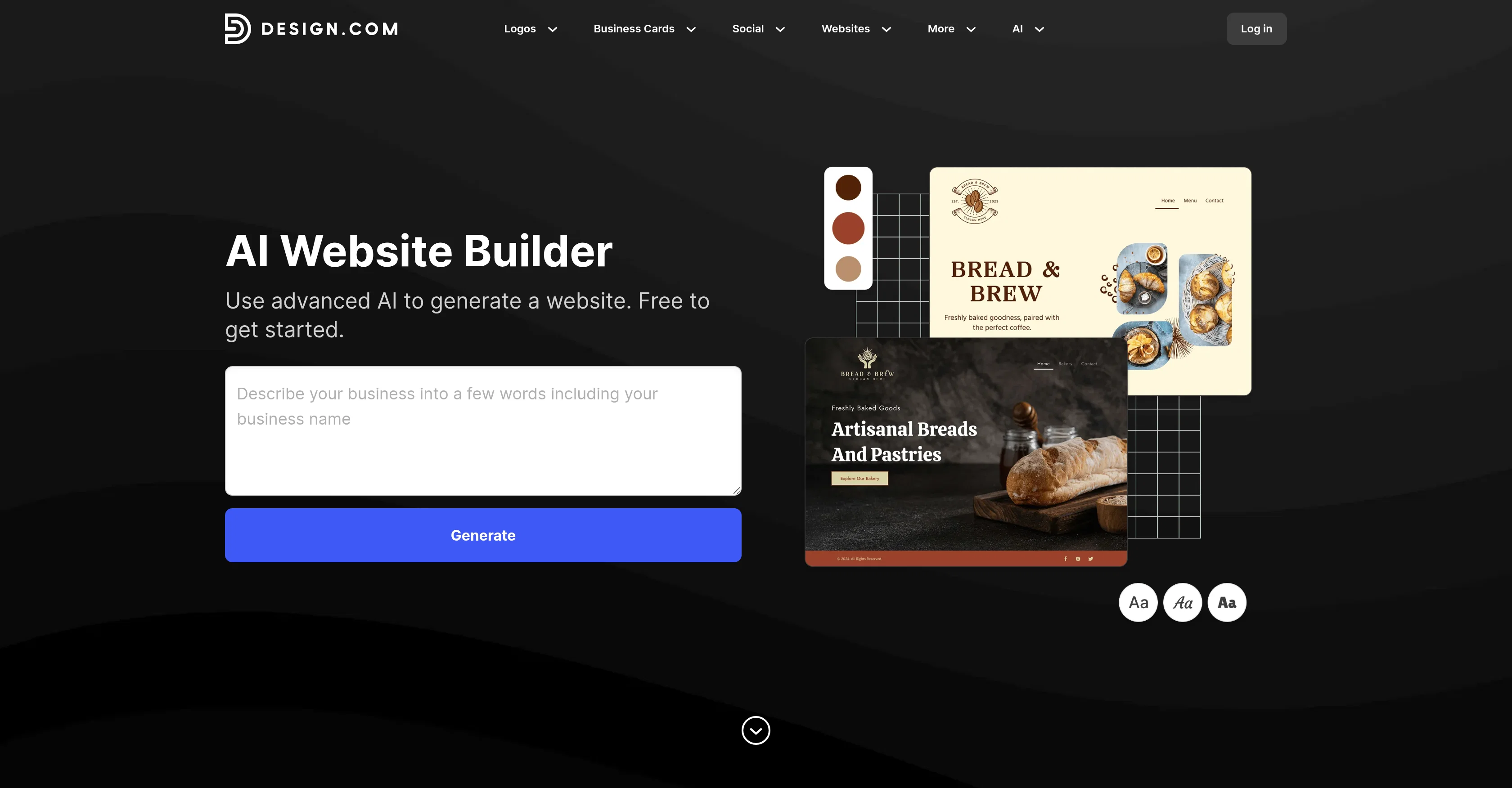
Design.com's AI Website Builder leverages artificial intelligence to create unique, visually appealing websites tailored for any industry. This tool employs AI to take a user's business name and a few key words to create a website design instantly, the user is then free to browse through a multitude of generated options.
If the initial AI generated designs don't align perfectly with the user's vision, they can adjust the inputs, adding keywords to refine the designs created by the AI.
Once a design has been chosen, users have the ability to customize fonts, colors, layouts, and even add creative design elements, such as curved text and gradient colors.
This customization process is aimed to be intuitive and user-friendly, giving users the flexibility to fine-tune their website to their precise specifications.
The final website design is fully responsive and optimized for all devices, ensuring a seamless user experience regardless of how the website is accessed.
This tool also includes an immediate one-click publishing feature, allowing users to make their newly created website live instantly. Free to use, Design.com's AI Website Builder offers users a quick and accessible way to create a bespoke, professional online presence.
- Ai Editing
- Thousand Of Templates
- Ai Content Generation
- Ai Image Generation
- Ecommerce Integration
- Lead Capture
- Custom Domains
Best for
Short scenarios where Design.com | AI Website Builder tends to shine.
-
Create a logo for a new business
Best for Small business owners
-
Design a professional brand identity
Best for Startups
-
Refresh or redesign an existing logo
Best for Entrepreneurs
-
Generate logos for startups, freelancers, and small businesses
Best for Marketing professionals
Example outputs 1
Sample generations and before/after results for Design.com | AI Website Builder.
Access & connections
Where you can use Design.com | AI Website Builder, and what it plugs into.
Platforms
Integrations
Capabilities
What this tool accepts, produces, and is strongest at.
Input
- Text
Output
- Text
Supported features
- App Builder
- Image Generation
- Image Edit
- Visual Creation
- Styling
- Integrations
Pros & cons
Pros
- Generates websites rapidly
- Uses descriptive keywords
- High level of customization
- Altering fonts, colors, layouts
- Add extra design elements
- Curved text feature
- Gradient colors feature
- One-click instant publishing
Show 12 more
- Fully responsive websites
- Optimized for all devices
- Unlimited design exploration
- Free to use
- Continuous design refinement
- Unique design generation
- User-friendly customization
- Immediate website availability
- Created for any industry
- Business-specific designs
- Content adjustability
- Intuitive interface
Cons
- Limited design variations
- Over-reliance on user keywords
- No e-commerce integration
- Unspecified SEO optimization features
- No integration with CRM systems
- No multilingual support
- Lacks an undo/redo feature
- Limited third-party app integrations
Show 2 more
- No option for collaborative editing
- Doesn't offer hosting services
Compare alternatives
Similar tools in the catalog — with a clear reason to open each one.

Elementor AI ✓
PaidBuild professional WordPress sites in minutes with AI.
Why look Typically cheaper
Full comparison
colorfor.ai ✓
FreeFrom vibe to verified design tokens — colors your AI can trust.
Why look Fully free option
Full comparison

Redesignr Ai - website redesign and landing page bui... ✓
FreemiumRedesign And Build websites, docs, and blogs with AI in minutes
Free + from $20/mo
Full comparison
AI Builder | Hostinger Horizons ✓
Free TrialBuild web apps and websites without writing any code.
Why look Offers a public API
Full comparisonPeople also view
Tools that often show up alongside Design.com | AI Website Builder in collections and comparisons.

Omma ✓
FreemiumDescribe it. Omma builds it.
Elementor AI ✓
PaidBuild professional WordPress sites in minutes with AI.

WebsitePublisher AI ✓
FreemiumYour AI builds a full app, right from your phone

Tented ✓
FreemiumAgentic Marketing Automation: Email, Pages, CRM & Forms
Redesignr Ai - website redesign and landing page bui... ✓
FreemiumRedesign And Build websites, docs, and blogs with AI in minutes

KnowInsideIQ ✓
FreemiumKnow every market signal. Decide better.

Image3D.io ✓
FreemiumImage to STL and 3D models from any image
AI Builder | Hostinger Horizons ✓
Free TrialBuild web apps and websites without writing any code.
Releases 1
Imported reviews 4
I really like this website builder. After trying several others, the interface is very creative, and is fairly easy to customize (once you understand where to navigate to). I really like the lay-out and pricing, would definitely recommend.
No!expensive!
Sincerely, better than WIX 100x!
I am glad to rate it as one of the best tool for website creation maybe developer recognise me and reply me. I really want to thank the developers personally
FAQ 12
What is the Design.com AI Website Builder?
How does the Design.com AI Website Builder work?
What is the advantage of using Design.com AI Website Builder over traditional website building tools?
How can I customize my website design using the Design.com AI Website Builder?
What do I need to start building a website with Design.com AI Website Builder?
Is it true I can publish my website instantly using Design.com AI Website Builder?
Does the Design.com AI Website Builder make responsive websites?
Can I use Design.com AI Website Builder for free?
How much customization is available on the Design.com AI Website Builder?
Can I alter fonts, colors, and layouts in Design.com AI Website Builder?
Can Design.com AI Website Builder add curved text and gradient colors?
Does Design.com AI Website Builder create unique website designs?
Related tools
Recommended

Claude ✓
FreemiumBuilding reliable, interpretable AI systems

CodeRabbit ✓
Free TrialEnhanced code review for improved workflow and quality.

Averi AI ✓
Free TrialThe AI Content Engine for Startups

AppDeploy ✓
FreeDeploy real apps directly from ChatGPT or Claude

THEO ✓
PaidBrand Positioning Intelligence research tool

SureThing.io - "OpenClaw" for Beginners ✓
FreemiumFirst General AI Agency. Designed for long-horizon tasks.