
Images 2026 Rank: #2329
Daivenci AI ✓
Predict future babies and generate professional AI art.
Verdict
A quick read before you dig into the full page.
- Best if
- Predict future babies and generate professional AI art
- Skip if
- Complex user interface
- Pick this when
- Predicts future baby faces
Considering Photo AI instead? Compare side by side
Overview
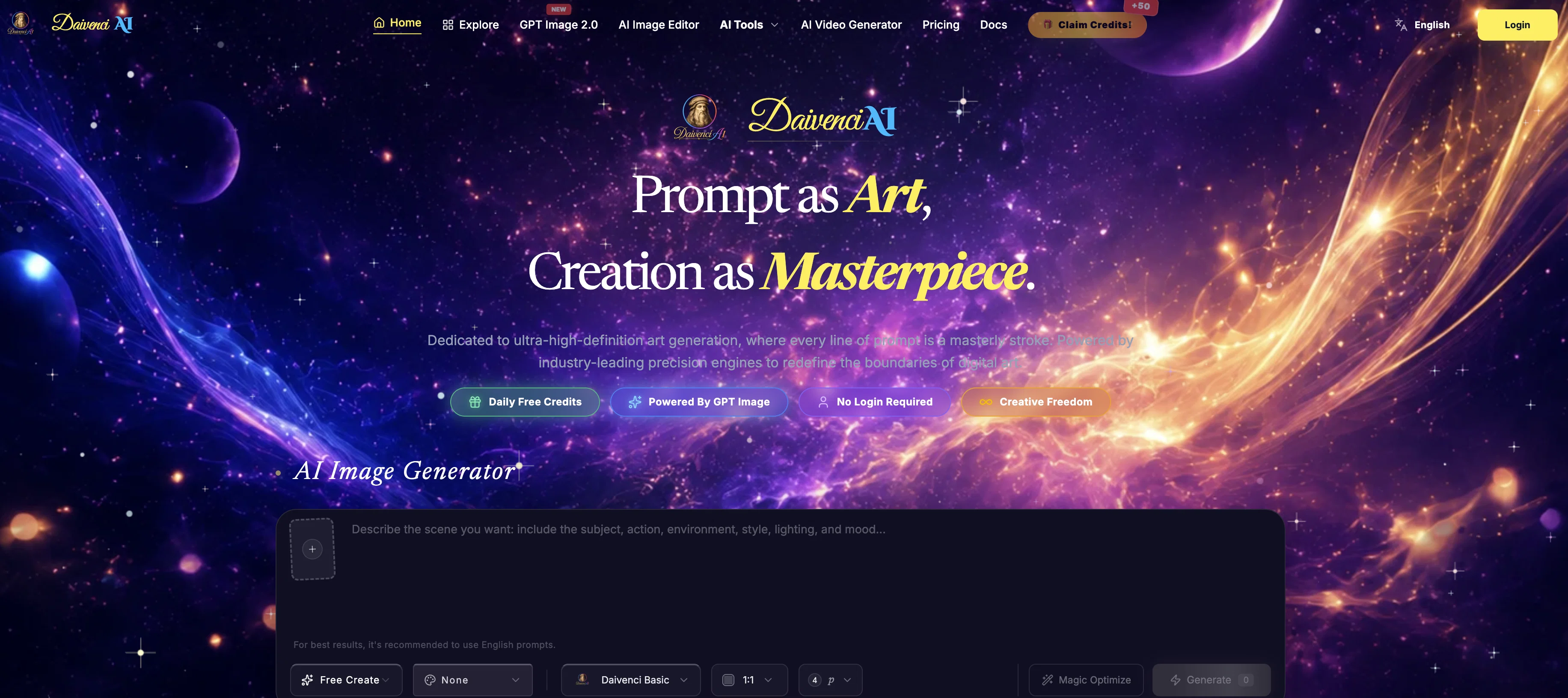
Daivenci AI is a comprehensive artificial intelligence tool for generating images and predicting future baby faces. It boasts advanced features, embedded with state-of-the-art models such as GPT Image 2.0, Seedance 2.0, Happy Horse 1.0, and Nano Banana Pro.
The tool serves as a Future Baby Face Generator, utilizing multi-reference IP-Adapter pipelines and customized diffusion models for accurately clashing parental facial genetics into a highly realistic future baby face imagery.
Daivenci AI is built to create professional e-commerce product photography, offering AI-assisted background replacement and studio light rendering. It supports the creation of cohesive family group photos with its AI Family Snapshot Generator.
In addition, the platform features a Magic Canvas Editor for pixel-level object removal and style-scale custom creation. Daivenci AI also stands as an AI video creator, offering cinema-grade video generation from simple text prompts or images.
Furthermore, the tool offers an Ultra-HD 4K image upscaler for quality professional image products. The platform offers users infinite style choice for image generation, and takes pride in providing high-quality generations even in the permanently free basic queue.
Access & connections
Where you can use Daivenci AI.
Platforms
Capabilities
What this tool accepts, produces, and is strongest at.
Input
- Text
- Image
Output
- Video
- 3D
- Image
Supported features
- Image Generation
- Image Edit
- Video Generation
Pros & cons
Pros
- Predicts future baby faces
- Produces professional e-commerce product photography
- Generates multi-character family snapshots
- Pixel-level object removal
- Canvas expansion
- Magic brush inpainting
- Custom style-scale creations
- Text overlay
Show 39 more
- Cinematic motion video synthesis
- Stylized creative illustrations
- Rapid high-quality generations
- Unlimited image generation
- Free basic generations
- E-commerce background replacement
- Studio light rendering
- Facial alignment for family photographs
- Infinite style choice
- Unlimited generation of varied styles
- IP-Adapter pipelines
- Customized diffusion models
- Multi-reference IP-Adapter pipelines
- Accurate clashing of parental facial genetics
- 4K image upscaler
- High-quality generations
- Video creation from simple text prompts or images
- Creates cohesive family group photos
- Multi-character facial alignment
- Commercial quality image products
- Cinema-grade video generation
- Permanently free basic queue
- High-definition masterly art
- Seamless style swap
- Style conversion across infinite styles
- Supports registration-free generations
- Authentic genetic alignment
- Professional background replacement
- High-conversion studio light rendering
- High-fidelity family moments
- Instant cinema-grade video generation
- Professional image upscaling to 4K
- Commecial rights for image upscaling
- Precise text overlay
- Next-generation cinematic motion video synthesis
- Stylized anime, digital art, illustrations
- Lightweight model for rapid prototyping
- Unlimited free generations without registration or credit cards
- Supports style transfer and style conversion
Cons
- Complex user interface
- Requires high-speed internet
- Limited video generation
- No mobile app
- No collaborative feature
- High learning curve
- Limited style customizability
- Inconsistent image quality
Show 2 more
- Mediocre upscaling performance
- No batch processing
Compare alternatives
Similar tools in the catalog — with a clear reason to open each one.

Photo AI ✓
PaidCreate beautiful AI photos and videos of real people
Why look Typically cheaper
Full comparison
Stockimg AI ✓
PaidGenerated images and text for design ease.
Why look Typically cheaper
Full comparison
BestPhotoAI ✓
FreemiumCreate amazing AI photos instantly
Why look Typically cheaper
Full comparison
Midjourney ✓
PaidExpand human imagination through AI-powered visuals.
Why look Typically cheaper
Full comparison
Releases 1
Imported reviews 3
Awesome!Awesome!Awesome!Awesome!Awesome!
I've used it for a while and it's great. The free version is better than I expected for creating images. The daily points and points earned from sharing can be used to generate videos, so I don't need to pay someone else to manage my online store anymore; I can handle it myself.
The output images are great, there are many features, and you can upload any picture to generate a complete set of e-commerce product images with one click. I feel like I can fire my company's graphic designer.
FAQ 12
What does the Daivenci AI Future Baby Face Generator do?
How does the AI E-commerce Product Photography Studio by Daivenci AI operate?
Does the Daivenci AI Family Snapshot Group Portrait Generator handle multi-character photos?
What is the Magic Canvas Editor in Daivenci AI?
How does Daivenci AI use advanced AI models like GPT Image 2.0, Seedance 2.0, Happy Horse 1.0, and Nano Banana Pro?
Does Daivenci AI offer unlimited image generation in various styles?
Will Daivenci AI allow me to generate professional AI art?
Does Daivenci AI support text overlay and video synthesis?
How can I use the object removal tools in Daivenci AI?
Does the Daivenci AI offer a canvas expansion feature?
How does inpainting work in Daivenci AI?
What is custom style scale creation in Daivenci AI?
Related tools
Recommended

freebeat AI ✓
FreemiumTurn Music & Ideas into Viral Videos In One Click

remio: Your Personal ChatGPT ✓
FreemiumGet Tailored Answer with Your Personal ChatGPT

Cursor ✓
FreemiumAI-powered IDE for faster coding

leania.ai ✓
Free TrialMRI scan for Businesses: Find What to Cut, Replace, Automate with AI

Base44 ✓
FreemiumLet’s make your dream a reality. Right now.

biela.dev ✓
Free TrialIf you can imagine it, Biela can code it!