

CrevCLI ✓
AI code reviews from your CLI to boost quality and catch bugs.
Trial; then from $9/mo
Verdict
A quick read before you dig into the full page.
- Best if
- AI code reviews from your CLI to boost quality and catch bugs
- Skip if
- Code consolidation may be complex
- Pick this when
- CLI integration
Considering CodeRabbit instead? Compare side by side
Overview
Crev is an AI tool specifically designed to perform code reviews in an effort to improve code quality, detect bugs, and enhance the overall performance of the software.
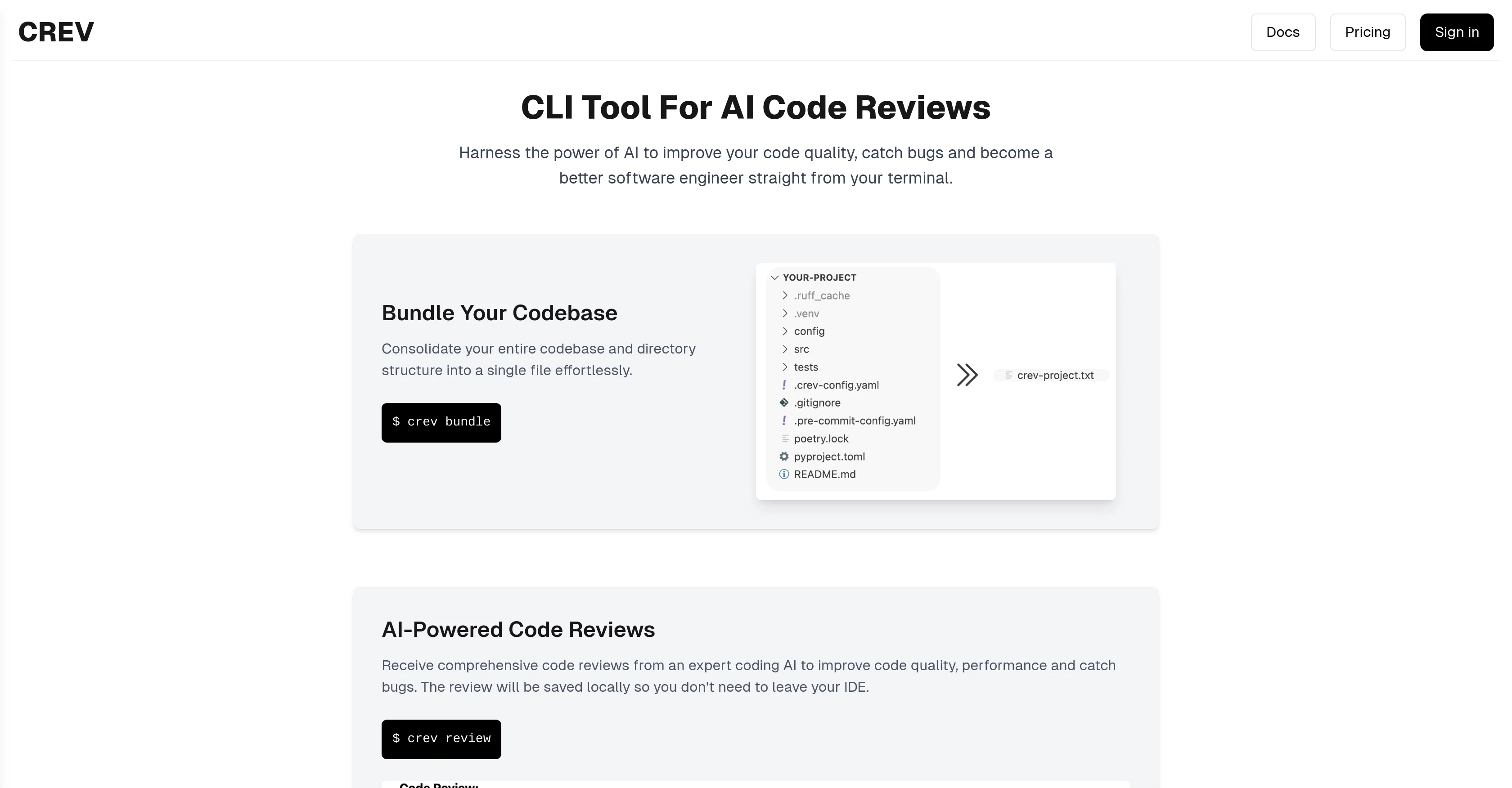
The tool is designed with a seamless command-line interface (CLI) integration, providing a platform for developers to receive code reviews without leaving their terminal.
Crev uses sophisticated AI models to provide extensive feedback on the user's code quality, performance, and security. A unique feature of Crev is that it allows developers to consolidate their entire codebase and directory structure into a single file, simplifying the sharing process with AI models for review.
Crev is built using Golang, which ensures its speed and efficiency, and it supports multiple platforms, including Windows, Mac, and Linux. The generated reviews are saved locally, allowing developers to access and use this critique without the need to leave their integrated development environment (IDE).
The overall aim of Crev is to help developers become better software engineers by providing them with instant feedback and potential improvements for their code.
Access & connections
Where you can use CrevCLI.
Platforms
Capabilities
What this tool accepts, produces, and is strongest at.
Input
- Code
Output
- Code
Supported features
- CLI
- Code Review
Pros & cons
Pros
- CLI integration
- Bug detection
- Code quality improvement
- Performance enhancement
- Code consolidation feature
- Golang built for efficiency
- Cross-platform support
- Locally stored reviews
Show 8 more
- IDE-friendly
- Code security checks
- Direct feedback
- Enhances developer productivity
- Improves coding skills
- Single file codebase sharing
- Fast processing
- Windows, Mac, Linux compatibility
Cons
- Knowledge of command line needed
- Codebase compression may lose metadata
- Generates code review offline only
- Relies on Golang efficiency
- No UI for non-terminal users
- Code consolidation may be complex
- Hard to integrate with IDEs
- No specific styles guideline enforcement
Show 1 more
- No clear reference to security checks
Compare alternatives
Similar tools in the catalog — with a clear reason to open each one.

CodeRabbit ✓
Free TrialEnhanced code review for improved workflow and quality.
Free + from $12/mo
Full comparison
Kilo | Code Reviewer ✓
FreemiumAI-powered code reviews that catch bugs before merge.
Free + from $15/mo
Full comparison
Surmado Code Review ✓
Free TrialAutomated Code Reviews for Github Teams and Vibe Coders
Why look Offers a public API
Full comparison
Dromeas ✓
FreemiumAI-powered code quality, security and compliance platform.
Why look Higher community rating
Full comparison

Releases 1
FAQ 12
What exactly is CrevCLI?
How can CrevCLI help improve my code quality?
What is the main purpose of using CrevCLI?
How does CrevCLI's code review process work?
What sort of feedback can I expect from CrevCLI's code reviews?
How does CrevCLI consolidate en entire codebase into a single file?
What language is CrevCLI built with?
What platforms does CrevCLI support?
Where are the CrevCLI generated reviews saved?
Can I access CrevCLI reviews without leaving my IDE?
How does CrevCLI help to detect bugs in my code?
Can CrevCLI enhance my software performance?
Related tools
Recommended

Thea ✓
FreemiumAI study tools to master material, not just memorize it.

TurboScribe ✓
Freemium🎯 3 free transcripts every day. 🔥 Unlimited transcription starting at $10/mo.

Automateed ✓
Free TrialCreate eBooks effortlessly with Automateed, the AI-powered writing tool.

Chatbit ✓
FreemiumTrain custom AI Chatbot from your data, add to website.

WriteHuman ✓
Free TrialUndetectable and private content generation.

NotebookLM ✓
FreemiumAI-powered note-taking and research assistant