

Code reviews 2026 Rank: #1672
AgentDesk ✓
AI agents that fix bugs while you sleep.
Trial; then from $41/mo
Verdict
A quick read before you dig into the full page.
- Best if
- AI agents that fix bugs while you sleep
- Skip if
- May need frequent API limit adjustments
- Pick this when
- Automates ticket management
Considering CodeRabbit instead? Compare side by side
Overview
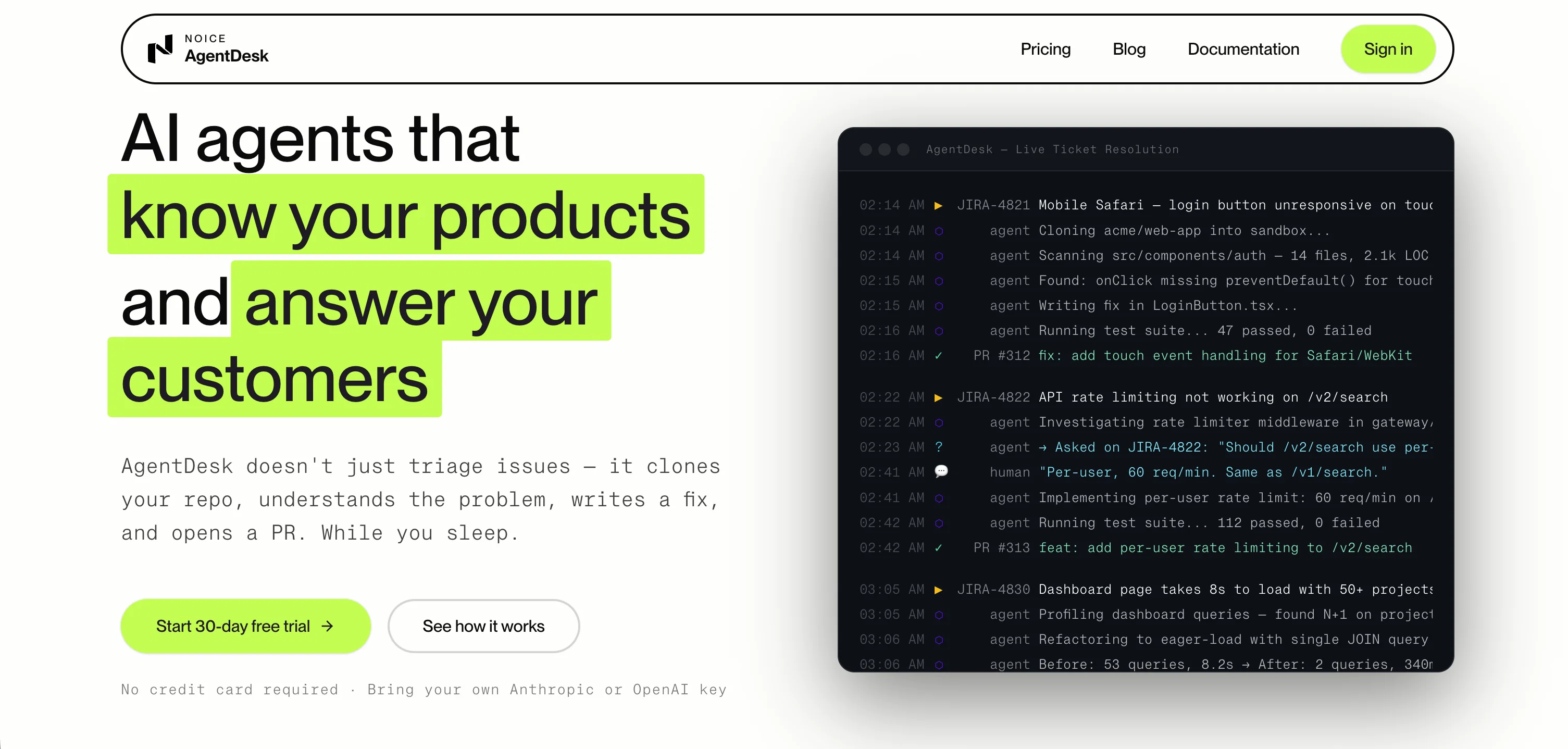
AgentDesk is an AI-driven tool specializing in ticket management and workflow automation, offering a range of features that go beyond just triaging issues.
It utilizes artificial intelligence to understand the problem through its comprehensive access to your repo, writes a fixing code, and opens a PR, all autonomously.
The tool processes issues reported on your platform while integrating with your pre-existing stack, including Anthropic, OpenAI, Jira, GitHub, GitLab, Bitbucket, and various other common tools in the tech industry.
Notably, AgentDesk offers a unique live ticket resolution feature, implying tickets can be addressed as they come and with minimal human intervention.
This tool deviates from the conventional format of AI support tools that often just draft messages for humans to execute, but instead, AgentDesk agents perform hands-on tasks.
The software solution's features include cloning your repo into a secure sandbox, understanding the nature of the bug, writing a fixing code, running tests for verification before opening a PR, and the ability of commenting on tickets and asking clarifying questions.
Each agent action is thoroughly auditable, maintaining sandboxed execution to ensure secure handling of your codes and issues.
Best for
Short scenarios where AgentDesk tends to shine.
-
AI agents that fix bugs while you sleep.
Example outputs 1
Sample generations and before/after results for AgentDesk.
Access & connections
Where you can use AgentDesk, and what it plugs into.
Platforms
Capabilities
What this tool accepts, produces, and is strongest at.
Input
- API
- Code
- Tabular
- Text
Output
- Code
- API
- Text
Highlights
- Agents
- MCP
Supported features
- Agents
- MCP
- Code Review
Pros & cons
Pros
- Automates ticket management
- Automates issue resolution
- Intelligent issue triage
- Autonomous repository cloning
- Problem understanding automation
- Autonomous solution drafting
- Optional pull request opening
- Broad workflow stack integration
Show 30 more
- Active problem-solving engagement
- Safe sandbox repository cloning
- Code reading capability
- Bug understanding capability
- Autonomous fix writing
- Pre-PR test running
- Capability to comment on tickets
- Clarification requesting capability
- Live ticket resolution feature
- Minimal human intervention requirement
- Secure sandbox repo cloning
- Ability to understand bugs
- Solution verification before PR
- Clarifying question asking capability
- Thorough action auditability
- Sandboxed execution for security
- Encrypted vaults for secrets
- Isolated containers for agent environment
- Integration with Jira, GitHub, GitLab
- Integration with Bitbucket, Azure DevOps, AWS
- Integration with Azure, Google Cloud, Kubernetes
- Integration with Terraform, Datadog, PagerDuty
- Integration with Heroku, Vercel, Netlify, Cloudflare
- API key usage control
- Configurable action approval necessity
- Expandable with more API keys
- Agents work in isolated containers
- Agent actions fully auditable
- Action approval system adjustable
- Transparent operation with no hidden markups
Cons
- Unclear error handling process
- Potential for misinterpreted tickets
- Reliant on quality of ticket details
- Limited customization options
- Approval process may slow workflow
- Limited to existing integrations
- May need frequent API limit adjustments
- Dependent on user tech stack
Show 1 more
- Code review potentially time-consuming
Compare alternatives
Similar tools in the catalog — with a clear reason to open each one.

CodeRabbit ✓
Free TrialEnhanced code review for improved workflow and quality.
Why look Typically cheaper
Full comparison
Kilo | Code Reviewer ✓
FreemiumAI-powered code reviews that catch bugs before merge.
Why look Typically cheaper
Full comparison
Surmado Code Review ✓
Free TrialAutomated Code Reviews for Github Teams and Vibe Coders
Why look Typically cheaper
Full comparison
Dromeas ✓
FreemiumAI-powered code quality, security and compliance platform.
Why look Typically cheaper
Full comparison
Codiga ✓
FreemiumCustomizable static code analysis for your favorite IDE.
Why look Typically cheaper
Full comparison
Codespect ✓
Free TrialAI-powered code review for GitHub PRs.
Why look Typically cheaper
Full comparisonPeople also view
Tools that often show up alongside AgentDesk in collections and comparisons.
Dromeas ✓
FreemiumAI-powered code quality, security and compliance platform.
Codespect ✓
Free TrialAI-powered code review for GitHub PRs.
Surmado Code Review ✓
Free TrialAutomated Code Reviews for Github Teams and Vibe Coders
Kilo | Code Reviewer ✓
FreemiumAI-powered code reviews that catch bugs before merge.
Codiga ✓
FreemiumCustomizable static code analysis for your favorite IDE.
CodeRabbit ✓
Free TrialEnhanced code review for improved workflow and quality.

PRBot.ai ✓
PaidAI agents pitch journalists for top-tier press coverage.

PatchDesign.AI ✓
FreemiumDesign custom patches in seconds using AI.
Releases 1
FAQ 12
What is AgentDesk?
How does AgentDesk automate ticket management and issue resolution workflow?
What does AgentDesk mean by 'intelligently triage issues'?
What tools does AgentDesk integrate with?
How does AgentDesk clone repositories into a safe sandbox?
What steps does AgentDesk agent take upon receiving a ticket?
How does AgentDesk prioritize security during the issue resolution process?
What exactly happens in the sandboxed environment?
How does AgentDesk's AI agent contribute to problem-solving?
Can AgentDesk act upon feedback from the team?
Does AgentDesk provide automated testing?
What makes AgentDesk different from other AI support tools?
Related tools
Recommended

remio: Your Personal ChatGPT ✓
FreemiumGet Tailored Answer with Your Personal ChatGPT

docAnalyzer ✓
FreemiumTurn document overload into work worth putting your name on

Supernormal App ✓
FreemiumThe AI assistant app that turns meetings into completed work

SureThing.io - "OpenClaw" for Beginners ✓
FreemiumFirst General AI Agency. Designed for long-horizon tasks.

Denovo ✓
FreemiumTurn your idea into a real business in minutes.

WebZum ✓
Free TrialSite, Google ad, and a 15-second video ad. Five minutes.